Custom 3D printing · Northern Kentucky
Broken part.
New possibilities.
Discontinued doesn’t have to mean done. Bring Kevin a broken part, a sketch, or a digital model—and find a practical path to making what you need.
No 3D file? Start with photos, measurements, or the original part.
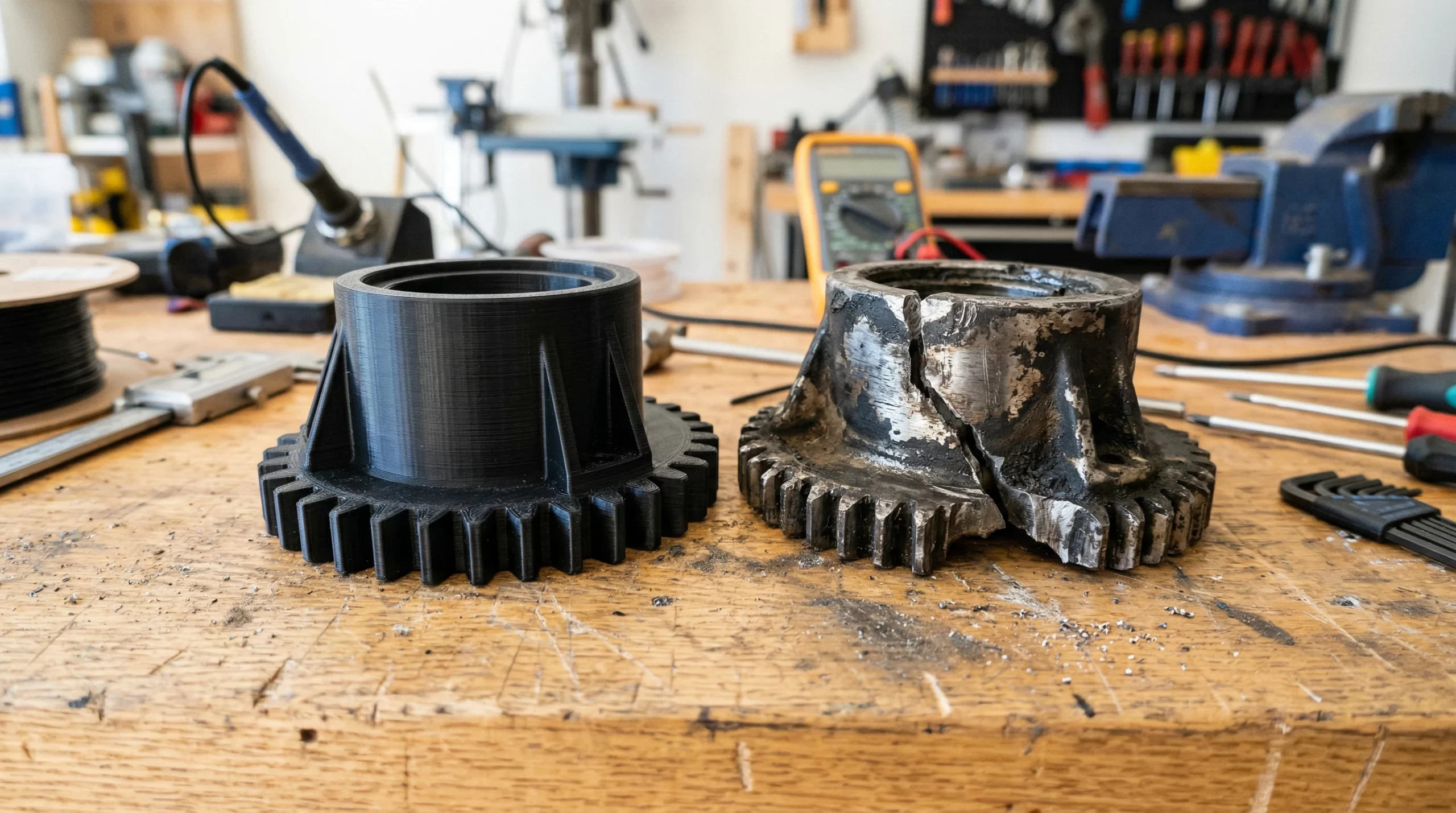
Small component.
A big reason to keep things working.
3D Printing by Kevin designs and produces practical custom parts: replacements, mounts, prototypes, fixtures, and small batches. FDM printing happens in Kevin’s shop. When another method makes more sense, qualified projects can be coordinated through a vetted outside manufacturing provider.
What can we make possible?
Real parts.
For real-world problems.
A missing clip. A mount that almost fits. An idea that needs a first prototype. Start with the job the part has to do.
Hard-to-find replacements
Recreate discontinued covers, knobs, clips, and other plastic components when the original can be evaluated safely.
Explore replacement partsMounts, holders & organizers
Build around your actual tool, device, drawer, or workspace—not the dimensions of a generic solution.
Find a better fitPrototypes you can hold
Check fit, scale, and usability in the real world before investing in a larger production decision.
Explore prototypesFixtures & small batches
Make useful jigs, guides, and repeat parts without committing to tooling or large production minimums.
Discuss your quantityFrom measurement to model
Refine an existing file or explore a new design built around measured requirements and attachment points.
See what to measureBeyond in-house FDM
For qualified projects, Kevin can coordinate specialized manufacturing, review specifications, and inspect incoming parts.
Compare the two routesDealing with a broken bracket or clip? See how replacement projects begin.
One project lead. More options.
The right process.
Not just the available printer.
You don’t need to know which manufacturing method to ask for. Tell Kevin what the part needs to accomplish.
In-house FDM printing
A practical starting point for many functional plastic parts, fit-check prototypes, holders, and fixtures.
- Design review and material selection
- Production and inspection in Northern Kentucky
- Controlled revisions when fit or function needs work
Managed manufacturing
For qualified work requiring finer detail, different material properties, complex nylon geometry, or a specialized process.
- Process comparison and quote coordination
- File preparation and specification review
- Incoming inspection before delivery
No blurred lines: Kevin does not operate resin, powder-bed, or metal printing equipment in his shop. Those processes are coordinated externally only when the project is a suitable fit.
From “can this be made?” to a clear next step
Bring the problem.
We’ll work through the possibilities.
-
Show what you need
Send photos, a sketch, a broken sample, or an STL, STEP, or OBJ file. Include quantity and intended use.
-
Review the requirements
Kevin evaluates fit, loads, heat, appearance, design work, and what could happen if the part fails.
-
Choose a practical route
Define the design work, material, process, budget, and timing before committing to production.
-
Make, inspect & refine
Review the result against the requirements. A fit check or test may reveal the need for a revision.
A useful first message doesn’t need to be complicated.
What does it do? How big is it? How many do you need? Where will it be used? Add photos and any deadline.
The P.R.I.N.T. Method™
Better questions.
More informed decisions.
Kevin’s repeatable approach keeps the work focused on the part’s purpose—not a random material or printer setting.
Problem
What’s broken, missing, awkward, or worth improving?
Requirements
What loads, heat, movement, appearance, and risks matter?
Interfaces
Where does it fit, clip, slide, screw, seal, or support?
Next-Best Materials & Methods
Which material, geometry, and production route fit the job?
Test & Tune
Produce, inspect, fit, revise, and learn from the result.
Honest about what fits
Useful is good.
Suitable is essential.
A printable part isn’t automatically a safe or sensible part. Geometry, environment, budget, and the consequences of failure all matter.
Often a promising starting point
- Covers, spacers, knobs, feet, and non-critical clips
- Custom holders, organizers, guides, and fixtures
- Prototypes and low-volume functional parts
- Components that can be tested without unacceptable risk
Extra review—or a different path
- Parts supporting people or preventing injury
- Fuel, flame, pressure, or high-voltage applications
- Medical, regulated, certified, or legally controlled parts
- Extreme heat, chemicals, or high consequences of failure
Testing, qualified engineering review, a different method, or declining the project may be the responsible choice. Access to another process does not remove these limits.
Curious about materials? Start with these four.
PLA
Often considered for indoor prototypes, models, and organizers.
Watch for: limited heat resistance, especially in vehicles or sun-exposed spaces.
PETG
Often considered for everyday functional parts and moisture exposure.
Watch for: creep, flexibility, and design-dependent performance.
ASA
Often considered for outdoor parts exposed to weather and ultraviolet light.
Watch for: controlled printing conditions and application-specific load limits.
TPU
Often considered for flexible feet, bumpers, grips, and guards.
Watch for: softness, wall thickness, and geometry changing the result.
These are starting points, not performance guarantees. Orientation, wall design, printer setup, and testing matter too. For more context, explore NIST’s additive manufacturing overview (opens in a new tab).
Meet the person behind the process
A repair mindset.
A maker’s approach.
Kevin’s background in industrial machine repair brings an important question to every project: what does this part actually need to do?
Based in Independence, Kentucky, he combines hands-on FDM experience, 3D modeling, and practical testing. Whether the part is made in his shop or through a vetted provider, the work starts with understanding the problem.
Get to know Kevin- Years of FDM printing
- 8+
- Years working with 3D models
- 8+
- Years using Shapr3D
- 4+
- Years at Xavier University
- 14+
In-house FDM equipment
- Bambu Lab X1 Carbon
- Raise3D Pro2
- Creality CR-M4
- MakerGear M3
Rather make it yourself?
Build your skills.
Not just your next print.
Learn the practical workflow one step at a time, without trying to master every setting at once.
Your first print is only the beginning.
The absolute beginner’s guide walks you from digital model to sliced file, first layer, and finished print—with a practical next step.
Read the Free Beginner GuideP.R.I.N.T. It: Practical 3D Printing for Beginners
A 40-page digital reference for setup, slicers, materials, calibration, replacement parts, and troubleshooting.
Explore the ebookCalibrate with a reason.
Use a symptom-first approach to separate mechanical setup, filament tuning, slicer choices, and fit compensation.
Open the calibration guideAnother practical learning resource: Maker’s Muse (opens in a new tab) .
A few useful answers
Good questions.
Clear answers.
Not sure where your project fits? Start with what you know.
Can you help if I don’t have a 3D model?
Possibly. Start with photos, measurements, a sketch, or the broken original. Kevin will assess whether the part can be modeled accurately enough and whether the design work makes practical and economic sense. Include whether the design or file is yours to manufacture.
How much does a custom part cost?
Cost depends on design work, size, material, process, quantity, production time, cleanup, inspection, and any test revisions. A ready-to-print file is a different job from recreating an unavailable component. Share the details so Kevin can evaluate the scope.
How long will my project take?
Timing depends on design work, testing, material and process availability, quantity, and scheduling. Managed manufacturing may also involve provider production and shipping. Include your deadline with the request; lead time is confirmed for the specific project before production.
Do you make resin, nylon powder-bed, or metal parts in-house?
No. Kevin’s in-house production is FDM. Qualified projects requiring resin, powder-bed, metal, machining, or casting processes may be coordinated through a vetted outside manufacturing provider, with specification review and incoming inspection.
Do I need to be in Northern Kentucky?
No. Local projects are convenient when a physical sample or fit check is useful, but suitable digital-file projects can be reviewed remotely and completed parts can be shipped.
Can you make safety-critical or certified parts?
These are not routine projects. Parts involving personal safety, fuel, pressure, flame, high voltage, regulated medical use, certification, or severe consequences of failure may require qualified engineering review, another manufacturing route, or a decision not to proceed. A printed part is not automatically safe or certified.
Where should a beginner start learning?
Start with the free 3D Printing for Absolute Beginners guide. The P.R.I.N.T. It ebook offers a structured reference for setup, slicers, first prints, materials, calibration, replacement parts, maintenance, and troubleshooting.
Let’s find the practical next step
That broken part
is a starting point.
Tell Kevin what it needs to do. Together, you can explore whether the answer is in-house FDM, managed manufacturing, or a different route entirely.
Start with what you have.
A photo. A rough sketch. A few measurements. You don’t need all the answers to begin the review.
Start Your Project ReviewProject requests are reviewed for feasibility, safety, file and design permissions, budget, scheduling, and fit with the available workflow. Submitting a request does not guarantee acceptance.