
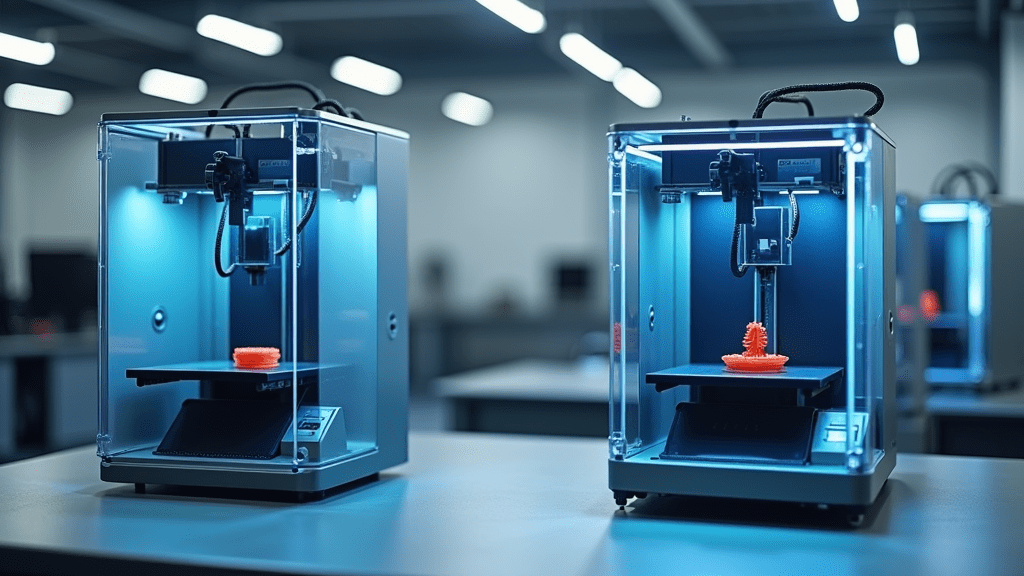
Choose the Creality Hi Combo if you want expandable multicolor printing, enclosed filament storage, and Klipper-friendly control. Choose the Bambu Lab A1 if you care most about plug-and-play simplicity, a polished software experience, and quieter operation. Both are under $500, but they serve slightly different user segments.
If you are stepping up from a basic bedslinger or buying your first serious multicolor machine, this guide will walk you through the real differences so you can match the right printer to your projects, your space, and your comfort level with tuning.
Disclosure: This article contains affiliate links. If you buy through them, I may earn a small commission at no extra cost to you. I only recommend machines and tools that actually make sense for real-world 3D printing.
Which Sub-$500 3D Printer Is Right for You?
If you are diving into 3D printing, or upgrading an older printer, the Creality Hi Combo and the Bambu Lab A1 are two of the most interesting choices in the sub-$500 category. Both offer high speed, multicolor capability, and smart features that used to be reserved for far more expensive machines.
Under the surface, though, they are aimed at slightly different users. The Hi Combo leans toward control, expandability, and a more open ecosystem, while the A1 leans toward polish, simplicity, and a very friendly user experience.
If you want more background before choosing, you can also read my comprehensive review of the Creality Hi Combo and my guide to multicolor 3D printing. For complete beginners, my desktop 3D printing beginner’s guide is also a helpful starting point.
At a Glance: Feature Comparison
Here is a quick side-by-side comparison before we dig into the details.
| Feature | Creality Hi Combo | Bambu Lab A1 |
|---|---|---|
| Price | Approx. 469 USD (Combo) / 299 USD (base | Approx. 459 USD with AMS Lite |
| Multicolor Printing | Enclosed four filament system, expandable up to sixteen | AMS Lite, four filament slots, not enclosed |
| Print Speed | Up to 500 mm per second | Up to 500 mm per second |
| Build Volume | 260 × 260 × 300 millimeters | 256 × 256 × 256 millimeters |
| Auto Bed Leveling | Yes, strain gauge with dual Z motor leveling | Yes, fully automatic with sensors |
| Direct Drive Extruder | Yes | Yes |
| Construction | All metal, die cast aluminum frame | Mixed plastic and metal frame |
| Assembly | About ninety five percent pre assembled | Fully assembled out of the box |
| Filament Management | Enclosed dry box with desiccant and RFID support | AMS Lite with basic filament handling |
| Firmware | Creality Print, Klipper support, Creality ecosystem | Bambu Studio, closed system |
| Noise Level | Filament cutter and changes can be loud | Generally quiet for home use |
| Smart Features | Cloud app, time lapse, remote monitoring, fold away screen | Bambu Cloud, time lapse, automatic updates |
| Materials Supported | PLA, PETG, ABS, PLA carbon fiber | PLA, PETG, TPU, PVA, with AMS limitations |
Quick Links to Each Printer
Ready to see the current pricing and bundles for each machine?
View Creality Hi Combo and Creality lineup
View Bambu Lab A1 via Hong Kong Chaorong Co.
Both links use my AWIN partner tracking. It helps support 3D Printing by Kevin at no extra cost to you.
Multicolor Printing: Who Does It Better?
Multicolor and multi material printing are no longer exotic. Both of these machines make it surprisingly straightforward, but the hardware approaches are very different.
Creality Hi Combo: The Hi Combo includes an enclosed, expandable filament switcher. Out of the box, it handles four filaments, but you can chain units together to reach up to sixteen spools. The enclosure uses desiccant to keep filaments dry, which is extremely important for materials like PETG and other hygroscopic plastics.
Bambu Lab A1: The A1 uses the AMS Lite, a lighter and more budget focused version of the AMS system found on higher end Bambu machines. It supports four filaments and works very well for typical hobby profiles, but it is not enclosed. Over time, that matters if you live in a more humid climate or lean heavily on moisture sensitive filaments.
Verdict: If multicolor printing is your main reason for upgrading, and you care about moisture control and future expansion, the Creality Hi Combo is stronger. If you simply want four colors with minimal fuss, the Bambu Lab A1 still does a very good job.
For a broader look at multicolor workflows, including other hardware options, you can check out my article on multicolor 3D printing.
Print Speed and Quality
On paper, both printers advertise speeds up to 500 millimeters per second with input shaping to reduce ringing and ghosting. In practice, you will run both at more conservative speeds for fine detail, but the point is that neither machine feels slow.
Creality Hi Combo: The Hi Combo pairs high speed with Klipper based control. For a power user, that opens the door to macros, detailed tuning, and custom behaviors that you simply cannot access on a locked down system. Once dialed in, it can deliver excellent surface quality while still printing much faster than older bedslingers.
Bambu Lab A1: The A1 leans on Bambu’s well tuned motion system and slicer integration. Out of the box, you get profiles that just work with very little tinkering. While you do not have the same low level control that Klipper offers, you get a highly optimized system that balances speed and quality with minimal user effort.
Verdict: Both are fast and capable. If you are a power user who loves to tune and experiment, the Hi Combo has a slight edge. If you want reliable quality with minimal tweaking, the Bambu Lab A1 feels more effortless.
Build and Design
The way a printer is built directly affects vibration, consistency, and how it holds up over time.
Hi Combo: Creality uses an all metal, die cast aluminum frame. That adds rigidity, which helps maintain accuracy during fast moves and reduces the chance of racking as the machine ages. It looks and feels like a serious piece of equipment on the bench.
Bambu Lab A1: The A1 has a compact, attractive design that fits easily in home offices and studios. It does, however, use more plastic in its construction, combined with metal. That is fine for everyday use, but if you plan to run constant, high speed jobs, the extra stiffness of the Hi Combo’s frame is an advantage.
Verdict: For maximum rigidity and a more industrial feel, the Creality Hi Combo comes out ahead. For a neat, space saving footprint that blends into a home environment, the A1 is still a strong choice.
Ease of Use and Setup
Speed and features only matter if you can actually get the printer up, running, and trusted in your day to day workflow.
- Hi Combo: Ships about ninety five percent pre assembled. You bolt a few components together, follow the on screen guide, and you are up and printing. It is not difficult, but there are more steps than a true fully assembled machine.
- Bambu Lab A1: Arrives fully assembled. You plug it in, connect to the app or desktop software, go through the guided calibration, and print. Firmware updates and maintenance routines are integrated into the workflow, which makes it very approachable for new users.
Bambu also earns extra points for its polished software experience. For a beginner who is nervous about profiles and tuning, Bambu Studio and the companion app feel very friendly.
Verdict: If you want a machine that feels truly plug and play, the Bambu Lab A1 is the easier start. The Hi Combo is still beginner friendly but will appeal more to users who are comfortable following a short assembly and calibration routine.
Noise and User Experience
Noise matters more than many people think. A printer that sounds like a workshop tool can be distracting in a bedroom or home office.
Hi Combo: Users report that the filament cutter and change mechanism can be noticeably loud, especially when running frequent multicolor transitions. The machine itself is not extreme, but it is less ideal for ultra quiet environments.
Bambu Lab A1: The A1 is well tuned for home use. You still hear fans, steppers, and filament movement, but overall the experience is more subdued and predictable. For a printer that might share space with remote work or study, this makes a difference.
Verdict: For the quietest overall experience, the Bambu Lab A1 is the safer pick. If your printer lives in a shop or separate space, the Hi Combo’s noise profile is much less of a concern.
Software and Remote Control
This is one of the most important differences between the two ecosystems.
- Hi Combo: Supports Creality Print, Klipper, and the Creality Cloud app. For advanced users, Klipper is a major draw. Custom macros, advanced tuning, and deeper control over the motion system are all on the table.
- A1: Uses Bambu Studio and Bambu Handy. These focus on a cohesive, beginner friendly workflow. Profiles are well tuned and thoughtfully presented, but the system is closed. You do not get the same level of low level control that Klipper offers.
Verdict: If you want maximum flexibility and hackability, the Hi Combo wins. If you want a polished, unified software and app experience, the Bambu Lab A1 feels more refined.
Explore the Creality Ecosystem
Already leaning toward the Hi Combo? It sits inside a wider ecosystem of printers and accessories that can grow with you.
Browse Creality Printers and Upgrades
Link uses my AWIN partner tracking. It is an easy way to support more in-depth testing and guides.
Bonus: Add a 3D Scanner to Your Setup
Whichever printer you pick, pairing it with a dedicated 3D scanner opens up new workflows: reverse engineering, product design, custom brackets, cosplay armor, and more.
For scanning, I like the balance of usability and value from 3DMakerpro, which offers global shipping and a range of models suitable for hobbyists and professionals.
Turn Real Objects into Printable Models
Add a scanner to your Hi Combo or A1 and unlock hybrid workflows that go far beyond simple downloads.
Explore 3DMakerpro 3D Scanners (Global)
This is my 3DMakerpro Global affiliate link. It does not change your price.

Visual Comparison: Creality Hi Combo vs. Bambu Lab A1
Prefer a more visual breakdown? This chart summarizes the key differences in a simple, skimmable format.
| Category | Creality Hi Combo | Bambu Lab A1 |
|---|---|---|
| Price | Very competitive, especially for the combo | Similar, with AMS Lite included |
| Multicolor Printing | Enclosed four spool unit, expandable to sixteen | Four spools with AMS Lite, not enclosed |
| Filament Protection | Airtight dry box with desiccant | Open spools, more exposure to moisture |
| Print Speed | Up to 500 mm per second | Up to 500 mm per second |
| Input Shaping | Yes, vibration control via Klipper stack | Yes, integrated into Bambu motion system |
| Firmware | Klipper compatible, high level of customization | Closed firmware, tuned for ease of use |
| Build Volume | 260 × 260 × 300 millimeters | 256 × 256 × 256 millimeters |
| Build Quality | All metal die cast frame | Mixed plastic and metal frame |
| Assembly | Almost fully assembled, quick final setup | Fully assembled out of the box |
| Software and Control | Creality Print, Klipper, Creality Cloud | Bambu Studio and Bambu Handy |
| Remote Features | Cloud printing, time lapse, monitoring | Cloud printing, time lapse, automatic updates |
| Noise | More noticeable during filament changes | Generally quieter for home use |
| Supported Materials | PLA, PETG, ABS, PLA carbon fiber | PLA, PETG, TPU, PVA |
| RFID Filament Detection | Yes, with Creality branded spools | Yes, with Bambu branded spools |
| Expandability | Up to sixteen filament rolls with extra units | Limited to four with AMS Lite |
| Display | Fold away color touchscreen | Fixed touchscreen |
| Recommended User Level | Intermediate to advanced | Beginner to intermediate |
Which One Fits Your Workflow?
| If You Want | Consider |
|---|---|
| Multicolor expansion and strong filament control | Creality Hi Combo |
| Faster setup and quieter operation | Bambu Lab A1 |
| Custom firmware, macros, and advanced tuning | Creality Hi Combo |
| Polished, plug and play experience | Bambu Lab A1 |
Ready to Choose?
Think about where you spend most of your time: dialing in profiles and pushing hardware, or designing parts and getting them printed with as little friction as possible.
Shop Creality Hi Combo and Creality printers
Shop Bambu Lab A1 via Hong Kong Chaorong Co.
Bottom Line
Both the Creality Hi Combo and the Bambu Lab A1 show how far sub five hundred dollar 3D printers have come. Where you land depends on your personality as much as your budget.
- If you are the type of maker who enjoys tuning, expanding, and pushing hardware, the Hi Combo is likely your better match.
- If you want a printer that feels more like an appliance and less like a project, the Bambu Lab A1 is hard to beat.
If you are still not sure, spend a few minutes reading my overview of different types of 3D printers. Understanding where CoreXY, multicolor, and modern smart features fit into the bigger picture often makes the choice much easier.
Creality Hi Combo vs. Bambu Lab A1: Frequently Asked Questions
Is the Creality Hi Combo better than the Bambu Lab A1?
Neither printer is strictly better. The Hi Combo is stronger for users who want expandable multicolor printing, enclosed filament storage, and Klipper based control. The A1 is better for users who prioritize a simple, quiet, plug and play experience with tightly integrated software.
Which printer is better for beginners?
For a true beginner, the Bambu Lab A1 is often the easier recommendation because of its fully assembled hardware, guided setup, and polished software. The Hi Combo is still accessible, but it appeals more to users who are comfortable with a small amount of assembly and tuning.
Which machine is better for multicolor printing?
If you care about moisture control and long term multicolor expansion, the Creality Hi Combo has the advantage with its enclosed filament box and ability to scale beyond four spools. If you simply want four colors with minimal configuration, the A1 with AMS Lite is still a very capable solution.
Which printer is quieter in day to day use?
The Bambu Lab A1 is generally quieter and more suited to shared living or working spaces. The Hi Combo is no louder than many other modern machines, but the filament cutting and color change process can be more noticeable.
Do I need Klipper to get good results from the Hi Combo?
No. You can get excellent results using the standard Creality stack. However, Klipper support is a major advantage for advanced users who want to extract every bit of performance, create custom macros, or run more complex workflows.
