
Discover the 3DMakerPro Moose 3D Scanner in this review—see how this portable, full-color scanner delivers accurate scans, easy setup, and standout value for makers, educators, and small shops.
Affiliate Disclosure: Some links below are affiliate links. If you buy through them, I may earn a commission at no extra cost to you.
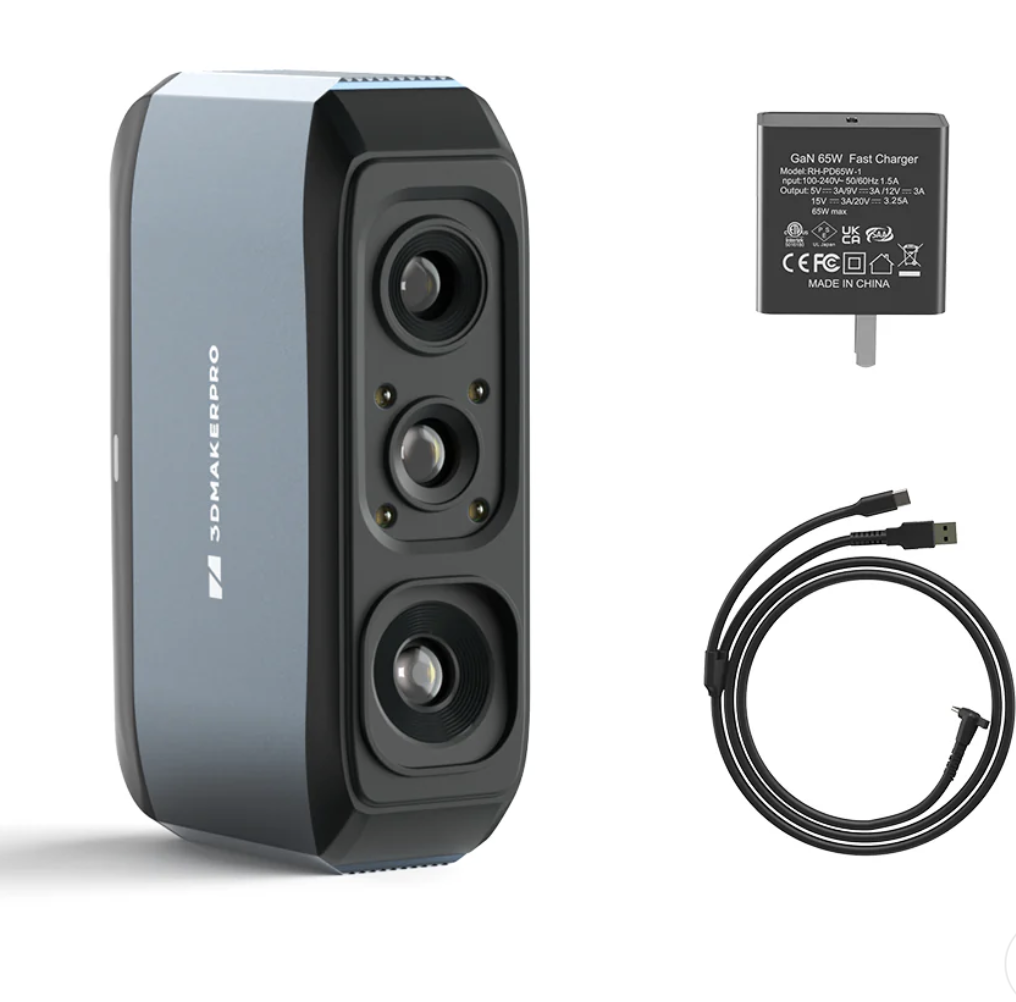
Meet the Moose 3D Scanner
Imagine holding a device that can capture real-world objects and turn them into detailed 3D models. The 3DMakerPro Moose 3D Scanner aims to make that workflow simple—without the “pro-only” price tag or a frustrating learning curve.
It’s built for small-to-medium objects, but it can scale up when you scan in sections and merge the results. And yes—this is one of the rare scanners in its class that also captures full color, not just geometry.
Quick verdict: If you want a compact, full-color structured-light scanner with strong tracking and beginner-friendly setup, the Moose is one of the most practical “buy once, use often” picks in the affordable tier.
Best for: makers, 3D printing, prop work, education, basic reverse engineering, and digitizing objects for design/content.
If you want to check current bundles and pricing, you can view the 3DMakerPro Moose here:
Technical Specifications and Standout Features
Let’s keep the specs simple and useful. These are the Moose highlights that actually matter when you’re scanning for 3D printing, design, or content work.
| Spec / Feature | Why it matters |
|---|---|
| Single-frame accuracy (high-detail capture) | Helps preserve fine surface detail for miniatures, props, and parts. |
| Full-color capture (24-bit color) | Useful for digital assets, archives, reference textures, and realistic models. |
| Marker-free scanning (AI visual tracking) | Less setup friction—great when you want “scan now” speed. |
| Blue structured light | Strong detail and consistency in controlled indoor lighting. |
| Handheld + turntable modes | Pick the workflow that fits your object size and shape. |
| Cross-platform support | Works across common desktop/mobile platforms, depending on your setup. |
What this adds up to in real life: the Moose is designed to be powerful without being “picky.” That’s why beginners tend to get usable results quickly—and why experienced makers keep it in rotation for fast capture jobs.
Note: Like every structured-light scanner, very shiny, transparent, or pure-black surfaces can still be difficult. For those, a removable scanning spray (matte coat) can help.
Ease of Use and Setup Process
The best thing about the Moose isn’t just the spec sheet—it’s how quickly you can go from unboxing to a clean scan.
Typical workflow: plug in → open the scanning app/software → quick calibration guidance → start scanning in handheld or turntable mode. The live preview helps you see coverage in real time, so you don’t “finish” a scan only to discover you missed an entire side.
If tracking ever slips, the recovery is usually simple: move back to an area you already captured and let the scanner re-lock. That makes the Moose feel forgiving—especially for first-time scanner owners.
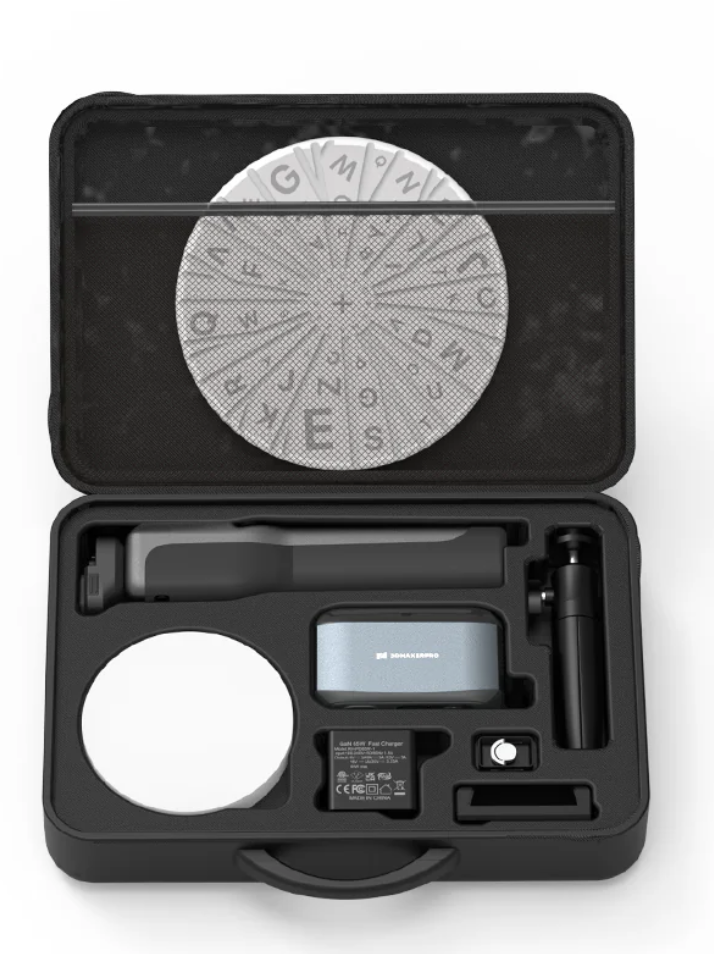
Real-World Applications
The Moose is at its best when you want to capture real objects for practical projects—fast.
- 3D printing and repairs: scan a broken piece, rebuild it digitally, then print a replacement.
- Props and cosplay: digitize physical sculpts and iterate in software before final prints.
- Education: create scan-based models for STEM classes, design projects, or remote learning assets.
- Content creation: capture textured models for game assets, AR/VR mockups, or product visualization.
- Light reverse engineering: create a starting point for CAD work (then refine dimensions as needed).
Accuracy and Scanning Performance
The Moose delivers strong detail where it counts: surface fidelity, clean overall shape, and reliable tracking during normal handheld movement.
Where you’ll see the best results: objects with visible surface features (texture, edges, shape variation) in stable indoor lighting. If your object has deep recesses or hidden undersides, plan on doing multiple passes and merging them.
Where you may need extra prep: glossy/transparent parts, very dark objects, or reflective metals. A removable matte spray can make a huge difference.
Pricing, Affordability, and Value
In the affordable structured-light category, the Moose is positioned as a “serious tool” that still fits a normal workflow—especially if you’re pairing it with a 3D printer.
It’s the combination that sells it: portable hardware + full color + marker-free tracking + practical scanning modes. If you’ll scan regularly (repairs, parts, props, education, or digital assets), the time savings can justify the cost quickly.
Best “value” buyer profile: you already own a 3D printer (or run a small maker workflow) and want to capture real objects without outsourcing scans.
Tip: bundle pricing changes. Check the current kit options before buying.
User Experiences and Expert Notes
Most feedback clusters around the same points: the Moose is comfortable to use, setup is approachable, and the tracking makes scanning less stressful than many budget scanners.
It has also received recognition from the Red Dot Design Award for its product design—an encouraging sign that the hardware was built with real-world usability in mind.
Final Take
The 3DMakerPro Moose is one of those tools that makes your workflow feel bigger overnight. Scan a part. Duplicate it. Remix it. Archive it. Share it. Print it. Repeat.
If you want an affordable, full-color scanner that doesn’t punish beginners—and still holds up for practical maker work—the Moose is worth a serious look.


Hey Kevin, Good write up there!
Thanks a lot! I appreciate you saying that. I’m glad you found it to be a good write-up.