
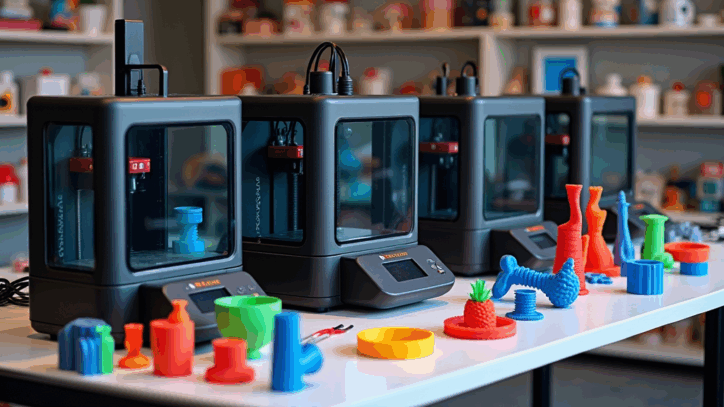
The three main types of 3D printers are FDM (filament-based), resin printers like SLA/MSLA, and powder-based systems like SLS. Each one builds parts layer by layer, but they differ in how they form those layers, what materials they use, and which projects they’re best suited for.
If you’re just starting your 3D printing journey, understanding these types will help you avoid costly mistakes and choose a machine that fits your budget, space, and projects.
A Beginner’s Guide to Choosing the Right Machine
When people first discover 3D printing, they often ask a simple question that leads to a very big rabbit hole:
“What kind of 3D printer should I buy?”
It’s an important question, because the type of printer you choose shapes everything that comes after it—what materials you can use, how much post-processing you’ll do, how sharp your details are, and even how much mess you’re willing to live with on your workbench.
Today, most hobbyists and small businesses start with one of three main technologies:
- FDM (Fused Deposition Modeling) – also called FFF, and usually what people picture when they think of a “regular” 3D printer.
- Resin printers – SLA, MSLA, and DLP printers that cure liquid resin with light for extremely fine detail.
- SLS (Selective Laser Sintering) – powder-based machines that build strong, functional parts without support structures.
Let’s walk through each type in everyday language so you can match the technology to the kind of prints you actually want to make.
FDM (Fused Deposition Modeling): The Gateway to Home 3D Printing
FDM printers are the workhorses of the hobby and small business world. They melt a plastic filament and lay it down in thin lines, building your model one layer at a time.
If you picture a tiny, precise hot glue gun moving around on a grid, you’re not far off.
Why are FDM printers so popular?
First, they are usually the most affordable way to get into 3D printing. Second, they work with a wide range of materials, including:
- PLA – easy to print and great for beginners.
- PETG – more durable and heat resistant for practical parts.
- ABS, ASA, and Nylon – stronger, but more demanding to print.
- TPU and other flexibles – for gaskets, phone cases, and flexible components.
Modern FDM printers also come with features that used to be considered “advanced,” such as automatic bed leveling, enclosed chambers, CoreXY motion systems, and even multi-color or multi-material printing. These improvements make it easier to get reliable results without spending hours tinkering.
Recommended for: hobbyists, schools, makerspaces, and small businesses that need brackets, fixtures, organizers, and general-purpose parts.
If you want to go deeper into how FDM printers work and how to get consistent results, I recommend starting with the Foundations of 3D Printing guide and then exploring my in-depth posts on materials like PLA and PETG.
Ready to buy your first FDM printer? Check out my breakdown of the best beginner 3D printers to see which machines I recommend and why.
Resin Printing (SLA, MSLA, and DLP): Where Precision Meets Aesthetics
FDM printers are great for functional parts, but sometimes you want incredible detail and silky-smooth surfaces. That’s where resin printers come in.
Instead of pushing melted plastic through a nozzle, resin printers use liquid photopolymer resin and cure it layer by layer with light. There are three main technologies you’ll see in the hobby space:
- SLA (Stereolithography) – uses a laser to trace each layer in the liquid resin.
- DLP (Digital Light Processing) – uses a projector to flash an entire layer at once.
- MSLA (Masked Stereolithography) – uses an LCD screen to mask a UV light source and cure a full layer in one go.
In practice, most small resin printers you’ll see today are MSLA machines. They’re relatively affordable and extremely good at printing fine details like tiny text, miniature faces, and crisp edges.
However, resin printing comes with trade-offs you should understand before you jump in:
- You’ll work with liquid resin, which is messy and requires gloves and good ventilation.
- Most prints need to be washed in isopropyl alcohol and cured under UV light.
- There is more post-processing involved than with FDM.
That said, the results can be stunning: glass-like surfaces, fine features, and details that FDM printers simply can’t match.
Recommended for: miniature painting, tabletop gaming, jewelry prototypes, dental models, small mechanical components, and any project where appearance and precision matter more than raw toughness.
SLS (Selective Laser Sintering): Industrial Strength at Your Fingertips
SLS printers move into a different category. Instead of filament or liquid resin, they use a fine powder—often nylon or a composite—and a powerful laser.
The laser scans each layer, fusing (or “sintering”) the powder particles together. The surrounding powder acts as a natural support structure, which means SLS can handle complex geometries that would be extremely difficult to print on a standard FDM machine.
The results:
- Very strong, functional parts.
- No traditional supports to remove.
- Excellent for prototypes and low-volume production.
For a long time, SLS was only found in industrial environments—think aerospace, automotive, and high-end engineering labs. Recently, smaller SLS machines have become more accessible, but they’re still significantly more expensive and more involved to run than a typical desktop FDM printer.
Recommended for: engineers, product designers, and businesses that need durable, end-use parts and complex shapes.
FDM vs. Resin vs. SLS: Key Differences at a Glance
All three technologies build objects layer by layer, but they approach the problem in very different ways. This quick comparison table gives you a high-level overview.
| Feature | FDM (Filament) | Resin (SLA / MSLA / DLP) | SLS (Powder) |
|---|---|---|---|
| Material | Solid filament (PLA, PETG, ABS, TPU, Nylon) | Liquid photopolymer resin | Nylon and composite powders |
| Surface Finish | Visible layer lines | Very smooth, high detail | Matte, slightly textured, very consistent |
| Support Structures | Yes, usually required | Yes, but often easy to remove | No traditional supports; unused powder supports the part |
| Strength & Durability | Good for everyday parts | Varies by resin; often more brittle | Excellent; ideal for functional parts |
| Ease of Use | Beginner-friendly | Intermediate (messy, more steps) | Advanced |
| Typical Cost | Lowest entry cost | Low-to-medium, plus consumables | Highest investment |
| Best For | General projects, gadgets, brackets, organizers | Miniatures, display models, dental, jewelry | Industrial prototypes, end-use parts |
If you’re just getting started and want a safe, capable first machine, FDM is usually the best starting point. You can always add a resin printer later for detail work or partner with a service that offers SLS when you need more advanced parts.
Other Noteworthy 3D Printing Technologies
While FDM, resin, and SLS cover most of the desktop and small-business world, there are a few other technologies you may see mentioned:
- MJF (Multi Jet Fusion) – HP’s powder-based technology with speed and color options, commonly used in professional service bureaus.
- Binder Jetting – uses a binding agent and powder, often for metal or ceramic parts before they’re sintered.
- Metal 3D Printing (SLM / DMLS) – melts metal powder with a laser, used in aerospace, medical implants, and high-end engineering.
These options are powerful, but they’re also more expensive and complex than what most home users need. However, it’s helpful to know they exist, especially if you plan to scale from hobby projects to serious manufacturing later on.
Which 3D Printer Type Is Right for You?
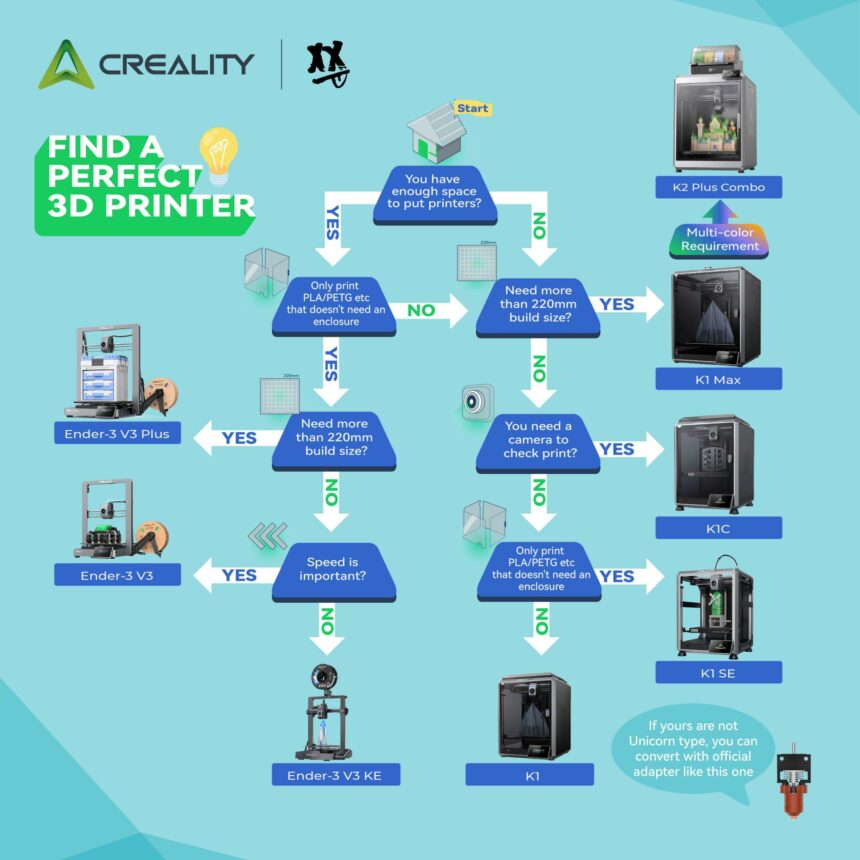
The right type of 3D printer depends less on what’s “popular” and more on what you actually want to make.
Here’s a simple way to think about it:
- Start with FDM if you want to print practical parts, organizers, prototypes, brackets, and upgrades for around the house or your workshop.
- Add resin if you want showpiece-quality models, miniatures, or small, detailed parts that look like they came out of injection molds.
- Use or outsource SLS if you need strong, functional parts with complex geometry and you’re ready for industrial-grade workflows.
There is no rule that says you must pick only one type forever. Many makers end up with a “fleet” over time: an FDM printer for everyday jobs, a resin printer for high-detail work, and access to SLS through a service for special projects.
When you’re ready to narrow it down to specific machines, my beginner 3D printer recommendations will walk you through real-world pros and cons so you don’t buy something that will frustrate you on day three.
Your 3D Printing Journey Starts Now
The most exciting thing about 3D printing is not the technology itself—it’s what you can do with it. However, every successful project starts with a good match between your goals and your printer.
Understanding the different types of 3D printers gives you that foundation. It helps you set realistic expectations, plan your budget, and choose a path you’ll actually enjoy.
If you’d like to go deeper, you can:
- Start with the Foundations of 3D Printing if you’re brand new.
- Explore my printer reviews to see how different machines perform in the real world.
- Dive into step-by-step guides on leveling, slicing, materials, and troubleshooting.
And if you ever reach the point where you’d rather have someone else handle the hard parts, you can always reach out for custom 3D design and printing services. I’m happy to help you move from idea to finished part.
Frequently Asked Questions: 3D Printer Types Explained
What are the main types of 3D printers?
The three main types of 3D printers most people encounter are FDM (filament-based printers), resin printers (SLA, MSLA, and DLP), and SLS (powder-based printers). FDM uses melted plastic filament, resin printers cure liquid resin with light, and SLS sinters powder with a laser.
Which 3D printer is best for beginners?
For most beginners, an FDM printer is the best starting point. It’s more forgiving, easier to learn on, and cheaper to run than resin or SLS systems. When you’re comfortable with the basics, you can always add a resin machine later for sharper details.
What is the difference between FDM and resin printers?
FDM printers use a hot nozzle to extrude melted plastic filament, layer by layer. Resin printers use UV light to cure liquid resin in a vat. FDM is generally better for larger, functional parts, while resin printers are better for smaller, highly detailed models with smooth surfaces.
Are SLS printers “better” than FDM printers?
SLS printers are more advanced and are usually used for industrial or professional work. They can produce strong, complex parts without supports. However, they are also much more expensive and require more specialized knowledge. For home and hobby use, FDM printers are usually the better fit.
What materials can each type of 3D printer use?
FDM printers can use materials such as PLA, PETG, ABS, ASA, TPU, and Nylon. Resin printers use liquid photopolymer resins that are tuned for different properties like toughness, flexibility, or high temperature resistance. SLS printers typically use nylon powders, flexible powders, or composite blends designed for strength and durability.
Can one printer support multiple printing methods?
Most printers are designed for a single method—either filament (FDM) or resin. A few hybrid systems exist, but they are rare and more complex. It’s usually more practical to choose a single type to start with and then expand your setup later if your projects demand it.

