
Disclosure
This post contains affiliate links for Creality, 3DMakerpro, and HONG KONG CHAORONG CO., LIMITED. If you click these links and make a purchase, I may receive a small commission at no additional cost to you. I also feature COEX filament, which supports the site through the provided partner link.
The Secret to Perfect First Layers
What is the most common reason a 3D print first layer fails?
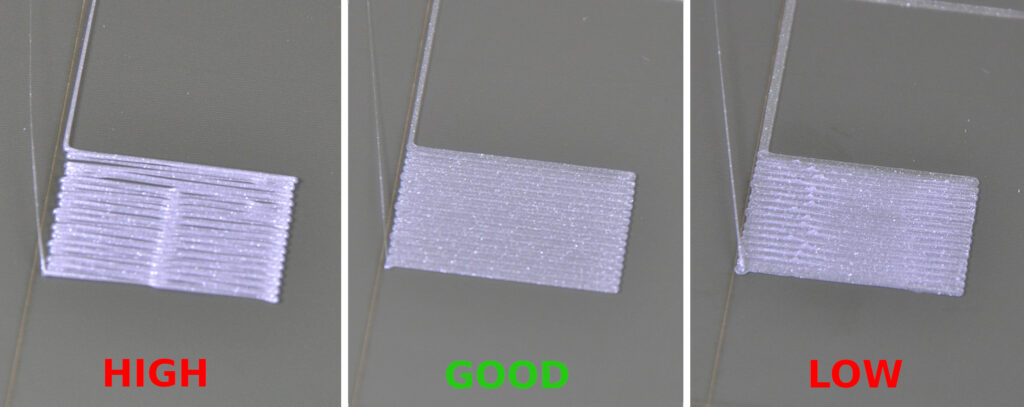
The most common reason for first layer failure is an incorrect Z-offset. If the nozzle is too far from the bed, the filament will not squash enough to adhere (extrusions look like round cylinders). If it is too close, the nozzle scratches the bed or causes “plowing” through the plastic. Achieving a perfect first layer requires a precise balance between bed leveling and the digital Z-offset height.
Why Your Prints Aren’t Sticking
While many hobbyists blame a warped bed or bad filament, the reality is usually simpler. Most modern printers, such as the latest models from Creality, feature auto-bed leveling (ABL) sensors. However, an ABL sensor only tells the printer where the bed is; it does not automatically know the exact distance between the sensor trigger point and the tip of your nozzle.
If this distance—the Z-offset—is off by even 0.05mm, your print is destined for the scrap bin.
Signs Your Z-Offset Needs Tuning:
- Gaps between lines: The nozzle is too high.
- Transparent or rough layers: The nozzle is too low.
- Peeling corners: Poor adhesion due to lack of “squish.”
- Filament “spaghetti”: Total adhesion failure.
The Three-Step Fix for First Layer Success
1. Deep Clean the Build Surface
Before adjusting settings, ensure your bed is free of oils. Fingerprints are the silent killer of bed adhesion. Use 90% Isopropyl Alcohol or warm soap and water. For those looking to upgrade their surface entirely, high-quality replacements can be found through HONG KONG CHAORONG CO., LIMITED.
2. Live-Tune the Z-Offset
The most effective way to fix your first layer is to adjust the Z-offset while the printer is actually running.
- Start a “First Layer Calibration” print (a large flat square).
- Access the “Tune” or “Z-Offset” menu on your printer screen.
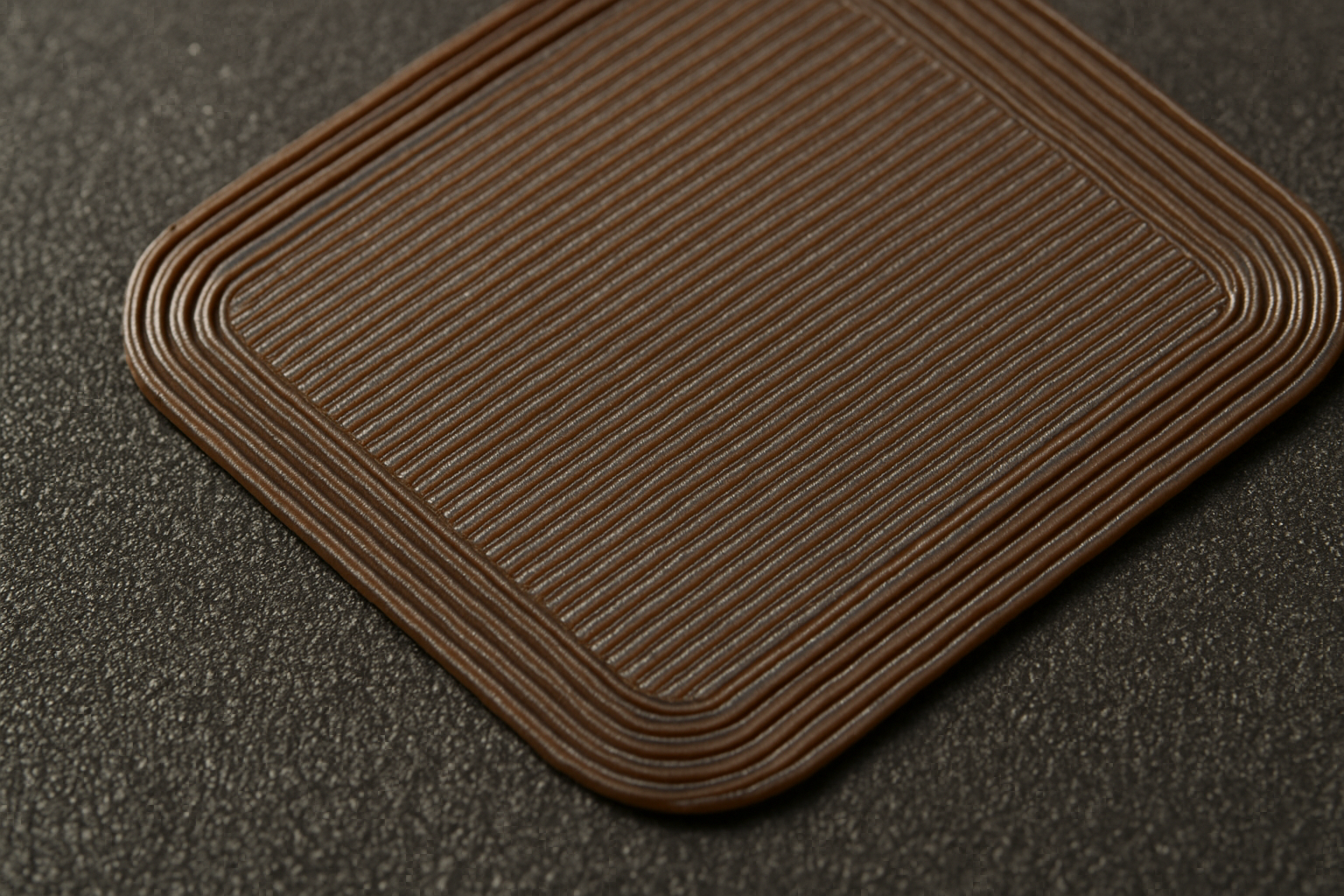
- Lower the nozzle in 0.01mm increments until the lines touch and form a solid, smooth sheet.
3. Use High-Quality Filament
Consistency matters. If your filament diameter varies, your flow rate will be inconsistent, ruining your Z-offset calibration. I recommend using COEX Filament for its tight tolerances and excellent bed adhesion properties.
Comparison: Hardware vs. Software Fixes
| Problem | Software Solution | Hardware Solution |
|---|---|---|
| Poor Adhesion | Increase First Layer Flow (105%) | Clean bed or use PEI sheet |
| Warping | Turn off cooling fan for layer 1 | Use an enclosure or brim |
| Inconsistent Height | Calibrate Z-Offset | Check for loose Z-axis lead screws |
Kevin’s Pro Tip: If you are moving beyond simple printing and into reverse engineering, having a calibrated first layer is vital for dimensional accuracy. Tools like the 3DMakerpro Scanners allow you to digitize physical objects, but those objects can only be reproduced if your printer’s foundation is rock solid.
Internal Resources for 3D Printing Success
To further optimize your printing workflow, explore our dedicated guides:
- Complete Guide to Bed Leveling: Master the manual side of bed prep.
- Printer Maintenance 101: Keep your Z-axis moving smoothly.
- Filament Storage Solutions: Prevent moisture from ruining your first layer.
Frequently Asked Questions
How often should I calibrate my Z-offset?
You should check your Z-offset whenever you change a nozzle, move the printer, or notice the first layer isn’t looking as smooth as it used to.
Does bed temperature affect the first layer?
Yes. If the bed is too cold, the plastic will contract and peel. For PLA, a bed temperature of 60°C is standard, while PETG often requires 70-80°C.
Can a dirty nozzle cause first layer failure?
Absolutely. If there is burnt filament on the tip of the nozzle, it can drag through the fresh extrusion, causing it to lift from the bed.
Next Steps for Your Workshop
Fixing the first layer is the single biggest hurdle to enjoying 3D printing. Once you have mastered the Z-offset, you can focus on more complex projects.
Ready to upgrade your setup?
- Shop the latest printers at Creality.
- Pick up industrial-grade filament from COEX.
- Explore precision scanning with 3DMakerpro.

