
The best 3D printers for architectural models combine fine layer resolution, dimensional accuracy, reliable calibration, and material flexibility. For most architects and model makers, filament-based FDM printers with enclosed chambers and large build volumes offer the best balance of cost, detail, and usability—while professional resin or PolyJet systems dominate at the enterprise level.
3D printing has revolutionized architectural visualization, allowing firms to bridge the gap between digital sketches and physical reality with unprecedented speed and detail. As we move into 2026, the industry has shifted from “tinkering” to “production,” where reliability and speed are the primary benchmarks.
Whether you are a student building massing models or a principal architect presenting to clients, choosing the right machine is critical. Here are the five best 3D printers for architectural models in 2026.
At a Glance: Top Picks for 2026
| Printer | Best For | Build Volume | Notable Feature |
| Bambu Lab P2S | All-Rounder / High Speed | 256 x 256 x 256 mm | Active Airflow & AI Monitoring |
| Prusa CORE One | Professional Accuracy | 250 x 210 x 220 mm | Fully Enclosed / Pro-Grade Reliability |
| Formlabs Form 4 | Ultra-Fine Detail (SLA) | 200 x 125 x 210 mm | Professional resin for smooth surfaces |
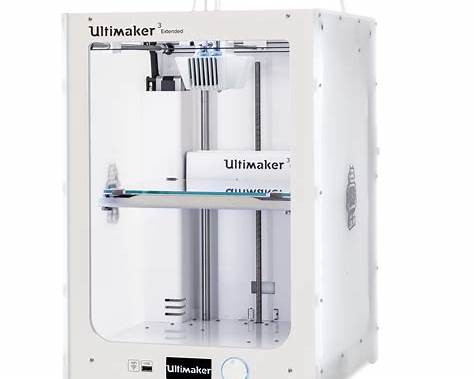
| UltiMaker S7 | Dual-Extrusion / Large Models | 330 x 240 x 300 mm | Dissolvable supports for complex geometry |
| Elegoo Neptune 4 Plus | Large Scale / Budget | 320 x 320 x 385 mm | Massive volume for the price |
1. Bambu Lab P2S (Best Overall)
The Bambu Lab P2S has set the new standard for architectural offices. It is a “click and print” machine that eliminates the need for manual calibration.
-
Speed: Prints up to 500mm/s, meaning a conceptual site plan can be finished in hours rather than days.
-
Multicolor Printing: Using the AMS 2 Pro system, you can print site models with different colors for roads, buildings, and green spaces in a single run.
-
Filament Versatility: Easily handles PLA for quick drafts and ASA for durable, sunlight-resistant presentation models.
2. Prusa CORE One (Best for Accuracy)
For firms that demand dimensional accuracy above all else, the Prusa CORE One is the premier choice. Unlike “bed-slingers,” its CoreXY design ensures that the model remains stationary while the head moves, preventing tall, thin structures (like skyscrapers) from wobbling during the print.
-
Reliability: Known for 24/7 operation with minimal maintenance.
-
Enclosure: The fully enclosed chamber allows you to use advanced engineering materials without warping.
3. Formlabs Form 4 (Best for Presentation Models)
When a client needs to see the fine texture of a facade or the delicate mullions of a window wall, FDM (filament) printing may not be enough. The Formlabs Form 4 uses Resin (SLA) technology to create liquid-smooth surfaces.
-
Detail: It can capture intricate interior details and furniture at 1:50 or 1:100 scales.
-
Speed: The new “Low Force Display” technology makes this one of the fastest resin printers on the market.
4. UltiMaker S7 (Best for Complex Geometry)
Architectural designs often feature overhangs and complex cantilevers that are difficult to print. The UltiMaker S7 excels here because of its dual-extrusion system.
-
Dissolvable Supports: You can print the structure in a standard plastic and the “supports” in a water-soluble material (PVA). Once finished, you simply drop the model in water, and the supports disappear, leaving a clean model with no marks.
5. Elegoo Neptune 4 Plus (Best for Large Scale Models)
If you need to print a large urban master plan or a 1:20 section of a building, volume is key. The Elegoo Neptune 4 Plus offers a massive build area at a fraction of the cost of industrial machines.
-
Value: It is the ideal “workhorse” for a student or a small studio starting out.
-
Performance: Despite its size, it maintains high speeds, making it efficient for large-volume massing studies.
Essential Knowledge for 2026
3D Printing Calibration and Setup
To ensure your prints don’t fail, prioritize 3D printing calibration. Modern printers like the Bambu and Prusa series offer auto-leveling, but you should still perform a “flow rate” test whenever you switch filament brands.
Software Compatibility
Most architectural models begin in Rhino, Revit, or SketchUp. To bridge these to your printer:
-
Export as STL or 3MF: Ensure your geometry is “watertight” (no holes in the mesh).
-
Slicing: Use Ultimaker Cura or PrusaSlicer to convert your 3D file into G-code (the instructions the printer follows).
Pro Tip: If you are a beginner, start with PLA filament. It is the easiest to print, biodegradable, and doesn’t require a heated enclosure.
Ethics and Affiliates
Some of the links provided may be affiliate links. If you’re looking to purchase, consider these trusted sources:
