
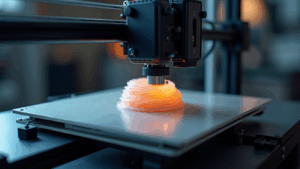
The upgrade, combining a high-speed motion system, input-shaping firmware, and a direct-drive, high-flow hotend, is turning ordinary FDM printers into rapid, reliable workhorses. It dramatically cuts print times, improves surface finish, and makes pro-level results possible on the same desktop footprint you already have.
The 3D printing community is currently experiencing a collective moment of sheer disbelief and excitement, all thanks to a single, groundbreaking hardware upgrade. This is not just another incremental tweak or a minor step up from the last model. It is a full-blown paradigm shift that fundamentally alters what Fused Deposition Modeling (FDM) printers can do in a home, classroom, or small shop.
The buzz started in niche forums, spread through Discord servers and Reddit threads, and then exploded across YouTube and social media. Makers who were used to overnight prints now watch complex parts finish in a fraction of the time, with surfaces that look like they came from a machine costing several times more. From garage tinkerers to engineers running serious rapid prototyping workflows, people are asking the same question: What exactly changed?
Let us break down what this upgrade really is, why it works, and how you can decide whether to retrofit your current printer or simply move to a high-speed machine that already has these innovations baked in from the factory.
What Is This Game-Changing 3D Printer Upgrade?
When people talk about the 3D printer upgrade that changes everything, they are usually talking about a combination of three things working together, not a single bolt-on part:
- A high-speed motion system (stiffer frame, lighter toolhead, better belts and bearings).
- Input-shaping firmware that measures and cancels vibrations so you can crank up acceleration without creating ringing or ghosting.
- A direct-drive, high-flow hotend that keeps up with the increased speed while maintaining consistent extrusion.
In other words, this is an upgrade that targets the printer as a system: motion, control, and extrusion. If you are new to 3D printing, it can be helpful to start with a quick overview of how a basic FDM printer works. For that, I recommend reading my beginner-friendly guide to getting started with desktop 3D printing and my breakdown of the different types of 3D printers before diving into upgrades.
Once you understand the basics, the magic of this upgrade becomes obvious: you are not just swapping out a nozzle or changing a fan. You are giving your printer the mechanical strength and software intelligence it needs to move like a modern, high-end machine while still using familiar, affordable materials like PLA, PETG, and ABS.
Why High-Speed Motion Plus Input Shaping Changes Everything
Traditional consumer FDM printers were designed at a time when 40–60 mm/s was considered “fast enough.” Push much beyond that and you would start to see layer shifts, ringing around corners, and a lot more failed prints. The limiting factor was not just the hotend; it was vibration and frame stiffness.
Input shaping flips that limitation on its head. By measuring how your printer vibrates and then mathematically canceling those vibrations, input shaping allows you to use much higher accelerations without wrecking print quality. That means:
- Bridges and overhangs hold their shape better.
- Text and sharp corners stay crisp even at high speeds.
- Prints finish hours earlier, especially on tall or complex parts.
Pair this with a stiffer, lighter motion system and a direct-drive, high-flow hotend, and you suddenly have a printer that can lay down plastic fast enough to keep up with the motion. Instead of waiting overnight for a functional bracket or enclosure, you can have it on your bench the same afternoon.
For small businesses and serious hobbyists, that is not just a convenience upgrade. It is a workflow revolution. More iterations per day means faster design cycles, better products, and fewer compromises when you are up against a deadline.

Real-World Results: Before and After the Upgrade
So what does this look like in practice? Here are the kinds of changes makers typically report when they move from a stock “slow but safe” profile to a properly tuned high-speed, input-shaped setup:
- Print time for common parts drops by 40–70 percent. A 10-hour print might drop to 4–6 hours with similar or better quality.
- Surface quality actually improves because ringing and ghosting are reduced, even at higher speeds.
- Supports break away more cleanly thanks to more consistent extrusion and better layer adhesion.
- First-layer reliability improves when the upgrade is combined with a good auto bed leveling system and a solid build plate.
If you want to see how this compares to other workflows like selling finished prints or digital files, you may also like my guide on selling STL files versus physical prints. The short version: when your printer runs faster and more reliably, every path to monetization becomes more realistic.
Who Will Benefit the Most From This Upgrade?
Not every maker needs to squeeze out every last millimeter per second. But for the right person, this upgrade feels like going from dial-up to fiber internet. You are still doing the same work, but the entire experience is transformed.
- Product designers and engineers who iterate daily and need to test multiple versions of a part in a single workday.
- Small businesses offering a 3D printing service where time literally is money.
- Serious hobbyists who regularly fill the build plate with terrain, props, robotics parts, or cosplay pieces.
- Educators and makerspaces where multiple people are waiting on the same printer.
If you only print a calibration cube every few months, you probably do not need this. But if your printer is one of the main tools in your workshop, investing in speed and reliability pays off faster than almost any other upgrade.
Upgrade Path 1: Retrofit Your Existing Printer
One route is to upgrade the printer you already own. This usually means:
- Installing a new mainboard or controller that supports advanced firmware and input shaping.
- Adding an accelerometer for vibration measurement and tuning.
- Switching to a direct-drive, high-flow extruder and hotend.
- Improving cooling, belts, bearings, and frame rigidity where needed.
This is the tinkerer’s route. It offers a lot of control and can be very cost-effective if you already have a solid machine. However, it also demands the most time and patience. You will be tuning, testing, and retuning to hit that sweet spot between speed and quality.
If you are not sure whether your existing machine is a good candidate for a retrofit, start by reading my comparison of 3D printer types and motion systems. Stiffer, more modern frames generally respond better to high-speed upgrades than older, wobbly designs.
Not Sure Where to Start With Upgrades?
If you are feeling overwhelmed by boards, firmware, and hotend choices, you are not alone. I put together a practical, real-world guide that walks you through the upgrade process with examples, photos, and config tips.
Read the Step-by-Step Beginner GuideUpgrade Path 2: Buy a High-Speed Printer With the Tech Built In
If you would rather create parts than tweak firmware, the easier option is to pick up a modern, high-speed printer where this upgrade is baked in from the factory. These machines come with tuned motion profiles, input-shaping firmware, and high-flow hotends ready to go.
Brands like Creality now offer core machines that are designed around speed, reliability, and consistent quality. Instead of buying separate boards, accelerometers, and extruders, you get a system where all of those components were engineered to work together.
Want High-Speed Performance Without the Tinkering?
If you prefer to skip the retrofits and jump straight into a modern, high-speed setup, take a look at the latest Creality printers that ship with advanced motion control and input shaping right out of the box.
This is an affiliate link, which means I may earn a small commission if you decide to purchase, at no extra cost to you. I only recommend tools that make sense for serious makers.
Explore High-Speed Creality Printers
Bonus Upgrade: Pair High-Speed Printing With 3D Scanning
Fast printers become even more powerful when you combine them with a good 3D scanner. Instead of spending hours modeling from scratch, you can scan existing parts, clean up the mesh, and send it straight to your high-speed printer.
That workflow is especially valuable if you repair equipment, create replacement parts, build ergonomic grips, or reproduce hard-to-find components. Print speed matters even more when your pipeline from idea to object is already streamlined.
Turn Real-World Objects Into Printable Models
3DMakerpro’s desktop and handheld scanners let you capture accurate geometry from real parts and feed those scans directly into your high-speed printer. It is one of the easiest ways to level up from simple trinkets to true, functional projects.
I may earn a commission if you purchase through the link below, at no additional cost to you. It helps support the in-depth guides and experiments I share on 3D Printing by Kevin.
Check Out 3DMakerpro ScannersIs This Upgrade Worth It for You?
It is easy to get caught up in hype, so let us bring it back to reality. This upgrade is worth it if:
- You print often enough that long print times are stopping you from taking on new projects.
- You care about surface quality and dimensional accuracy.
- You are building a side hustle or business around custom parts, product development, or short-run production.
If you print a few times a year, a high-speed upgrade is more of a luxury. But if your printer is a core part of your creative or professional life, the combination of time savings and reliability often justifies the investment within months.
Think about what you could do with an extra two, three, or four successful prints every week. That could mean extra revenue, more design experiments, or simply more finished projects in your hands instead of half-completed ideas in your slicer.
How to Get Started: A Simple Next-Step Roadmap
- Step 1: Assess your current printer. Is the frame stiff? Are the belts tight? Does it already have auto bed leveling? Use my beginner’s setup guide to make sure you have the basics dialed in.
- Step 2: Decide on retrofit versus replacement. If you love tinkering, a retrofit path can be very rewarding. If not, look at modern high-speed printers with input shaping already enabled.
- Step 3: Set clear goals. Do you want to cut print times, improve quality, or both? Knowing what matters most will guide which components you prioritize.
- Step 4: Start with one core upgrade at a time. For many users, going to a direct-drive, high-flow hotend paired with tuned firmware delivers the biggest jump in real-world performance.
- Step 5: Iterate and document. Keep notes on your profiles, speeds, and results. Over time, you will build your own “house style” of reliable, high-speed printing.
Need Help Choosing or Tuning a High-Speed Setup?
If you are serious about upgrading your printer but want expert, real-world advice before you spend the money, I also offer consulting and custom 3D printing services. We can talk through your current setup, your goals, and the most cost-effective way to reach them.
Contact Kevin for 3D Printing HelpFrequently Asked Questions About the High-Speed 3D Printer Upgrade
What is the 3D printer upgrade everyone is talking about?
When makers say this upgrade “changes everything,” they are usually referring to a complete system that includes a stiffer, lighter motion system, input-shaping firmware, and a direct-drive, high-flow hotend. It is the combination of these three pieces that enables serious speed without trashing print quality.
Do I need a brand-new printer to get these benefits?
No. Many people retrofit their existing printers with new control boards, hotends, and firmware to unlock high-speed printing. However, if you prefer a plug-and-play experience, buying a modern high-speed printer with these features built-in is often the more relaxing path.
Is high-speed printing harder on the machine?
High-speed printing does put more demands on the frame, belts, and bearings, which is why input shaping and proper tuning are so important. When configured correctly, the printer is not being abused; it is being used the way its mechanics and firmware were designed to operate.
Is the upgrade worth the cost for a hobbyist?
If your printer is a central part of your maker life, the answer is usually yes. The time savings, improved quality, and reduced frustration make every project feel smoother. If you only print occasionally, focus on dialing in reliability at normal speeds first.
If you are ready to take the next step, start by honestly assessing how often you print and what you want out of your machine. From there, you can decide whether to upgrade what you have, move to a high-speed printer from a brand like Creality, or add tools like 3DMakerpro scanners to unlock even more ambitious projects.