
What is the biggest myth holding back beginner 3D printing enthusiasts? The most damaging myth is the belief that making strong, functional 3D-printed parts requires a mechanical engineering degree and a five-figure industrial machine. In reality, modern desktop printers with automatic bed calibration, intuitive slicing software, consumer 3D scanners, and tight-tolerance filaments allow complete beginners to produce reliable replacement parts, mounts, and prototypes for under $500.
Where should you start? Start with the problem beside your workbench—a broken clip, a missing tool holder, or a custom bracket—and follow our step-by-step 3D Printing for Absolute Beginners Guide to turn your first digital file into a working part on day one.
The Barrier to Entry Is No Longer Technical
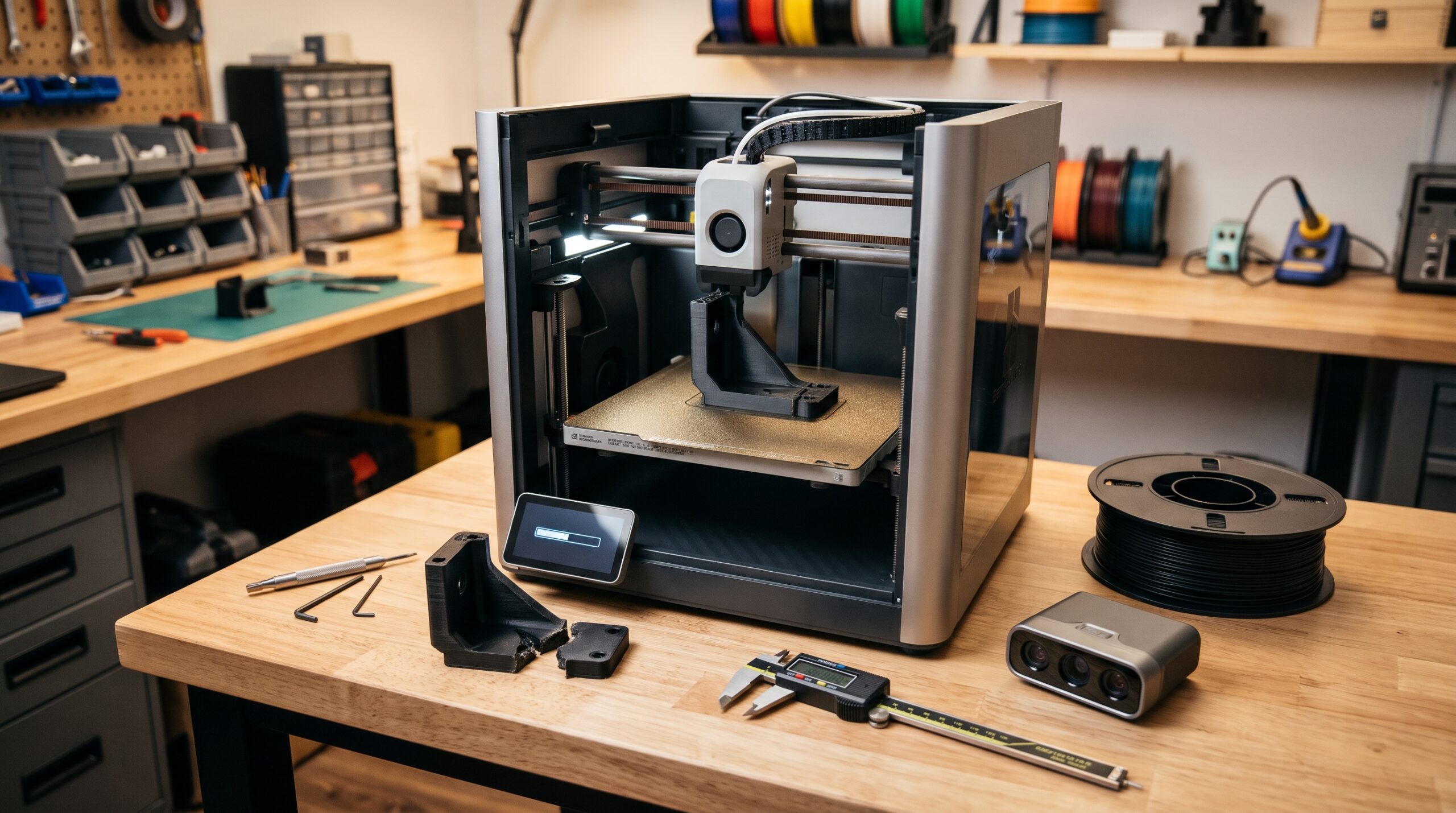
Many prospective makers hesitate to explore additive manufacturing because they picture the learning curve as a vertical wall. They assume that unless they already know how to write machine code, rebuild stepper motors, or draft complex parametric assemblies in Computer-Aided Design (CAD), a 3D printer will simply sit in the corner collecting dust.
That hesitation made sense ten years ago during the era of “kit-bashing”—when buying a budget printer meant receiving a box of unlabelled extrusions, flashing custom firmware, and spending every weekend sliding a paper feeler gauge under a warped build plate. Today, that outdated reputation is costing beginners the chance to solve everyday repair and organization problems around their own homes and shops.
Modern desktop Fused Deposition Modeling (FDM) printers ship pre-assembled or modular, run automated multi-point mesh bed leveling before the print starts, and pair with visual slicing profiles that handle speeds, temperatures, and support structures automatically. Instead of fighting your machine, you can focus on what I call The P.R.I.N.T. Method™—a five-step habit we use every day in Northern Kentucky to evaluate real-world parts:
What broken clip, mount, or gap needs solving?
What load, indoor/outdoor heat, or wear matters?
Where does it clip, screw, slide, or rest?
Does PLA, PETG, ASA, or TPU fit the environment?
Print a small test section to verify fit first.
Ready to Start Without the Setup Headache?
If you want a machine that balances out-of-the-box reliability, automatic bed leveling, and an active global support community, Creality offers some of the most practical entry-level and mid-range desktop printers available today—from the budget-friendly Ender-3 V3 series to enclosed high-speed K1 machines.
Explore Creality Printers & Accessories ↗ Affiliate link · Want a closer look at how entry-level hardware performs? Read our hands-on guide to affordable and reliable 3D printing.The “Cheap Printer” Fallacy: Price Tag vs. Ecosystem
When shopping for a first machine, beginners usually fall into one of two traps: buying an ultra-cheap, unsupported clone that requires constant tinkering, or overspending thousands of dollars on multi-material industrial features they don’t yet need.
The myth says that “budget” automatically means “bad.” In practice, the difference between a frustrating machine and a workhorse isn’t a $3,000 price tag—it is the ecosystem behind the printer. When you choose a proven platform like Creality (which we also run alongside our shop machines in Northern Kentucky), you get pre-tuned material profiles, standardized nozzles, flexible PEI build plates, and a massive community of makers who have already solved every question you might run into.
Even better, once you master the basics, a few targeted, low-cost additions—like a filament dryer box or an upgraded build surface—can elevate a sub-$300 desktop printer to near-commercial consistency. You can see which add-ons actually move the needle in our guide to budget 3D printing upgrades for pro-level results.

Moving Beyond Simple Downloads: The Power of 3D Scanning
A second myth holding beginners back is the belief that if you don’t know 3D CAD modeling, you are stuck printing decorative trinkets downloaded from the internet. Beginners often look at a broken plastic bracket or clip or a discontinued appliance part and assume it takes weeks of complex surface modeling to recreate it.
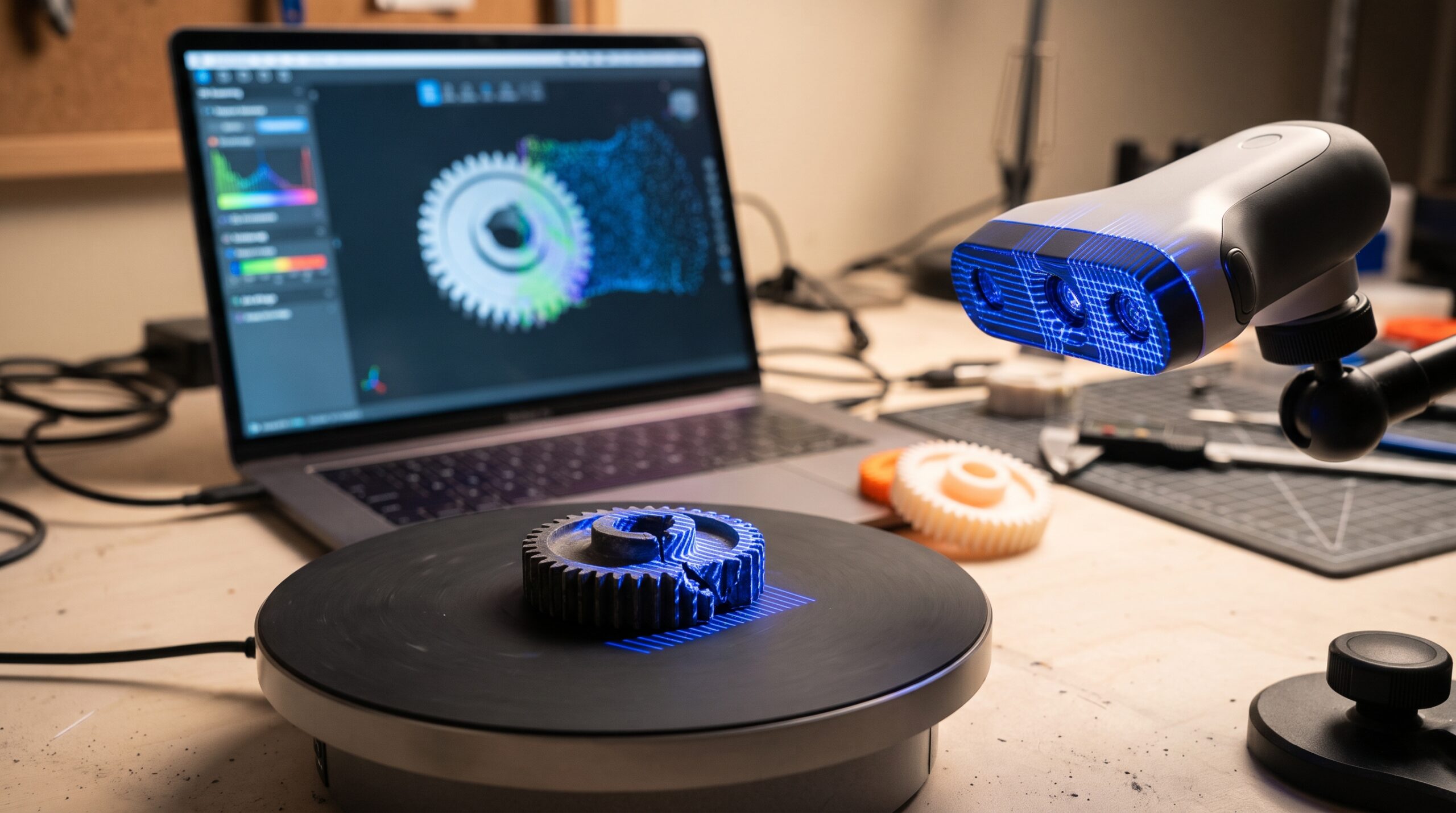
This is where consumer 3D scanning changes the workflow completely. Instead of trying to measure compound curves, ergonomic grips, or broken gear teeth by hand, a structured-light or NIR handheld 3D scanner captures thousands of surface points per second and converts the physical object into a watertight digital mesh (STL or OBJ) in minutes.
Precision Digitalization on Your Workbench
For high-accuracy 3D scanning that integrates cleanly into a desktop printing workflow, 3DMakerpro (including the portable Seal and Moose series) delivers 0.01 mm to 0.05 mm single-frame precision and anti-shake visual tracking at a consumer price point.
Check Out 3DMakerpro Global Deals ↗ Affiliate link · Review scanner resolution and object-size ranges on the official store before ordering.Material Quality: The Hidden Success Factor
Even with an auto-leveling printer, many beginners blame themselves when a print fails halfway through—not realizing they fell for the “commodity plastic myth.” Buying the cheapest mystery spool online often introduces recycled regrind, moisture contamination, and wild diameter swings that trigger extruder clicking, nozzle clogs, warped corners, and weak layer bonding.
As we emphasize in our 3D Printing Troubleshooting and Tips Guide, a failed print is evidence, not just wasted plastic. Because your slicer calculates plastic flow purely by filament length, even a small bulge or dip in filament diameter changes how much molten material leaves the nozzle. If you want to see how much easier tuning becomes when your material stays consistent, check out our guide on how to get professional-quality PLA 3D prints every time.
Why Laser-Measured ±0.03 mm Filament Prevents Failed Prints
Shop Rule of Thumb: Before changing 10 slicer settings after a jam, check two physical fundamentals first: is the spool dry, and is the filament manufactured to a tight ±0.03 mm tolerance using 100% virgin resin?
Consistent Spools Made in Green Bay, Wisconsin
For makers who prioritize American-made quality and repeatable extrusion, COEX 3D manufactures PLA, PETG, PCTG Prime, ASA, ABS, Nylon, and flexible TPE in Green Bay, Wisconsin using 100% virgin resins and inline laser micrometers that hold a strict ±0.03 mm diameter tolerance on 1.75 mm spools.
Browse COEX 3D Virgin-Resin Filaments ↗ Partner link · Use partner code 3DPRINTINGBYKEVIN at checkout if applicable; free contiguous US shipping on qualifying orders over $75.Fact-Safe Comparison: 3D Printing Myths vs. 2026 Reality
Rather than relying on marketing hype or unverified failure-reduction percentages, let’s compare the most common beginner fears against what you actually experience on a modern desktop setup:
| Decision Area | The Outdated Myth | The Fact-Safe Reality |
|---|---|---|
| Setup & Calibration | Requires writing G-code by hand, flashing firmware, and manual feeler-gauge bed leveling before every print. | Modern desktop printers use automated strain-gauge or optical bed leveling, pre-built profiles, and visual slicers that generate G-code in seconds. |
| Entry Cost | Producing accurate functional parts requires a $5,000+ industrial machine. | Capable entry-level and mid-range FDM printers under $300–$500 produce dimensionally practical brackets, organizers, and prototypes when paired with proper orientation and testing. |
| Getting 3D Models | You must master professional CAD modeling before you can print anything useful. | You can start immediately with licensed community models, digitize complex physical parts with a handheld 3D scanner (3DMakerpro), or learn simple caliper-based sketches over time. |
| Filament & Materials | All 1.75 mm plastic spools are identical—just buy the cheapest roll available. | Laser-measured virgin-resin filaments (COEX 3D at ±0.03 mm tolerance) prevent diameter-induced clogs and inconsistent extrusion that plague bargain regrind spools. |
| Part Suitability | If a part fits on the print bed, 100% infill automatically makes it indestructible. | A printable part isn’t automatically safe for every load. Heat (like a hot car interior), creep, layer direction, and failure consequences matter—test interfaces first and review high-risk jobs carefully. |
Build Your First 3D Printing Action Plan
Not sure which equipment, filament, or design path fits your goal? Select your starting scenario below to generate a customized, fact-safe recommendation based on Kevin’s P.R.I.N.T. Method™:
Your Custom P.R.I.N.T. Starting Blueprint
Tailored for Broken Household Clips & Replacement Parts in an Indoor Room Temperature environment.
Want a printable 56-page workbench reference with fillable P.R.I.N.T. project sheets and checklists? Explore P.R.I.N.T. It: Practical 3D Printing for Beginners, or request a custom part review if you’d rather have Kevin evaluate and print the part for you.
Four Quick Questions. Four Practical Habits.
Test what you’ve learned before starting your first print. Click an answer below each scenario for instant feedback:
1. You unbox a modern desktop 3D printer and want to print your first tool holder. How is the machine’s G-code created?
2. You have a cracked, discontinued plastic cover with curved contours and no digital CAD file. What is the fastest way to digitize its shape?
3. Why does switching from a bargain mystery spool to a virgin-resin filament with a laser-measured ±0.03 mm tolerance (like COEX 3D) improve print consistency?
4. According to Kevin’s P.R.I.N.T. Method™, you’re designing a bracket with a tight snap-fit clip. What is the smartest first print?
Frequently Asked Questions About Starting 3D Printing
Is 3D printing too expensive for a beginner hobby or home workshop?
No. With modern desktop hardware from brands like Creality, you can get started with an auto-leveling FDM printer for less than the cost of a current gaming console (often between $200 and $450), and a 1 kg spool of COEX 3D PLA or PETG filament typically costs $22 to $32—enough plastic to print dozens of brackets, clips, and organizers.
Do I need to know how to write code (G-code) to run a 3D printer?
Absolutely not. Modern slicing software—such as Creality Print, UltiMaker Cura, or OrcaSlicer—handles all the G-code generation automatically behind a visual interface. You simply load your 3D file, pick your printer and filament preset, preview the layers on screen, and click print.
Can a 3D scanner completely replace learning CAD?
A handheld 3D scanner like those from 3DMakerpro is a huge shortcut when you have an existing physical part, an organic shape, or a broken plastic cover you want to duplicate. For simple flat brackets or brand-new inventions that don’t exist physically yet, learning basic caliper measurement and simple block modeling complements your scanner nicely.
What workspace safety precautions should beginners follow at home?
Even low-odor filaments release ultrafine particles and volatile organic compounds (VOCs) when melted, and nozzle/bed surfaces reach high temperatures. Place your printer on a stable surface in a well-ventilated room away from sleeping areas, match your enclosure and filtration to the filament you use, and consult NIOSH’s additive manufacturing safety guidance alongside your printer manufacturer’s manual.
What if I have a single broken part and don’t want to buy a printer yet?
You don’t have to buy a machine to solve a one-off repair! You can send photos, measurements, or the broken sample through our Quote / Project Intake page. We review fit, environment, material suitability, and safety to help you decide whether in-house FDM printing or a managed manufacturing route makes the most practical sense.
Conclusion: Skip the Frustration and Start With Your First Problem
The only thing truly holding beginners back is the outdated belief that 3D printing belongs exclusively to industrial engineers. By starting with a clear purpose and choosing a proven ecosystem—combining the approachable hardware of Creality, the reverse-engineering speed of 3DMakerpro scanners, and the tight-tolerance reliability of American-made COEX 3D filament—you can skip the kit-bashing headaches of the past and go straight to making parts that work.
When you’re ready for your next step, bookmark our free 3D Printing for Absolute Beginners Guide or keep the 56-page P.R.I.N.T. It: Practical 3D Printing for Beginners ebook beside your workbench.
