
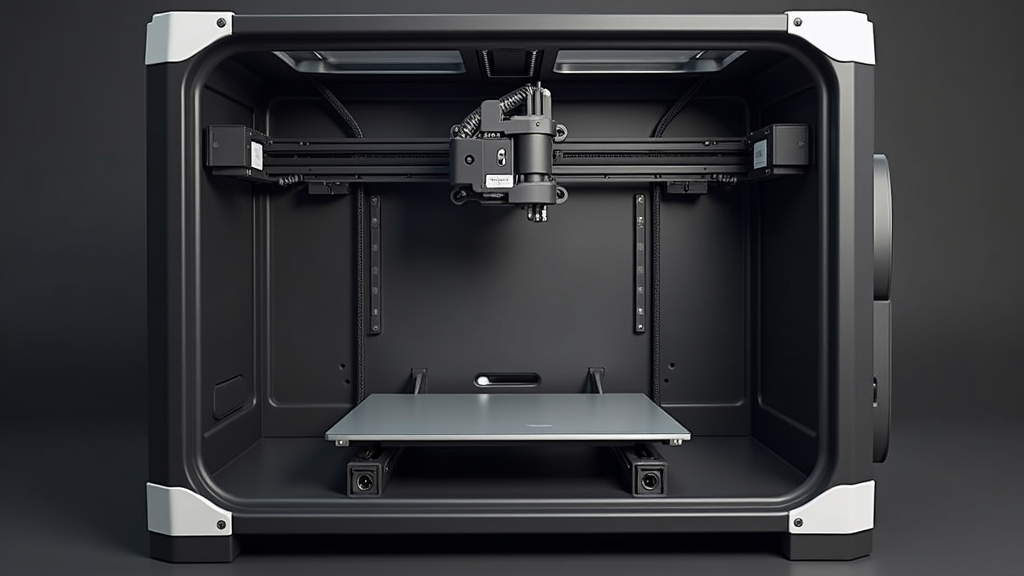
The single biggest difference between a great 3D printer and a total nightmare is reliable automatic bed leveling with smart first-layer compensation. When a printer can consistently probe the bed, map tiny imperfections, and adjust your first layer on the fly, everything else becomes easier: prints stick, dimensions stay accurate, and you spend your time creating instead of chasing mysterious failures.
If you’ve ever stayed up late fighting warped corners, spaghetti prints, or “it was fine yesterday, now nothing sticks,” you’ve already met the villain: an inconsistent first layer. In this guide, we’ll unpack why modern auto bed leveling (ABL) is the feature that quietly divides today’s 3D printers into two camps:
- Printers that just work once you hit “Print”
- Printers that constantly demand re-tuning, re-leveling, and re-printing
We’ll walk through how ABL works, what separates “okay” implementations from truly great ones, and how to use this feature as a filter when choosing your next machine.
Why the First Layer Matters More Than Any Spec Sheet
Every glossy product page talks about speed, build volume, and layer height. But in real workshops, success or failure comes down to something much less glamorous: how well that first layer goes down.
When the first layer is dialed in:
- Parts stay anchored for the entire print
- Dimensions stay closer to the model
- Surface finish improves because the printer isn’t “fighting” a bad base
- You can hit & run: start a job and go do something else
When the first layer is off by even a fraction of a millimeter, you get:
- Poor adhesion and random part detachment hours into a print
- Elephant’s foot, crushed first layers, or gaps between lines
- Warping, especially on larger parts or trickier materials
- The feeling that the printer has a “mind of its own” from one day to the next
That’s why reliable ABL isn’t just a convenience. It’s the difference between a printer you trust and a printer you’re constantly babysitting.
New to 3D printing? If you’re just getting started, you might want a bigger-picture overview first. Check out 3D Printing for Absolute Beginners: A Step-by-Step Guide and then come back here when you’re ready to choose your first serious machine.
What Automatic Bed Leveling Actually Does (In Plain English)
Different brands use different names—mesh bed leveling, auto leveling, ABL, tram compensation—but the idea is the same. Before printing, the machine uses a probe to measure the distance between the nozzle and the bed at multiple points.
From that data, the printer builds a “height map” of your bed. It then:
- Knows exactly where the bed is slightly high or low
- Subtly moves the Z-axis while printing the first layer
- Keeps that layer at a consistent squish across the entire surface
The result is that your printer “bends” the first layer to compensate for tiny imperfections in bed flatness, frame tolerances, or even a slightly warped build plate.
A printer without good ABL expects you to fix all of this yourself with manual knobs, shims, and trial-and-error. That’s the path to frustration—especially for beginners and anyone trying to run their printer as a tool, not as a puzzle.
Interested in a Printer That Nails the First Layer for You?
Some newer Creality machines come with robust auto bed leveling systems that dramatically reduce setup headaches and manual tweaking. If you’re shopping for a reliable “daily driver” printer, it’s worth focusing on models that treat first-layer consistency as a core feature—not an afterthought.
Affiliate disclosure: If you purchase through the link below, I may earn a small commission at no additional cost to you. I only recommend tools I’d feel comfortable using in my own workshop.
Good vs. Great ABL: The Details That Really Matter
Not all auto bed leveling systems are equal. Two printers can both claim ABL on the spec sheet, yet behave very differently in everyday use. Here are the key differences between “checkbox” ABL and ABL that actually makes your life easier.
1. Probe Accuracy and Repeatability
A good probe doesn’t just trigger. It triggers consistently. Over dozens of tests, it should report nearly the same height at the same point on the bed. Poor repeatability means your mesh will vary from one print to the next, and so will your results.
Look for printers that use well-regarded sensor types and have a track record of strong first-layer reliability in the community—not just marketing claims.
2. Number of Probe Points and Mesh Resolution
If your printer only probes a handful of points, it can miss local dips and bumps. A higher-resolution mesh gives the firmware more detail to work with, especially on larger beds.
This becomes more important if you print:
- Large, flat functional parts
- Full-bed batches for small business or small-batch production
- Advanced materials that are sensitive to first-layer quality
3. Integration With First-Layer Routines
Truly “smart” printers don’t just probe the bed and hope for the best. They combine ABL with:
- Automatic Z-offset tuning or first-layer tests
- Guided wizards that walk you through the process step-by-step
- Clear on-screen feedback so you know what’s happening
That’s what separates a printer that merely has ABL from one that lets you dial in great first layers without digging through firmware menus or custom G-code.
For a deeper dive into the other modern features that are reshaping the desktop 3D printing experience—like input shaping and smart motion control—have a look at Next-Gen Features Redefining 3D Desktop Printing after you finish this article.
How ABL Changes Day-to-Day Printing (Real-World Scenarios)
Scenario 1: The Weekend Maker
You print mostly on weekends. The printer sits idle during the week. Temperatures in the room change. Maybe you bump the table.
On a printer without good ABL, that first print on Saturday often means re-leveling, test squares, and a lot of fiddling. With a solid ABL routine, the printer can probe the bed, compensate for tiny shifts, and you’re back up and running in a couple of minutes.
Scenario 2: Small-Batch Production
Maybe you’re running a small Etsy shop or producing fixtures and brackets for clients. Throughput and reliability matter more than tinkering.
Here, first-layer consistency is money in the bank. A reliable ABL system means fewer failed jobs, less wasted filament, and more confidence that you can run overnight prints without constantly checking cameras and PA systems.
Scenario 3: Multi-Material and Complex Parts
If you’re combining scanning, CAD, and complex geometries, a good first layer is your foundation. When you’re reverse-engineering real-world parts, accuracy at the bottom surface matters a lot.
Pair Great Bed Leveling With a Great 3D Scanner
When your first layer is rock solid, high-quality 3D scans really start to shine. A reliable scanner lets you capture real-world objects and turn them into printable, accurate models—without endless manual measuring.
3DMakerpro’s scanners are a strong fit if you’re serious about reverse engineering or custom-fit parts. They bring consistency to the front of the workflow, just like ABL does at the printer.
Affiliate disclosure: If you decide a 3DMakerpro scanner is right for you and purchase through the button below, I may earn a commission at no extra cost to you. It helps support new guides and hands-on testing.
How to Use ABL as a Filter When Choosing a 3D Printer
When you’re comparing spec sheets, it’s easy to get distracted by maximum speed and clever marketing names. Here’s how to keep first-layer performance at the center of your decision.
Step 1: Confirm the Printer Has ABL Built In
Manual leveling only is a red flag for most modern buyers unless you love to tinker. At minimum, look for:
- A hardware probe (inductive, optical, strain-based, or touch sensor)
- Firmware support for mesh leveling
- Clear documentation and a simple leveling process
Step 2: Look for Community Feedback on First-Layer Reliability
If a printer has “auto leveling” but owners constantly complain about first layers, treat that as a warning sign. You want phrases like “I rarely have to touch the bed” and “first layer just works” in real-world reviews.
If you want to compare how this plays out across major brands, my breakdown of Creality vs. Bambu vs. Prusa in 2025 is a good next stop.
Step 3: Check How ABL Integrates With the Overall Workflow
The best user experience is when ABL is just one step in a complete, guided process: heat bed → probe bed → adjust Z-offset → print a test pattern. If a printer gives you that full path, it’s usually a sign the manufacturer understands how important the first layer really is.
What If Your Current Printer Doesn’t Have ABL?
If you already own a printer without ABL, you don’t have to throw it away tomorrow. There are three realistic paths:
- Upgrade with a probe kit if your firmware and mainboard support it.
- Invest time in rock-solid manual leveling and a consistent process.
- Start planning your next printer with ABL as a non-negotiable feature.
To get more out of the machine you already have, you can follow the troubleshooting strategies in Troubleshooting and Tips for 3D Printing: Solving Common Issues. A good leveling routine plus better diagnostics can stretch the life of an older printer while you evaluate new options.
The Bottom Line: Great Printers Respect Your Time
At the end of the day, 3D printing should feel like a superpower, not a second job. Specs and marketing matter a lot less than one simple question:
Can this printer consistently give you a clean, reliable first layer without a fight?
If the answer is yes—thanks to a well-implemented automatic bed leveling system and smart first-layer tools—you’re looking at a printer that will quietly pay you back in saved time, fewer failed prints, and more finished projects.
If the answer is no, everything else becomes harder than it needs to be. That’s why, in my workshop and in my recommendations, ABL isn’t just another line on a feature list.
It’s the line between a great 3D printer and a total nightmare.
Frequently Asked Questions About Auto Bed Leveling
Do I still need to level the bed if my printer has automatic bed leveling?
Yes, but not nearly as often. ABL doesn’t magically fix a badly assembled printer or a bed that’s wildly out of tram. Think of it as a fine-tuning tool: you get the bed “in the ballpark” mechanically, and ABL handles the micro-adjustments that would be tedious to do manually.
Is auto bed leveling only useful for beginners?
No. Beginners benefit because it reduces frustration, but advanced users benefit just as much. If you print frequently, run long jobs, or rely on your printer for paid work, consistent first layers protect your time and your sanity.
Can I add ABL to an older 3D printer?
Often yes. Many popular printers support aftermarket probe kits. You’ll need to confirm firmware support, available ports on your mainboard, and mounting options. In some cases, the cost and effort of upgrades push people toward buying a newer, ABL-equipped machine instead.
What else should I look for besides ABL?
ABL is the gatekeeper feature. Once that box is checked, then start comparing motion system quality, frame rigidity, slicer support, ecosystem, and community. For a broader view of how different brands stack up, see Creality vs. Bambu vs. Prusa: Which 3D Printer Brand Is Best for You in 2025?.
