
High-speed 3D printing is no longer a luxury; it is the new standard. Learn how to jump on the speed trend without sacrificing quality or breaking your machine.
For years, the 3D printing community lived by a simple, frustrating rule: speed is the enemy of quality. If you wanted a beautiful print, you had to settle for a machine that moved with the glacial pace of a tectonic plate. If you tried to push your luck, your printer would shake itself into a frenzy, leaving you with a pile of plastic spaghetti and a headache.
Everything changed when the high-speed 3D printing trend took over.
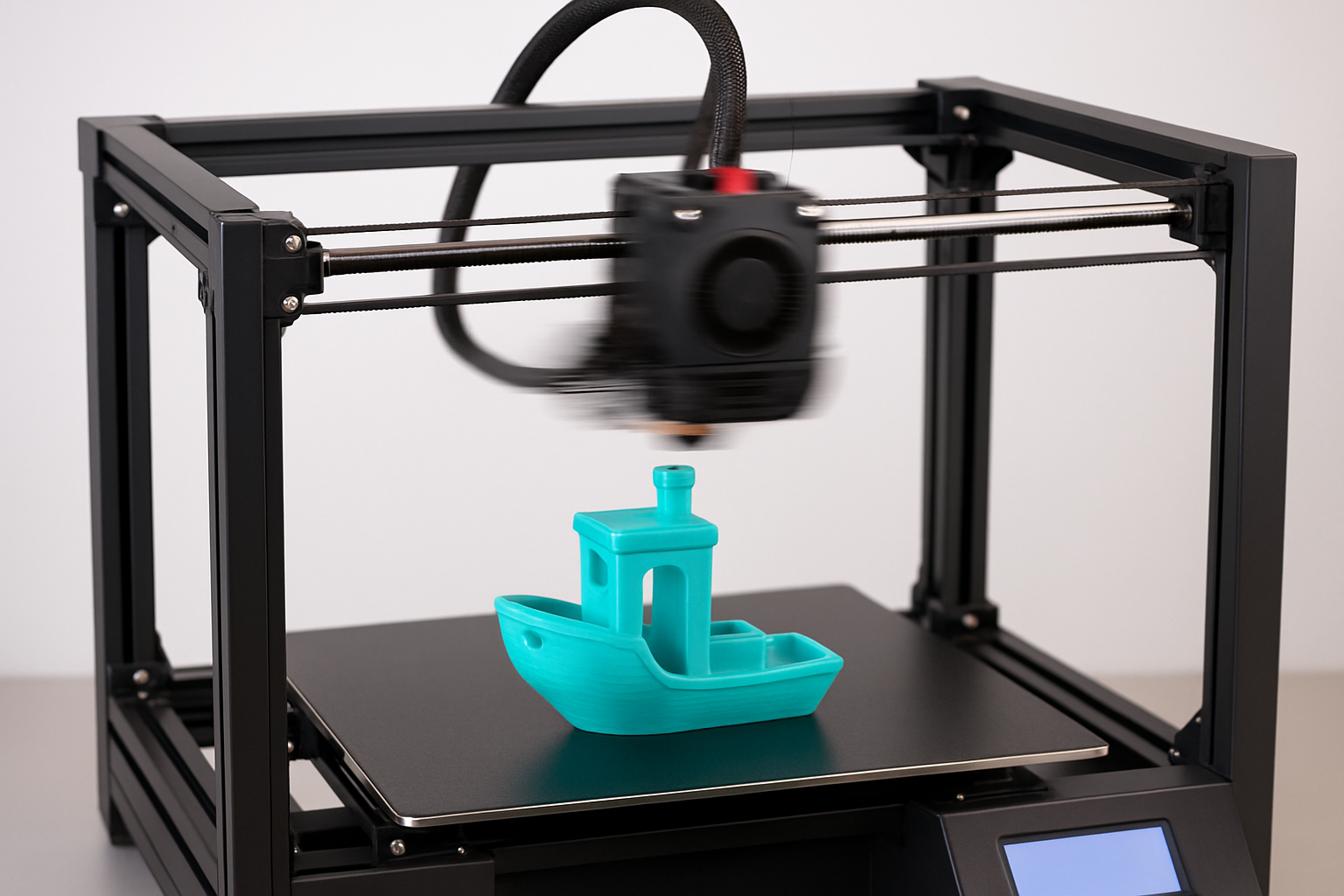
Today, we are witnessing a paradigm shift. Technologies like Klipper firmware, Input Shaping, and high-flow hotends have moved from expensive industrial machines into our home workshops. We are no longer talking about 50mm/s; we are talking about 500mm/s as the new baseline. If you haven’t yet adapted to this fast-paced world, you are missing out on the most significant efficiency boost in the history of the hobby.
*Disclosure
This post contains affiliate links. If you purchase through these links, I may earn a small commission at no extra cost to you. I only recommend products I personally use and trust, such as Creality hardware, 3DMakerpro scanners, and COEX filaments.
The Foundations of the Speed Revolution
High-speed printing is not just about making the motors spin faster. It is a sophisticated dance between hardware and software. The primary driver of this trend is the ability to compensate for vibration. When a printer moves quickly, it creates inertia that causes the print head to “ring” or “ghost.”
Modern high-speed machines use accelerometers to measure these vibrations and then apply an inverse frequency to cancel them out in real-time. This is known as Input Shaping. For those just entering the fray, jumping straight into high-speed machines can be overwhelming. I highly recommend starting with my guide on 3D printing for absolute beginners to understand the core mechanics before you push the throttle.
The Gear Powering the Fast Track
To participate in this trend, your hardware must be up to the task. You need a frame that is rigid enough to handle the G-forces and an extruder capable of melting plastic at a rate that matches the movement.
Creality has been a massive force in making this trend accessible. Their latest K1 and Ender-3 V3 series are built specifically for these high velocities, coming out of the box with the firmware and rigid structures necessary for professional-grade speed.
Jump into the speed race here: Explore High-Speed Creality Printers
Furthermore, speed at the printer level is only useful if your design process is equally fast. If you are scanning physical objects to replicate or modify, you need a scanner that captures detail without a massive time investment. 3DMakerpro offers high-speed, high-accuracy scanning solutions that feed perfectly into a rapid prototyping workflow.
Accelerate your scanning workflow: Shop 3DMakerpro Global
Why Filament Choice is Now More Critical Than Ever
In the old days of slow printing, you could get away with mediocre filament. High-speed printing changes that. When your extruder is pushing plastic at three times the normal rate, the filament needs to have extremely consistent melting properties and a perfect diameter.
This is why I trust COEX for my high-speed projects. Their American-made filaments are engineered for consistency. When you are printing at 300mm/s, even a tiny deviation in filament diameter can lead to a catastrophic under-extrusion event. COEX eliminates that variable.
Fuel your high-speed prints: Get Premium COEX Filament
The Role of Calibration in the Fast Lane
You cannot simply turn the speed dial to 200% and hope for the best. A high-speed printer is like a racecar; it requires frequent and precise tuning. A loose belt that might cause a minor artifact at low speed will cause a total print failure at high speed.
Mastering the calibration trick that makes any 3D printer perform better is non-negotiable for anyone chasing the speed trend. You must ensure your e-steps, flow rate, and mechanical tension are perfect before you attempt to break land-speed records.
Designing for Velocity
High-speed printing also changes how we think about design. Some geometries are naturally more “speed-friendly” than others. Learning the nuances of acquiring the skills to design 3D objects using software allows you to create models with optimized toolpaths that take full advantage of your machine’s acceleration curves.
When you combine a fast machine, perfect calibration, and an optimized design, you move beyond being a hobbyist. You learn how to 3d print like a pro from model to masterpiece, turning out high-quality parts in a fraction of the time it used to take.
Traditional vs. High-Speed Workflow
| Feature | Traditional 3D Printing | High-Speed Trend |
|---|---|---|
| Average Print Speed | 40 – 60 mm/s | 250 – 600 mm/s |
| Typical Firmware | Standard Marlin | Klipper / Custom OS |
| Mechanical Build | V-Slot / Lead Screws | CoreXY / Linear Rails |
| Flow Rate Requirement | 10 – 15 mm³/s | 25 – 35+ mm³/s |
| Productivity | 1 Model per Day | 3-5 Models per Day |
Frequently Asked Questions
Can I make my old printer a high-speed machine?
You can upgrade older printers by installing Klipper firmware and a high-flow hotend. However, the physical frame may still limit your maximum acceleration compared to modern, purpose-built high-speed machines.
Does high-speed printing wear out the printer faster?
Naturally, higher speeds lead to more wear on bearings and belts. This makes regular maintenance and using high-quality components even more important.
Is high-speed printing suitable for all materials?
While PLA and PETG handle speed very well, some materials like TPU (flexible) still require slower speeds to prevent jamming in the extruder.
