
Affiliate disclosure: This article contains affiliate links. If you make a qualifying purchase through one of these links, 3D Printing by Kevin may receive a commission at no additional cost to you. Recommendations are based on practical usefulness, project requirements, specifications, and overall value—not the size of the commission.
The Best Creality Deal May Not Be Another Printer
Creality’s current promotion includes printers, 3D scanners, filament, dryers, build plates, accessories, and complete workshop combinations. The smartest purchase is the one that removes a real limitation from what you can design, reproduce, or manufacture.
Promotion checked June 29, 2026. Pricing, product configurations, coupons, stock, shipping, and sale terms can change quickly.
The practical answer: Creality’s sale is most valuable when you shop for a missing capability rather than the biggest percentage. That could mean an enclosed printer, a larger build volume, multicolor production, accurate object scanning, dry filament storage, or a complete scan-to-print workflow.
A tremendous sale can make every machine look like an opportunity. It can also make it easy to spend money on equipment that does not solve an actual problem.
I have used Creality equipment in my own work, including the large-format CR-M4 printer and the CR-Scan Lizard. That experience has taught me that the logo on the machine matters less than the job the machine must perform.
A large-format printer is valuable when it eliminates unnecessary seams. An enclosure is valuable when it improves the environment around materials that dislike drafts. A scanner is valuable when it reduces the time required to capture an existing shape. A filament dryer is valuable when moisture is damaging print quality.
Features become valuable only when they connect to a real project.
Which Part of the Creality Sale Is Most Useful?
| Your current limitation | Sale category to examine | Potential benefit | Do not overbuy when |
|---|---|---|---|
| Your open printer struggles with the materials you want to use | Enclosed printer | Better environmental control and a cleaner all-in-one format | You mainly print PLA successfully and do not need the enclosure |
| Your parts must be split because the bed is too small | Large-format printer | Fewer seams, less assembly, and more freedom in part orientation | Your actual models already fit comfortably on a smaller machine |
| You produce signs, labels, display pieces, or colorful models | Multicolor system | Automated color changes and more finished-looking prints | You primarily make single-color functional parts |
| You repeatedly recreate existing physical shapes | 3D scanner | Faster digital capture for reference, repair, reproduction, or fitment | Your projects are easier to measure and model from simple geometry |
| Your filament pops, strings, or produces inconsistent surfaces | Filament dryer | Better material conditioning and more repeatable extrusion | Your storage and material condition are already controlled |
| You are building a workshop from the beginning | Complete bundle | A coordinated setup purchased together at promotional pricing | The package includes items that were not on your original shopping list |
The Strongest Printer Angle: Buy the Build Volume You Will Actually Use
Creality K2 Plus Combo
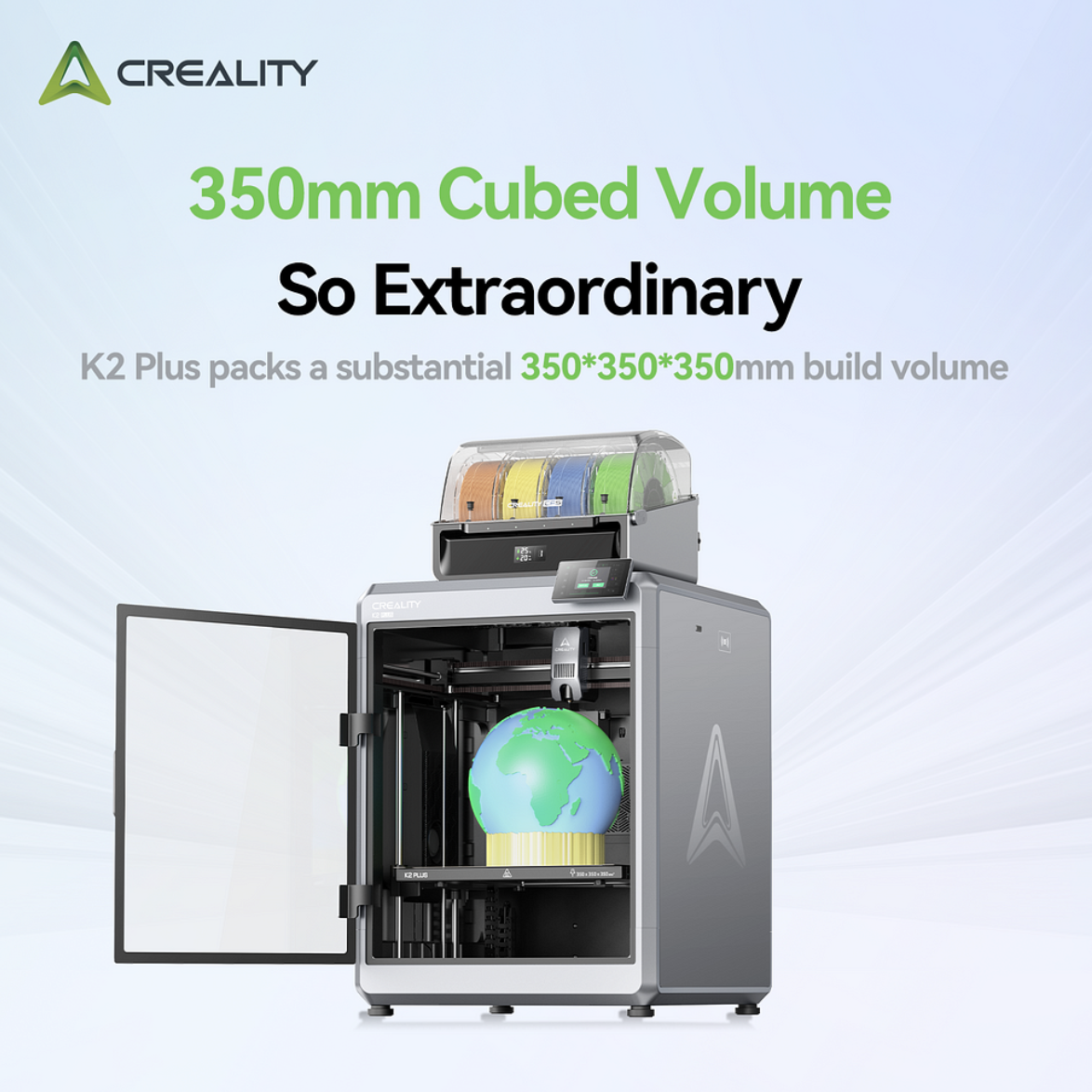
The K2 Plus is one of the promotion’s attention-grabbing machines because it combines a 350 × 350 × 350 mm build volume with an enclosed format and Creality’s CFS filament system.
That size could be genuinely useful for large enclosures, cosplay components, architectural models, display pieces, shop fixtures, prototypes, and products that would otherwise need to be divided into several sections.
Its multicolor capability may also benefit signs, educational models, personalized products, branded objects, and decorative work where the color is part of the finished value.
However, this is not the automatic choice for every buyer. Large printers occupy more space, larger failures consume more material, and multicolor printing can introduce purge waste and longer production times.
Before buying, identify at least three projects that genuinely require the larger build area or automated color workflow.
Check the Current K2 Plus Offer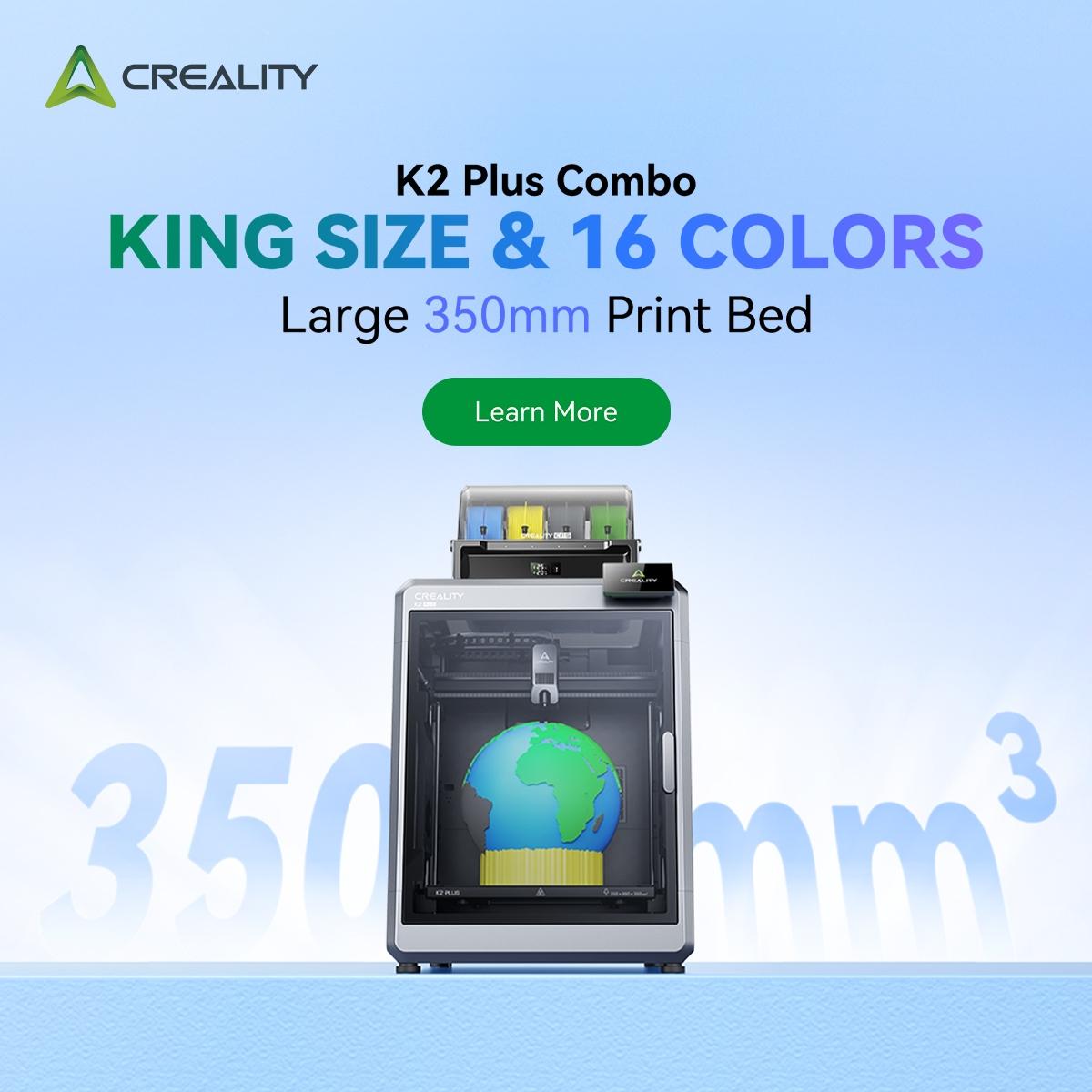
K1C 2025: A More Focused Upgrade
Buyers who do not need a 350 mm machine may receive more practical value from the K1C 2025. It offers an enclosed format, a compact footprint, a high-temperature hotend, and a hardened nozzle for a broader range of everyday printing needs.
Its smaller build volume is a limitation only when your projects exceed it. For brackets, housings, jigs, fixtures, organizers, prototypes, replacement parts, and common household prints, a compact enclosed machine may be easier to place and easier to keep busy.
The sale also features a K1C combination with filament, a build plate, and a filament dryer. That could be a stronger first-workshop package than buying a printer alone—provided you already planned to purchase those additional items.
“`K2 and SPARKX i7: Buy Color for a Purpose
The K2 family and SPARKX i7 packages deserve attention from buyers who specifically want multicolor production and a more automated setup experience.
Multicolor printing can add real value to readable labels, maps, classroom models, signs, logos, toys, personalized gifts, product displays, and decorative work. It can also add waste, slicing decisions, color-change time, and more moving parts to the workflow.
Do not buy a color system merely because the sample prints look impressive. Buy it when color will improve the usefulness, readability, marketability, or finished appearance of the parts you already intend to produce.
“`Creality’s Sale Can Build a Scan-to-Print Workflow
The most interesting angle in the current promotion may be Creality’s combination of printers and 3D scanners. A printer creates a physical object from a digital model. A scanner helps bring an existing physical object into the digital side of that process.
That does not mean every scan becomes a print with one button. Scan data often requires cleanup, alignment, mesh repair, scaling, surface reconstruction, or redesign. However, a scanner can give you a much stronger starting point when an object contains curves, organic geometry, complex contours, or difficult-to-measure features.

CR-Scan Raptor
The Raptor combines blue-laser and near-infrared scanning. It is the more technically focused choice for users interested in sharper edges, smaller details, mechanical components, inspection references, automotive pieces, and reverse-engineering workflows.
Best fit: Experienced users who understand that capturing accurate geometry is only the first stage of turning a scan into a manufacturable model.
Think twice when: You mainly scan large, simple objects or do not have a computer and modeling workflow capable of handling the resulting data.

CR-Scan Otter
The Otter uses a four-lens stereo-vision system and is designed to cover a broad range of object sizes. That flexibility may appeal to makers who want one handheld scanner for household items, sculptures, automotive surfaces, medium-sized parts, and larger reference objects.
Best fit: Users who value versatility across small and large objects and want full-color capture for visual reference or presentation.
Think twice when: Your primary need is precise mechanical edge capture that would be better served by a laser-oriented workflow.
What Can a Scanner-and-Printer Combination Actually Do?
A scanner-and-printer setup becomes useful when it shortens the path from a physical object to a redesigned or reproduced part.
Potential projects include:
- Capturing a curved surface to design a fitted mount or enclosure.
- Recording the shape of a broken component before rebuilding missing areas.
- Creating a reference mesh for a replacement cover, trim piece, handle, or bracket.
- Digitizing sculptures, craft objects, props, or decorative pieces.
- Documenting automotive, workshop, or equipment geometry for fitment planning.
- Scaling an existing object to create a model, display, mold reference, or prototype.
Use the P.R.I.N.T. Method™ Before Buying
“`A discount is not a project requirement. Run the purchase through a practical decision process before adding it to the workshop.
The Bundle Can Be Better Than the Headline Discount
Creality is promoting combinations that include printers, scanners, filament, filament dryers, build plates, accessory packs, and other workshop components.
That can produce meaningful savings because a printer is rarely the only thing a new owner needs. However, a bundle is not automatically a bargain.
I use a simple rule:
Count an included item as savings only when it appeared on your shopping list before you saw the promotion.
Four discounted spools are useful when they match the materials and colors you intended to buy. A dryer is useful when your environment or filament choices require one. Another build plate is useful when it improves production flow or replaces a worn surface.
An accessory that remains unopened is not a discount. It is part of the purchase price.
Who Should Look Closely at This Sale?
A beginner building a first complete setup
Compare the total package rather than the printer alone. A coordinated bundle containing a practical printer, suitable filament, a reliable build surface, and material storage may prevent several immediate follow-up purchases.
An experienced maker outgrowing a smaller machine
Measure your five largest recent projects. That will reveal whether a larger build area would have eliminated splits, joints, adhesives, alignment work, or lost production time.
A designer or repair-focused maker
The scanner offers may be more transformational than another printer. A scanner can help capture shapes that would be slow or frustrating to reproduce with calipers and photographs alone.
A small 3D-printing business
Buy according to requests customers are already making. Multicolor capability, advanced materials, larger parts, and scan-assisted reproduction can expand services—but only when there is enough demand to recover the investment.
A printer owner who does not need another machine
Look at filament conditioning, replacement build surfaces, nozzles, maintenance items, and materials. Improving the consistency of your current printer may create more value than adding another machine to the room.
Before You Complete the Order
“`- Confirm whether the selected listing is the printer alone or a Combo.
- Check exactly how many CFS units, filament spools, dryers, plates, or accessories are included.
- Measure the equipment’s external dimensions—not merely its printable area.
- Verify that your computer meets the scanner software requirements.
- Review supported operating systems and connection methods.
- Confirm the estimated delivery date and warehouse location.
- Do not assume coupons, bundle reductions, and automatic discounts will stack.
- Review return, warranty, and product-specific exclusion terms.
- Save a screenshot showing the configuration and final checkout price.
Should You Buy During the Creality Sale?
Buy when the promotion helps you acquire a capability that already has a place in your projects.
Step away when the discount itself is creating the need.
The best purchase could be a compact enclosed printer. It could be the K2 Plus for large-format multicolor work. It could be a Raptor or Otter scanner for capturing complex geometry. It could be a dryer and several carefully chosen spools for a printer you already own.
The correct answer depends on the problem—not the largest number printed on the sale banner.
Give Your New Equipment a Practical Plan
Choosing a machine is only the beginning. My practical beginner’s guide helps you define the problem, identify real requirements, check every connection and fit, select the right material and method, and test the result.
It is designed to help new makers move beyond random settings and start making useful parts with purpose.
Explore the Practical Beginner’s GuideFrequently Asked Questions
What is the best Creality sale deal for a beginner?
A compact enclosed printer or a well-matched starter package may provide better value than a flagship machine. Compare the K1C, K2, and SPARKX i7 packages according to the materials, build size, and color capabilities you expect to use.
Is the K2 Plus Combo capable of printing 16 colors?
The K2 Plus platform can support as many as 16 colors when four CFS units are connected. A standard Combo may include only one CFS unit, so verify the exact configuration before ordering.
Should I buy a 3D scanner or another printer?
Choose a scanner when capturing existing shapes is the bottleneck in your workflow. Choose another printer when production capacity, build size, material support, reliability, or color capability is the greater limitation.
What is the difference between the CR-Scan Raptor and Otter?
The Raptor combines blue-laser and near-infrared scanning and is oriented toward detailed geometry and sharper mechanical features. The Otter uses a four-lens stereo system and emphasizes versatility across a broad range of object sizes.
Can I scan an object and immediately print it?
Sometimes a simple scan needs only modest cleanup, but many projects require alignment, mesh repair, scaling, surface reconstruction, redesign, or dimensional verification before printing.
Are Creality bundle deals always a better value?
No. A bundle provides real value only when its included materials and accessories match products you already needed. Compare the final package price with the cost of buying only the necessary components.
Are the sale prices guaranteed?
No. Promotional pricing, configurations, stock, warehouse availability, shipping, coupons, and package contents can change. Verify the final configuration and total at checkout.
Start With the Project—Then Choose the Equipment
“`Creality’s sale creates several interesting paths into enclosed printing, multicolor production, large-format work, accurate scanning, and complete workshop setups. The right deal is the one that removes a real obstacle from the work you already want to accomplish.
Affiliate link. Product prices, promotional dates, specifications, package contents, coupons, inventory, delivery estimates, warranties, and sale terms are controlled by Creality and may change. Confirm all information with the retailer before purchasing.
“`