
2026 Summer Maker Buying Guide
A sale price is only a deal when the tool solves the right problem.
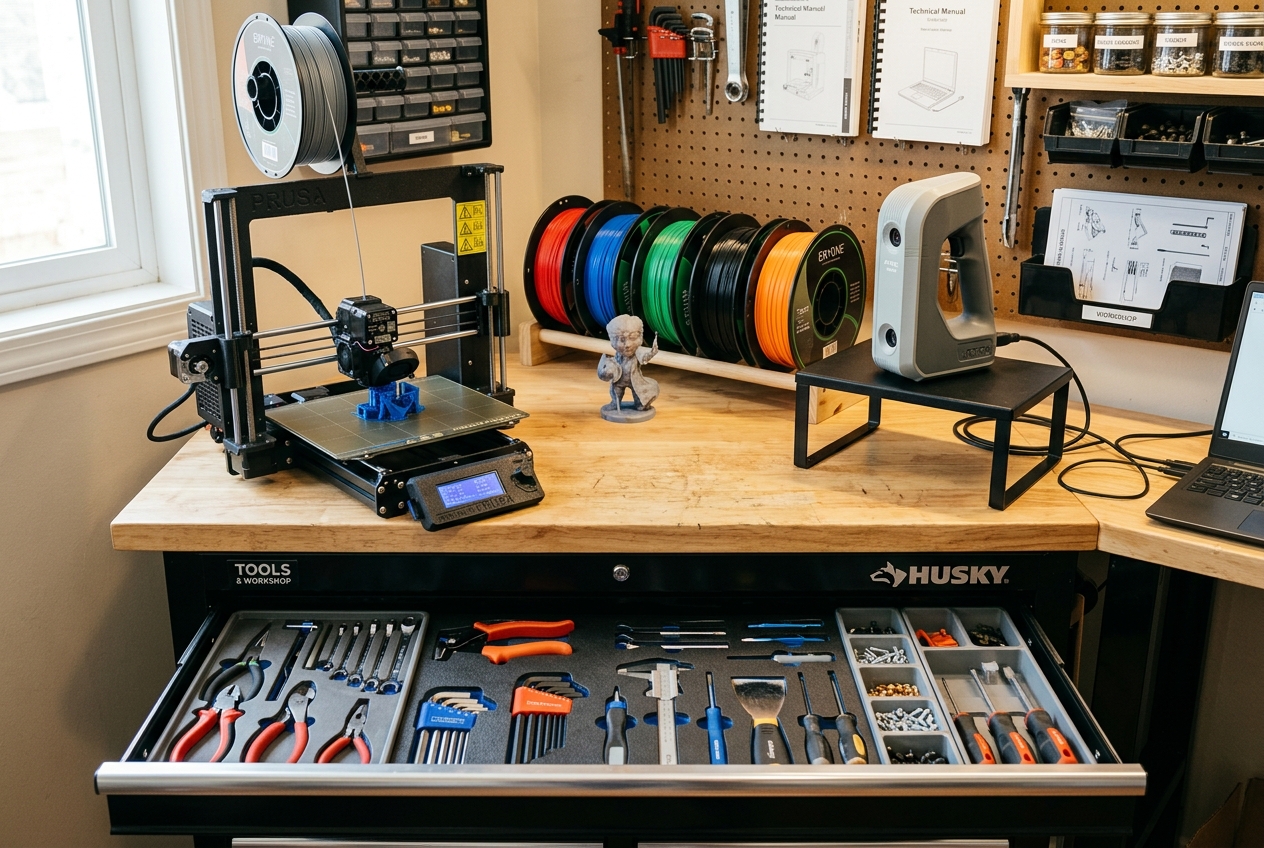
Printers, 3D scanners, filament, accessories, and maker tools are being promoted ahead of the July 4 weekend. Here is how to compare the opportunities without letting a countdown timer make the decision for you.
Deal watch active Last checked: June 27, 2026 Offers and availability may change
The quick answer
Is this a good time to buy 3D printing equipment?
It can be—but only when you already understand the problem the purchase must solve. This is a reasonable time to compare a planned printer upgrade, a scanner that removes a genuine modeling bottleneck, filament you regularly use, or a tool that improves a repetitive workflow. It is not a good reason to buy unfamiliar equipment simply because the discount appears large.
I enjoy a useful equipment sale as much as the next maker. However, years of printing functional parts have taught me that the purchase price is only the beginning.
A printer also needs room, material, maintenance, setup time, replacement parts, and a steady supply of projects. A scanner needs compatible hardware, suitable objects, stable scanning conditions, and time to clean or rebuild the captured geometry. Even discounted filament becomes wasted money when it is the wrong material for the finished part.
That is why this guide is not a race to find the largest percentage sign. It is a problem-first comparison of the current opportunities and the type of maker each one may actually help.
The July 4 maker deal snapshot
These are the four opportunities I would put on a practical maker’s comparison list. Always check the current price, promotion deadline, shipping cost, included accessories, warranty terms, and final cart total before ordering.
Creality’s current promotional page includes printers, scanners, filament, accessories, flash offers, and equipment combinations.
Best for: Makers who have already identified the specific printer, scanner, replacement component, or accessory their projects require.
Check Creality’s Current Offers3DMakerpro’s Maker Madness promotion includes selected small-, medium-, and large-format scanners, LiDAR equipment, accessories, and scanning software.
Best for: Makers who regularly recreate physical objects, capture complex contours, or reverse-engineer shapes that are difficult to measure manually.
Explore 3DMakerpro OffersA practical filament restock may provide more immediate value than another machine—especially when you already know which materials your projects require.
Best for: Makers restocking proven materials for practical parts, prototypes, customer work, organizers, and everyday shop use.
Shop COEX 3D FilamentGridPilot uses a photo-based workflow to help create custom Gridfinity-compatible tool trays and export files for 3D printing.
Best for: Makers who want custom tool organization without manually modeling every tool pocket from scratch.
Try GridPilotMy sale-season buying filter
Run every purchase through the P.R.I.N.T. Method™
A limited-time countdown can make an equipment decision feel more urgent than it really is. Before you reach the checkout page, slow the decision down and work through these five questions.
Problem
What specific problem will this purchase solve in your shop, project, or workflow?
Requirements
What build size, strength, heat resistance, accuracy, speed, finish, or safety needs matter?
Interfaces
Will the tool fit your workspace and work with your computer, slicer, files, materials, power, and other equipment?
Next-Best Setup
Could a smaller printer, replacement part, better material, accessory, or workflow change solve the problem for less?
Test & Improve
Can you test the idea, use a free tier, print a small sample, or validate the workflow before making the largest commitment?
New from 3D Printing by Kevin
P.R.I.N.T. It: 3D Printing for Beginners
Plan it. Prepare it. Print it. Improve it.
A holiday sale may help you save money on the right printer, material, scanner, or tool. The harder part is knowing what to do after the box arrives.
My new digital ebook, P.R.I.N.T. It: 3D Printing for Beginners, was created to help beginners move beyond random settings and trial-and-error purchases. It gives you a repeatable way to plan useful parts, choose better settings, understand common failures, and improve each print with purpose.
- Plan practical parts
- Choose materials with purpose
- Understand important settings
- Recognize failure clues
- Improve strength and fit
- Build printing confidence
It is designed for beginners, hobbyists, parents, teachers, makers, and small-business owners who want clear guidance without being buried in technical language.
3D Printing by Kevin
P.R.I.N.T. It
Practical 3D Printing for Beginners
A clear path from your first idea to a useful, reliable part.
Which offer fits your current problem?
| Your current need | Best place to look | Why it may help | Main caution |
|---|---|---|---|
| A first or upgraded FDM printer | Creality | Multiple printer sizes, configurations, accessories, materials, and bundles are available. | Do not choose by maximum speed or build volume alone. |
| Capturing physical geometry | 3DMakerpro | A scanner may shorten the first stage of recreating complex shapes and contours. | Scan data often needs cleanup, measurement, and redesign. |
| Restocking dependable material | COEX 3D | Filament supports projects you are already equipped and prepared to print. | Avoid buying materials without a storage and usage plan. |
| Creating custom tool organizers | GridPilot | Photo-based design may reduce repetitive CAD work for drawer and bench organization. | Print a small test before committing material to a complete drawer. |
| Learning what to buy and how to use it | P.R.I.N.T. It ebook | The guide connects equipment choices with materials, settings, troubleshooting, testing, and practical projects. | Reading helps—but hands-on testing is still part of learning. |
Printers, scanners, materials, and accessories
Creality: Start with the machine your projects actually need
Creality is one of the first places many shoppers will look during a major 3D printing promotion because its catalog covers entry-level machines, larger-format printers, enclosed systems, scanners, filament, accessories, and equipment combinations.
I have Creality equipment in my own shop, including a CR-M4 printer and a CR-Scan Lizard. That experience gives me a practical reason to follow the company’s equipment—but it does not mean every Creality product is the right purchase for every maker.
Look beyond the headline discount
- Compare the promotion with the price of the machine alone—not only the stated bundle value.
- Check whether the included filament and accessories are items you would have purchased anyway.
- Confirm the complete physical footprint, including the moving bed, spool holder, doors, cables, and maintenance access.
- Review nozzle, hot-end, build plate, replacement-part, and warranty availability.
- Consider whether your workspace, computer, electrical setup, ventilation plan, and slicer are ready for the machine.
Physical objects to useful digital starting points
3DMakerpro: A scanner is valuable when it removes a real bottleneck
A handheld 3D scanner can be useful when an object contains curves, contours, ergonomic surfaces, decorative geometry, or proportions that would take a long time to reproduce with basic measurements.
That does not mean the scanner automatically creates a finished, dimensionally perfect replacement part. In many practical projects, the scan becomes a reference mesh or starting point. You may still need to repair the mesh, establish critical dimensions, rebuild functional surfaces, add clearances, and test the printed result.
Choose the scanner around the objects you plan to capture
- Small objects: prioritize detail capture, tracking stability, working distance, and a controlled scanning setup.
- Medium objects: look for a useful balance of field of view, portability, accuracy, and tracking.
- Large objects or spaces: make sure the scanner is designed for the scale, distance, and coverage involved.
- Dark, reflective, or transparent surfaces: understand whether surface preparation or scanning spray may be necessary.
- Reverse engineering: allow time and software for turning a captured mesh into a functional model.
The practical restock option
COEX 3D: Sometimes the smartest purchase is filament
A new printer is exciting. Filament is what keeps a printer useful.
If your current machines already meet your needs, restocking proven materials may provide a quicker return than adding another piece of hardware. This is especially true when you have customer work scheduled, repeat products to make, prototypes to test, or practical parts waiting in your project queue.
Choose the material before choosing the color
- PLA: a convenient choice for models, prototypes, organizers, and many indoor parts.
- PETG: useful when a part needs more toughness, moisture resistance, or temperature tolerance than standard PLA commonly provides.
- ASA and engineering materials: consider the printer, enclosure, ventilation, shrinkage, moisture control, and actual service environment.
- Flexible materials: check extruder compatibility, filament hardness, print speed, wall design, and the function of the finished part.
Do not let a discount create uncontrolled inventory. Filament should be stored dry, labeled clearly, and connected to projects you are reasonably likely to print.
A workflow upgrade instead of another machine
GridPilot: Turn a tool photo into a custom organizer tray
Not every useful workshop upgrade needs to arrive in a large shipping box. GridPilot is designed to help turn a photo of your tools into a customizable organizer with shaped pockets, labels, and files suitable for 3D printing.
The current workflow allows users to define a workspace, add tools from photos or manually, arrange the layout, preview the tray, and export supported file formats. Gridfinity-compatible dimensions are available for makers already using that organization system.
GridPilot may be useful when you:
- Want a dedicated location for frequently used tools.
- Need to see quickly when a tool is missing.
- Prefer a guided organizer workflow over tracing every tool manually in CAD.
- Want labels, custom tray dimensions, or Gridfinity-compatible layouts.
- Would like to test a free workflow before committing to a paid plan.
Because the free tier provides a way to test the design and export process, it fits the “Test & Improve” stage of the P.R.I.N.T. Method especially well.
Should you buy now or skip the sale?
The following filter is deliberately simple. If most of the statements in the first box apply to you, the promotion may be worth exploring. If the second box sounds more familiar, keeping your money may be the best deal available.
✓ Consider buying
- You can clearly name the problem the purchase will solve.
- You have compared specifications, alternatives, and normal pricing.
- The equipment fits your workspace and current workflow.
- You already have suitable projects waiting for it.
- You understand the material, maintenance, accessory, and safety costs.
- The final checkout total represents real value for your situation.
× Consider waiting
- The percentage discount is your main reason for buying.
- You are not sure where the equipment will be placed.
- You have not checked software, file, or material compatibility.
- Your current equipment already handles your projects well.
- You expect scanning or automation to eliminate every design step.
- The purchase would consume money needed for materials, safety, repairs, or maintenance.
Three practical ways to build a sale-season cart
Cart idea one
The focused beginner setup
Choose one suitable FDM printer, two or three spools of dependable PLA or PETG, essential maintenance supplies, and enough room in the budget to learn the machine properly.
Cart idea two
The reverse-engineering upgrade
Choose a scanner matched to the size of your typical objects, then reserve time and money for mesh cleanup, measurement tools, test prints, and CAD work.
Cart idea three
The shop-efficiency upgrade
Keep your current printer, restock proven filament, test GridPilot on one organizer, and use the P.R.I.N.T. It ebook to strengthen the decisions behind each project.
A note about discounted resin printers
Resin printers can produce excellent detail, but the machine’s price does not represent the complete setup. Resin printing requires thoughtful ventilation, appropriate gloves and eye protection, controlled handling, washing and curing equipment, spill planning, and responsible waste management.
I am not currently placing resin systems at the top of my beginner sale recommendations because I believe the safety workflow must come before the bargain. A low machine price should never pressure a new user into starting a resin process without the space, knowledge, and equipment to manage it properly.
How to use this deal watch
Promotional pages and prices can change quickly. Treat this article as a decision guide, then verify the live offer on the seller’s website before completing a purchase.
July 4 3D printing deal questions
Are July 4 3D printer sales usually worth it?
They can be worth it when the promotion includes a machine you had already researched and planned to buy. Compare the current price with its normal selling price, consider the complete ownership cost, and avoid purchasing only because of an advertised percentage.
What should a beginner buy first during a 3D printing sale?
A beginner will usually benefit more from one dependable FDM printer, proven filament, basic maintenance tools, and a clear learning plan than from a large bundle of unfamiliar equipment.
Should I buy a 3D printer or a 3D scanner?
Choose a printer when your primary goal is turning digital models into physical parts. Consider a scanner when your recurring difficulty is capturing the shape of existing physical objects. Many simple functional parts can still be modeled more quickly with calipers and CAD.
Is it smart to stock up on filament during a sale?
It can be smart when you are buying materials you already use and can store correctly. Avoid ordering large amounts of unfamiliar filament before testing its settings, moisture sensitivity, and suitability for your projects.
What does the P.R.I.N.T. It ebook teach?
P.R.I.N.T. It: 3D Printing for Beginners helps readers plan useful parts, understand important printer settings, select materials based on the job, recognize common print failures, test designs, and improve results through the P.R.I.N.T. Method.
Do affiliate links increase the price I pay?
Affiliate links generally do not add an extra charge to the customer. When a qualifying purchase is tracked through an affiliate link, the seller may pay the publisher a commission.
What is the best deal in this guide?
The best deal is the least expensive option that solves a verified problem. For one maker, that may be a new printer. For another, it may be a scanner, dependable filament, a workflow tool, the beginner ebook, or no purchase at all.
A better purchase begins with a better plan
Do more than buy the tool—learn how to use it with purpose
The right sale may help you save on a printer, scanner, filament, or workshop upgrade. My new ebook, P.R.I.N.T. It: 3D Printing for Beginners, helps you take the next step by turning that equipment into a practical, repeatable printing process.
Start with the problem. Define the requirements. Measure the interfaces. Choose the next-best setup. Then test and improve the result.
Promotion names, discount percentages, product availability, shipping terms, prices, reader codes, and plan features may change without notice. “Up to” discounts generally apply only to selected products. Always review the seller’s current product page, cart total, warranty information, return policy, subscription terms, and promotion details before purchasing. Product references are educational and are not guarantees of suitability or performance.
“`