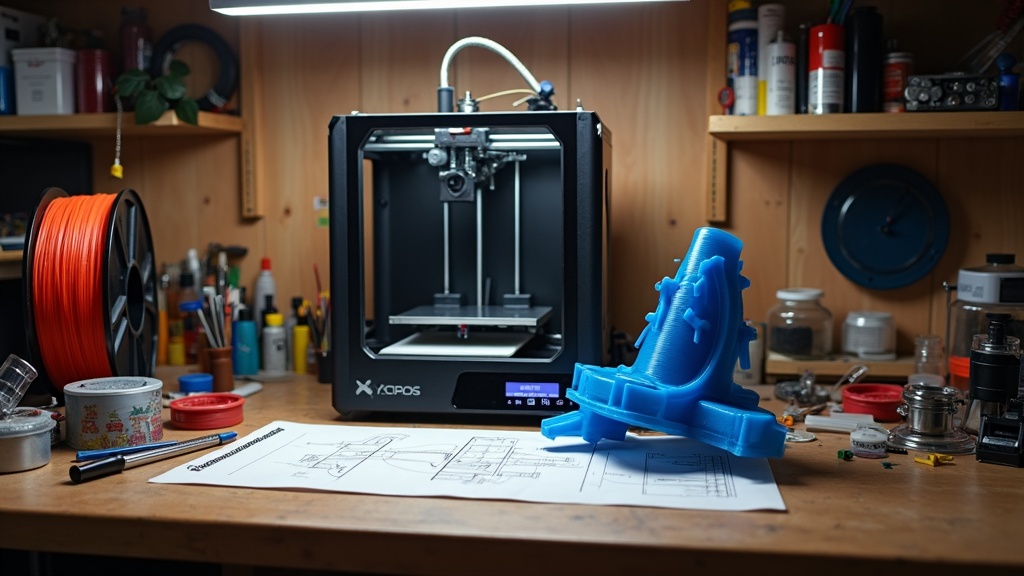
If you’re running a small business or side hustle, your 3D printer is not a toy—it’s a piece of production equipment. The right machine will quietly earn money in the background. The wrong one will flood your schedule with failed prints, support tickets, and late nights.
This guide is written specifically for small-business owners, makers selling on Etsy, engineers running prototypes, and shops looking to add in-house 3D printing. Instead of chasing the “fanciest” printer, you’ll learn how to choose a setup that actually pays for itself—and then some.
We’ll cover:
- Which type of 3D printer makes sense for your business model
- How many printers you really need (and when to start a print farm)
- Material choices that protect your reputation with customers
- Simple ROI math to know if a printer is worth the investment
- Where a 3D scanner fits into a professional workflow
Throughout this guide, you’ll see links to trusted hardware partners, including Creality 3D printers and 3DMakerpro 3D scanners. If you choose to buy through those links, it supports my work at no extra cost to you.
Related: How Custom 3D Prototypes Help Smart Brands Move Faster
Who This Small-Business 3D Printing Guide Is For
Before we talk hardware, it helps to be clear about who this guide is aimed at. If any of the descriptions below sound like you, you’re in the right place.
- Ecommerce sellers: You sell custom parts, miniatures, or accessories on Etsy, Shopify, or your own site.
- Service bureaus: You print parts or prototypes for clients on demand.
- Product companies: You need in-house prototyping to reduce outsourcing costs and speed up development.
- Local repair shops / fabricators: You want to replace hard-to-find parts, fixtures, or jigs.
- Agencies / studios: You create props, models, or physical assets for marketing and events.
If you are a pure hobbyist with no plans to charge for your work, my general beginner 3D printer guide is a better starting point. Here, we’re focused on cash flow, reliability, and client expectations.
Step 1: Choose a 3D Printer That Fits Your Business Model
Not every business needs the same kind of 3D printer. The right choice depends on how you make money.
Model 1: Product Seller (Etsy, Shopify, Amazon)
You sell physical products like miniatures, organizers, brackets, or custom gadgets.
- Needs: Consistent quality, repeatable prints, predictable print times.
- Best fit: A fast, reliable FDM printer as your first “workhorse” machine.
- Upgrade path: Add more of the same printer as demand grows (mini print farm).
Model 2: Service Provider (On-Demand Printing)
You print one-off parts, replacement components, or prototypes for customers.
- Needs: Versatility in materials, accurate dimensions, good uptime.
- Best fit: FDM printer that handles PLA, PETG, and possibly ABS/ASA, plus strong slicer control.
- Upgrade path: Add a resin printer for ultra-fine detail work and a 3D scanner for reverse engineering.
Model 3: In-House Engineering / Prototyping
You use 3D printing inside a business to validate designs, test fitment, and speed up R&D.
- Needs: Dimensional accuracy, engineering materials, repeatability.
- Best fit: Higher-end FDM or resin printer with a stable workflow and controlled environment.
- Upgrade path: Multiple machines tuned for specific materials or use cases.
You don’t need to overcomplicate this. Start by identifying the single biggest way your business will use 3D printing. Choose a machine that excels at that first use case, then expand from there.
See examples of real-world applications on my 3D printing services page
Step 2: Pick the Right Printer Tier (Solo, Studio, or Print Farm)
Small-business owners often ask, “How many printers do I need?” The honest answer is: it depends on how quickly you need to deliver and how high your order volume is. Here’s a simple way to think about tiers.
| Stage | Typical Setup | Best For | Key Advantage |
|---|---|---|---|
| Solo Operator | 1 reliable FDM printer | New side hustles, low order volume | Low cost, easy to manage |
| Growing Studio | 2–4 matched FDM printers | Steady online orders or regular client work | Redundancy and faster turnaround |
| Mini Print Farm | 4+ printers, often same brand | High-volume sellers and service bureaus | Scalable capacity, batch production |
The “print farm” model works best when you have:
- A consistent product catalog
- Known print times per part
- Standardized materials and profiles
This is why many operators pick a single ecosystem, such as Creality FDM printers, and duplicate that setup as they grow. Matching machines make maintenance, spare parts, and print profiles much easier to manage.
Trusted hardware starting point: Shop Creality 3D Printers to build a consistent fleet of workhorse FDM machines.
Step 3: Build a Material Strategy That Protects Your Reputation
Customers don’t care which slicer you used. They care that the part fits, holds up, and looks professional. That comes down to choosing the right materials and matching them to the right printer.
Core Materials for Business Use
- PLA: Perfect for visual prototypes, models, and low-stress parts. Great for packaging mockups, marketing props, and decorative items.
- PETG: Excellent for functional parts that may face moderate heat or stress. Ideal for brackets, organizers, and shop fixtures.
- ABS / ASA: Better for higher temperature or outdoor use. Great for enclosures, automotive interiors, and parts that see more abuse.
- TPU (Flexible): For gaskets, bumpers, and products that must flex without breaking.
For most small businesses, a smart path is:
- Start with PLA for prototypes and low-risk work.
- Add PETG as your standard for functional parts.
- Introduce ABS/ASA only when you can control enclosure and ventilation.
If you need very fine surface detail (miniatures, dental, jewelry masters), add a resin printer later. Resin introduces more post-processing and safety requirements, but it can unlock higher-value offerings.
Step 4: Simple ROI Math for Your 3D Printer Investment
A 3D printer becomes a business asset when you can answer one question with confidence:
“How many paid jobs does this machine need to complete before it pays for itself?”
A Simple Example
Imagine you buy a capable FDM printer for $600.
- Average material + electricity cost per job: $5
- Average selling price per job: $40
- Gross profit per job (before your time): $35
To recover the $600 printer cost with gross profit only:
$600 ÷ $35 ≈ 17.2 jobs.
In other words, around 18 typical jobs cover the hardware cost. After that, the printer is generating return on investment—as long as you keep it maintained and busy.
Factors That Make ROI Even Better
- Batching similar parts to reduce setup time
- Standardizing materials and profiles to reduce failures
- Using multiple printers to run parallel jobs overnight
- Offering premium options (color choices, materials, rush service)
This is where a small print farm shines. Instead of one printer doing everything, you can dedicate machines to specific materials or product lines, improving throughput and consistency.
Need help estimating ROI for your specific idea? See how I price custom 3D printing services here.
Where a 3D Scanner Fits into Your Business Workflow
A 3D printer can create almost anything you can model. A 3D scanner lets you start from the real world instead of from scratch. For many businesses, this combination is a secret weapon.
- Reverse engineering: Scan a broken part, clean it up in CAD, and print a replacement.
- Fitment checks: Scan an assembly, then design a part that fits exactly into the captured geometry.
- Customization: Scan an object (helmet, sculpture, enclosure) and build custom add-ons around it.
Recommended starting point: 3D scanners from 3DMakerpro pair well with a small-business 3D printing setup. They offer a solid balance of affordability and performance for everyday workflows.
Explore 3DMakerpro 3D Scanners and see how scanning can expand what you offer clients.
A Practical 3D Printing Stack for Small Businesses
To keep things concrete, here is a simple, realistic stack for a small business or serious side hustle.
| Stage | Hardware | Use Case |
|---|---|---|
| Start | 1 FDM printer (Creality-type) | Prototypes, small batches, Etsy orders |
| Grow | 2–3 FDM printers + 1 resin printer | Higher volume, functional parts and miniatures |
| Scale | 4+ matched FDM printers + 3D scanner | Print farm, service bureau, high-volume product sales |
Starting lean and upgrading in stages is often safer than overspending upfront. Let your order volume and cash flow justify each upgrade.
Trusted Hardware Links
- Shop Creality 3D Printers for a solid base of workhorse FDM machines.
- Explore 3DMakerpro 3D Scanners to add scanning and reverse engineering to your services.
These are affiliate links, which means I may earn a commission if you purchase through them, at no extra cost to you. I recommend them because they fit real-world workflows I use and see in the field.
Not Sure Which Setup Fits Your Business? Let’s Talk.
If you have a specific product idea, client niche, or internal project in mind, it’s often faster to get tailored advice instead of guessing your way through spec sheets.
Contact me here and share:
- What you want to print
- Who you want to sell to or serve
- Your budget and timeframe
From there, we can map out a realistic 3D printing setup—from a single machine to a staged print-farm buildout—that matches your goals and protects your time.
Turn Your 3D Printer into a Real Asset
Whether you’re just getting started or ready to scale, the key is the same: choose hardware that fits your business model, price your work correctly, and keep your printers doing billable work.
- Browse Creality Printers for a reliable workhorse foundation.
- Add 3DMakerpro Scanners when you are ready to offer reverse engineering and advanced services.
- Reach out for a personalized setup recommendation if you want a second set of eyes.
FAQ: Small-Business 3D Printing
How many 3D printers do I need to start a business?
You can start with a single reliable FDM printer and a clear offer. As orders become more consistent, most operators move to two or three printers to reduce bottlenecks and improve turnaround times. A print farm of four or more machines makes sense once you have steady demand.
Is one expensive printer better than several cheaper ones?
Not always. For many small businesses, two or three mid-priced, reliable printers can deliver more flexibility and uptime than a single high-end machine. Redundancy is valuable when you have deadlines to hit.
Should I start with FDM or resin for my business?
Most product sellers and service bureaus start with FDM because it’s versatile, lower-mess, and great for functional parts. Resin is ideal for high-detail miniatures and showpieces. Many businesses eventually run both to cover more use cases.
How do I price my 3D printed parts?
At minimum, factor in material cost, machine time, your time, failure rates, and overhead. Many businesses use a base fee plus an hourly print rate, then adjust for complexity and urgency. Underpricing might win short-term jobs but will hurt you over the long run.
When does a 3D scanner become worth it?
A 3D scanner becomes worth it when you regularly recreate existing parts, need perfect fitment, or offer high-value customization. If you mostly print models you design from scratch or download, you can delay this purchase until scanning unlocks a clear new revenue stream.