
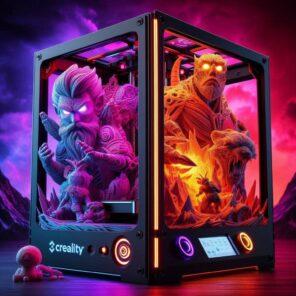
Color 3D printing used to be frustrating because it relied on manual filament swaps, fragile multi-extruder setups, and slicer hacks. Today’s new generation of multicolor systems combines automatic filament switching, smarter slicers, and tuned hardware so you can print multi-colored parts with far less tinkering, less waste, and a lot more reliability.
For years, color 3D printing lived in two extremes. On one side, you had affordable hobby machines that could only print one color at a time, forcing you to pause jobs, swap filament, and pray nothing shifted. On the other hand, you had eye-wateringly expensive full-color systems that belonged in labs and industrial shops, not on a home workbench.
That gap is finally closing. A new wave of multicolor and multi-material setups has arrived, bringing automatic filament switching, smarter purge strategies, and more polished workflows to regular makers. Instead of wrestling with constant jams and layer shifts, you can focus on what actually matters: designing and printing beautiful, functional parts in full color.
In this guide, we’ll unpack what changed, why color 3D printing no longer has to be a headache, and how to choose the right path forward—whether you’re brand new to 3D printing or already comfortable with single-color work.
Before You Chase Color, Nail the Fundamentals
Color printing feels magical, but it still sits on top of the same fundamentals as every other 3D Printing for Absolute Beginners: A Step-by-Step Guide. If your single-color prints suffer from poor adhesion, stringing, or random failures, multicolor will only amplify the chaos.
If you’re early on your journey, start with:
- Flawless 3D Printing Made Simple: Your Complete Beginner’s Guide for a clean, step-by-step workflow.
- How to 3D Print Like a Pro: From Model to Masterpiece if you want a full “model-to-finished-part” blueprint.
- Exploring Multicolor 3D Printing: New Frontier or Technical Challenge? for a deeper look at pros, cons, and tradeoffs.
Once you can reliably produce clean single-color prints, you’re ready to step into the world of color without burning through filament, time, or patience.
Why Color 3D Printing Used to Be Such a Pain
To appreciate what’s changed, it helps to remember why color printing felt so brutal for hobbyists. Until recently, most color workflows suffered from at least one of these problems:
1. Manual Filament Swaps Mid-Print
The classic “poor person’s multicolor” trick was to pause the print at a specific layer, unload filament, load a new color, purge, and resume. It works, but it’s:
- Easy to misalign if you bump the bed or part.
- Limited to simple layer-based color changes.
- Time-consuming and error prone, especially on long prints.
2. Fragile Multi-Extruder Rigs
Early multi-extruder printers promised multicolor bliss but often delivered oozing nozzles, collision nightmares, and constant re-calibration. Every extra hotend introduced more weight, more alignment work, and more failure modes.
3. Slicer Hacks and Purge Mountains
Color profiles had to be coaxed into working with complex scripts and clunky purge towers. Wasted filament piled up quickly, especially on multi-color logos or intricate pieces that required constant changes.
4. Unfriendly User Experience
Even when the hardware was capable, the surrounding experience wasn’t. Poor documentation, limited profiles, and confusing UI made multicolor printing feel like a science project instead of a tool you could trust.
What Changed: The New Wave of Practical Color 3D Printing
The “this” in “Until This Dropped” isn’t just one machine—it’s a set of breakthroughs that finally clicked together:
- Automatic filament switching hardware (AMS/MMU-style units).
- High-speed, tuned motion systems that handle frequent retractions and tool changes gracefully.
- Slicer support built around multicolor workflows instead of bolted on as an experiment.
Machines and ecosystems in this new class can now:
- Route multiple filaments into a single hotend with reliable loading and unloading.
- Use purge blocks, wipe walls, and smarter color scheduling to limit waste.
- Offer template profiles and wizards for multicolor projects, so you’re not starting from scratch.
If you want a deep comparison of how this plays out in real-world hardware, you can explore:
- Affordable Multicolor 3D Printing: Bambu Lab A1 Mini vs. Prusa XL
- Multicolor Magic: Making Multi-Material 3D Printing a Reality for Everyone
The bottom line: you no longer need to choose between “cheap but painful” and “expensive but polished.” There are now realistic paths in the middle where color printing is accessible, fast, and genuinely fun.
The Main Paths to Color 3D Printing Today
Modern color workflows generally fall into four buckets. Which one you choose depends on your budget, tolerance for tinkering, and how complex your designs are.
1. Smarter Manual Swaps (Starter Path)
If you’re on a strict budget, you can still create striking color prints by planning your models around layer-based color changes and using slicer tools to insert pauses. The difference now is that you have far better guidance, profiles, and examples to follow.
2. Automatic Filament Switching Units
These systems sit upstream of your extruder and feed one of several filaments into a shared hotend. They’re ideal if you want two to four colors on a single, compact machine without running multiple hotends.
Expect:
- Excellent for logos, characters, signage, and accent parts.
- Some purge waste, but much smarter management than older solutions.
- Tighter integration between hardware and slicer, so profiles feel “plug and print.”
3. Native Multicolor Machines
Some printers are built from the ground up as color-first machines. Rather than treating multicolor as an upgrade, these systems are tuned for frequent filament changes, purge behavior, and high-speed motion out of the box.
4. Full-Color / Texture-Based Systems
At the high end, you’ll find systems that blend pigments in the nozzle, print with specialized filaments, or combine resin and jetting approaches to produce full-color models with textures and gradients. These are still more niche and expensive, but the tech is steadily working its way down-market.
Ready to Step Up to a Color-Ready High-Speed Printer?
If you’re still wrestling with an older single-color machine, upgrading to a modern, high-speed printer is one of the easiest ways to prepare for multicolor workflows. Faster motion, better cooling, and auto bed leveling remove a lot of friction before you ever add color into the mix.
Recommended starting point: explore the latest generation of Creality 3D printers. They’re focused on speed, reliability, and ease-of-use—and many models pair well with automatic filament switching and multi-material upgrades.
This is an affiliate link. If you decide to purchase through it, it supports 3D Printing by Kevin at no extra cost to you. I only recommend gear that makes sense for real-world workflows.
Why Scanning Matters for Color Workflows
Once you have a reliable multicolor setup, a natural next step is to bring real-world objects into your digital pipeline. That’s where 3D scanning enters the picture.
A good scanner lets you capture shapes, details, and surface features, then recolor or remix them in software before sending them to your printer. Instead of modeling every detail from scratch, you can:
- Scan props, miniatures, or cosplay pieces and re-print them with improved color blocking.
- Capture real objects, tweak them digitally, and add accent colors or labels.
- Build up a library of reusable, scan-based assets for multicolor projects.
If you want to learn more about pairing scanning with printing, check out:
Want High-Quality Scans for Your Color Prints?
Portable, high-resolution scanners make it much easier to capture real objects, adjust them in software, and then bring them back to life with color on your printer. It’s a powerful way to bridge the physical and digital worlds.
Explore 3DMakerpro 3D Scanners
This is an affiliate link. Using it helps keep guides like this free and ad-light for the community, without changing the price you pay.
Is Color 3D Printing Worth It for You?
Color 3D printing isn’t mandatory for everyone—and that’s okay. For some makers, a rock-solid single-color workflow plus painting is more than enough. For others, multicolor capability is a game changer.
You’ll especially benefit from color if you:
- Design logos, signage, or branding pieces where color separation matters.
- Print miniatures, tabletop scenery, or cosplay props and want color baked into the part.
- Build educational models where different colors highlight different features or layers.
- Prototype consumer-facing parts where visual appeal is as important as function.
If your work is mostly jigs, brackets, and functional hardware, color might be a “nice to have” rather than a must-have. But if you lean toward visual storytelling, presentation, or client-facing work, color printing can easily justify the investment.
Your Step-by-Step Roadmap into Color 3D Printing
If you’re ready to take the leap, here’s a practical progression that avoids overwhelm and wasted filament:
- Get single-color rock solid. Use Flawless 3D Printing Made Simple to dial in your workflow.
- Experiment with manual swaps. Try simple two-color nameplates or logos to learn how slicer pauses and color planning work.
- Upgrade to a modern, fast printer. If your current machine struggles, consider moving to a high-speed platform via Creality’s latest printers.
- Add multicolor hardware. Pick a machine or ecosystem that treats color as a first-class feature, not a bolt-on gimmick.
- Integrate scanning (optional but powerful). Add a scanner like those from 3DMakerpro if you want to capture real-world shapes and re-print them in color.
- Refine, log, and iterate. Keep notes on purge settings, color order, and successful profiles so each project gets smoother.
Color 3D Printing FAQ
Is color 3D printing a good idea for beginners?
Yes, but only after you can reliably produce single-color prints. Color adds complexity—more filament paths, more settings, and more chances for something to go wrong. If you’re just starting out, focus first on mastering the basics, then layer color on top once you feel confident.
Do I need a special printer for multicolor 3D printing?
You don’t have to buy a completely new printer, but it often helps. Some existing machines can be upgraded with automatic filament switching units, while others are better replaced with a modern, high-speed system that’s designed to work smoothly with multicolor hardware and slicer profiles.
How do automatic filament switching systems work?
Automatic filament systems sit upstream of your extruder and feed one of several filaments into a shared hotend. During a color change, the printer unloads the current filament, loads the next one, purges a controlled amount of material into a tower or wipe wall, and then continues the print with the new color.
Will color 3D printing waste a lot of filament?
There is always some extra waste due to purging between colors, but modern slicers and hardware have gotten much better at reducing it. You can further limit waste by minimizing unnecessary color changes, grouping colors by regions, and tuning purge volumes once you have a few successful prints under your belt.
Can I retrofit my current printer for color?
In many cases, yes. If your printer is mechanically sound and has good community support, you may be able to add a multicolor unit or other upgrades. However, if your machine is older, noisy, or already unreliable, it’s often smarter to put that budget toward a modern platform that handles multicolor more gracefully.

