
Discover the $15 tool every 3D printer owner needs. Learn how digital calipers improve E-step calibration, filament flow, and dimensional accuracy for perfect prints.
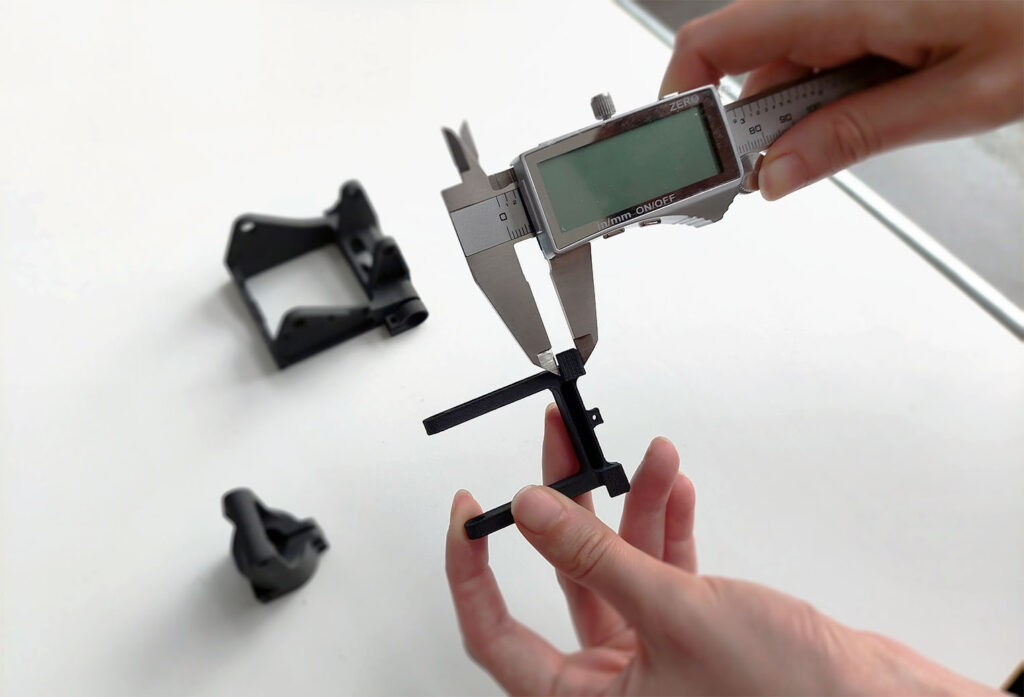
The most essential tool every 3D printer owner should own for under $15 is a pair of Digital Calipers. Unlike standard rulers, digital calipers provide the 0.01 mm precision necessary for calibrating extruder E-steps, measuring filament diameter for flow-rate accuracy, and ensuring that functional parts fit together perfectly. While expensive professional versions exist, a budget-friendly stainless steel pair is the single most effective way to transition from “guessing” to “measuring” in additive manufacturing.
Affiliate Disclosure: This post contains affiliate links. If you purchase through links to Creality, 3DMakerpro, HONG KONG CHAORONG, or COEX, I may earn a small commission at no additional cost to you. This helps support the deep-dive testing and guides on 3D Printing by Kevin.
Why Every Workspace Needs Digital Calipers
You have the printer, the enclosure, and a fresh spool of high-quality COEX filament, but your prints still do not fit together. This is the “tolerance wall” that every hobbyist hits.
Most users assume their slicer settings are to blame. In reality, the issue is often a lack of precise hardware calibration. Digital calipers allow you to verify the physical output of your machine against the digital intent of your CAD file. If you are serious about functional printing, you cannot rely on visual inspections alone.
1. E-Step Calibration: The Foundation of Good Prints
Under-extrusion and over-extrusion are the most common causes of print failure.
With a $15 investment, you can ensure your Creality Ender or K1 series is pushing the exact amount of plastic required for structural integrity.
2. Measuring Filament Variance
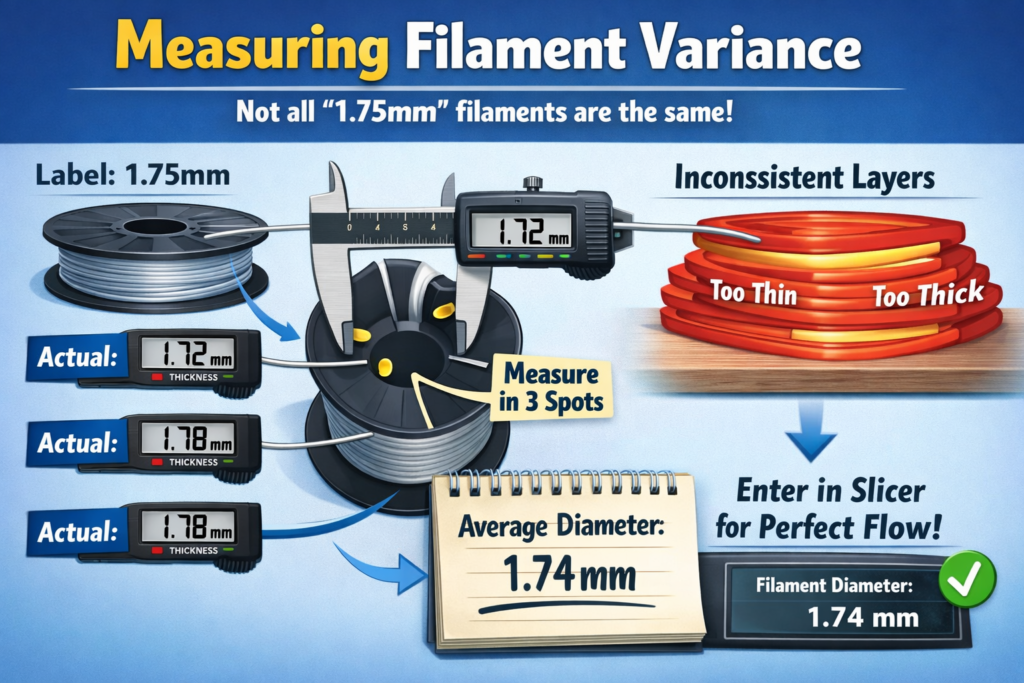
Not all filament is created equal. Even premium brands can have slight variances in diameter. A spool labeled 1.75mm might actually be 1.72mm or 1.78mm. This 2- 3 difference can cause noticeable artifacts in your top layers. Using calipers to check your filament at three different spots lets you enter the true average into your slicer, resulting in perfect flow.
Upgrade Your Precision
If you are looking to take your 3D scanning and measurement to the next level beyond simple tools, check out the professional-grade solutions at 3DMakerpro for high-accuracy industrial capturing.
Technical Comparison: Plastic vs. Stainless Steel Calipers
When shopping in the $15 price bracket, you will encounter two main types of calipers. Choosing the right one is critical for long-term accuracy.
| Feature | Carbon Fiber / Plastic | Stainless Steel |
|---|---|---|
| Durability | Low (Flexes under pressure) | High (Rigid) |
| Precision | $\pm 0.1mm | $\pm 0.02mm |
| Resolution | $0.1mm | $0.01mm |
| Conductivity | Non-conductive (Safe for electronics) | Conductive |
For 3D printing, stainless steel is the clear winner. The metal frame’s rigidity prevents the jaws from flexing when measuring the outside diameter of a print, providing a much more reliable reading.
How to Use Calipers for Reverse Engineering
One of the greatest joys of 3D printing is designing replacement parts for broken items around the house. Digital calipers make this possible through four key measurement types:
- Outside Measurement: Using the large jaws to measure the width of an object.
- Inside Measurement: Using the top, smaller jaws to measure the diameter of a hole.
- Depth Measurement: Using the probe at the tail of the calipers to measure how deep a cavity is.
- Step Measurement: Using the head of the caliper to measure the distance from one step to another.
By mastering these four movements, you can recreate complex geometries in CAD and print them with confidence. For those looking for specialized hardware components for these custom builds, HONG KONG CHAORONG offers a wide array of technical supplies that complement your 3D printing workflow.
FAQ,
Do I need expensive Mitutoyo calipers?
While professional brands like Mitutoyo offer incredible longevity and battery life, a standard $15-$20 stainless steel pair is more than sufficient for the tolerances required in FDM 3D printing.
How often should I calibrate my calipers?
You should “zero” your calipers every time you turn them on. Simply close the jaws completely and press the “Zero” button to ensure you are starting from a true 0.00mm baseline.
Can I use a ruler instead?
A ruler lacks the resolution and the ability to accurately measure internal diameters or depths. For 3D printing, where 0.2mm is the difference between a part fitting or failing, a ruler is not a viable substitute.
Final Thoughts: Small Investment, Massive ROI
The difference between a frustrating hobby and a successful workshop often comes down to the tools you use. By adding a simple pair of digital calipers to your kit, you can troubleshoot your Creality hardware, optimize your COEX filament use, and design your own functional parts.
It is the best $15 you will ever spend on your 3D printing journey.

