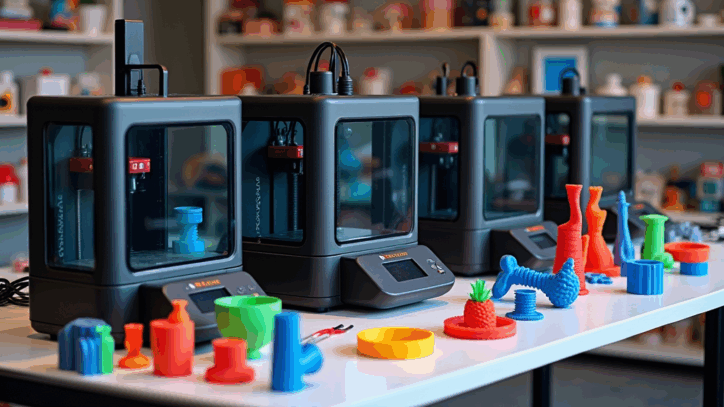
The 3D printer I recommend to most beginners in 2025 is the Bambu Lab A1 Mini because it reduces setup frustration, prints reliably out of the box, and helps new makers succeed quickly with PLA.
If you’re just getting into 3D printing in 2025, you’re starting at the best possible time. Printers are faster, software is smarter, and the learning curve that once scared people away has almost disappeared.
But here’s the part most beginner guides leave out:
Choosing the wrong first 3D printer is still the fastest way to quit the hobby.
I’ve watched it happen over and over. Excitement fades, failed prints pile up, and the printer ends up unused. That’s exactly why readers keep asking me one question:
“Kevin, what 3D printer would you recommend to a complete beginner in 2025?”
After years of hands-on testing, troubleshooting, and helping new makers get their first clean prints, my answer is consistent.
My Top Beginner Recommendation for 2025: Bambu Lab A1 Mini
If you’re searching for a beginner-friendly 3D printer that works reliably right out of the box, the Bambu Lab A1 Mini stands above the rest in 2025.
This isn’t about hype. It’s about removing the most common beginner roadblocks so you can focus on learning and creating instead of constant troubleshooting.
Affiliate disclosure: Some links on this page are affiliate links or partner links. If you purchase through them, I may earn a commission at no extra cost to you. I only recommend tools and brands I genuinely believe are helpful for beginners.
Note: I don’t currently have an affiliate link for the A1 Mini. If that changes, I’ll update this post transparently.
Why Most Beginner 3D Printers Cause Frustration
Many entry-level printers still expect beginners to learn advanced skills immediately—manual bed leveling, slicer tuning, mechanical adjustments—before they ever see a successful print.
That approach made sense years ago. In 2025, it’s unnecessary. A beginner printer should reduce friction, not increase it. Your first printer should build confidence and make you want to print again tomorrow.
If you’re brand new, I strongly recommend reading this first: 3D Printing for Absolute Beginners. It will save you hours of confusion and help you avoid the classic early mistakes.
What Makes the A1 Mini Beginner-Friendly
1) Guided setup that doesn’t punish beginners
The A1 Mini handles calibration and leveling automatically. You’re not forced into constant mechanical adjustments just to get started. That means your first week is about learning the basics, not fighting the machine.
2) Consistent print quality with PLA
For most beginners, PLA is the best first filament. The A1 Mini produces clean, reliable PLA results without endless tuning. That early “wow, it worked” moment is what keeps beginners engaged.
3) A workflow that helps you grow fast
Beginners need smart defaults first. Then, when you’re ready, you can learn orientation, supports, strength vs speed tradeoffs, and why small slicer changes matter. If you want the clearest step-by-step workflow I’ve published, go here: Easy-to-Follow Guide for 3D Printing.
4) Faster prints that keep motivation high
Shorter print times mean faster learning cycles. When you can experiment and see results quickly, you improve faster and you stick with the hobby longer.
Your First Week With a Beginner 3D Printer (What to Learn in What Order)
Most beginner frustration comes from learning things in the wrong order. Here’s the sequence that gives you early wins without skipping fundamentals.
Step 1: Print something small and simple (build confidence)
Don’t start with a 10-hour print. Start with a basic model that teaches adhesion, first layer quality, and orientation.
Step 2: Learn the “model to masterpiece” workflow
If you want to print like someone who’s been doing this for years, follow this walkthrough: How to 3D Print Like a Pro: From Model to Masterpiece. This is the fastest way I know to turn random trial-and-error into a repeatable system.
Step 3: Build skills that prevent 80% of failures
This is where you start learning what actually matters: bed prep, first-layer habits, temperature discipline, and simple adjustments that eliminate common problems. If you want the short-list of what works, read: Mastering 3D Printing: Insider Tips.
Step 4: Learn basic design skills (so you’re not dependent on downloads)
Most people stay beginners longer than they need to because they never learn the basics of design. If you want to create simple custom parts—hooks, brackets, organizers, replacements—start here: Acquiring the Skills to Design 3D Objects Using Software.
Beginner Shortcut: High-Quality Filaments for Superior Results
Even with the right printer, beginners still get tripped up by one quiet problem: inconsistent filament. If you’re getting random failures, brittle layers, stringing that won’t quit, or prints that look “off” for no obvious reason, filament quality is often the hidden cause.
COEX 3D Filaments (U.S.-Made) — 15% Off + Free Shipping Over $49
We partner with COEX 3D to offer premium, U.S.-made filaments. Choose from PLA, ABS, ASA, and specialty blends to match your project’s exact needs.
Special Offer: Get 15% off COEX 3D filaments with code 3DPRINTINGBYKEVIN. Plus, enjoy free shipping on orders over $49.
Shop Filaments NowDisclosure: Partner link. Code: 3DPRINTINGBYKEVIN.
Affiliate pick: Creality (good upgrade path later)
If you’re comparing beginner printers or planning a future upgrade, Creality has a huge lineup and a massive community. Use this link to browse current models and pricing.
Browse Creality printers (affiliate)Disclosure: This is an affiliate link (I may earn a commission at no extra cost to you).
Affiliate pick: 3DMakerpro (scanning makes beginners faster)
If you want to turn real-world objects into printable models, scanning can save you weeks of CAD learning. This is a practical path into custom projects.
Explore 3DMakerpro (affiliate)Disclosure: This is an affiliate link (I may earn a commission at no extra cost to you).
Affiliate pick: Filament options (extra sources)
If you want to compare additional filament options, this link is another place to browse materials and blends.
Shop filament options (affiliate)Disclosure: This is an affiliate link (I may earn a commission at no extra cost to you).
Final Verdict: The Best Beginner 3D Printer in 2025
If someone asked me today, “What is the best 3D printer for a beginner in 2025?” my answer would be immediate: the Bambu Lab A1 Mini.
It’s reliable, beginner-focused, and it gives new makers the experience 3D printing is supposed to deliver: less frustration, more creating, and faster learning.
Want a personalized beginner recommendation?
Tell me your budget and what you want to print (decor, cosplay, functional parts, prototypes). I’ll point you toward a beginner-friendly setup and the first settings to try.
Get beginner helpTip: Replace this with your “Contact / Consulting” page when ready.
Frequently Asked Questions
What is the best 3D printer for beginners in 2025?
The best beginner 3D printer in 2025 is one that prints reliably with minimal setup and troubleshooting. For most beginners, the Bambu Lab A1 Mini is a strong choice because it lowers the learning curve and helps new users get successful prints quickly.
What should I learn first if I’m brand new to 3D printing?
Start with the basics: first layer success, simple prints, and a repeatable workflow. This beginner guide is the best starting point: 3D Printing for Absolute Beginners.
How do I get better at 3D printing quickly?
Follow a consistent process, not random guesses. Use this walkthrough to build a repeatable workflow: How to 3D Print Like a Pro: From Model to Masterpiece, then sharpen the basics with Mastering 3D Printing: Insider Tips.
Should I learn 3D design software as a beginner?
Yes, even basic design skills help you level up fast. You don’t need advanced CAD to start—just enough to customize simple parts. This guide is a great place to begin: Acquiring the Skills to Design 3D Objects Using Software.
Does filament quality really matter for beginners?
Absolutely. Inconsistent filament can cause stringing, weak layers, adhesion failures, and “mystery” problems that waste time. Starting with reliable filament makes learning dramatically easier.