Changing a nozzle looks like a small upgrade. In reality, it changes how your entire 3D printing setup behaves.
On most 3D printers, the nozzle controls flow, pressure, layer bonding, print speed, and how forgiving your printer is with different 3D printing filament types. That’s why beginners are often surprised when a simple swap suddenly causes failures or, sometimes, dramatically better prints.
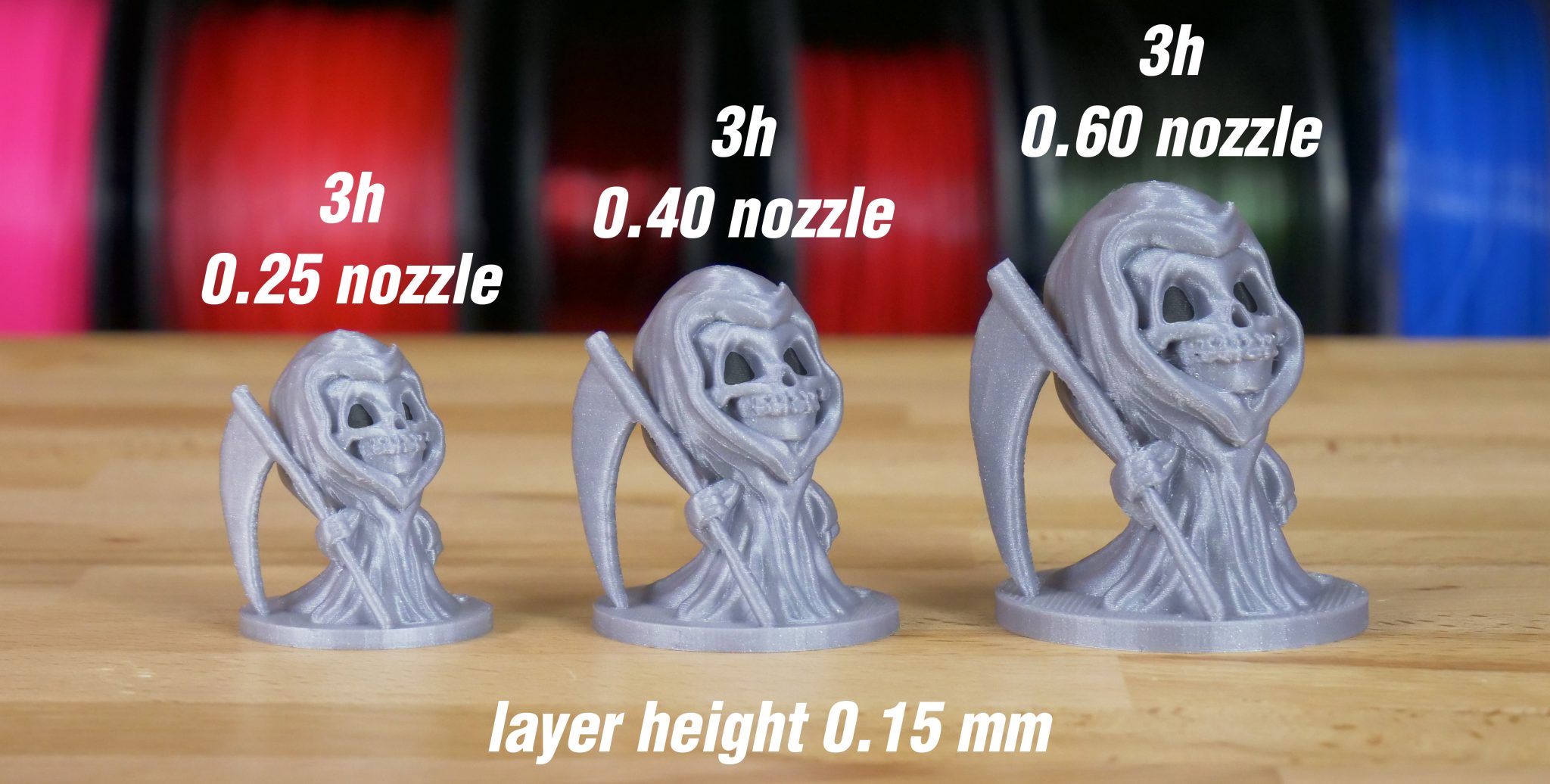
Changing nozzle size changes flow rate, detail, print speed, and how sensitive your printer is to moisture and clogs.
Bigger nozzles are faster and more forgiving. Smaller nozzles give finer detail but expose setup problems.
What Changes Right Away
Flow and Pressure
A larger nozzle lowers pressure in the hotend. This often means smoother extrusion and fewer clogs. Smaller nozzles increase pressure, making moisture, debris, and poor tuning obvious fast.
If extrusion suddenly looks uneven, start with How to clear partial clogs before blaming the filament.
First Layer Reliability
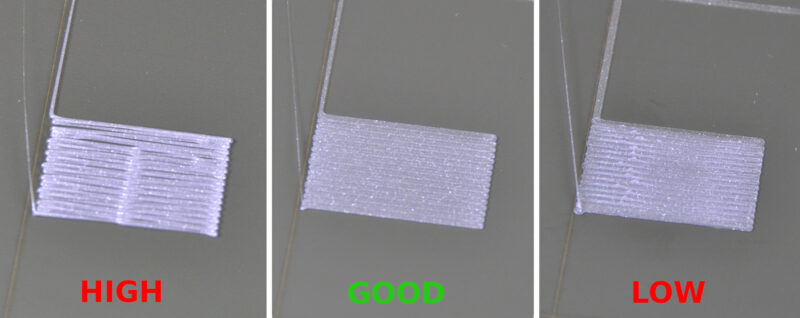
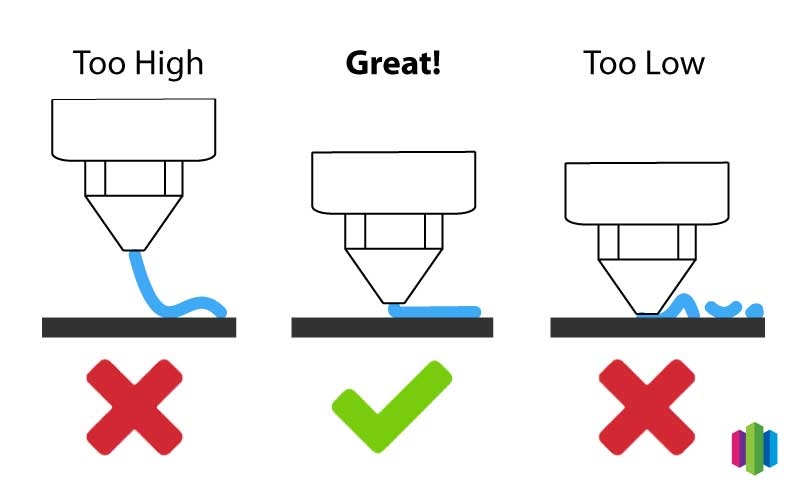
After a nozzle swap, first-layer issues are common. Z-offset, line width, and flow all need adjustment. Many “failed prints” after a nozzle change are really first-layer problems.
This is where First layer problems and fixes saves a lot of frustration.
Speed vs Detail (The Real Tradeoff)
| Nozzle | What Changes |
|---|---|
| Smaller | Better detail, slower prints, more failures if filament isn’t perfect |
| Larger | Faster prints, stronger layers, less detail |
Most beginners actually get better results moving up to a 0.6 mm nozzle before trying smaller ones.
Filament Matters More Than You Think
PLA usually tolerates nozzle changes well. PETG benefits from larger nozzles and often strings badly with smaller ones.
If you’re choosing materials, PLA vs PETG beginner comparison breaks this down clearly.
Moisture also matters more with smaller nozzles. Wet filament that prints “fine” at 0.6 mm can fail badly at 0.4 mm. That’s why How to dry filament (and why it matters) becomes critical as you chase detail.

Retraction Needs Adjustment (Often Missed)
Nozzle swaps almost always require retraction changes. Larger nozzles usually need less. Smaller nozzles need more precision, not just more distance.
Blind changes cause jams. Retraction settings explained helps avoid that trap.
Beginner Takeaway
If you’re early in 3D printing:
- Stick with 0.4 mm first
- Try 0.6 mm before going smaller
- Recalibrate every time
- Dry filament before tuning
This order solves more problems than chasing ultra-fine detail too early. Start with a solid baseline using a 3D printing calibration guide.
Recommended Hardware (Disclosure)
Disclosure: The links below are affiliate links. This site may earn a commission at no extra cost to you.
- Entry-level and upgrade-friendly printers from Creality — https://tidd.ly/3KUghXJ
- Scanning tools and accessories from 3DMakerpro — https://tidd.ly/49ziphJ
- Industrial components by HONG KONG CHAORONG CO., LIMITED — https://tidd.ly/4oBR0PW
- Specialty filaments from COEX — https://coex3d.com/3DPRINTINGBYKEVIN
Bottom Line
A nozzle change doesn’t just affect detail.
It changes how forgiving your printer is.
Once you understand that, nozzle swaps stop being frustrating and start becoming one of the most useful tuning tools you have.