
Quick Answer: How Close Are Desktop 3D Printers?
Desktop 3D printers have closed much of the gap for rapid prototypes, jigs, fixtures, replacement parts, and short-run plastic components. A capable enclosed FFF printer can now deliver speed, repeatability, and material control that once required a far more expensive professional machine.
The gap remains wide when a job requires certified materials, documented process control, metal printing, extreme chamber temperatures, large production volumes, validated tolerances, or factory-level uptime. The right question is not, “Is desktop as good as industrial?” It is, “What does this part actually require?”
Desktop 3D printers versus industrial systems used to feel like a simple comparison between a hobby tool and factory equipment. That description no longer fits. Modern desktop machines have become faster, more automated, better enclosed, and far more consistent than the machines many of us learned on.
I see that change in my own workflow. After eight years of 3D printing, I have worked with machines ranging from a Bambu Lab X1 Carbon and Creality CR-M4 to a Raise3D Pro2 and MakerGear M3. The label on the front matters less than the combination of the machine, material, settings, part design, and inspection plan.
That does not mean a desktop printer has magically become an industrial production system. It means the desktop category now covers a much larger section of the practical middle: the parts that need to be useful, repeatable, affordable, and available today rather than next week.
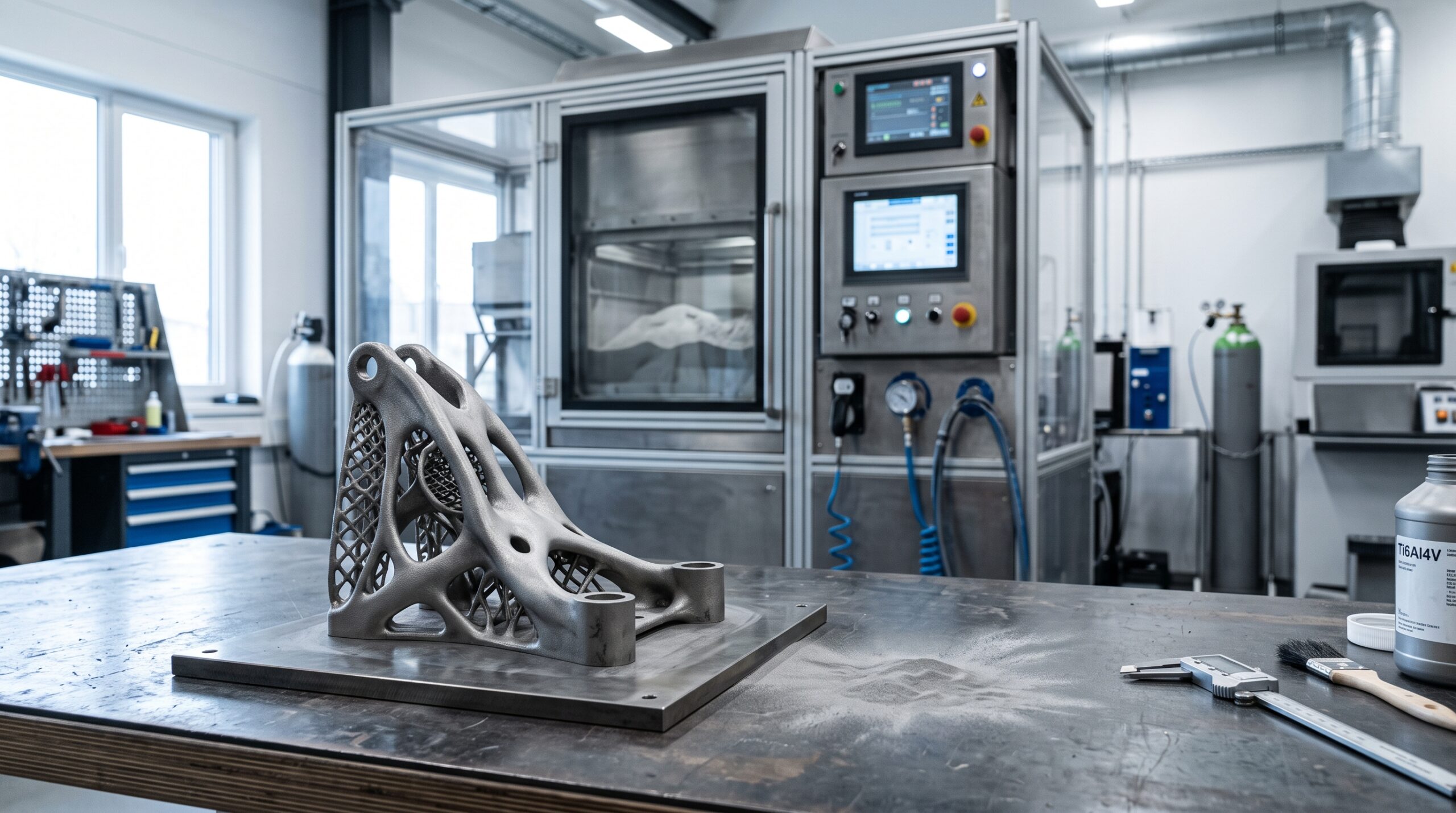
The Gap Is Closing—but Only in Certain Jobs
Most of this gap-closing story belongs to filament-based material extrusion, commonly called FFF or FDM. A desktop filament printer should not be compared as if it can replace industrial metal powder-bed fusion, large-format pellet extrusion, or every resin production process.
Compare the same kind of work, though, and the change is dramatic. A well-set-up desktop FFF machine can produce a fit-check prototype, drill guide, machine guard bracket, cable fixture, assembly aid, or customized replacement part without an outside purchase order or shipping delay.
Where the Gap Is Now Small
- Form-and-fit prototypes
- Jigs, fixtures, guides, and holders
- One-off replacement parts
- Design iteration and user testing
- Low-risk, short-run plastic components
- Education, product development, and shop aids
Where the Gap Remains Wide
- Regulated or safety-critical production
- Certified material and process traceability
- Large, continuous production schedules
- Metal and specialized AM processes
- Very high-temperature engineering polymers
- Contracted uptime, service, and qualification
Desktop vs. Industrial 3D Printers: What Actually Changes?
Specifications alone can make a desktop machine look surprisingly close to industrial equipment. The more useful comparison is what happens around the printer: material handling, process documentation, maintenance response, inspection, and the cost of a failed build.
| Decision Factor | Modern Desktop FFF Printer | Industrial Material-Extrusion System | Why It Matters |
|---|---|---|---|
| Best fit | Fast iteration, shop tooling, custom parts, and short runs | Qualified workflows, demanding materials, and sustained production | Match the system to the consequence of failure. |
| Motion and speed | CoreXY designs, input shaping, pressure advance, and high-flow hotends are increasingly common | Motion is tuned as part of a controlled system for yield, repeatability, and uptime | Maximum travel speed does not equal finished-part throughput. |
| Temperature control | Enclosures and controlled chambers are available on higher-capability models | Higher and more uniform chamber temperatures support demanding polymers and repeatable builds | Chamber stability can matter more than nozzle temperature. |
| Materials | PLA, PETG, TPU, ABS, ASA, some nylons, and reinforced filaments—with model-specific limits | Broader portfolios can include validated, high-performance, ESD, flame-resistant, or traceable materials | A material name is not the same as a certified material system. |
| Repeatability | Can be excellent after calibration, drying, maintenance, and profile control | Built around documented processes, controlled consumables, and predictable system behavior | One good part is not proof of a capable production process. |
| Support and service | Owner maintenance, online documentation, dealers, and community help | Formal service plans, installation, training, and faster escalation may be available | Downtime has a different price in a production environment. |
| Total cost | Lower entry cost, but labor, failures, drying, maintenance, and inspection still count | Higher equipment and facility cost, often justified by throughput, material capability, or compliance | Compare cost per accepted part—not machine price alone. |
Why Desktop 3D Printers Improved So Quickly
1. Motion Control Got Smarter
CoreXY motion systems reduce the moving mass compared with traditional bed-slinger layouts. Input shaping and related vibration-control tools can reduce ringing as acceleration rises. These technologies do not erase physics, but they let a rigid desktop machine move faster without sacrificing as much surface quality.
For a current example, Prusa describes its CORE One+ architecture as a fully enclosed CoreXY system with input shaping and active chamber control. Those were once unusually sophisticated features for a desktop-sized machine.
2. Calibration Became More Automated
Load-cell probing, automatic bed meshes, vibration calibration, filament sensors, flow calibration tools, and better factory profiles remove many repetitive setup steps. Automation does not guarantee a dimensionally correct part, but it reduces the number of ways a print can go wrong before the first layer is finished.
For dependable results, automation still needs a sound mechanical baseline. My 3D printer calibration guide shows the order I use so you can change one variable at a time instead of chasing several symptoms at once.
3. Enclosures and Material Handling Improved
An enclosure helps reduce drafts and slow uneven cooling. Dry boxes and filament dryers help control moisture. Hardened nozzles and wear-resistant extruder components make abrasive, fiber-filled materials more practical. Together, those changes expand the useful range of a desktop printer.
There is an important limit: a carbon-fiber-filled filament is usually a chopped-fiber composite. It may become stiffer and more dimensionally stable, but it is not automatically stronger in every direction, and it is not equivalent to continuous-fiber reinforcement or metal.
4. Slicers Became Production Tools
Modern slicers can manage variable layer height, pressure control, seam placement, support interfaces, adaptive infill, multiple build plates, and printer-specific material profiles. The biggest improvement is not a single feature. It is the ability to save a known-good process and use it again.
That repeatable digital workflow is what turns a desktop printer into a serious tool. A fast machine with random settings is still unpredictable. A documented profile, controlled material, inspection method, and maintenance schedule can produce dependable work from modest equipment.
What Industrial Systems Still Do Better
Industrial performance is not just a hotend that reaches a higher number. It is a complete production environment. That can include installation requirements, operator training, controlled consumables, soluble support, large material capacity, job reporting, preventive service, and specified accuracy.
As one representative example, Stratasys publishes a build envelope of 406 × 355 × 406 mm and a stated part accuracy formula for its Fortus 450mc industrial FDM system. It also lists automatic material-canister changeover and production-management software. That surrounding system is part of what the buyer is paying for.
Qualification is another major dividing line. ISO/ASTM 52920:2023 addresses quality-relevant characteristics and activities across an additive manufacturing production site. A printer advertised as “professional” does not provide that process control by itself.
Seven Jobs a Desktop Printer Can Often Bring In-House
Fit-Check Prototypes
Confirm size, grip, access, assembly order, and clearances before committing to tooling or outsourced production.
Jigs and Fixtures
Create drill guides, assembly nests, gauges, soft jaws, and positioning aids sized to one exact task.
Replacement Parts
Recreate unavailable clips, knobs, brackets, covers, and adapters when the loads and environment suit a printable polymer.
Product-Test Samples
Put a physical concept in a user’s hand, record what fails, and revise the CAD model while the feedback is fresh.
Low-Volume Custom Parts
Produce small batches when customization matters more than the lowest possible unit price.
Templates and Organizers
Print routing templates, tool holders, cable guides, labels, and storage inserts that remove friction from daily work.
Bridge Production
Supply a limited number of parts while molded or machined production tooling is being prepared.
What Stays Outside
Move the job to a qualified provider when failure could injure someone, violate a requirement, or create an unacceptable business loss.
If the quantity keeps rising, compare the full economics before adding more printers. My guide to 3D printing versus injection molding explains where customization and tooling-free production stop offsetting the cycle time of additive manufacturing.
Use the P.R.I.N.T. Method™ Before Choosing a System
A Five-Step Desktop-or-Industrial Planner
Simple decision rule: As the cost of failure rises, the amount of testing, documentation, process control, and outside expertise should rise with it.
Explore P.R.I.N.T. It: Practical 3D Printing for BeginnersDo Not Let Headline Speed Make the Decision
A printer’s advertised maximum speed is rarely the speed used for every wall, bridge, top surface, or small feature. Acceleration, volumetric flow, cooling, geometry, material, and the quality target all affect the actual completion time.
- Measure accepted parts: Count pieces that pass inspection, not parts that merely finished.
- Include operator time: Loading, removal, cleanup, inspection, repair, and restart all belong in the calculation.
- Include failure cost: A 10-hour failure consumes more than filament; it may also consume the delivery window.
- Watch the bottleneck: Drying, support removal, finishing, inspection, or assembly may limit output before the printer does.
For one prototype, a single desktop printer may be the fastest path. For a repeated part, several desktop machines can add flexible capacity. For an audited or high-consequence product, an industrial provider may be the better value even when its quote is higher.
Material Capability Needs an Honest Test
Desktop machines can process a broader range of filament than before, but the printer is only one part of the material system. A suitable nozzle temperature does not prove that the extruder, chamber, build surface, gears, seals, and ventilation are ready for the job.
- Dry hygroscopic materials before testing.
- Use a wear-resistant nozzle for abrasive reinforcement.
- Confirm the printer’s published material limits.
- Test layer adhesion in the direction the part will be loaded.
- Check heat, UV, chemical, creep, and impact exposure separately.
- Keep the material lot and settings consistent for repeat work.
Desktop Printing Still Requires Sensible Ventilation
A smaller machine is not automatically safe to run in a closed office, classroom, or living area. Heated filament can release ultrafine particles and volatile compounds, and the emission profile varies by material and process.
NIOSH’s safe 3D printing guidance discusses controls for makerspaces, schools, libraries, and small businesses. Use appropriate ventilation, follow the printer and material manufacturers’ instructions, avoid lingering near an operating machine unnecessarily, and keep children and pets away from hot and moving components.
What the Next Stage of the Gap May Look Like
The next meaningful improvements will not come from speed alone. Desktop systems are moving toward better failure detection, smarter material identification, improved chamber control, more reliable multi-material handling, and better fleet management.
At the same time, industrial systems will keep moving forward. Larger build volumes, validated high-performance polymers, process monitoring, automation, and stronger digital traceability will continue to separate serious production platforms from consumer equipment.
So the gap is moving, not disappearing. Desktop printers will keep taking over work that does not need an industrial process. Industrial machines will keep earning their place where the material, volume, documentation, or consequence of failure demands more.
Check Your Understanding
Can You Choose the Right Level of 3D Printing?
Select one answer for each question. You will get immediate feedback.
1. Where has the desktop-to-industrial gap narrowed the most?
2. What is the strongest industrial advantage for a regulated part?
3. Does installing a hardened nozzle make a desktop printer industrial?
4. What comes first in the P.R.I.N.T. Method™?
Frequently Asked Questions
Can a desktop 3D printer make end-use parts?
Yes, when the material, design, orientation, environment, and inspection plan match the application. Desktop printers are especially useful for low-risk custom parts and small batches. Safety-critical or regulated uses require a much higher level of engineering review and process control.
Are industrial 3D printers always more accurate?
No single label guarantees accuracy. Some desktop machines can produce excellent dimensions on a suitable part. Industrial platforms are more likely to publish a system-level accuracy specification and support the controls needed to repeat it across materials, operators, and production runs.
Can desktop printers use engineering-grade filament?
Some can, but check the full system. Nozzle temperature, chamber temperature, moisture control, nozzle wear, build-surface compatibility, and ventilation all matter. A printer capable of melting a filament is not necessarily capable of producing a reliable part from it.
Is a print farm the same as an industrial printer?
No. A print farm can create flexible capacity and reduce the impact of one machine going down. It also multiplies maintenance, calibration, material handling, and inspection work. It is a production strategy, not an automatic substitute for a qualified industrial process.
When should I outsource a 3D printing job?
Outsource when the part exceeds your build volume or material capability, needs a process you do not own, carries a high failure consequence, requires formal documentation, or would block your machines from more valuable work.
Final Verdict: The Gap Is Smaller, Not Gone
Desktop 3D printers are no longer limited to visual models and weekend experiments. For prototypes, fixtures, repair parts, customized tools, and carefully selected short runs, they can deliver professional results with a remarkably small footprint.
Industrial systems still justify their cost when the job demands controlled materials, process qualification, specialized technology, large capacity, formal service, or predictable production at scale. That is not a defeat for desktop printing. It is a clearer division of labor.
Define the part first. Test the real requirement. Then use the least complicated system that can produce an accepted part reliably. That is how desktop 3D printing closes the gap where it matters—on the workbench, in the schedule, and in the finished result.
Fact-check note: Technical distinctions in this guide were checked against current manufacturer documentation, NIOSH safe-printing guidance, and ISO/ASTM 52920:2023. Printer capability still varies by model, material, configuration, and operating procedure.

Where Has Your Desktop Printer Surprised You?
Have you replaced an outsourced prototype, fixture, or production aid with a desktop print? Share the machine, material, part, and biggest lesson in the comments. Your example may help another reader decide whether a job belongs in-house or with an industrial provider.
If you have a part but do not want to buy a machine for one project, send the file, photos, dimensions, or a sketch through my quote form.
Request a Custom 3D Printing Quote