
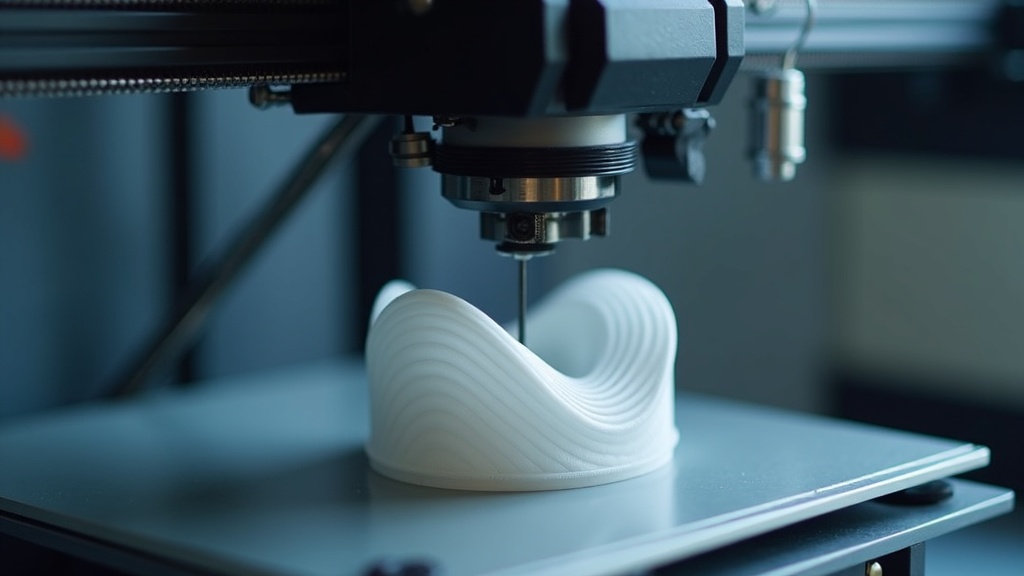
A noisy 3D printer is not always broken. Sometimes the real problem is that your table, shelf, or workbench is acting like a giant speaker. This simple printed upgrade helps stop that vibration before it spreads through the room.
The 3D printed upgrade that made the biggest noise difference for me was a set of vibration-isolation feet. Instead of letting the printer transfer every motor movement into the table, these printed feet created a softer break between the machine and the surface under it. The printer did not become silent, but it stopped sounding like it was shaking the whole room.
There are some 3D printing problems you can ignore for a while. A little stringing? You can clean it up. A tiny seam line? Most people will never notice. But printer noise is different.
Noise follows you around the house. It sneaks into phone calls. It makes late-night prints feel risky. It turns a useful machine into something the rest of the family starts noticing from across the room.
That is why this upgrade surprised me so much. It was not a new printer. It was not a fancy enclosure. It was not a complete electronics swap. It was a simple set of printed vibration-dampening feet that changed how the printer interacted with the surface under it.
And honestly, that is one of my favorite kinds of 3D printing wins. You do not always need to buy your way out of a problem. Sometimes you can print your way out of it.
3D Printer Noise Reality Check
Before you change parts, ask yourself these quick questions. They help you figure out whether your printer is actually loud or whether your setup is making it sound worse.
- Does the printer sound louder on a hollow desk, shelf, or folding table than it does on a solid surface?
- Can you feel vibration through the table while the printer is moving quickly?
- Does the noise get worse during infill, travel moves, or fast direction changes?
- Does the room sound louder than the printer itself when the machine is running?
- Would your printer be easier to live with if the buzz and table-rumble were reduced?
If you answered yes to several of these, printed isolation feet may help more than you expect.
The Real Problem Was Not Just the Printer
When most people hear a loud 3D printer, they blame the motors. That makes sense. Stepper motors, fans, bearings, belts, pulleys, and fast print moves all create sound. However, the printer is only part of the noise chain.
The surface under the printer matters too.
A lightweight table can amplify vibration. A hollow shelf can turn a normal printer hum into a low, annoying drone. A wobbly stand can make every quick direction change sound harsher than it really is.
That is why the same printer can sound acceptable in one room and unbearable in another. The machine has not changed. The sound path has.
In my case, the printer was sending vibration straight into the work surface. The table was acting like a soundboard. Once I interrupted that vibration path, the printer sounded calmer, smoother, and far less distracting.
The Upgrade: Printed Vibration-Isolation Feet
The upgrade itself is simple: print a set of feet that sit between the printer and the table. The goal is not to make the printer float. The goal is to reduce how much vibration transfers into the surface below it.
There are several versions of this idea. Some feet are printed from TPU. Some are printed as holders for rubber pads. Some are designed to hold squash balls, silicone bumpers, or small foam inserts. The exact design depends on your printer, your surface, and what materials you already have.
For a beginner-friendly version, I like the idea of printed feet with a soft contact layer. TPU is useful because it has flex, but you can also print a firmer bracket and pair it with rubber or felt pads.
Best simple version
TPU feet printed with enough infill to stay stable but enough flex to absorb vibration.
Best beginner version
PETG or PLA foot holders paired with rubber furniture pads or soft inserts.
Best workshop version
Printed feet under a heavy paver or solid base, with foam or rubber under the base.
Best low-cost test
Print one set, test the sound, then adjust the height, infill, and contact patch if needed.
If you need quality filament for this kind of project, COEX is a good place to look for reliable everyday materials. You can also use coupon code 3DPRINTINGBYKEVIN for 15% off. For this project, a flexible material is ideal if your printer handles TPU well. If not, PETG is a good practical choice for a rigid holder paired with a softer pad.
Why This Tiny Part Can Make Such a Big Difference
A 3D printer creates repeating motion. The bed moves. The toolhead moves. The motors change direction. The frame carries those forces. If the printer sits directly on a resonant surface, that surface can amplify the vibration.
The printed feet help by adding a break in the vibration path. Instead of hard plastic or metal feet pressing directly into the table, the printer rests on a part that can absorb or soften some of that energy.
That is why the upgrade can feel more dramatic than it looks. You are not just changing the feet. You are changing how the whole printer setup interacts with the room.
Important note about “10× quieter”: I use that phrase as a real-world reaction, not a lab-certified measurement. The printer felt dramatically quieter because the harsh table buzz dropped. For a true before-and-after test, use the same phone, the same app, the same distance, the same room, and the same print file.
How to Test the Difference Before You Guess
The best way to know whether this upgrade helps is to measure before and after. You do not need a professional lab setup for a practical home comparison. You just need to keep the test consistent.
NIOSH offers a Sound Level Meter app for iOS that can help people measure noise with a phone-based tool. For a home 3D printer, the point is not to turn your hobby space into a lab. The point is to compare your own setup in a repeatable way.
| Test Step | What to Do | Why It Matters |
|---|---|---|
| 1. Use the same print file | Pick a file with normal travel moves, infill, and acceleration changes. | Different prints create different noise patterns. |
| 2. Keep the phone in one spot | Place your phone the same distance from the printer for both tests. | Distance affects sound readings. |
| 3. Measure before the upgrade | Record the average sound during the same section of the print. | You need a baseline before changing anything. |
| 4. Install the feet | Make sure the printer is level and stable after the feet are added. | A quieter printer still needs a safe, steady base. |
| 5. Measure again | Run the same file and compare the same print section. | This shows whether the upgrade helped your setup. |
You may notice that the number on the screen does not tell the whole story. That is normal. Some of the most annoying printer noise is not just loudness. It is vibration, buzzing, rattling, and resonance. A small measured change can still feel like a major comfort improvement if it removes the harsh part of the sound.
What I Would Print the Feet From
If your printer handles flexible filament, TPU is the most obvious choice. It has the give you want in an isolation foot. However, TPU can be tricky on some Bowden-style printers if the filament path is not well controlled.
If TPU gives you trouble, do not force it. Print a rigid foot from PETG and use rubber pads, silicone bumpers, or felt underneath. This gives you a similar idea without asking your printer to handle a flexible material it may not like.
| Material | Good For | Watch Out For |
|---|---|---|
| TPU | Flexible vibration-dampening feet. | Can be harder to print on some machines. |
| PETG | Durable foot holders or brackets. | Not as soft by itself, so pair it with a pad. |
| PLA | Quick prototypes and test versions. | Can creep or crack under stress depending on the design and environment. |
| PLA+ / Tough PLA | Cleaner beginner prints for rigid holders. | Still needs a soft contact layer for real dampening. |
Suggested Print Settings for Isolation Feet
Start conservative. You want the feet to be strong, stable, and repeatable. You do not want them so soft that the printer rocks during fast moves.
Starting settings for TPU feet
- Layer height: 0.2 mm
- Walls: 3 to 4
- Infill: 15% to 30%
- Pattern: Gyroid or grid can work well
- Speed: Slow it down if your extruder struggles with TPU
- Goal: Soft enough to reduce buzz, firm enough to keep the printer steady
Starting settings for PETG foot holders
- Layer height: 0.2 mm
- Walls: 4
- Infill: 25% to 40%
- Bottom contact: Add rubber, felt, silicone, or foam under the printed part
- Goal: Make a strong holder that traps or supports a softer dampening layer
If you are still learning how print settings affect results, this is a great project to pair with my guide on the calibration trick that makes any 3D printer perform better. A small upgrade like this becomes much easier when your first layer, extrusion, and print temperature are already under control.
The One Thing You Should Not Do
Do not make the printer unstable.
This matters more than noise. A printer that wobbles, leans, or shifts during fast movement can create worse print quality and may become unsafe. The feet should support the printer evenly. The machine should not rock when you gently press on the frame. The spool should still feed smoothly. Cables should not be pulled tight. The bed should have full clearance.
Noise reduction is useful only when the printer remains safe and predictable.
Safety reminder: If your printer suddenly becomes louder, starts grinding, smells hot, skips steps, or vibrates in a new way, do not treat that as normal noise. Stop and inspect the machine. Noise reduction feet help with vibration transfer. They do not fix mechanical problems.
Other Noise Sources This Upgrade Will Not Fix
Printed feet can help with table rumble, resonance, and vibration transfer. They will not fix every sound a printer makes.
For example, if your hotend fan is failing, printed feet will not solve that. If your bearings are rough, they need attention. If your belts are too tight or too loose, the motion system needs tuning. If your printer uses older stepper drivers, the motor tone may still be noticeable even after the feet are installed.
That is why I like to think of quieting a printer in layers.
| Noise Type | Likely Cause | Best First Fix |
|---|---|---|
| Low table rumble | Vibration transferring into the table | Printed isolation feet |
| High-pitched fan noise | Hotend, part cooling, or electronics fan | Inspect and replace worn fans if needed |
| Grinding or clicking | Extruder issue, clog, or skipped steps | Pause and troubleshoot immediately |
| Sharp vibration during fast moves | Acceleration, loose hardware, or resonance | Check bolts, belts, and slicer speed settings |
| Buzzing shelf or cabinet | Weak or hollow furniture | Move to a heavier surface or add a solid base |
Why This Is a Great Beginner Upgrade
Some upgrades are risky for beginners. Firmware changes can be confusing. Hotend swaps can introduce leaks. Mainboard upgrades can create wiring mistakes. Even fan upgrades can get complicated if voltages and connectors do not match.
Printed feet are different.
They are easy to understand. They are inexpensive. They are reversible. If the design does not work, you remove it. If the feet are too soft, you print a firmer version. If the printer sits too high, you adjust the model or choose a lower design.
That makes this project a great confidence builder. It teaches an important maker lesson: the best 3D printed parts are not always decorative. Sometimes they make your tools better.
If you are still early in your printing journey, you may also enjoy how to fix common 3D printing problems quickly. Quieting the printer is satisfying, but learning how to diagnose the whole machine is even better.
When a New Printer Makes More Sense
A printed upgrade can help a lot, but it cannot turn every old machine into a modern quiet printer. If your printer has loud drivers, worn motion parts, poor frame stiffness, and tired fans, isolation feet may reduce the rumble without solving the bigger picture.
That is where it may be worth comparing your current machine with newer options. Many modern printers are built with quieter motion systems, better frames, faster calibration, and cleaner everyday usability.
If you are shopping for a new machine, you can browse current Creality options through my Creality affiliate link. I would still recommend judging any printer by your real needs: print size, material goals, noise tolerance, workspace, support, and how much tinkering you actually want to do.
And if you work with existing objects, custom parts, replacement brackets, or workshop accessories, a scanner can sometimes help capture the shape you need before designing a part. You can explore 3DMakerpro scanners through my 3DMakerpro affiliate link. That is not required for basic isolation feet, but it can be useful for more custom shop upgrades.
A Simple Upgrade Path for a Quieter Setup
If I were helping a beginner quiet a printer, I would not start with electronics. I would start with the easy wins.
- Tighten the basics. Check frame bolts, spool holder, loose panels, and anything that rattles.
- Move the printer to a stronger surface. A solid table is better than a hollow or wobbly one.
- Print isolation feet. Start with a design that fits your printer and does not block airflow or moving parts.
- Retest with the same print file. Compare sound and feel before making more changes.
- Adjust slicer settings carefully. Reducing speed or acceleration can reduce harsh motion noise, but it may increase print time.
- Inspect fans and motion parts. Replace worn parts instead of hiding bad sounds.
This order keeps the project simple. It also helps you avoid spending money before you know what actually causes the noise.
My Favorite Part About This Upgrade
The best part was not just that the printer sounded quieter. The best part was that the whole workspace felt calmer.
That matters. A printer you can live with is a printer you will use more often. You will start more jobs. You will test more ideas. You will let longer prints run without feeling like the machine is taking over the room.
That is the real value of a good practical upgrade. It removes friction.
In this case, the friction was noise. A few printed feet made the printer feel less like a buzzing appliance and more like a useful workshop tool.
Need Help Printing a Custom Upgrade?
If you need a custom bracket, printer accessory, replacement part, prototype, or practical shop upgrade, I can help turn the idea into something printable.
Printable Noise-Reduction Checklist
Use this checklist before and after installing printed feet.
- The printer sits level.
- All four feet touch the surface evenly.
- The frame does not rock when gently pressed.
- The bed has full travel clearance.
- Wires and Bowden tubes are not pulled tight.
- The spool feeds smoothly.
- The surface under the printer is sturdy.
- The sound is tested with the same file before and after.
- No new grinding, clicking, or overheating appears.
- Print quality remains the same or improves.
Authority Note: Why Noise Still Deserves Respect
Most home 3D printers are not as loud as industrial equipment, but noise still matters when a machine runs for hours. The CDC/NIOSH noise guidance explains that NIOSH recommends limiting occupational noise exposure to 85 dBA over an eight-hour shift. OSHA also notes that exposure over 85 decibels can damage hearing on its occupational noise exposure page.
For a home maker, the big lesson is simple: do not ignore sound. If a printer is loud enough to bother you, measure it, inspect it, and improve the setup. A quieter workspace is usually a better workspace.
FAQs About Making a 3D Printer Quieter
What is the easiest 3D printed upgrade to reduce printer noise?
Printed vibration-isolation feet are one of the easiest upgrades to try first. They help reduce how much vibration transfers from the printer into the table, shelf, or bench underneath it.
Will printed feet make my 3D printer silent?
No. They can reduce rumble, buzzing, and surface vibration, but they will not remove fan noise, motor noise, bearing noise, or mechanical problems.
Should I print vibration feet in TPU or PLA?
TPU is better for flexible vibration dampening if your printer can handle it. PLA can work for a rigid holder, but it should usually be paired with a soft pad, rubber insert, or felt layer.
Can noise reduction feet hurt print quality?
They can if they make the printer unstable. The printer should sit level and steady. If it rocks during fast moves, use firmer feet, a wider design, or a more solid surface.
What should I check if my printer suddenly gets louder?
Check for loose screws, failing fans, belt issues, worn bearings, spool vibration, extruder clicking, and anything touching the frame. Sudden new noise should be treated as a troubleshooting clue, not just an annoyance.
Final Thoughts: Print the Upgrade Before You Replace the Printer
A loud 3D printer can make the whole hobby feel harder than it needs to be. But before you assume the machine is the problem, look at the setup around it.
Is the table amplifying the sound? Is the shelf vibrating? Is the printer sitting directly on a surface that turns every movement into a buzz?
If so, printed vibration-isolation feet are worth trying. They are simple, practical, inexpensive, and easy to remove if they do not fit your setup. More importantly, they show what 3D printing does best: solve a real problem with a part you can make yourself.
That is the kind of upgrade I love. Not flashy. Not complicated. Just useful.
Want More Practical 3D Printing Help?
Keep building your skills with simple upgrades, better calibration, and smarter troubleshooting. The more you understand your printer, the more useful it becomes.
