
You can own a great 3D printer and still “mysteriously” lose prints. Not because you’re bad at 3D printing—but because tiny weak links (dirty build plates, damp 3D printing filament, sloppy first layers, clogged nozzles, wobbly spools) quietly sabotage the job.
The good news: you don’t need a new machine. You need a small toolkit of budget accessories that removes the most common failure points fast—especially if you’re printing PLA, PETG, or TPU on a typical FDM setup.
New to 3D printing? start here.
Affiliate disclosure: Some links below are affiliate links. If you choose to buy through them, I may earn a commission at no extra cost to you. I only recommend accessories that solve real problems and are genuinely useful for most makers.
The budget accessories that prevent most failures
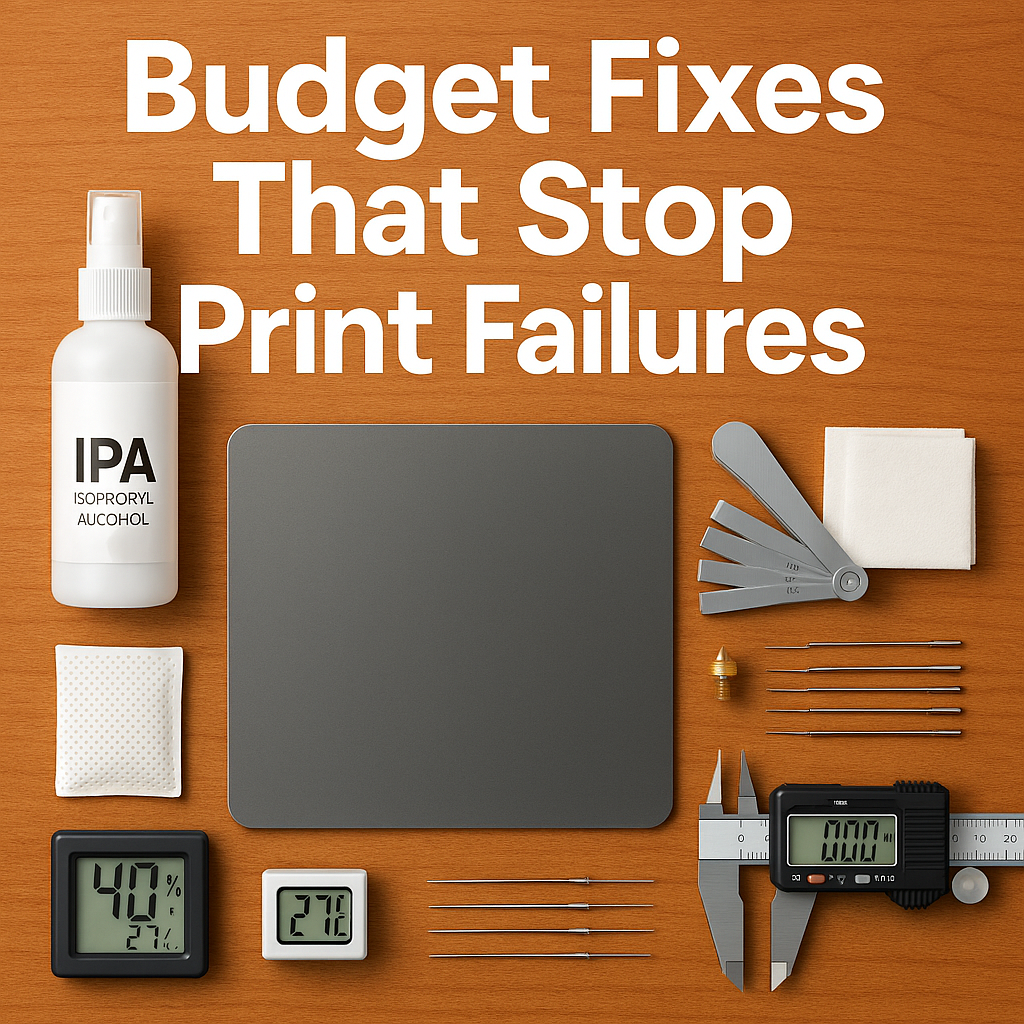
If you want the fastest wins, start here. These address the biggest sources of failed prints: first-layer issues, wet filament, partial clogs, and inconsistent extrusion.
- Isopropyl alcohol (IPA) + lint-free wipes (bed adhesion consistency)
- Feeler gauges (repeatable bed leveling / Z offset checks)
- PEI build surface (stronger, more predictable adhesion for many filaments)
- Dry box basics: airtight tote + desiccant + hygrometer (keeps filament stable)
- Nozzle cleaning kit (needles + brass brush) + spare nozzles (clogs happen)
- Digital calipers (dimensional checks that prevent “perfect print, wrong fit” waste)
Now let’s break down why these work, which ones matter most for your setup, and how to pick the right ones without overspending.
Why prints fail (and why accessories fix it)
Most 3D printing failures aren’t dramatic. They’re small, repeatable problems that stack:
- First layer inconsistencies (Z offset drift, uneven bed mesh, oily plate)
- Filament moisture (brittle PLA, stringy PETG, popping, rough surfaces, weak layers)
- Extrusion interruptions (partial clogs, worn nozzles, draggy spool path)
- Temperature instability (drafts, inconsistent cooling, enclosure needs)
- Measurement blind spots (parts “print fine” but don’t fit—so you reprint)
Budget accessories work because they stabilize the variables. Once your printer behaves predictably, your slicer settings suddenly “work” more often—and you stop burning through 3D printing filament on avoidable reruns.
The Budget Accessory Stack (ranked by “failure prevention”)
Below is a practical stack you can build over time. I’m ranking these by how often they prevent failures for typical FDM 3D printers—not by hype.
1) Bed adhesion essentials (the first-layer savers)
If your first layer is inconsistent, everything after it becomes a gamble. These are the cheapest fixes with the biggest payoff.
| Accessory | What it fixes | Why it works | Best for |
|---|---|---|---|
| IPA (90%+) + lint-free wipes | Random lifting, “it worked yesterday” adhesion | Removes oils/film so the plate behaves consistently | PLA, PETG, most plates |
| Feeler gauge set | Uneven squish, elephant foot, weak first layer | Makes bed leveling/Z checks repeatable instead of “by feel” | Manual leveling, quick verification |
| PEI sheet (spring steel if possible) | Adhesion drama and messy workarounds | PEI is reliably “grippy” for many filaments when clean | PLA/PETG; fast plate swaps |
| Plastic razor scraper | Damaged surfaces from metal scraping | Safer removal without gouging | Textured PEI, coated plates |
Practical tip: If you switch between PLA and PETG, treat “bed cleaning” like a real step—not a suggestion. You’re not cleaning “dirt.” You’re cleaning invisible oils that change adhesion from perfect to chaos.
How to get a perfect first layer.

2) Filament moisture control (the silent failure source)
Moisture is the most underestimated reason 3D printing filament behaves “inconsistently.” Even when prints don’t fully fail, wet filament causes stringing, rough walls, blobs, weak layers, and clogs—which leads to wasted spools through repeated tuning.
| Accessory | Budget level | What it fixes | Best for |
|---|---|---|---|
| Airtight tote + desiccant + hygrometer | Low | Prevents filament from getting worse | PLA/PETG storage |
| Dry box spool feed (PTFE pass-through) | Low–Medium | Reduces moisture pickup during long prints | Humid rooms, overnight jobs |
| Budget filament dryer | Medium | Fixes already-wet filament symptoms | PETG/TPU, “mystery stringing” |
| Mini hygrometers (multi-pack) | Low | Shows real humidity inside storage | Multiple filament bins |
How to dry 3D printing filament.
3) Nozzle + extrusion reliability (clog prevention on a budget)
Most “random” under-extrusion isn’t random. It’s usually a partial clog, a worn nozzle, heat creep, or a messy filament path. These accessories keep extrusion stable.
| Accessory | What it fixes | Why it matters | Best for |
|---|---|---|---|
| Nozzle cleaning needles | Partial clogs, inconsistent lines | Quick rescue before you lose the whole job | 0.4mm nozzles, everyday printing |
| Brass brush | Dirty nozzle causing blobbing/drag | Clean nozzle = cleaner first layer and walls | PETG, stringy materials |
| Spare brass nozzles (multi-pack) | Wear-related quality loss | Nozzles are consumables; swapping is faster than suffering | High print volume |
| Simple filament guide / PTFE guide tube | Snags, inconsistent feed | Reduces drag that mimics under-extrusion | Top-mount spools |
Reality check: If you’re chasing settings for days, swap the nozzle first. It’s one of the cheapest “diagnostics” you can do in 3D printing.
4) Measurement + finishing tools (prevent reprints that “should have fit”)
A lot of wasted filament comes from prints that look great… then fail at assembly. The fix isn’t always slicer tuning. Sometimes it’s simply measuring and finishing properly.
| Accessory | What it prevents | Why it’s budget-smart |
|---|---|---|
| Digital calipers | Reprints from poor fit/tolerance guesses | One tool saves multiple spools over time |
| Deburring tool | “It doesn’t fit” when it’s just edge burrs | Fixes many parts without reprinting |
| Needle files / small sanding sticks | Reprints for cosmetic reasons | Fast cleanup beats a full reprint |
5) Vibration + stability helpers (for cleaner prints on “normal” desks)
If your printer sits on a shaky table, you’ll see ringing/ghosting and occasional layer issues—especially at higher speeds. Budget stability accessories won’t replace good fundamentals, but they can reduce obvious problems.
| Accessory | What it improves | When it’s worth it |
|---|---|---|
| Rubber feet / basic vibration pads | Noise and minor vibration transfer | Apartment setups, light furniture |
| Simple spool holder with bearings | Feed consistency | Sticky spools, high-friction holders |
| Corner braces / frame squaring tools | Repeatability over time | Printers that drift out of square |
Important: The best “stability upgrade” is often a solid, heavy surface. If you can’t change the table, then small isolation upgrades become more meaningful.
The “Accessory-to-Failure” cheat sheet
If you’re diagnosing a failure right now, use this quick mapping. It’s designed for fast decisions, not theory.
| If you see this problem… | Start with this accessory | Then consider |
|---|---|---|
| First layer won’t stick / corners lift | IPA + wipes | PEI sheet, feeler gauges |
| Stringing suddenly got worse | Dry box + hygrometer | Budget dryer, nozzle swap |
| Gaps, weak layers, under-extrusion | Spare nozzle + cleaning needles | Filament path guide, bearing spool holder |
| Blobs, zits, messy outer walls | Nozzle brush + consistent cleaning routine | Drying filament, calipers for flow checks |
| Parts don’t fit after a “perfect print” | Digital calipers | Deburring tool, tolerance guide |
This is exactly why accessories work so well for 3D printers: they don’t just improve print quality—they reduce the number of “mystery reprints” that quietly drain your filament shelf.
Budget “starter kit” builds (pick your path)
Different makers waste filament for different reasons. Here are three starter kits that match the most common situations.
The First-Layer Fix Kit
- IPA + lint-free wipes
- Feeler gauge set
- Plastic razor scraper
- (Optional) PEI sheet
The Filament Consistency Kit
- Airtight tote
- Desiccant
- Mini hygrometer
- (Optional) budget filament dryer
The “Stop Clogs” Kit
- Nozzle needles
- Brass brush
- Spare nozzles
- Filament guide / PTFE guide tube
Most people should start with the First-Layer Fix Kit and the Filament Consistency Kit. Those two alone reduce the majority of frustrating failures in everyday 3D printing.
Gear picks (using the tools and filament you already trust)
I’ll keep this simple and honest: you don’t need to “shop your way” into better prints. But if you’re already planning upgrades or restocks, these links can help you find reliable options faster.
Accessory bundles and printer add-ons (Creality)
If you want a one-stop place to browse common 3D printer accessories (plates, nozzles, maintenance items, and add-ons), start here:
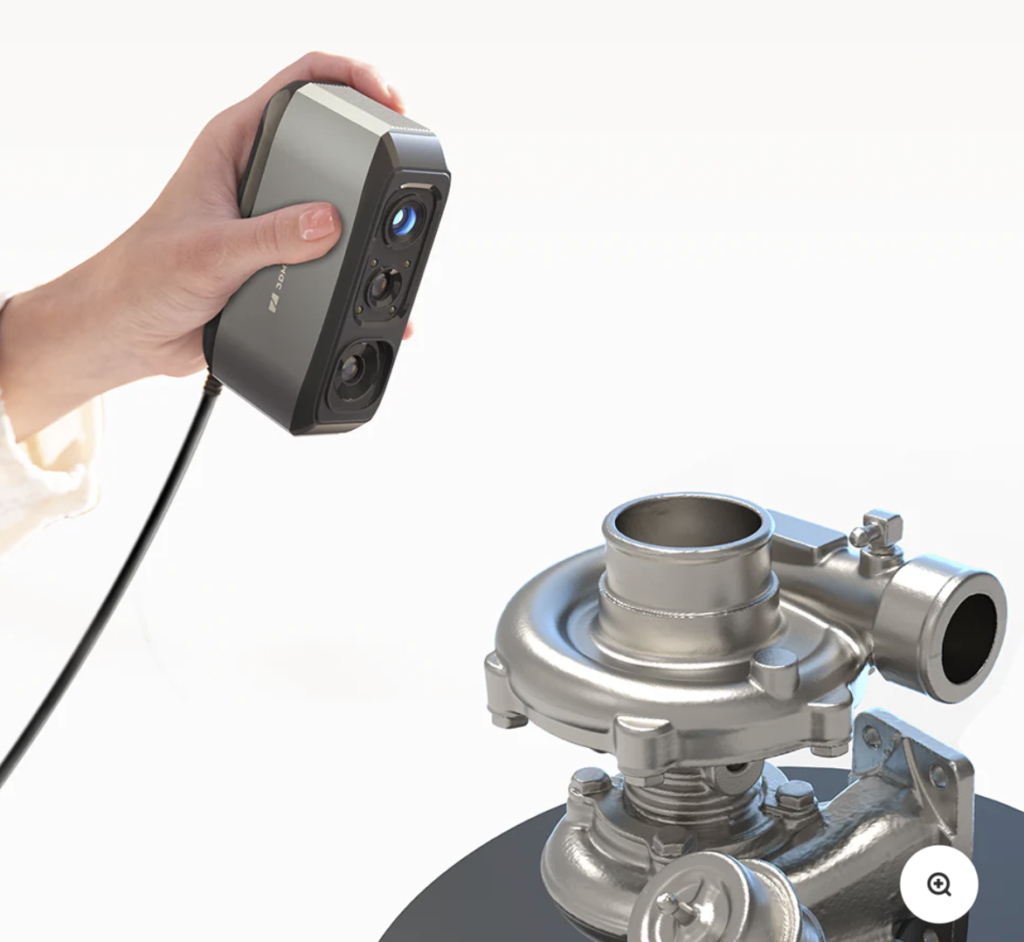
When “fit” matters (3DMakerpro)
If you print functional parts—replacement covers, brackets, enclosures—your biggest filament waste can come from parts that are off by a millimeter. If scanning and matching real-world dimensions is part of your workflow, 3DMakerpro is worth a look:
Filament that behaves (COEX)
Even perfect accessories can’t fully compensate for inconsistent 3D printing filament. If you’re tired of “mystery spools,” consistent filament is one of the cleanest ways to reduce failures:
Check COEX filament (partner link). Use CODE: 3DPRINTINGBYKEVIN.COM FOR 15% OFF
More parts and maker gear (HONG KONG CHAORONG CO., LIMITED)
If you’re browsing broader maker gear and components, you can start here and compare against what you already use:
Internal link idea: Near these boxes, add a link to your “Recommended Tools” or “Start Here” page (example anchor: my proven 3D printing starter setup).
What to buy first (if you only get 3 things)
If you want the most impact per dollar for 3D printers, this is my “no regret” trio:
- IPA + wipes (bed consistency)
- Filament storage basics (airtight + desiccant + hygrometer)
- Spare nozzles + cleaning needles (extrusion stability)
That combination prevents the most common failures in everyday 3D printing—and it keeps your 3D printing filament from turning into a pile of test prints.
FAQ
What is the best cheap upgrade for a 3D printer?
A clean, consistent build surface routine is the cheapest “upgrade.” Start with IPA + wipes, then add a PEI sheet if your plate is inconsistent. First-layer reliability prevents more failures than almost any single add-on.
Do filament dryers actually reduce print failures?
Yes—when moisture is the cause. A dryer helps most with PETG and TPU (and any spool that has been left out), reducing stringing, surface roughness, and extrusion issues that can lead to failed prints. For PLA, storage is often enough unless your environment is humid.
How do I know if my failures are caused by wet 3D printing filament?
Common signs include sudden stringing, popping/crackling during extrusion, rough or pitted walls, brittle filament snapping, and inconsistent extrusion that “comes and goes.” Moisture doesn’t always ruin prints instantly—it often ruins consistency, which leads to repeated tuning and wasted filament.
What’s the most overlooked tool for reducing wasted filament?
Digital calipers. They prevent reprints by helping you measure real dimensions, verify tolerances, and confirm whether the problem is your printer, your settings, or simply the design’s clearances.
Conclusion: make your printer boring (and your results exciting)
The goal isn’t to turn 3D printing into a shopping spree. The goal is to make your 3D printer predictable. Once the basics are stable—bed cleanliness, first layer repeatability, dry 3D printing filament, and reliable extrusion—you stop troubleshooting and start finishing projects.
If you want the simplest next step, build your kit in this order: bed cleaning → filament storage → nozzle maintenance → measurement. That’s how you cut waste fast without overthinking it.

