
Ever pulled an almost-perfect 3D print off your build plate, only to find the edges curled upwards like a sad, deflated soufflé? You’re not alone. Print warping is one of the most frustrating challenges in the 3D printing world, turning promising designs into discarded plastic. But what if we told you there’s a single, often overlooked setting that can dramatically reduce, if not eliminate, this infuriating issue?
Get ready to say goodbye to warped prints and hello to perfectly flat, professional-looking results. We’re diving deep into the science behind warping and revealing the ultimate solution.
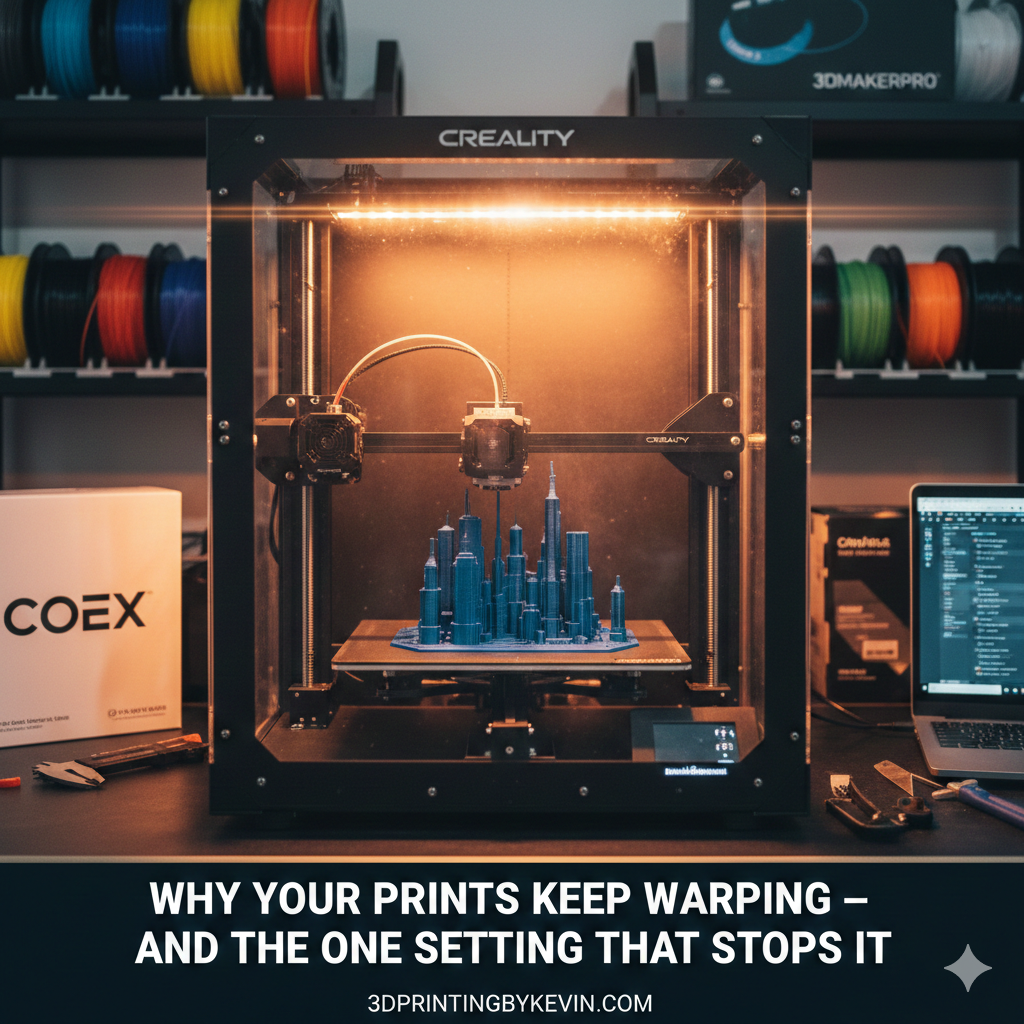
The Frustration of the Curl: What Exactly is Warping?
Before we reveal our secret weapon, let’s understand the enemy. Warping, in 3D printing, refers to the phenomenon where the corners or edges of your print lift away from the build plate during the printing process. This isn’t just an aesthetic problem; it can lead to failed prints, poor layer adhesion, and wasted filament.
You’ve carefully designed your model (perhaps after acquiring the skills to design 3D objects using software), sliced it with precision, and watched the first layers go down flawlessly. Then, slowly but surely, those crucial base layers start to detach, pulling your entire print out of shape. It’s enough to make any maker scream!
The Culprit: Thermal Expansion and Contraction
At its core, warping is a battle against physics – specifically, the properties of plastics under temperature changes. When your filament (like PLA, PETG, or ABS) is extruded, it’s hot. As it cools, it shrinks. This is normal. The problem arises when different parts of your print cool and shrink at different rates.
The layers closer to the heated build plate stay warmer longer, while the upper layers, exposed to the ambient air, cool and contract more rapidly. This differential shrinkage creates internal stresses within the material, literally pulling the edges of your print upwards and away from the bed. It’s like a tiny, plastic tug-of-war happening on your print bed!
Common Factors That Worsen Warping:
- Material Type: Some filaments, like ABS, are notorious for warping due to their higher glass transition temperatures and significant thermal contraction. PLA is more forgiving, but still susceptible.
- Lack of Bed Adhesion: If your first layer isn’t sticking well, warping will be exacerbated. (Check out our guide on The Easiest Way to Stop 3D Print Warping: PLA, PETG, ABS for more on this!)
- Drafts and Uneven Cooling: Cold air currents in your printing environment can cause parts of your print to cool too quickly.
- Large Flat Surfaces: Prints with a wide base are more prone to warping because there’s more surface area for those differential stresses to accumulate.
The Secret Weapon: Your Printer’s Environment
While heated beds, adhesive sprays, and brim/raft settings certainly help, there’s one environmental factor you might not be fully optimizing. And it’s not just about stopping drafts.
The game-changing setting is… enclosure temperature management.
Most desktop 3D printers are open-frame, meaning your print is exposed to the ambient room temperature. This open environment creates a significant temperature gradient between your heated build plate and the surrounding air, which, as we discussed, is the primary cause of warping.
Why an Enclosure is Your Best Friend
An enclosure does one critical thing: it stabilizes the temperature around your print. By trapping the heat from your heated bed and extruder, it creates a warmer, more consistent environment for your print. This reduces the temperature difference between the bottom and top layers, allowing the entire print to cool more slowly and uniformly. Less differential cooling means less stress, and less stress means significantly less (or zero!) warping.
Benefits of a Controlled Environment:
- Reduced Thermal Stress: The main benefit is directly combating warping.
- Improved Layer Adhesion: A warmer environment helps layers bond more effectively, resulting in stronger prints.
- Better Print Quality: Consistent temperatures result in smoother surfaces and fewer defects.
- Noise Reduction: A nice bonus, as enclosures can dampen printer noise.
Kevin’s Recommendation: Get Enclosed!
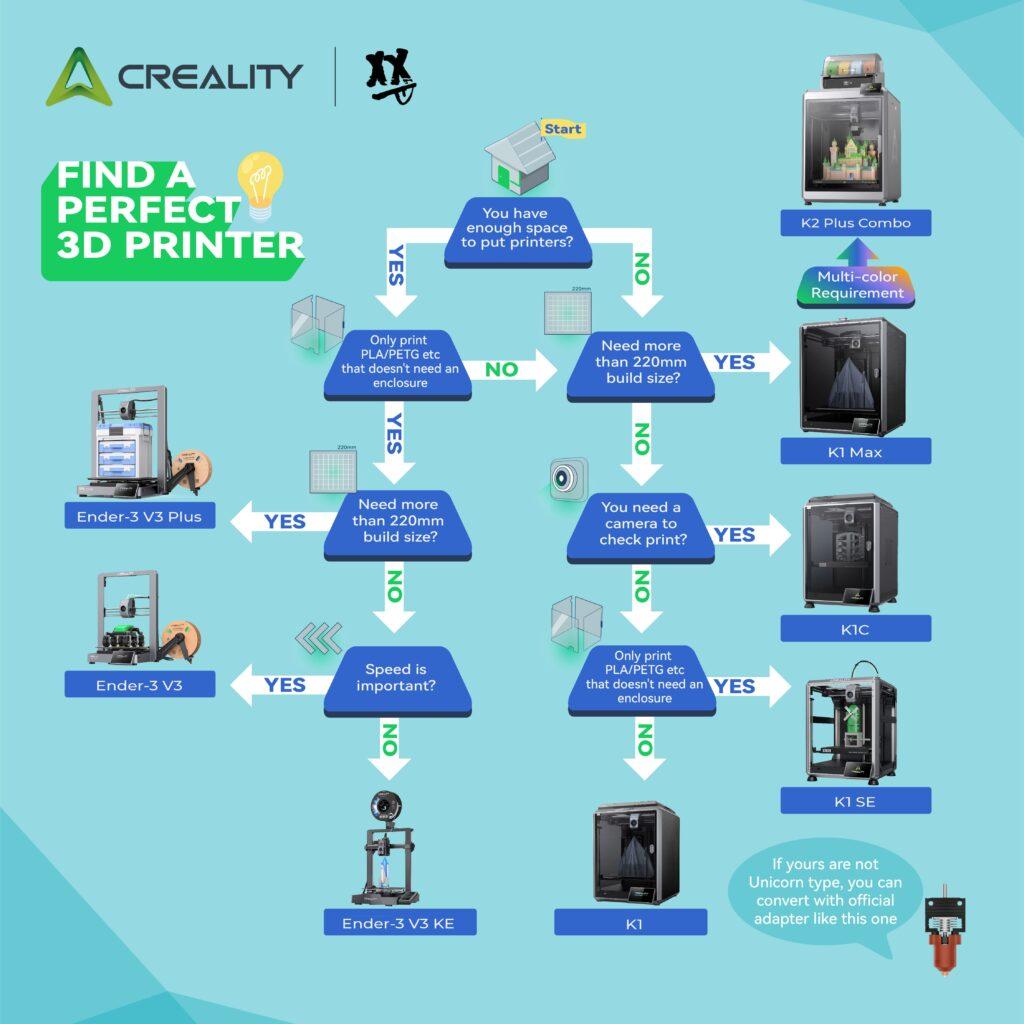
If you’re serious about tackling warping, especially with materials like ABS, ASA, or even large PETG prints, an enclosure is a non-negotiable upgrade. You can buy pre-made enclosures (like those compatible with Creality printers), or even build your own DIY solution with readily available materials.
Ready to transform your printing? Invest in an enclosure today and watch your warping issues disappear.
Beyond the Enclosure: Other Anti-Warping Strategies
While an enclosure is a powerful solution, it works best in conjunction with other tried-and-true anti-warping techniques. Think of it as a comprehensive approach to mastering your 3D printer. (If you’re still getting started, make sure to check out 3D Printing for Absolute Beginners!).
- Optimize Bed Adhesion:
- Cleanliness is Key: A dirty bed is a non-stick bed. Clean your build plate regularly with isopropyl alcohol.
- Level Your Bed: A perfectly level bed ensures optimal first-layer squish. Our guide on The Calibration Trick That Makes Any 3D Printer Perform Better is essential here.
- Adhesives: Gluestick, hairspray, or specialized adhesion sheets can provide extra grip.
- Correct Bed Temperature: Experiment with your filament’s recommended bed temperature. Too low, and it won’t stick; too high, and it can cause elephant’s foot.
- Brims and Rafts:
- Brims: These extend a single layer outward from the base of your print, increasing the footprint that adheres to the bed. They are easy to remove.
- Rafts: A multi-layer sacrificial base printed underneath your model. Useful for very small contact areas or challenging geometries.
- First Layer Perfection:
- Slow Down: Print your first layer significantly slower than the rest of your print. This allows the plastic more time to bond with the print surface. (Want to know more about speed? Read What Happens When You Slow Your 3D Printer Down? The Results Surprise Most Makers!)
- Optimal First Layer Height: A slightly thicker first layer can sometimes provide better adhesion.
- Cooling Management:
- Reduce Cooling for the First Layers: For materials prone to warping (like ABS and sometimes PETG), turn off your part cooling fan for the first few layers (e.g., 5-10 layers). This allows the base to stay warmer and adhere better.
- Gradual Cooling: In an enclosure, cooling occurs more gradually, which is beneficial. For open printers, avoid direct drafts.
Heated Bed vs. Enclosure
You might be thinking, “But my printer has a heated bed, isn’t that enough?”
| Feature | Heated Bed Only | Heated Bed + Enclosure |
| Primary Function | Keeps the base of the print warm for adhesion | Stabilizes ambient temperature around the entire print |
| Warping Control | Helps with initial adhesion, less effective for upper layers | Significantly reduces thermal stress and differential cooling |
| Material Suitability | Good for PLA, some PETG | Essential for ABS, ASA, Nylon, great for all materials |
| Print Quality | Good base adhesion, but upper layers can still suffer | Superior overall layer adhesion and surface finish |
| Environmental Impact | Open to room drafts, inconsistent cooling | Controlled, consistent, draft-free environment |
Conclusion: While a heated bed is crucial for initial adhesion, an enclosure takes your anti-warping strategy to the next level by controlling the entire printing environment.
The Journey from Model to Masterpiece
Conquering warping is a significant step on your journey to becoming a 3D printing pro. From understanding the basics (covered in How to 3D Print Like a Pro: From Model to Masterpiece) to mastering advanced techniques, every challenge overcome builds your expertise. And remember, having the right tools, like the $15 tool every 3D printer owner should have, makes the process much smoother.
Elevate Your Prints Today!
Tired of frustrating, failed prints? Invest in an enclosure and the right accessories to achieve flawless results every time. Check out our recommended Creality enclosures here and explore high-quality filaments from COEX (use code 3DPRINTINGBYKEVIN for 15% off!).

Frequently Asked Questions (FAQ)
Q1: Can I make a DIY enclosure, or do I need to buy one?
A1: Absolutely! Many makers successfully build their own enclosures using IKEA tables, clear acrylic sheets, or even cardboard boxes (though ensure proper ventilation if your power supply or electronics are inside). Purchased enclosures offer convenience and often better features, but DIY is a great starting point.
Q2: Will an enclosure overheat my printer’s electronics?
A2: This is a valid concern. Good enclosures are designed with ventilation in mind. If DIYing, ensure your power supply and control board are either mounted outside the enclosure or that you have active cooling (fans) within the enclosure to prevent overheating. Always monitor temperatures, especially with high-temperature materials.
Q3: Does an enclosure help with fumes from certain filaments?
A3: Yes, it does. Filaments like ABS and ASA can release ultrafine particles (UFPs) and volatile organic compounds (VOCs) that are best not inhaled. An enclosure, especially one with a proper filtration system (like an activated carbon filter), can significantly mitigate these fumes, making your printing environment safer.
Q4: My PLA prints are warping; do I still need an enclosure?
A4: While PLA is less prone to warping than ABS, it can still occur, especially with large prints or in cold environments. An enclosure can still improve PLA print quality and consistency by providing a stable, draft-free environment, though it’s less critical than for high-temp materials.
Disclosure: Please note that this post contains affiliate links for Creality and 3DMakerpro. If you make a purchase through these links, I may earn a small commission at no extra cost to you. I only recommend products I believe in and have experience with. I also have a partnership with COEX and receive a commission on sales using my coupon code.

