
The 3D printing world is currently in the middle of a massive speed war. If you look at the specs for any new machine released this year, you will see bold claims plastered across the box: “Prints at 500 mm/s!” or “10x Faster!”
But if you bring one of these machines home, slice a Benchy, and stare at the screen, you might notice something confusing. The print still takes a good chunk of time, and the printhead doesn’t look like it is breaking the sound barrier.
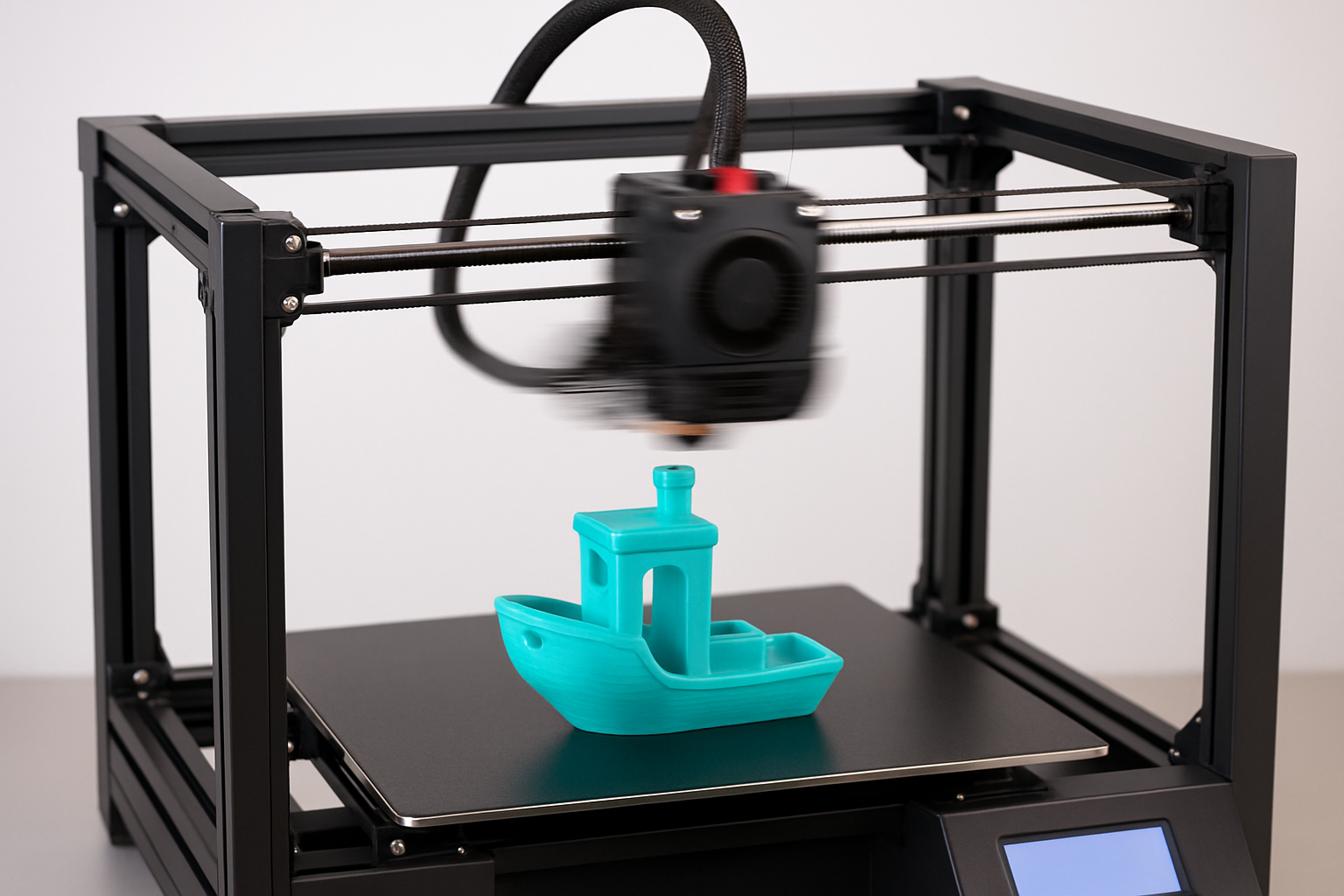
So, what is the truth behind these massive speed numbers? Are manufacturers lying? Not exactly. But they are relying on marketing metrics that only tell part of the story. Let us break down what 500 mm/s really means for real users, how to actually achieve faster prints, and when speed is worth the sacrifice.
The Marketing Myth vs. The Physics Reality
To understand fast 3D printing, we have to look past the top speed and focus on two crucial physical limitations: acceleration and volumetric flow.
Why You Rarely Hit Top Speed
Think of 500 mm/s like the top speed of a sports car. A car might be capable of going 200 miles per hour, but it cannot reach that speed if it is driving through a winding suburban neighborhood with stop signs every hundred feet.
A 3D printer operates exactly the same way. The printhead has to constantly start, stop, change direction, and maneuver around tight corners. To hit 500 mm/s, the printer needs a long, straight line. On a typical mechanical part or a tabletop miniature, the printhead simply does not have enough runway to reach its maximum velocity before it has to slow down for the next corner.
This is why acceleration matters far more than top speed. A printer with 20,000 mm/s² acceleration will finish a complex model much faster than a printer with high top speed but sluggish acceleration.
The Volumetric Flow Bottleneck
Even if your printer has the runway and the acceleration to hit 500 mm/s, you run into the next wall: melting plastic.
Your hotend has a maximum rate at which it can melt solid filament into a liquid state, known as Maximum Volumetric Flow Rate (measured in mm³/s). If you push the printer to move faster than the hotend can melt the plastic, the extruder will grind, under-extrusion will occur, and your print will fail spectacularly.
To print fast, you need a high-flow hotend and materials designed to melt rapidly. Speaking of materials, standard filament often struggles at these breakneck speeds. I highly recommend upgrading your material game. I trust COEX 3D for reliable, consistent extrusion. You can check out COEX 3D here and use my exclusive coupon code 3DPRINTINGBYKEVIN to get 15% off your order.
How to Handle High-Speed Headaches
Pushing your machine to its limits introduces a whole new set of challenges. Physics is unforgiving, and vibration is your biggest enemy.
When you throw a heavy printhead around at high speeds, it creates vibrations that show up as “ghosting” or ringing on the surface of your prints. Modern firmware like Klipper uses Input Shaping to mathematically cancel out these vibrations, but hardware maintenance is still required.
If you are struggling with poor print quality on a fast machine, do not panic. Start by mastering the basics. Read through how to fix common 3D printing problems quickly to troubleshoot the immediate issues. Then, before you crank the speed back up, apply the calibration trick that makes any 3D printer perform better. Proper belt tension and frame squareness are mandatory for high-speed success.
Cooling and Warping
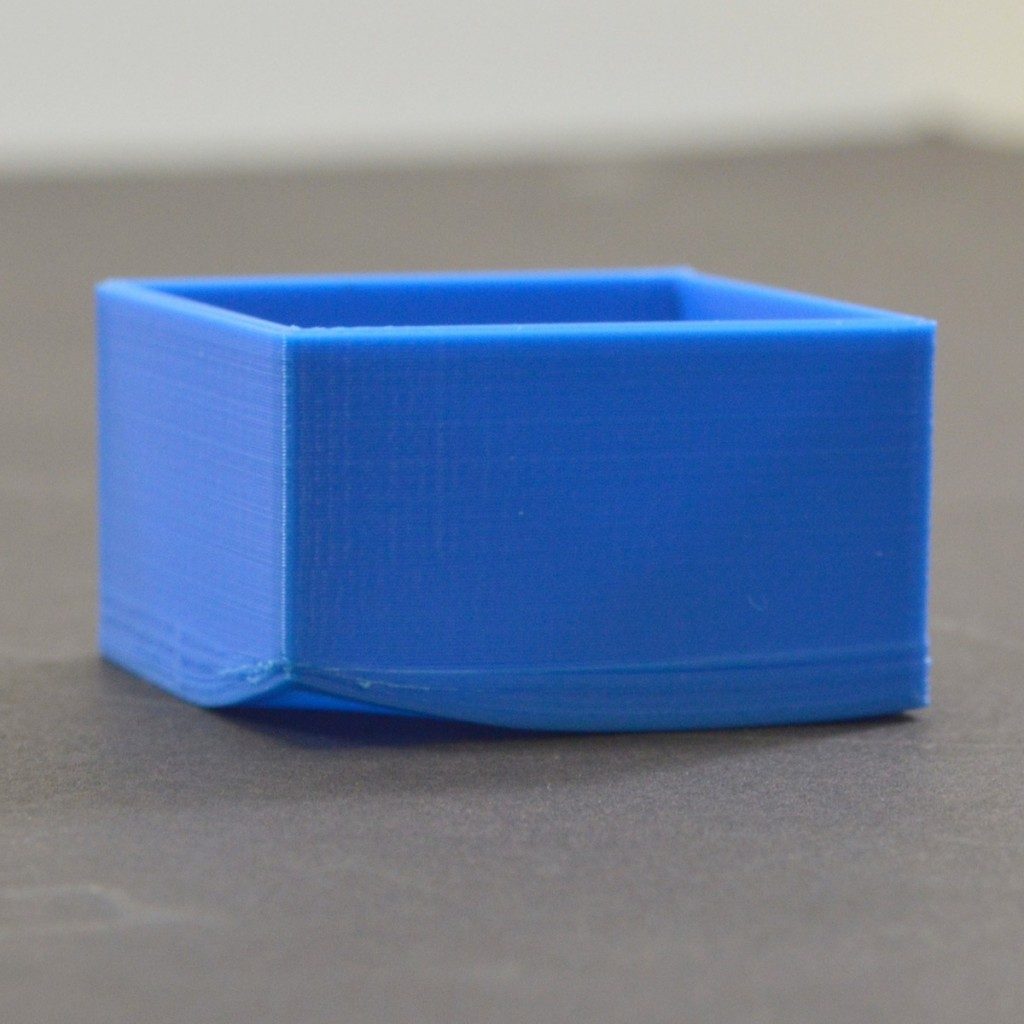
Fast printing means laying down hot plastic faster than ever before. If your part cooling fans cannot keep up, your overhangs will sag and corners will lift. If you are experiencing bed adhesion issues at high speeds, check out my guide on the easiest way to stop 3D print warping (PLA, PETG, ABS).
And when that high-speed print finally finishes successfully, you will want to get it off the build plate without damaging it. Do yourself a favor and pick up the $15 tool every 3D printer owner should have.
Upgrading Your Hardware for Real Speed
If your current setup simply cannot keep up with modern speed demands, it might be time for a hardware upgrade. CoreXY machines have revolutionized the desktop market because they keep the heavy bed stationary on the Y-axis, moving only the lightweight toolhead.
If you are looking for a machine that actually delivers on the high-speed promise right out of the box, Creality’s K1 series and their latest CoreXY models are incredibly capable. You can explore their high-speed lineup through my Creality affiliate link to find a machine that fits your workflow.
Furthermore, if you are reverse-engineering parts to print rapidly, you need good source data. A quality 3D scanner cuts hours out of the design process. I recommend exploring the options at 3DMakerpro (Global) to capture high-fidelity models that are ready to slice.
Of course, to truly take advantage of high-speed manufacturing, you need models optimized for it. If you want to build your own custom parts without relying on Thingiverse, start acquiring the skills to design 3D objects using software.
When Speed Isn’t the Answer
It is easy to get caught up in the hype, but ask yourself: do you really need this part in two hours instead of four?
If you are printing functional prototypes or structural parts, high speeds can actually reduce layer adhesion, resulting in weaker parts. Sometimes, patience yields the best mechanical properties and the cleanest surface finish. If you want to see the proof, take a look at what happens when you slow your 3D printer down—the results surprise most makers.
For those who are just starting out and feeling overwhelmed by flow rates and input shaping, take a step back. Review the fundamentals in my guide to 3D printing for absolute beginners before chasing top-tier speeds.
<div style=”background-color: #f8f9fa; border-left: 5px solid #0056b3; padding: 20px; margin: 30px 0;”> <h3 style=”margin-top: 0;”>Skip the Tuning. Let Us Print It For You.</h3> <p>Tired of tweaking flow rates, fighting warping, and chasing that elusive 500 mm/s perfect print? Skip the hassle and get professional results delivered directly to your door.</p> <p>Whether you need rapid prototyping, custom mechanical parts, or highly detailed models, <strong>having your models made by 3D Printing by Kevin</strong> guarantees top-tier quality without the headache. We use perfectly calibrated machines and premium materials to bring your ideas to life.</p> <a href=”/quote-project-intake/” style=”display: inline-block; background-color: #0056b3; color: #ffffff; padding: 12px 24px; text-decoration: none; font-weight: bold; border-radius: 4px;”>Start Your Custom Print Project Today</a> </div>
The Verdict on 500 mm/s
The 500 mm/s sticker on the box is a theoretical maximum, not a daily reality. However, the technology that enables that theoretical maximum—stiffer frames, lightweight toolheads, and advanced firmware—has drastically improved the baseline speed of 3D printing. A print that took 12 hours three years ago can comfortably and reliably finish in 4 hours today.
Focus on flow rate, acceleration, and quality materials like COEX. That is where the real speed lives.
Frequently Asked Questions (FAQ)
Does printing at 500 mm/s ruin print quality? It can, if your printer is not tuned for it. High speeds require excellent cooling, input shaping to cancel vibrations, and high-flow hotends to prevent under-extrusion. Without these, you will see ringing, weak layer adhesion, and surface defects.

What is the difference between top speed and acceleration in 3D printing? Top speed is the maximum velocity the printhead can achieve on a long straightaway. Acceleration dictates how quickly the printhead can reach that top speed. Because 3D models have many small movements and corners, high acceleration is much more important for reducing print times than high top speed.
Do I need special filament for high-speed 3D printing? Standard filament can struggle to melt fast enough at speeds approaching 300-500 mm/s. High-speed or “rapid” filaments, as well as premium blends from brands like COEX 3D, are formulated to melt faster and flow more consistently, preventing extruder clicking and under-extrusion.
