
I
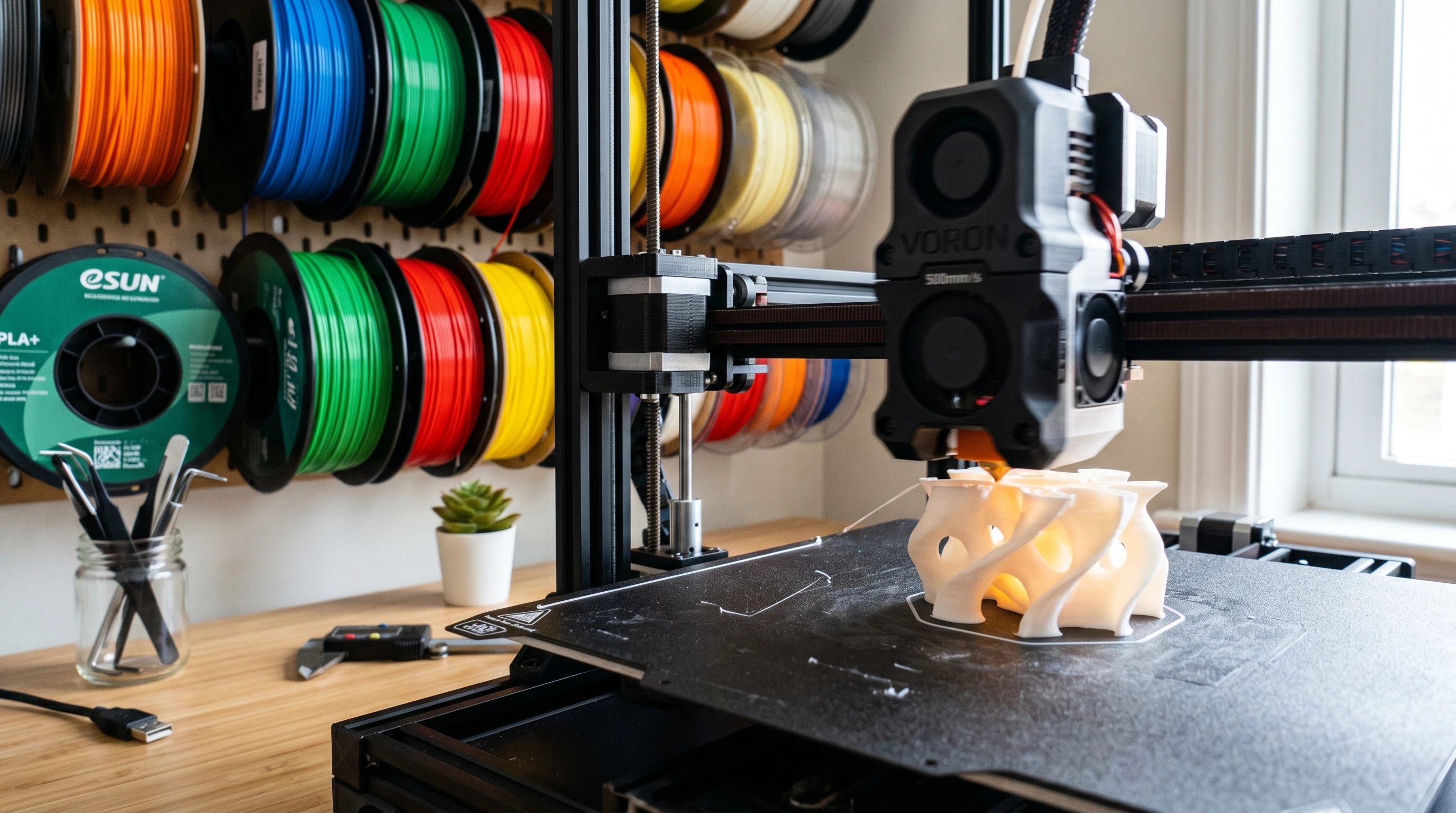
A 500mm/s 3D printer sounds like the kind of upgrade every maker wants. Faster prints. Shorter wait times. More finished parts in a weekend. But here is the part most sales pages do not explain clearly enough: top speed is not the same thing as better printing. That does not mean fast printers are hype. The best modern CoreXY and high-speed bedslinger machines have changed what desktop 3D printing feels like. A part that used to take all afternoon can sometimes finish before lunch. A prototype you once had to wait overnight for may now be ready before you are done adjusting the next version of the design. Still, speed only helps when the rest of the print system keeps up. If the frame flexes, the filament cannot melt quickly enough, the cooling cannot handle overhangs, or the slicer profile is too aggressive, a “500mm/s” printer can produce ringing, weak walls, rough corners, blobs, under-extrusion, or parts that look fast but feel unfinished. Fast printers can save serious time for prototypes, brackets, organizers, and simple functional parts. A printer cannot print cleanly at high speed if the hotend cannot melt enough plastic per second. The best results usually come from matching speed, material, nozzle size, cooling, and part geometry. Before chasing the biggest speed number on the box, ask yourself these five questions. They will tell you more than a flashy product banner ever will. If you answered “not sure” to two or more, that is not a problem. It simply means the printer’s top speed should not be your main buying reason yet. When a company says a 3D printer can print at 500mm/s, it is usually talking about how fast the toolhead can move under certain conditions. That number looks simple, but it leaves out several important details. A printer may be able to move at 500mm/s, but that does not mean every wall, infill line, bridge, overhang, support structure, and top surface will print at that speed. In real slicing profiles, the printer constantly changes speed depending on the feature being printed. Outer walls may run slower for appearance. Small details may slow down because there is not enough distance to accelerate. Overhangs may slow down for cooling. First layers usually crawl compared with the headline number. For 3D printing, the better question is not “Can this printer move at 500mm/s?” The better question is: “Can this printer produce the kind of parts I need at a speed that still gives me clean surfaces, accurate dimensions, and dependable layer bonding?” The phrase “up to” does a lot of work in 3D printer marketing. It usually means the machine can reach that number in a controlled situation, not that every print will look great at that setting. This matters because a 3D printer is not just moving through empty air. It is melting plastic, pushing that plastic through a nozzle, cooling it at the right moment, and stacking thousands of lines on top of each other. Once you speed up one part of that process, every other part has to keep pace. A fast printer with a realistic 250–300mm/s everyday profile may be more useful than a cheaper machine that advertises 500mm/s but only performs well at that speed on simple demo prints. Sometimes they do. But they do not print better because of the number alone. The best high-speed printers often print better because they are built around a stronger system. They tend to have stiffer frames, better motion control, stronger cooling, better automatic calibration, improved slicer profiles, and firmware features that help reduce vibration and pressure-related defects. In other words, the whole machine is usually more refined. That is the real advantage. Not just speed. Control. For beginners, this is especially important. If you are just learning how layer height, temperature, supports, cooling, and filament choice work together, the best printer is not always the one with the wildest speed claim. The best printer is the one that helps you get successful prints without turning every project into a troubleshooting session. If you are still building your foundation, start with 3D Printing for Absolute Beginners. Once the basics make sense, high-speed settings become much easier to understand. A printer does not become high-speed-ready because the spec sheet says so. It needs the right combination of hardware, firmware, slicer profiles, and filament. Speed creates force. When the printhead or bed changes direction quickly, a weak frame can flex, wobble, or vibrate. That movement shows up as ringing, ghosting, uneven walls, or sloppy corners. A rigid CoreXY printer often handles speed better because the moving mass can be controlled more efficiently, but design and build quality still matter. High-speed printing is limited by how much plastic the hotend can melt and push through the nozzle. This is usually described as volumetric flow. If the hotend cannot keep up, you may see under-extrusion, weak walls, dull surfaces, gaps, or fragile parts. This is why a high-flow hotend, the right nozzle size, and the right filament profile matter so much. Printing a simple draft part fast is one thing. Printing a strong, accurate, clean part at speed is another. PLA usually needs cooling fast, especially around overhangs, bridges, small details, and sharp corners. When the printer moves faster, each layer has less time to settle. If the cooling system cannot keep up, you may see curling, rough overhangs, droopy bridges, or soft-looking details. Input shaping helps reduce the visible effects of vibration. It is one of the reasons modern printers can move faster without producing as much ringing around corners. It does not magically fix every mechanical problem, but when it is properly tuned, it can make a major difference. You can learn more from the official Klipper resonance compensation documentation and Prusa’s Input Shaper explanation. Pressure advance helps control how filament pressure builds and releases inside the nozzle. When speed changes quickly, pressure changes too. Without tuning, corners may bulge, seams may look messy, and extrusion may feel inconsistent. Klipper’s pressure advance documentation is a helpful technical reference if you want to understand how this setting works. Do not judge a printer only by the number on the product page. Judge it by the slicer profiles you will actually use. A strong everyday profile should balance speed, cooling, acceleration, wall order, temperature, flow, and material behavior. If you want better results before buying a new machine, read The Calibration Trick That Makes Any 3D Printer Perform Better. Good calibration often creates a bigger improvement than pushing the speed slider higher. High-speed printing is not just a marketing trick. When used correctly, it can absolutely improve your workflow. This is where fast printers shine. If you are designing a bracket, mount, spacer, clip, enclosure, jig, or replacement part, faster print times let you test more versions in less time. That can turn a slow design process into a same-day improvement loop. Tool holders, bins, wall mounts, cable guides, drawer organizers, shop fixtures, and simple brackets do not always need a perfect surface finish. For these prints, a fast draft or standard profile can be a smart choice. If you run a side hustle, Etsy-style shop, repair service, or local prototyping workflow, speed can help you finish more parts per day. However, quality control still matters. A fast printer that creates failed batches is not saving time. Snap fits, hole sizes, hinge clearances, thread tests, and tolerance samples are perfect candidates for faster printing. You do not always need the prettiest version first. Sometimes you need the next version quickly. Fast is not always better. Some prints still deserve patience. Miniatures, fine display models, cosplay details, threads, press-fit parts, flexible TPU parts, thin walls, tall narrow prints, and cosmetic surfaces often benefit from slower speeds. Slowing down can improve surface finish, dimensional accuracy, overhang behavior, and layer consistency. This is why I like to think in terms of “best useful speed,” not “maximum possible speed.” The goal is not to prove the printer can move fast. The goal is to finish a part that works. For a deeper look at why slower settings can sometimes produce better results, read What Happens When You Slow Your 3D Printer Down? The fast-printer market has matured. A few years ago, 500mm/s sounded almost wild for a ready-to-buy desktop machine. Now, many modern printers advertise 500mm/s or even 600mm/s-class movement. That makes the buying decision more confusing, not less. For example, Bambu Lab’s P1 series helped make fast out-of-the-box printing feel normal for many home users. The X1 series also helped define the modern high-speed desktop category, although Bambu announced that the X1 series reached end-of-life in 2026. Creality’s K1 and K2 families also show how common 600mm/s marketing has become, while official pages still distinguish typical speeds from maximum or lab-style claims. The lesson is simple: do not buy only because a printer says 500mm/s or 600mm/s. Look at the entire system. If you are comparing printers, a good starting question is: “Which machine will help me make reliable parts with the least wasted time?” That question is much more useful than asking which printer has the biggest speed number. At high speed, inconsistent filament becomes more obvious. Diameter variation, moisture, poor winding, and uneven material quality can all turn into visible defects. A printer running slowly may hide those problems. A printer running fast often exposes them. For dependable results, use filament from a brand you trust and keep it dry. PLA is usually the easiest material for faster printing. PETG can work well, but it may need more careful temperature, cooling, and speed control. TPU usually needs slower speeds. ABS and ASA often need enclosure control and ventilation awareness. When printing indoors, especially with higher-temperature materials, pay attention to ventilation and exposure controls. NIOSH has published guidance on reducing emissions from 3D printing in makerspaces, schools, libraries, and small business settings. You can read the NIOSH resource here: Approaches to Safe 3D Printing. If you want better results from a fast printer, do not begin by maxing everything out. Start with a stable baseline, then increase speed one step at a time. For tools that make this easier, see The 15 Tools Every 3D Printer Owner Should Have. A basic maintenance kit can save you from chasing problems that are really caused by loose belts, dirty nozzles, worn build plates, or poor bed adhesion. Yes, a beginner can buy a high-speed 3D printer. In fact, many newer printers are easier to use than older slow machines because they include automatic bed leveling, vibration compensation, better slicer profiles, and more polished setup workflows. But a beginner should not buy a printer only because it says 500mm/s. A beginner should buy the printer that offers the best balance of reliability, support, material compatibility, replacement parts, print quality, and learning curve. If you mainly want to print useful parts, learn the hobby, and avoid frustration, prioritize reliability first. Speed should be the bonus, not the foundation. 3D Printing for Absolute Beginners — a simple starting point if you are new. How to 3D Print Like a Pro: From Model to Masterpiece — a practical workflow for better results. Acquiring the Skills to Design 3D Objects Using Software — a helpful path if you want to create your own parts. A 500mm/s 3D printer can be a fantastic upgrade. It can shorten prototype cycles, make utility printing more efficient, and help you get more done with less waiting. For the right user, that is a big deal. But the best results still come from balance. The printer needs a rigid frame, enough hotend flow, good cooling, tuned motion control, reliable filament, and a slicer profile that respects the part you are actually making. So yes, fast 3D printers can be better. Just do not confuse the speed number with the finished result. A clean, strong, accurate part printed at 250mm/s is better than a rough, weak, messy part printed at 500mm/s. That is the mindset I recommend: print as fast as the part allows, not as fast as the marketing page dares you to go. No. Many prints look better at lower speeds, even on printers that can move at 500mm/s or more. The best speed depends on the material, nozzle, cooling, hotend flow, layer height, and part shape. It can be, but beginners should focus on reliability first. A printer with automatic calibration, good profiles, strong support, and easy maintenance is usually better than a printer chosen only for top speed. Fast prints can show ringing, blobs, under-extrusion, poor overhangs, weak walls, or rough top layers when the printer, filament, cooling, or slicer profile cannot keep up with the speed. Input shaping helps reduce vibration artifacts, but it does not replace a rigid frame, proper belt tension, good cooling, or a hotend that can melt enough filament. It is helpful, but it is not magic. There is no single perfect number. Many modern fast printers produce strong everyday PLA results in the 180–300mm/s range, depending on the part and profile. Simple draft parts may go faster, while detail-heavy parts may need slower speeds. Maybe, but do it carefully. Firmware upgrades, input shaping, and better hotends can help, but older frames, beds, belts, and cooling systems may limit real results. Sometimes a moderate speed upgrade is more realistic than chasing 500mm/s.Speed is useful
Flow matters more
Balance wins
Quick Reality Check: What Do You Actually Know About Fast 3D Printing?
What Does 500mm/s Actually Mean?
Why “Up To 500mm/s” Can Be Misleading
Speed Claim
What It Often Means
What You Should Check
500mm/s max speed
The toolhead can move very fast under certain settings.
Look for real print profiles, part examples, acceleration settings, and quality results.
High acceleration
The printer can reach speed quickly, which matters on smaller parts.
Check whether the frame stays stable and whether ringing appears around corners.
High-flow hotend
The hotend is designed to melt more filament per second.
Check nozzle size, material limits, and real volumetric flow performance.
Input shaping
The firmware tries to reduce vibration artifacts at higher speeds.
Make sure it is tuned for the actual printer, not just listed as a buzzword.
Pre-tuned speed profiles
The slicer includes faster settings for common materials.
Start there, then adjust for your filament, room, nozzle, and part shape.
Do 500mm/s Printers Actually Print Better?
What a Printer Needs Before 500mm/s Makes Sense
1. A rigid frame
2. A hotend that can keep up
3. Strong part cooling
4. Input shaping
5. Pressure advance
6. A realistic slicer profile
Where Fast 3D Printing Actually Wins
Rapid prototypes
Utility prints
Small batch production
Design testing
Where Slower Printing Still Wins
Print Type
Better Speed Strategy
Why
Functional bracket
Moderate to fast
Strength, wall quality, and layer bonding matter more than beauty.
Prototype test fit
Fast draft profile
You are checking dimensions and fit before the final version.
Miniature or display model
Slow to moderate
Small details and surface finish need more control.
TPU flexible part
Slower
Flexible filament is harder to push consistently at high speed.
Large simple organizer
Moderate to fast
Simple geometry usually tolerates speed better than fine detail.
The 2026 High-Speed Printer Landscape
What to Compare
Why It Matters
Buyer Tip
Real user profiles
They show what speeds people actually use daily.
Look for everyday PLA, PETG, and ABS/ASA examples, not only Benchy videos.
Hotend flow
Speed falls apart when the hotend cannot melt filament fast enough.
Check nozzle options and high-flow upgrade paths.
Noise
Fast printers often use stronger fans and faster motion.
Watch real owner videos if the printer will sit near your workspace.
Replacement parts
Fast machines wear belts, nozzles, fans, and motion parts over time.
Choose a printer with easy-to-find parts and active support.
Material support
PLA, PETG, TPU, ABS, ASA, and nylon do not behave the same at speed.
Buy for the materials you actually plan to use.
Filament Matters More Than Most Beginners Think
My Practical Speed Advice for Better Prints
Should a Beginner Buy a 500mm/s 3D Printer?
Helpful next reads on 3D Printing by Kevin
Final Verdict: Fast 3D Printers Are Worth It, But Speed Is Not the Whole Story
Frequently Asked Questions About 500mm/s 3D Printers
Will I always get better print quality at 500mm/s?
Is 500mm/s good for beginners?
Why do some fast prints look rough?
Does input shaping make any printer fast?
What is the best speed for everyday PLA printing?
Should I upgrade my old printer for 500mm/s printing?
