
An enclosure matters, but dependable prints, teacher control, ventilation planning, spare parts, software access, and curriculum fit matter just as much.
The best enclosed 3D printers for schools are not necessarily the fastest or most expensive. The best choice is the machine a teacher can operate consistently, students can approach under clear rules, the IT department can support, and the school can maintain after the first year.
Quick answer: The MakerBot Sketch Sprint is my best purpose-built classroom choice because it combines a closed printer, PIN access, active HEPA and carbon filtration, curriculum support, and fleet tools. The Flashforge Adventurer 5M Pro is the more economical beginner pick. For a busy high-school lab, the Bambu Lab P2S offers the strongest performance-to-effort balance. The Prusa CORE One+ (Gen 2) stands out for repairability and long ownership, while the Creality K2 Pro, QIDI Plus4, and UltiMaker S8 fit progressively more advanced or institutional programs.
This is a school-fit ranking, not a claim that one printer is best for every buyer. I weighted supervision, classroom workflow, uptime, documentation, materials, maintenance, IT fit, and procurement support more heavily than maximum advertised speed.
Middle school
Favor a lockable, enclosed, PLA-focused workflow with automatic calibration and teacher controls.
Robotics and engineering
Favor repeatability, hardened wear parts, build volume, Ethernet or local transfer, and rapid turnaround.
District or campus lab
Favor fleet management, training, service plans, documented maintenance, and predictable procurement.
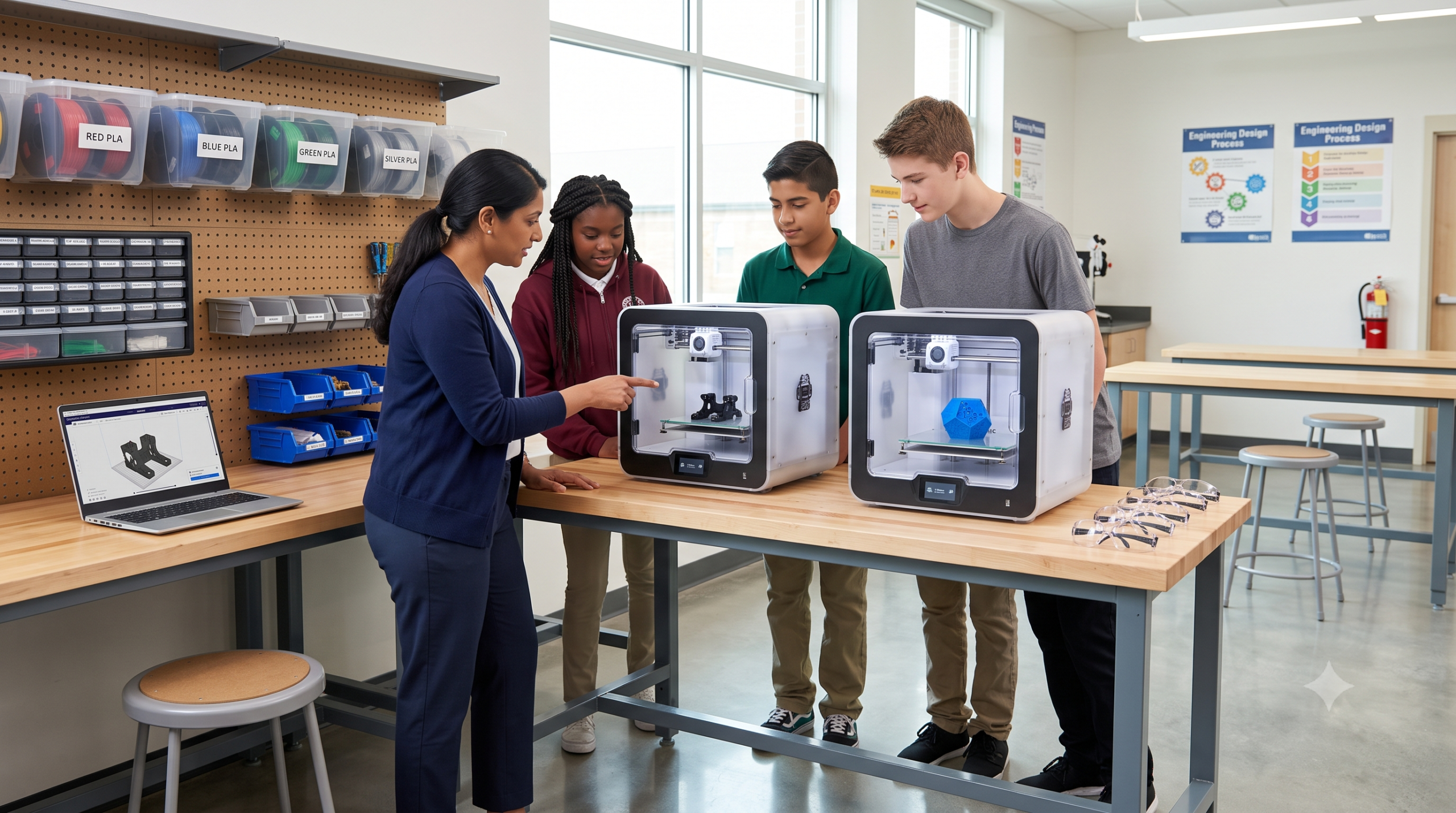
Start With the P.R.I.N.T. Method™, Not a Brand Name
A printer purchase works better when the school defines the job first. My P.R.I.N.T. Method™ keeps the decision tied to learning outcomes and practical limits.
If students and staff are new to the workflow, pair the purchase with P.R.I.N.T. It: Practical 3D Printing for Beginners. The guide helps beginners move from an idea to a finished part without treating the printer like a magic box.
An Enclosure Is Helpful—But It Is Not the Safety Plan
Fused-filament printers can release ultrafine particles and volatile organic compounds. Emissions vary by printer, material, color, temperature, and operating conditions. A closed door helps isolate hot and moving parts, but “enclosed” does not automatically mean emissions-tested or suitable for an occupied classroom.
NIOSH recommends using the hierarchy of controls: choose lower-emitting materials when practical, use manufacturer-designed engineering controls, consider ventilated enclosures or local exhaust, maintain filters, limit access, and train users. Its guide cites research supporting six air changes per hour and/or portable HEPA filtration in makerspaces, while noting that local source control can be more effective than room dilution alone.
Practical school rule: involve the facilities or environmental-health team before installing a printer fleet. Start with PLA, use the lowest suitable nozzle temperature, keep doors closed during operation, follow a documented clearance and retrieval procedure, and never assume a small internal carbon filter replaces ventilation.
Best Enclosed 3D Printers for Schools: 2026 Comparison
| Printer | Best school fit | Build volume | Filtration | Main tradeoff |
|---|---|---|---|---|
| MakerBot Sketch Sprint | Purpose-built classroom ecosystem | 220 × 220 × 220 mm | Active HEPA + carbon | PLA/Tough PLA focus and institutional pricing |
| Flashforge Adventurer 5M Pro | Budget-conscious beginner classroom | 220 × 220 × 220 mm | HEPA + activated carbon | Less education-specific curriculum and administration |
| Bambu Lab P2S | Busy high-school STEM or robotics lab | 256 × 256 × 256 mm | Adaptive airflow + carbon filter | School IT and cloud/account policy review needed |
| Prusa CORE One+ (Gen 2) | Long ownership and serviceability | 250 × 220 × 270 mm | Optional HEPA + carbon add-on | Higher initial cost; filtration is optional |
| Creality K2 Pro | Larger robotics and design prototypes | 300 × 300 × 300 mm | One built-in air filter | More machine than a first-year class needs |
| QIDI Plus4 | Supervised advanced-material lab | 305 × 305 × 280 mm | Activated-carbon chamber filter | High-temperature capability increases training and ventilation demands |
| UltiMaker S8 | University, district, or professional campus lab | 330 × 240 × 300 mm | Integrated EPA filter | Premium institutional cost |
Specifications are manufacturer-published values checked September 5, 2026. “Filtration” describes installed or available hardware, not proof that a room needs no additional ventilation. Verify current models, electrical requirements, warranties, software policies, and local purchasing terms before ordering.
Affiliate disclosure: One Creality link below is an affiliate link. If you buy through it, 3D Printing by Kevin may earn a commission at no extra cost to you. Recommendations remain based on classroom fit.
MakerBot Sketch Sprint
The Sketch Sprint is the most school-specific choice here. Its enclosed 220 mm cube build area, 25-point mesh calibration, PIN code lock, camera, active HEPA and carbon filtration, curriculum, training, and Digital Factory job-management tools solve problems teachers actually face.
It is especially strong where students submit projects but a teacher controls the queue. The narrow PLA and Tough PLA workflow is a limitation for advanced engineering, but it also keeps a beginner program focused and easier to govern.
Training, controlled access, lesson support, and fleet workflow matter more than maximum material freedom.
Your lab needs broad third-party engineering materials or prioritizes the lowest hardware price.
Flashforge Adventurer 5M Pro
The Adventurer 5M Pro combines a closed 220 mm cube build area, automatic leveling, quick-change nozzles, camera, Ethernet, Wi-Fi, and dual HEPA/activated-carbon filtration at a more approachable hardware tier.
It is a sensible pilot printer for a teacher building a program from scratch. Its manufacturer publishes support for PLA, PETG, ABS, ASA, TPU, and fiber-filled variants, but classroom material policy should remain conservative even when the machine can run hotter filaments.
You want a compact enclosed machine for PLA-heavy lessons without buying a full education ecosystem.
Your district expects formal curriculum, centralized fleet administration, or long service-plan coverage.
Bambu Lab P2S
The P2S is the current successor to the popular P1-series formula. It brings a fully enclosed CoreXY platform, a 256 mm cube build area, automated calibration, adaptive airflow with carbon filtration, camera monitoring, and optional multi-filament capability.
That combination suits a busy high-school lab where many students need parts quickly. Before standardizing on it, have IT review account requirements, network access, firmware policy, file handling, and whether the school will permit cloud-connected features. A capable printer that cannot join the approved workflow is the wrong purchase.
Fast repeatable PLA and PETG output, optional color, and easy operation are priorities.
Your organization requires a fully offline, centrally governed, or procurement-led education platform.
Prusa CORE One+ (Gen 2)
Prusa’s current CORE One+ (Gen 2) is an enclosed CoreXY printer with active chamber control, automatic calibration, Ethernet, Wi-Fi, USB transfer, extensive material profiles, and a strong documentation and spare-parts culture.
For schools, the ownership model is the real advantage. Staff can access documentation, replace wear parts, and keep the machine useful beyond one grant cycle. Buy the assembled model for a classroom; treat the kit as a supervised engineering project rather than a shortcut to deployment. Add the optional filtration system when the risk assessment calls for it.
Serviceability, local transfer options, documentation, and long-term ownership outweigh the lowest purchase price.
The budget cannot include assembled setup and any needed filtration accessories.
Creality K2 Pro
The K2 Pro offers a 300 mm cube build volume, an enclosed heated chamber, Ethernet, an AI nozzle camera, one air filter, and optional CFS multi-color handling. That extra space is useful for robot frames, architecture models, fixtures, and batch work.
It belongs in a supervised lab with a named maintainer. Its advanced-material capability should not become permission to run ABS, ASA, or fiber-filled filaments in an occupied room without a documented ventilation and handling plan.
Your existing program regularly outgrows 220–256 mm machines and has staff comfortable with maintenance.
You are launching a first-year program that mainly prints small PLA learning models.
QIDI Plus4
The QIDI Plus4 is an enclosed 305 × 305 × 280 mm CoreXY printer with automatic leveling, a chamber heater rated to 65°C, a hotend rated to 370°C, Ethernet, and an activated-carbon chamber filter.
Those numbers make it attractive for functional materials, but this is not a general-classroom starter. High-temperature polymers create more demanding emission, drying, wear, fire-safety, and post-processing questions. Place it in a controlled lab with adult supervision and facilities approval.
A trained high-school or college lab needs larger functional parts and engineering polymers.
The room, staff, or curriculum is not ready for high-temperature materials.
UltiMaker S8
The S8 is the institutional choice: enclosed construction, dual extrusion, swappable print cores, a flexible build plate, Digital Factory management, broad validated-material support, security features, and an integrated EPA filter that UltiMaker says removes up to 95% of ultrafine particles.
It makes the most sense where uptime, dual-material work, vendor support, security, and purchase-order compatibility justify a premium. It is difficult to justify for a single beginner classroom that will print uncomplicated PLA parts.
A university, district lab, or professional program values managed workflow and predictable support.
Hardware cost would leave no budget for ventilation, training, materials, and maintenance.
60-Second School 3D Printer Planner
Use this as a shortlisting tool, then confirm the decision with the teacher, IT, facilities, procurement, and whoever will maintain the printer.
Select your setting and priority, then build the shortlist.
Budget for the Whole Program, Not Just the Printer
A low purchase price can become expensive when a printer loses weeks to missing nozzles, poor filament storage, blocked software, or unclear ownership. Put these four buckets on the purchase request.
A practical fleet rule
Start with one or two identical printers, not a collection of unrelated bargains. Standardized nozzles, plates, profiles, spare parts, and student instructions reduce staff workload. Track successful hours, failed jobs, maintenance time, and queue length for a semester before expanding.
When print quality becomes inconsistent, use the calibration process that improves first-layer reliability before assuming the school needs another machine.
Five Questions to Put on the Purchase Order
- Who owns the printer? Name the staff member responsible for approvals, scheduling, maintenance, and incident response.
- Where will it run? Confirm power, ventilation, clearance, fire detection, noise, and access—not just whether it fits on a table.
- How will files reach it? Have IT approve the slicer, updates, accounts, cloud services, USB use, and student-submission process.
- What materials are allowed? Start with a written PLA policy. Add PETG or advanced materials only after reviewing their specific controls.
- What happens when it stops? Price filters, nozzles, hotends, plates, shipping, training, warranty, and local or vendor support before purchase.
For a broader equipment decision, see the 3D printer buying guide from beginner to pro.
What I Would Avoid in a School Lab
An enclosure with no room plan
A door reduces contact and drafts. It does not establish air changes, source capture, filter performance, or safe occupancy.
A fleet before a pilot
One semester with one machine reveals software blocks, teacher workload, real demand, and which spares the program uses.
Resin as the default classroom process
Liquid resin adds chemical handling, gloves, washing, curing, spills, and waste. Keep it in a controlled lab with trained adults if the curriculum truly requires it.
Buying by maximum speed
Advertised motion speed does not guarantee short lessons or reliable parts. Queue management and successful first layers save more classroom time.
Unrestricted advanced materials
A hardened nozzle or heated chamber is a capability, not a blanket approval. Every material needs its own risk and process review.
No spare-parts line item
A modest spare kit can prevent weeks of downtime. Include consumables and wear parts in the first order.
Knowledge Check: Is Your STEM Lab Ready?
Choose one answer for each question.
1. What does a printer enclosure do by itself?
2. What is the best first material policy for most beginner programs?
3. Who should review a networked printer before purchase?
4. What is the safest way to expand a printer fleet?
Need the Parts Before Your Lab Is Ready?
A school printer is a learning tool. When a robotics team, classroom, or makerspace needs a cleaner prototype, replacement part, bracket, fixture, or short run without adding another machine to the queue, 3D Printing by Kevin can help evaluate the project.
Frequently Asked Questions
What is the best enclosed 3D printer for a school in 2026?
The MakerBot Sketch Sprint is the strongest purpose-built classroom package. The Flashforge Adventurer 5M Pro is the better budget starter, while the Bambu Lab P2S fits a busier high-school STEM or robotics lab. The right choice still depends on ventilation, IT policy, maintenance ownership, curriculum, and budget.
Are enclosed 3D printers safe for classrooms?
An enclosure can limit contact with hot and moving components and help contain drafts and some emissions. It is not a complete safety system. Schools still need a risk assessment, suitable ventilation or source control, approved materials, supervision, maintenance, and operating procedures.
Does a HEPA or carbon filter replace ventilation?
No. HEPA filters target particles, while activated carbon can adsorb some gases and odors; performance varies with the system, contaminant, airflow, filter condition, and testing. Treat built-in filtration as one control within a broader room and operating plan.
What filament should a school start with?
PLA is the practical first material for most programs because it prints at lower temperatures and is easier to manage than many engineering polymers. It still produces emissions, so the same placement, ventilation, enclosure, and supervision rules apply.
How many printers does a STEM lab need?
Begin with one or two identical printers and measure queue length, successful print hours, failures, maintenance time, and project demand for a semester. Expand only after the school has a repeatable workflow and a named staff owner.
Final Verdict
For a classroom-centered program, I would start with the MakerBot Sketch Sprint if the budget supports the education ecosystem, or the Flashforge Adventurer 5M Pro if value is the deciding factor. A high-school robotics or STEM lab should put the Bambu Lab P2S and Prusa CORE One+ (Gen 2) at the top of its practical shortlist.
The Creality K2 Pro and QIDI Plus4 make more sense after a program proves it needs larger parts or engineering materials. The UltiMaker S8 is the premium choice for an institution that can use its dual-material workflow, managed platform, service structure, and security features.
Whichever machine you choose, buy the room plan, staff time, training, spares, and written workflow with it. That is what turns a printer into a dependable STEM tool.
Your turn: What grade level and projects is your school planning for? Share the situation in the comments—including the room, materials, and budget—and I’ll help narrow the shortlist.
