
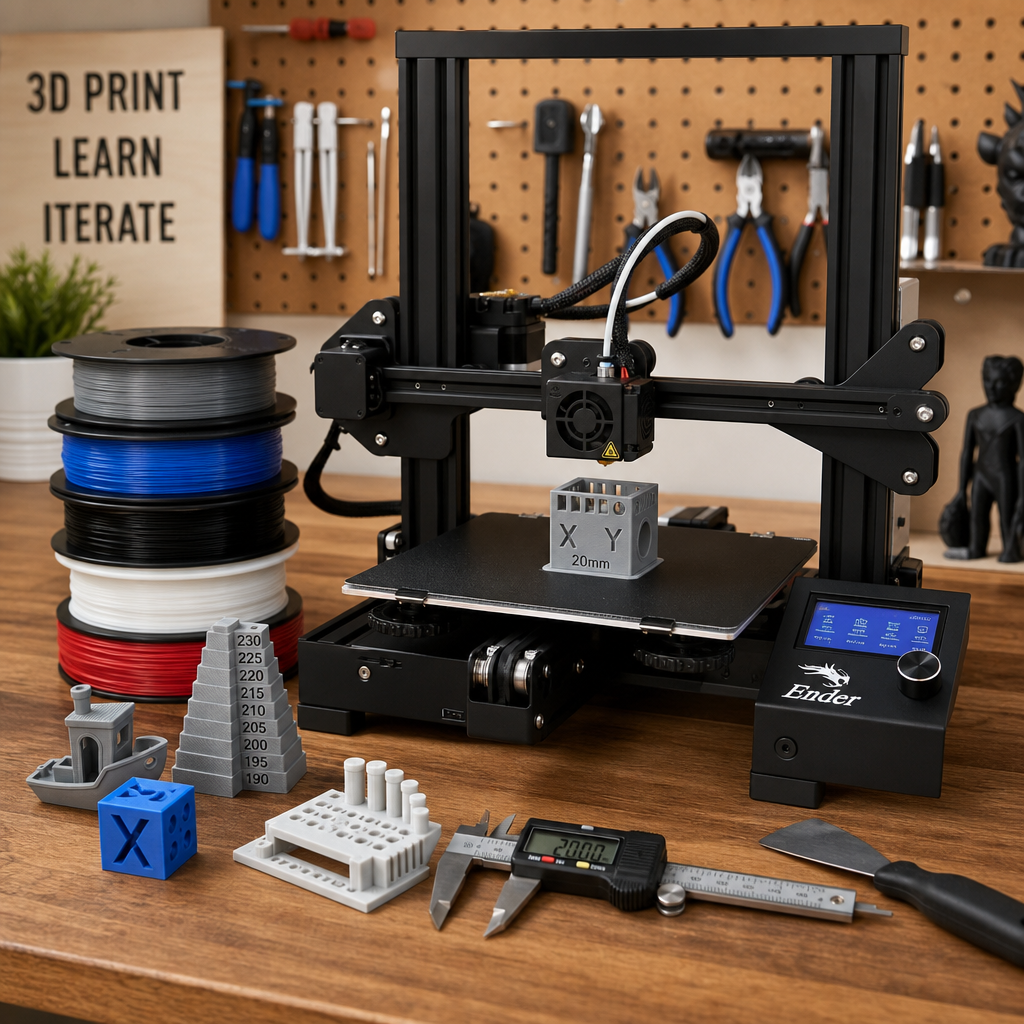
If you bought a 3D printer during a summer sale, the temptation is to print the biggest, coolest model you can find. Slow down. Your first few prints should teach you how the machine behaves, how the material flows, and whether the part you want is actually designed for the job.
What should you print first on a new 3D printer?
Your first prints should be small, useful tests: a calibration cube, a simple tolerance test, a small bracket, a cable clip, and one practical household part. Avoid giant decorative prints until you know your printer’s bed adhesion, dimensional accuracy, overhang behavior, filament settings, and real-world fit.
The strongest first move is not a bigger print. It is a better question.
A new printer makes almost anything feel possible. That excitement is useful, but it can also waste filament fast. Many beginners jump straight into large models, long print times, high-detail objects, or replacement parts that require accurate measurements before they understand how their machine handles basic geometry.
The better starting question is simple: What can this printer prove for me in the next hour? A small test print can reveal bed leveling problems, extrusion issues, poor adhesion, wrong temperatures, weak walls, stringing, or a part that looks right but does not fit.
3D Printing by Kevin principle: Learn the machine with small parts before trusting it with important parts. The goal is not to print more plastic. The goal is to create something useful, repeatable, and appropriate for the job.
Use the P.R.I.N.T. Method™ as your first-print filter
Before choosing a model, run the idea through a quick practical check. This keeps beginner excitement connected to useful results.
Problem
What are you trying to fix, organize, learn, test, or improve?
Requirements
Does the part need strength, heat resistance, flexibility, appearance, or accuracy?
Interfaces
Does it need to fit a screw, slot, cable, wall, bracket, lid, or other object?
Next-Best
Choose a simple print, common filament, and low-risk test before going bigger.
Test & Tune
Measure, inspect, adjust one variable, and print again only when the change has a reason.
The first five prints I would recommend
| What it teaches | Why it is useful | What to check | |
|---|---|---|---|
| Calibration cube | Dimensional accuracy, wall quality, first-layer behavior | Small, fast, easy to measure | Are the sides square, clean, and close to expected size? |
| Tolerance test | Clearance, fit, moving gaps, printer precision | Helps you understand how tight or loose mating parts may be | Which gaps move freely, bind, or fuse together? |
| Cable clip | Small functional design, snap behavior, layer strength | A quick win that solves a real desk or shop problem | Does it flex, grip, and hold without cracking? |
| Small bracket | Hole sizing, screw fit, orientation, wall strength | Introduces real load and mounting decisions | Do holes line up, and does the print resist splitting? |
| Simple replacement part test | Measurement, interface fit, revision planning | Connects printing to practical repair work | Does it fit the real object, or only look close? |
What not to print first
A giant decorative model
Large models hide beginner problems until hours of print time and filament are already gone. Prove the machine on smaller prints first.
A critical replacement part
Anything that carries load, clips tightly, fits a machine, or could damage something if it fails deserves measurement and testing first.
A complicated downloaded file
Some files look impressive but are not designed for your printer, material, scale, tolerance needs, or use case.
Comparison: fun first prints vs. useful first prints
Fun first prints
Dragons, helmets, figurines, vases, toys, and display pieces can build excitement, but they may not teach fit, measurement, load, or practical problem-solving. They are best after your printer is behaving consistently.
Useful first prints
Clips, brackets, spacers, organizers, test blocks, tool holders, and small repair parts teach you how printed plastic behaves in the real world. These prints build skill that transfers to better projects.
Before printing a replacement part, measure the interface
A replacement part is rarely just a shape. It has to fit something. That means the screw holes, slots, clips, tabs, clearances, wall thickness, and contact surfaces matter more than the overall outline.
If your first real goal is to replace a broken or discontinued part, start with the measurement process before modeling or downloading a file. The guide How to Measure a Part for 3D Printing walks through the dimensions that matter most.
Important: A part can look correct and still fail if the interfaces are wrong. Measure the features that make it fit, connect, flex, support, or align.
A simple beginner workflow for your first weekend
- Print one small calibration model and inspect the first layer.
- Print one tolerance or clearance test to understand fit.
- Print one small useful item for your desk, shop, or home.
- Change only one setting at a time when troubleshooting.
- Write down filament type, nozzle temperature, bed temperature, and result.
- Measure anything that must fit another object.
- Save large decorative prints until the printer is consistent.
- Use your first failures as setup information, not as proof that you cannot print.
Where the P.R.I.N.T. It ebook fits
The printer manual may help you turn the machine on. The slicer may help you prepare a file. But beginners still need a practical way to decide what to print, how to judge success, and when to adjust the plan.
P.R.I.N.T. It: Practical 3D Printing for Beginners is built around that missing middle step: turning ideas into useful, reliable prints through problem definition, requirements, interfaces, material choices, and testing.
Helpful next reads
For total beginners
Start with 3D Printing for Absolute Beginners if the printer, slicer, filament, and first layer still feel unfamiliar.
For replacement parts
Read Broken Brackets and Clips Replaced with 3D Printing when your goal is a practical repair.
For scanning projects
Read Can a 3D Scanner Replace CAD? before assuming a scan is the same as a finished printable part.
Quick knowledge check
Open each question before choosing your first big print.
1. Why should your first prints be small?
Small prints reveal setup problems quickly without wasting hours of machine time or a large amount of filament.
2. What does a tolerance test teach you?
It helps you understand how much clearance your printer needs for moving parts, tight fits, holes, gaps, and mating surfaces.
3. Why are replacement parts harder than they look?
They must fit real interfaces such as screw holes, clips, tabs, slots, wall surfaces, and clearances. Looking close is not the same as working correctly.
4. What should you change when troubleshooting?
Change one variable at a time. If you change temperature, speed, filament, bed setup, and orientation all at once, you will not know what actually helped.
Frequently asked questions
Should I print a Benchy first?
A Benchy can be useful because it tests several printer behaviors in one small model. It should not be your only first print. Follow it with something that measures fit, tolerance, or real-world usefulness.
What filament should a beginner use first?
PLA is usually the easiest starting point for learning the machine. Once you understand the printer, PETG, ABS, ASA, and specialty materials can be evaluated based on the part’s requirements.
How many failed prints are normal?
Some failed prints are normal, especially during setup. The important habit is to inspect the failure, identify the likely cause, adjust one variable, and try a controlled test rather than guessing randomly.
Can I print a replacement part from a photo?
A photo can help, but it is usually not enough by itself. Critical replacement parts need measurements, interface details, scale references, and a test-fit plan.
When should I ask for help instead of fighting the printer?
Ask for help when the part must fit precisely, carry load, replace a discontinued component, or work in heat, sunlight, vibration, or repeated use. A quick review can prevent wasted time and filament.
Need the first useful part, not just the first print?
Send the idea, photo, sketch, broken part, measurement, or file. The project can be reviewed for printability, fit, material choice, and whether FDM 3D printing is the right solution.
Beginner print success depends on printer setup, slicer settings, filament quality, part geometry, material choice, print orientation, bed adhesion, calibration, and the intended use of the part. Not every downloaded model is appropriate for every printer or application.
For an overview of 3D printing: An overview on 3D printing technology: Technological, materials, and applications
