
For years, we have been told that 3D printing is a “hobby of patience.” We spent hours leveling beds, fighting with spaghetti failures, and wrestling with complex CAD software just to get a single-color plastic toy. But as we move into 2026, the script has been completely rewritten.
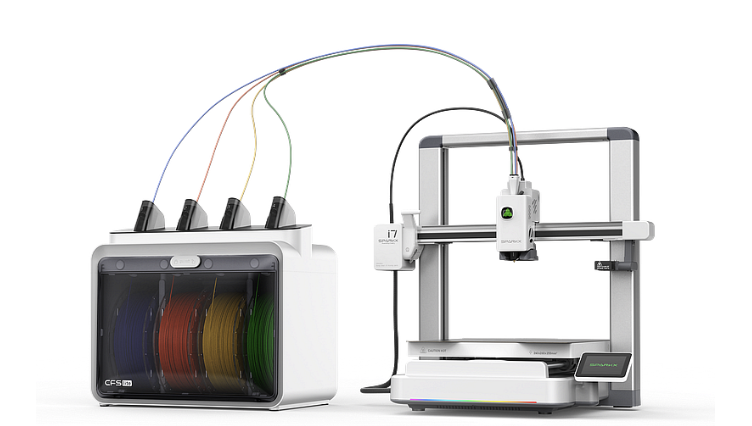
The Creality SPARKX i7 has officially arrived, and it isn’t just another incremental upgrade. It is a declaration that the “appliance era” of 3D printing is here. By blending hyper-intelligent AI with a revolutionary multi-color system that slashes waste in half, Creality is attempting to do for 3D printing what the smartphone did for photography: make it accessible to everyone.
*Disclosure
This post contains affiliate links. If you purchase through these links, I may earn a small commission at no extra cost to you. I only recommend products I personally use and trust, such as Creality hardware, 3DMakerpro scanners, and COEX filaments.
The CubeMe Revolution: From Photo to 3D in Seconds
The biggest barrier to entry has always been the software. If you didn’t spend months acquiring the skills to design 3D objects using software, you were limited to downloading what others had made.
The SPARKX i7 introduces CubeMe, an AI tool that automatically converts 2D portraits into printable, multicolor 3D models. You take a photo, the AI generates the geometry, and the printer starts moving. It removes the friction between “idea” and “object,” letting you go from unboxing to your first custom print in under 5 minutes. If you are just starting your 3D printing journey, this machine is a dream for absolute beginners.
Multi-Color Printing Without the Guilt
Traditional multicolor systems are notorious for creating “poop”—massive piles of wasted filament generated during every color change. The SPARKX i7, paired with the CFS Lite (Color Filament System), claims to reduce this waste by a staggering 50%.
This isn’t just about saving the environment; it is about saving your wallet. By minimizing the purge volume, Creality has created a system where multi-color printing is finally practical for daily use rather than just special occasions.
Check out the SPARKX i7 and the CFS Lite at Creality: Explore the SPARKX Lineup
The AI Sentinel: No More Babysitting Your Prints
We have all had that moment of horror: checking on a 10-hour print only to find a bird’s nest of wasted plastic. The SPARKX i7 integrates a 720p AI camera that acts as a 24/7 sentinel. It detects:
- Spaghetti failures
- Air printing (nozzle clogs)
- Filament tangles
- Build plate displacement
The moment it senses an issue, it pauses the print and pings your phone. This level of reliability is what it takes to truly how to 3d print like a pro from model to masterpiece.
Precision and Maintenance Made Simple
Even with all the “smart” features, the mechanical foundations of the i7 are rock solid. It hits speeds of 500mm/s with 10,000mm/s² acceleration, putting it in the upper echelon of desktop performance. However, speed is nothing without control.
The i7 uses advanced Input Shaping and Pressure Advance to ensure that even at high speeds, your corners are sharp and your walls are smooth. To keep this performance peak, you still need to know the calibration trick that makes any 3D printer perform better.
For those who want to push the boundaries of realism, pairing the i7 with a professional scanner is the ultimate power move. The 3DMakerPro ecosystem allows you to digitize real-world objects with a level of detail that the i7 can actually reproduce in full color.
Take your scanning to the next level: Shop 3DMakerpro Global
Don’t Forget the Fuel: High-Speed Multi-Color Filament
When you are switching colors rapidly and printing at 500mm/s, you cannot afford filament that has inconsistent diameters or moisture issues. COEX filaments are my go-to for these high-stakes prints. Their American-made quality ensures that the CFS Lite system never jams and that your colors stay vibrant from the first layer to the last.
Stock up on high-performance filament: Get COEX Premium PLA
Fact-Safe Comparison: SPARKX i7 vs. Previous Gen
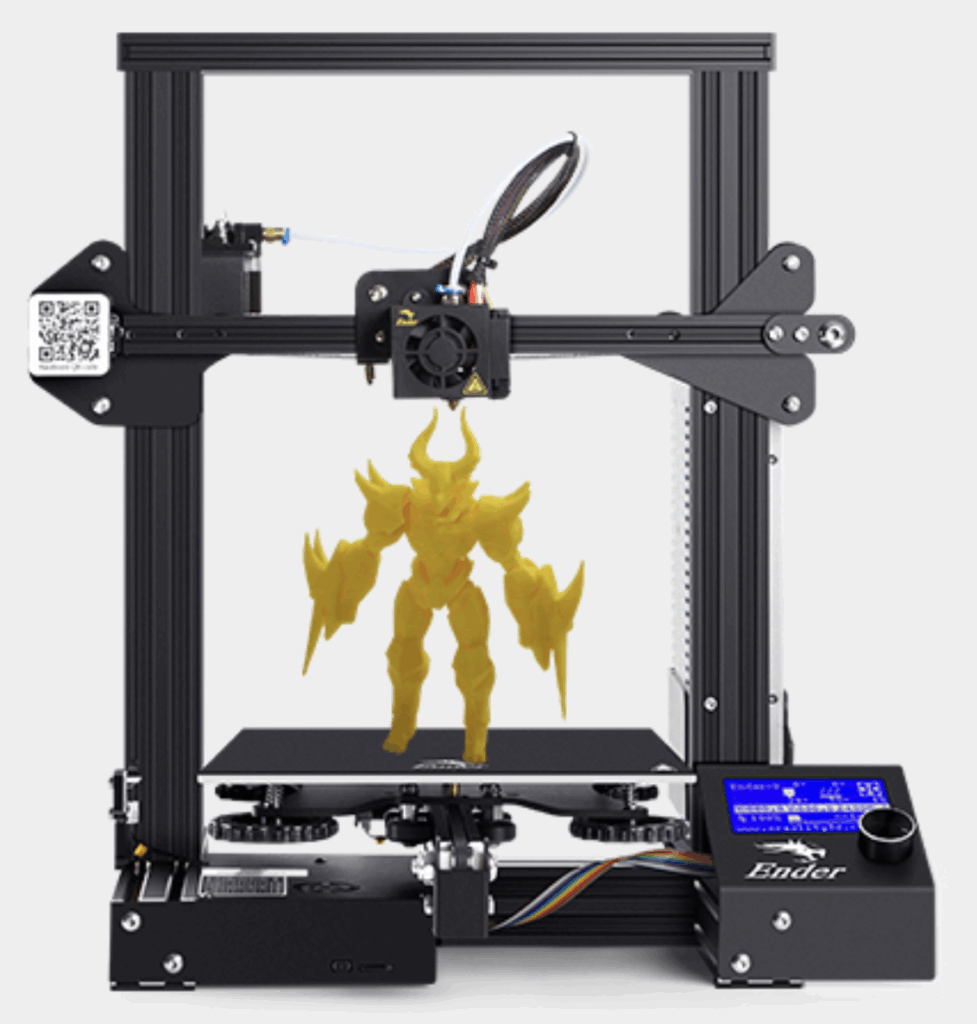
| Feature | Creality Ender-3 V3 | Creality SPARKX i7 |
|---|---|---|
| AI Features | Basic Monitoring | Full Failure Detection + CubeMe AI |
| Multi-Color | Manual / Third-Party | Native CFS Lite (4-Color) |
| Purge Waste | High | 50% Reduction |
| Maintenance | Tool-Required | Tool-Free Quick-Swap Hotend |
| Setup Time | 20-30 Minutes | Under 5 Minutes |
This deep-dive review of the SparkX i7 shows the printer in action, testing everything from the Benchy speed run to the AI failure detection features.

Frequently Asked Questions
Is the SPARKX i7 suitable for an office or bedroom?
Yes. It features a 45dB “Night Mode” that is exceptionally quiet, and its sleek aluminum alloy design fits more like a high-end coffee maker than industrial machinery.
Can I print more than 4 colors?
The CFS Lite supports 4 colors per unit. Currently, the system is designed as a streamlined, self-contained unit for the i7, prioritizing ease of use over extreme color counts.
Does the AI work without an internet connection?
While basic failure detection happens on-device, the advanced CubeMe AI photo-to-3D conversion requires a connection to Creality Cloud for the heavy lifting of the AI processing.

