
If you’ve ever been frustrated by a broken plastic part or wished you could tweak a design to work better, custom 3D printing can be the answer. I’ve found that turning a broken component into something even better doesn’t need massive tools or long waits. With a bit of planning and know-how, it’s possible to go from a broken part to a stronger, more useful one, designed just for your needs, right at home or through a professional online service. I’m going to share what I’ve learned about how 3D printing helps people solve practical problems, improve their gadgets, and save time and money.
Why Custom 3D Printing Makes Fixes Easier and Smarter
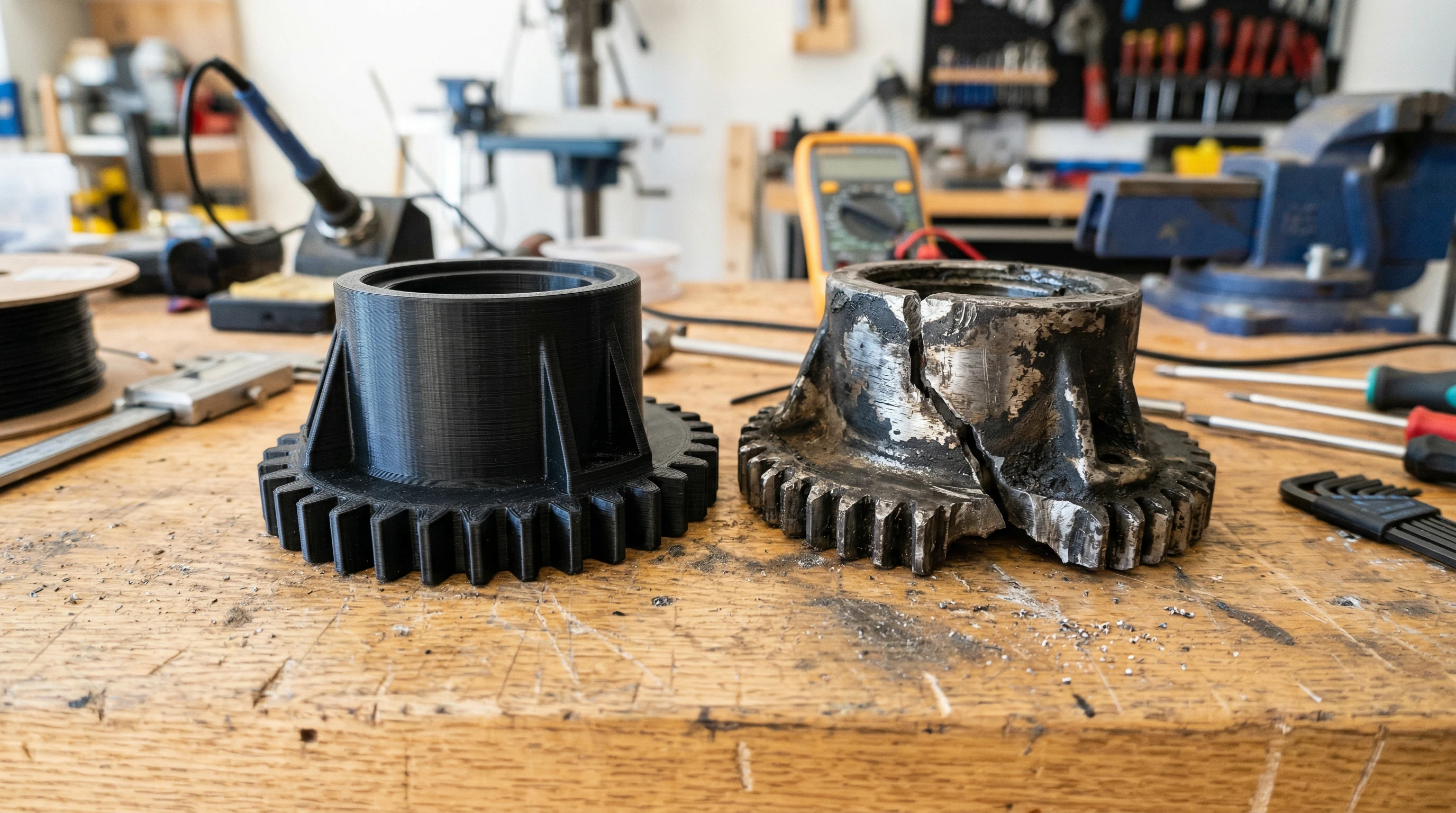
Broken plastic parts used to mean tossing out a whole item or hunting for replacement pieces online, sometimes without any luck. Now, custom 3D printing lets me design new parts that actually fit better than the original. When the dishwasher rack wheel snapped again last year, I quickly realized that the official replacement was both expensive and a little flimsy. By measuring the old, cracked wheel, I sketched up a stronger version in simple CAD software, printed it in tough PETG, and had the dishwasher running in a couple of hours. The custom part still works perfectly, and it costs less than buying a new wheel.
What I like most about this approach is that it’s not just about fixing things. Customizing a design means I can tweak, reinforce, or adjust details. I can thicken a weak tab, add extra material where it usually breaks, or combine two pieces into one. The repair turns into an upgrade, not just a replacement. Even if you’re new to 3D printing, working with simple designs or modifying templates from sites like Thingiverse or Printables can make it accessible. For absolute beginners, my guide on getting started with 3D printing explains the basic steps to get you going.
How the Custom 3D Printing Process Usually Unfolds
When I need a replacement, my usual process goes like this. First, I carefully measure the broken part, checking every notch and mounting hole. If the original is too damaged, I might look for similar models or sketch what the piece needs to do. Using basic CAD software like Tinkercad, I either trace the original or design something close. If the part is complex, 3D scanning with 3DMakerPro can shape it quickly.
Once the model looks good, I export the file as an STL. Sometimes I make test prints on my Creality printer using simple filament to check the fit. Adjustments are common; maybe a peg is a bit too thick, or a clip needs more of a gap. Running that trial-and-error loop is pretty normal and can be really helpful, especially if you’re new. The calibration trick I recommend in my article on improving 3D printer performance helps dial in those tolerances.
For the final part, I chose the right filament by considering the stresses and environment. PETG and ABS work better for pieces exposed to heat or impact, while PLA is fine for low-stress indoor uses. After printing, I do a test fit and sometimes smooth rough spots with a file. Many of these steps and problem-solving tips are also covered in my guide to fixing common 3D printing problems.
What You Need to Start Designing Your Own Replacement Parts
Custom 3D printing is very accessible once you know the tools and a few basic skills. To get rolling, you’ll need:
- A reliable 3D printer: I use Creality models, which strike a good balance between affordability and reliability. If you’re thinking about purchasing, you might want to check out my affiliate link to see current prices and options.
- Easy 3D design software: Tinkercad works well for most projects. If you want to take things up a notch, Fusion 360 or FreeCAD offer more control and deeper features for advanced users.
- Measurement tools: A simple digital caliper is super important for making sure the new part will fit.
- Quality filament: COEX makes reliable filament, and you can use my 15% off coupon code: 3DPRINTINGBYKEVIN for a discount.
- Basic tools for cleaning parts: Files, sandpaper, and hobby knives help with removing rough edges after printing. My list of the 15 essential tools for every 3D printer owner covers the basics.
If you’re brand new to design, following simple online tutorials or my guide on learning 3D design software skills makes the process much easier. Watching a part you designed take shape on the print bed is very satisfying and makes learning the extra steps well worth it. Plus, as you get a feel for design, you can try making or modifying more advanced projects, further expanding what’s possible with household fixes and custom creations.
What Can Go Wrong, and How I Fix It
- Fit Issues: Sometimes the print doesn’t fit right on the first try. I measure, check tolerances, and don’t hesitate to tweak the design and reprint. How slower speeds improve print quality) such as glue sticks or specialty surfaces, and choosing the right settings helps avoid inaccurate finishes.
- Strength Problems: If the part still breaks at the weak spot, I open the model and reinforce that area. Sometimes changing the filament to ABS or switching infill patterns is enough to prevent breakage over time.
- Warping: Warped corners are frustrating but manageable. Using a heated bed, good bed adhesion techniques such as glue sticks or specialty surfaces, and choosing the right settings help prevent this. I’ve written more about this in my article covering how to stop warping.
- Complex Geometry: Really detailed or oddly shaped parts can be tricky to reproduce. I’ve used 3D scanners to make it easier to capture those shapes, and sometimes I break complicated parts into smaller, easier pieces for printing and then assemble them later.
All these issues are normal, and patience always pays off. Practicing with easier designs first makes working on more complex replacements less stressful. You will likely pick up new tricks with each repair attempt, and eventually you’ll be able to troubleshoot nearly any problem.
How Custom 3D Printing Saves You Money and Time
Ordering original spare parts can be slow and pricey. When a specialty bracket on my toolbox drawer broke, the replacement would have cost nearly $30, including shipping. After a quick design session and one print, I had a part that cost around 75 cents in plastic and maybe two hours of my afternoon. Not only did I save money, but I also tweaked the design so it won’t break the same way again.
This is one of the biggest reasons to get into 3D printing for household repairs, car parts, or even hobbies like RC cars and model railroads. Even if you don’t own a printer, many online services or local makerspaces will print your file for you. If you want a fast, professional quote, use a project intake form to help buyers get started quickly.
Besides saving money, you’ll also cut down on waiting time. Instead of waiting for shipping or dealing with out-of-stock parts, you can produce exactly what you need, right when it breaks. Over time, these quick fixes add up, helping you extend the life of household items and avoid constant replacements. It’s empowering to know you aren’t at the mercy of spare part availability or high prices.
Real-World Examples of Custom 3D Printing Solutions
- Appliance Replacement Parts: Knobs, gears, and handles break commonly. I’ve saved several coffee makers from the recycling bin with printed knobs, often making them easier to grip than the originals.
- Car Clips and Fasteners: Owners of older vehicles know how hard it can be to find the right trim clips. Taking measurements and printing the right shape means less rattling and better panel fit.
- Upgraded Tool Grips: I like to scan and print new grips for tools, customizing the fit to my hand and swapping in materials with more comfort or traction.
- Hobby Parts: For model building and DIY gadgets, custom 3D printing lets me create unique mounts, accessories, and organizers that aren’t available anywhere else.
Each of these examples started with something breaking, but ended up with a new design that worked better, lasted longer, or just felt more comfortable in daily use. There’s truly a creative aspect to the process, and the satisfaction comes from building a part that you can’t buy.
Frequently Asked Questions: Custom 3D Printing Repairs.
Question: How long does it take to design and print a custom replacement?
Answer: The design process can take anywhere from 30 minutes to a few hours, depending on complexity. Printing small to medium parts usually takes one to three hours. If you’re new, expect to spend some time dialing in your skills; practice is really important.
Question: Is 3D printed plastic strong enough for real repairs?
Answer: With the right materials and design, 3D-printed parts can be as strong as, or even stronger than, the original plastic. Reinforcing key areas and picking PETG or ABS for load-bearing parts makes a huge difference.
Question: Do I need advanced design skills to make my own parts?
Answer: No, not at all. Simple software like Tinkercad is user-friendly, and there are thousands of templates online you can tweak. Many beginners start by editing existing models before moving on to designing from scratch.
Disclosure and Ethics
I use affiliate links for recommended products to keep this site running, with no extra cost to you. For example, if you buy a 3D printer through my Creality link or use my COEX coupon code, I may receive a small commission. I only link to products and resources I trust and use regularly.
If you’re tired of waiting on backorders for simple parts or want to learn how to fix everyday items, custom 3D printing is a helpful skill. I know that starting can feel like a big step, but with accessible design tools and reliable printers, it has become more practical for anyone to try. For more guides and hands-on tips, check out the related articles and project intake form across 3D Printing by Kevin.

