
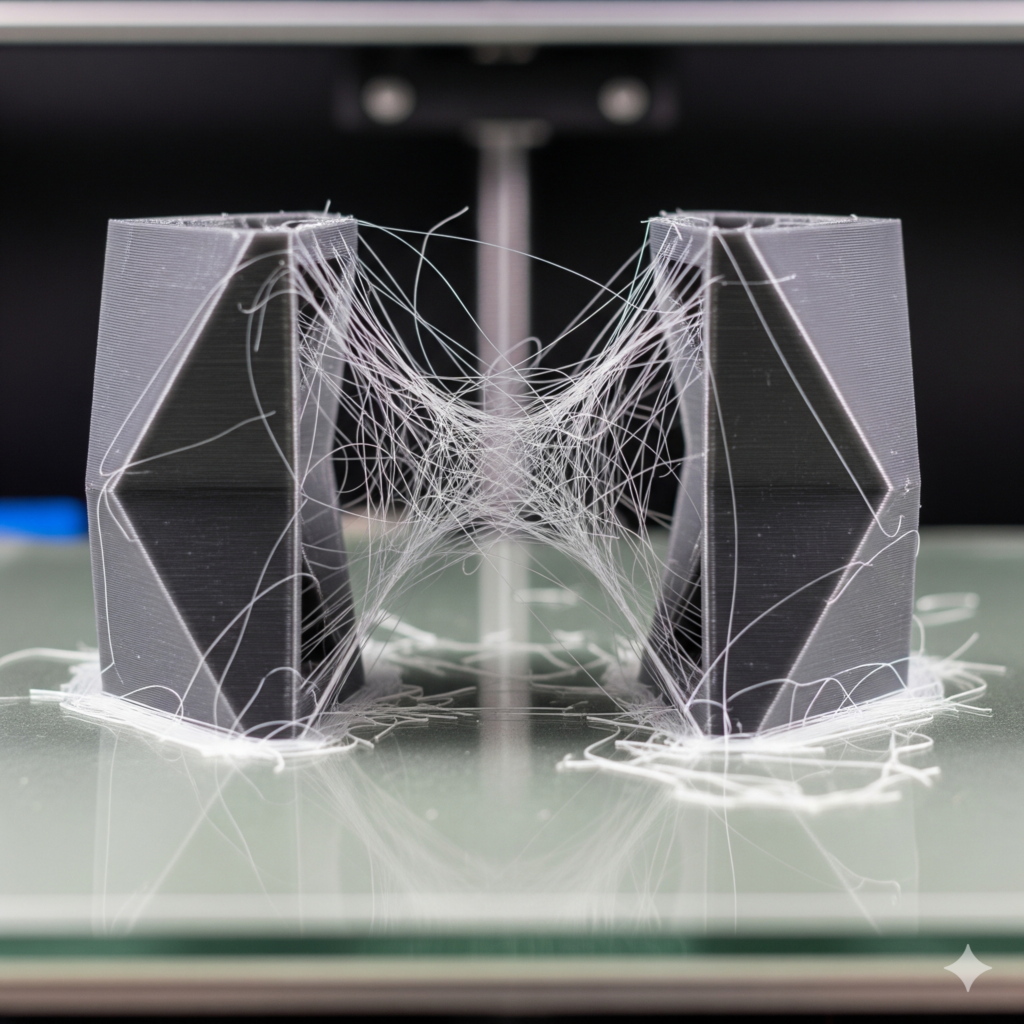
You just spent eighteen hours waiting for a masterpiece to emerge from the build plate. The dimensions look perfect. The layers are consistent. But as you reach in to grab it, you realize your model looks like it was attacked by a hyperactive spider. Those thin, wispy strands of plastic—commonly known as stringing—can turn a professional-grade print into a messy DIY project in seconds.
The good news is that stringing is not a death sentence for your hardware. Whether you are using a workhorse from Creality or capturing high-detail data with a 3DMakerpro scanner to create your models, stringing is a solvable physics problem.
Disclosure: This post contains affiliate links. If you make a purchase through these links, I may earn a commission at no additional cost to you. I only recommend products I trust, such as Creality, 3DMakerpro, and COEX filament.
Why Is Your Printer Leaving a Trail?
Before we fix the mess, we have to understand the cause. Stringing occurs when plastic continues to ooze from the nozzle while the print head is moving between two points. Think of it like a hot glue gun; if you move the gun quickly without releasing the trigger, you get a long, sticky string.
In 3D printing, this usually boils down to three culprits: heat, speed, and pressure. If you are just starting out, you might find my guide on 3D printing for absolute beginners helpful for setting the foundation before tackling these advanced calibration steps.
Temperature: The “Goldilocks” Zone
If your nozzle is too hot, the filament becomes overly liquid. It loses the surface tension required to stay inside the nozzle during travel. While high heat is sometimes necessary for strong layer adhesion, it is the primary driver of wispy strings.
Conversely, if you go too cold, you might run into underextrusion or clogging. Finding the sweet spot is part of learning how to 3d print like a pro from model to masterpiece. Always run a temperature tower when switching to a new brand of filament.
Speaking of filament, the quality of your material matters immensely. Wet or low-grade filament is notorious for popping and oozing. For consistent results, I recommend COEX Filament. You can use the coupon code 3DPRINTINGBYKEVIN to get 15% off your order, ensuring you have premium material that resists oozing.
Travel Speed vs. Print Speed
There is a common misconception that slowing everything down solves all problems. While it is true that what happens when you slow your 3d printer down can lead to better detail, travel speed (the speed at which the head moves when not printing) should actually be quite high.
By increasing your travel speed, you give the plastic less time to ooze out of the nozzle. You want that movement to be snappy. A slow travel move is just an invitation for a string to form.
The “Fast” Clean-Up: Post-Processing Tools
If you have already finished a print and it has the “fuzzies,” do not throw it away. You can clean it up in seconds with the right gear.
- The Heat Gun: A quick pass with a heat gun (on a low setting) will cause thin wisps to shrivel up and disappear.
- Flush Cutters: For thicker strings, use the snips that came with your printer.
- Sandpaper: A fine-grit sandpaper can remove the “nubs” left behind by strings.
These items are part of the 15 tools every 3d printer owner should have. Having them on hand saves you from re-printing a part just because of a few cosmetic flaws.
Solving the Warping and Stringing Combo
Often, stringing and warping go hand-in-hand because they are both symptoms of poor thermal management. If your room is too cold, you might be cranking the nozzle heat to compensate, which leads to stringing. At the same time, the base of your print might be lifting. Check out the easiest way to stop 3d print warping to ensure your environmental settings aren’t sabotaging your print quality.
Summary Checklist for String-Free Prints
- Dry Your Filament: Use a dryer or a dry box.
- Tune Retraction: Start at 5mm for Bowden and 1mm for Direct Drive.
- Lower Temperature: Drop by 5-degree increments until stringing stops.
- Increase Travel Speed: Aim for 150mm/s or higher if your printer can handle it.
- Enable Coasting: This stops the extrusion just before the end of a path.
Frequently Asked Questions
Why does my PETG string more than PLA?
PETG is naturally more “sticky” and hygroscopic (absorbs moisture) than PLA. It requires higher retraction and perfectly dry filament to avoid the “spiderweb” effect.
Is stringing bad for my printer?
No, stringing is purely a cosmetic issue. However, excessive stringing can lead to “blobs,” which can eventually hit the print head and cause a layer shift.
Can a cheap nozzle cause stringing?
Absolutely. Inconsistent internal machining in low-quality nozzles causes turbulent flow, hindering effective retraction.

