
If you’ve ever stared blankly at your 3D printer’s slicer settings, scratching your head over Infill Density, you’re in the right place. This one setting is the unsung hero (or silent killer) of your 3D printing projects. Get it wrong, and you waste hours and filament. Get it right, and you unlock prints that are stronger, lighter, and faster than you ever thought possible.
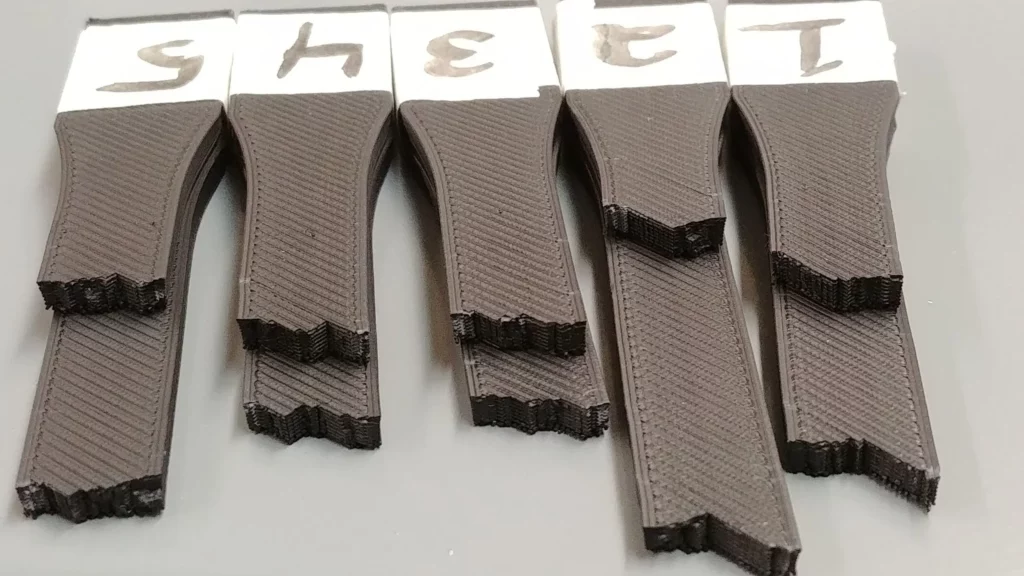
We’re going to dive deep, ditch the default 20%, and optimize your printing workflow to align with exactly what you need.
What is 3D Print Infill Density, Really?
In simple terms, infill density is the internal structure that lives inside your 3D-printed part.
It’s measured as a percentage, from 0% (completely hollow) to 100% (completely solid). The infill’s job is crucial: it provides essential internal support to prevent the top layers from collapsing and is the primary contributor to your part’s overall strength and weight.
| Metric | Low Infill (5-15%) | High Infill (70-100%) |
|---|---|---|
| Print Time | Fast | Slow |
| Material Usage | Minimal | Maximum |
| Part Weight | Low | High |
| Cost | Low | High |
| Ultimate Strength | Low/Aesthetic | Maximum/Functional |
Does Infill Density Affect Print Strength? (The 20% Myth)
Yes, infill density dramatically affects strength, but here’s the secret the pros know: the strength-to-infill relationship isn’t linear.
The most significant strength gains happen when you move from 0% to about 20-30% infill. After that, the benefits quickly diminish. For example, doubling your infill from 40% to 80% might only yield a marginal strength increase, but it will certainly double your print time and filament usage.
Pro-Tip: For truly maximum strength, focus on increasing your wall thickness (the number of perimeter shells). A part with 3 shells and 20% infill can often be stronger and print faster than a part with 1 shell and 80% infill. Read our full guide on optimizing wall thickness for functional parts.
The Buyer’s Checklist: Choosing the Right Infill
Your choice of infill should always be based on your final application. Are you selling it? Using it as a tool? Or is it a decorative item?
Infill Density Recommendations by Use Case
Here is a quick-reference table to help you select the ideal infill density for your project, aligning your material cost with your part’s performance needs:
| Application/Goal | Recommended Density | Best Infill Pattern | Why It Works |
|---|---|---|---|
| Aesthetic Prints (Figurines, Vases) | 0% – 10% | Lines / Concentric | Saves massive time and filament; structure is not load-bearing. |
| Standard Parts (Toys, General Housings) | 15% – 25% | Grid / Honeycomb | Excellent balance of speed, material efficiency, and good rigidity. |
| Functional Prototypes (Test Fits, Templates) | 30% – 45% | Grid / Cubic | Provides good weight and realistic feel for testing without excessive waste. |
| Load-Bearing Parts (Tools, Mounts, Gears) | 50% – 70% | Cubic / Gyroid | Offers high isotropic strength (strength in all directions) for reliable performance. |
| Jigs and Fixtures (High-Stress Manufacturing) | 80% – 100% | Cubic | Maximum rigidity and weight for parts that need to withstand constant forces. |
Slicing 101: Comparing the Best Infill Patterns
It’s not just how much you use, but how you arrange it. The infill pattern dictates the mechanical properties of your finished print. Here are the four patterns you need to master:

| Infill Pattern | Primary Strength | Key Mechanical Property | Speed/Efficiency | Recommended Purchase |
|---|---|---|---|---|
| Lines / Grid | 2D/Planar | Good layer adhesion | Fastest | Perfect for quick prototypes on your new Creality printer (affiliate link: https://tidd.ly/3KUghXJ) |
| Honeycomb | High Rigidity | Excellent strength-to-weight ratio | Medium | Ideal for parts using quality filament like COEX (Use coupon code: 3DPRINTINGBYKEVIN) |
| Cubic | 3D/Isotropic | Ultimate maximum strength | Slowest | Essential when reverse-engineering parts using your 3DMakerpro Scanner (affiliate link https://tidd.ly/49ziphJ) |
| Gyroid | 3D/Isotropic | High vibration dampening | Medium | Great for mounting hardware or any part requiring shock absorption. |
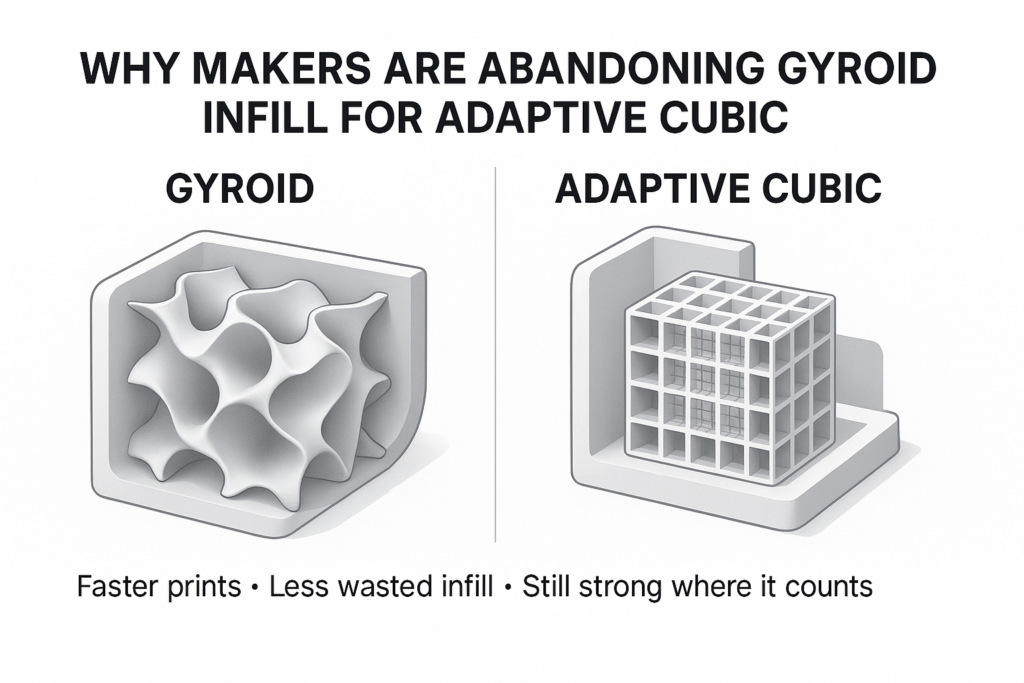
To understand which pattern provides the most isotropic strength, you must consider the forces that will be applied to your part. Cubic and Gyroid are your best options when you cannot predict the direction of the load, as they distribute stress evenly.
Questions About Infill
Here are the answers to the most common questions on this topic.
What is the fastest infill pattern for 3D printing?
The fastest infill pattern is typically ‘Lines’ or ‘Rectilinear.’ These patterns involve simple back-and-forth movements with minimal direction changes and retractions, saving significant print time. They are best used for simple, non-structural aesthetic prints.
How can I save filament while keeping my prints strong?
To save filament without sacrificing critical strength, you should:
- Increase Wall Thickness: Prioritize 3 or more outer perimeters.
- Use Low Infill: Drop the infill density to 10-20%.
- Use the Honeycomb Pattern: This pattern offers a fantastic strength-to-weight ratio, optimizing rigidity per gram of filament.
Is 100% infill necessary?
No, 100% infill is almost never necessary and is rarely the most efficient path to strength. The time and filament cost of 100% infill is massive, and often, increasing the number of perimeters (outer shells) to 5-6 with a 20-30% infill will yield a faster, stronger, and more cost-effective print. Only use 100% for extreme industrial applications like jigs, fixtures, or stress-testing blocks.
The Final Word for a Better Workflow
Choosing the right infill is the first step toward becoming an advanced 3D printer operator. By understanding the trade-off between strength, speed, and material, you are taking control of your entire workflow and minimizing waste.
Don’t just stick with the default. Go back to your slicer right now, select a functional part, and try the Cubic pattern at 50% infill. Then, slice an aesthetic model, and try the Lines pattern at 10%. You will instantly see the difference in estimated print time and material usage.
Happy printing! If you need more advanced tips, be sure to check out our deep-dive into troubleshooting common 3D printing issues.

