
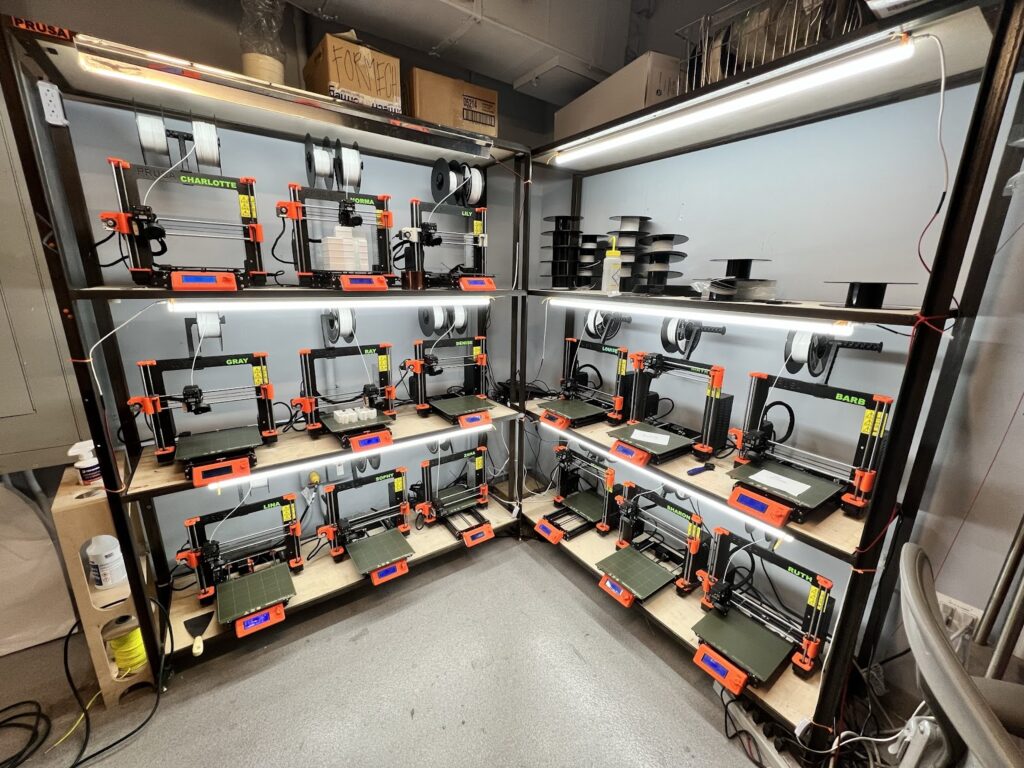
Kevin’s Quick Answer
After more than 1,000 hours of 3D printing, the biggest thing I learned is that reliability comes from a system—not one perfect slicer setting. Clean equipment, dry filament, the right orientation, sensible materials, good part design, and changing one variable at a time have saved me far more prints than constantly chasing the newest trick.
There is a funny thing that happens after you spend enough time around 3D printers.
You stop being impressed that the machine can make something.
You start caring whether it can make the same good part again tomorrow.
That shift took me a while.
Early on, I thought better printing meant finding better settings. I changed temperatures. I adjusted speeds. I experimented with infill. I watched first layers like they were a sporting event.
Some of that helped.
But after more than 1,000 hours of actual printing, troubleshooting, designing, measuring, reprinting, and occasionally wondering what in the world a machine was doing, my priorities changed.
The best lesson 1,000 hours taught me:
Good 3D printing is not about eliminating every failure. It is about understanding failures well enough that you can find the cause without starting over from scratch.
What Changed Between My First Prints and Hour 1,000?
| I Used to Think… | Now I Think… |
|---|---|
| A better printer fixes most problems. | A repeatable workflow fixes more problems. |
| More infill means a stronger part. | Geometry, walls, material, and layer orientation often matter more. |
| A failed print means I need new settings. | A failure is evidence. Find the cause before changing anything. |
| Faster is always better. | A failed fast print is still slower than a successful moderate-speed print. |
| The slicer can fix a mediocre model. | Good design eliminates problems before slicing begins. |
| I need more upgrades. | I usually need better diagnosis first. |
Lesson 1: Reliable 3D Printing Is a System, Not a Setting
This is the biggest one.
There is no magic temperature, speed, infill pattern, first-layer height, or calibration number that solves everything.
A clean printer can still fail with wet filament. Great filament can fail on a greasy build plate. A perfectly calibrated printer can make a weak bracket if the layers are aimed in the wrong direction.
And a beautiful STL can still be a terrible functional design.
Today I look at the entire chain:
- Model quality
- Part orientation
- Material condition
- Build-plate condition
- Nozzle condition
- Printer calibration
- Slicer profile
- Room and enclosure conditions
- Post-processing
- How the finished part will actually be used
That is a much more useful way to troubleshoot than staring at one slicer setting.
Lesson 2: The First Layer Is a Diagnostic Tool
I still watch first layers.
I just watch them differently now.
The first layer tells me whether the machine, build surface, Z position, filament, and extrusion are cooperating before I commit several hours of material and machine time.
If the lines are barely touching, adhesion may be weak. If they are being crushed into the plate, dimensional accuracy and elephant’s foot can become problems.
If one corner looks different from the other three, I start looking for contamination, leveling problems, plate issues, or something mechanical.
If the first layer is clearly wrong, I stop the print. I would rather lose two minutes than discover the same problem three hours later.
If you are still working through those basics, Smart 3D Printing Tips for Beginners is a good next read.
Lesson 3: Change One Thing at a Time
This might be the least exciting advice in the entire article.
It is also some of the best.
A print strings, so you lower temperature, increase retraction, change speed, increase travel speed, reduce flow, change cooling, and sacrifice a small spool of filament to the slicer gods.
Then the next print works.
Great.
Which change fixed it?
You have no idea.
Now I try to identify the most likely cause, change one meaningful variable, and run the smallest useful test I can.
Fast guessing feels productive.
Controlled testing teaches you something.
Lesson 4: Dry Filament Before You Blame the Printer
Moisture can imitate an amazing number of printer problems.
Stringing. Rough walls. Weak layer bonding. Inconsistent extrusion. Popping sounds. Ugly surfaces.
It is very easy to start tuning retraction and temperature when the real problem is sitting on the spool holder.
That is why filament condition is now part of my troubleshooting process—not an afterthought.
I also stopped assuming a newly opened spool is automatically in perfect condition. Packaging helps, but I judge filament by how it behaves.
Confirm the material profile, inspect the extrusion, and ask whether moisture could explain what you are seeing.
Lesson 5: More Infill Is Not the Same as Better Engineering
This one changed the way I print functional parts.
If a bracket is weak, the instinct is often to move the infill slider to the right.
Sometimes that helps.
But I look at other things first:
- How many walls does the part have?
- Which direction will the load travel?
- Are the layers oriented to resist that load?
- Does the model have sharp internal corners?
- Would a rib or gusset help?
- Is the material appropriate?
- Is there enough material around screw holes?
- Would a heat-set insert improve the joint?
I would rather add strength where it matters than fill the entire inside of a poor design with plastic.
The strongest-looking print is not necessarily the strongest design. Good load paths beat impressive infill percentages.
Lesson 6: Part Orientation Is Part of the Design
I used to think orientation was mostly about avoiding supports.
Now I think about it as part of the engineering.
An FDM part is built in layers, and those layers affect how the part behaves under load. A hook, tab, bracket, clip, or mount can be strong in one orientation and disappointing in another.
Before slicing a functional part, I ask:
- Where is the force going?
- Is that force trying to separate the layers?
- Which surface needs to be most accurate?
- Which surface can tolerate support marks?
- What happens around screw holes?
- Would splitting the model make the final part better?
A ten-second orientation decision can matter more than twenty minutes of slicer tweaking.
Lesson 7: Good CAD Saves More Time Than Fast Printing
This may be the biggest change in how I approach projects today.
The better I became at designing for 3D printing, the fewer problems I needed the slicer to rescue.
Simple things make an enormous difference:
- Adding a fillet instead of leaving a stress-rising sharp corner
- Building clearance into mating parts
- Chamfering a bottom edge to control elephant’s foot
- Adding ribs instead of simply adding infill
- Creating flat surfaces where the part actually needs them
- Designing screw bosses with enough surrounding material
- Making overhangs more printer-friendly
- Splitting a complicated part into easier-to-print components
The lesson is simple:
The cheapest support material is the support you never needed because the part was designed better.
This is also why I am cautious with models that merely look correct. I recently broke that down in Are AI-Generated 3D Models Really Printable? What to Check First.
Lesson 8: Supports Are a Design Tax
I use supports when the print needs them.
But I no longer accept them without asking whether the model could be improved first.
Supports cost filament. They increase print time. They can scar surfaces. They sometimes break small features during removal.
And if the support interface happens to sit on a dimensional surface, the cleanup can affect fit.
My preference is:
- Improve the geometry if practical.
- Try a better orientation.
- Split the model if that produces a better part.
- Use supports where they genuinely add value.
“Support-free” is not a religion. It is just worth considering before automatically covering half the model in scaffolding.
Lesson 9: Maintenance Is Cheaper Than Mystery Failures
Printers wear.
Nozzles wear. Belts change. Screws loosen. Build surfaces age. Fans collect dust. Filament debris ends up in places filament debris has no business being.
The problem is that mechanical wear does not always announce itself dramatically.
Sometimes it shows up as gradually worse surface quality, inconsistent layers, strange noises, dimensional drift, or prints that suddenly stop behaving like they did a month ago.
A short maintenance habit is much easier than diagnosing a machine after several variables have drifted at once.
I keep a more detailed routine in The Pro-Level 3D Printer Maintenance Checklist.
Lesson 10: Faster Printing Is Not Always Faster
Modern printers can move fast.
That does not mean every part should be printed at the maximum number you can type into the speed box.
I care more about total time to a good finished part.
| Approach | Printer Time | Real Result |
|---|---|---|
| Maximum speed | 2 hours | Fails at 90 minutes. Restart required. |
| Controlled speed | 2 hours 40 minutes | Finished part comes off the plate once. |
The slower setting won.
Of course I still like faster machines and efficient profiles. But speed only counts when quality remains acceptable and the part finishes.
The Tools I Use More Than Fancy Upgrades
A thousand hours also taught me that a few ordinary tools earn their space next to the printer over and over again.
For dimensions, holes, fits, replacement parts, inserts, and checking whether the finished print matches the design.
For clean filament cuts and small support cleanup.
One of the quickest ways to clean brims, holes, and sharp printed edges.
Because moisture problems are much easier to prevent than tune around.
A partially clogged or worn nozzle can waste far more time than replacing it.
The most underrated tool here. Write down what worked before you forget it.
The Troubleshooting Order I Use Now
When something suddenly starts printing badly, I try not to attack the slicer first.
I work through the obvious possibilities in an order that keeps me from making the problem more complicated.
Kevin’s 10-Minute Print Rescue
- Look closely at the failed part.
- Check the first layer and build plate.
- Confirm the correct filament profile.
- Consider whether the filament is wet.
- Inspect the nozzle and filament path.
- Look for mechanical looseness or unexpected movement.
- Review orientation and support contact.
- Check the sliced preview.
- Change one likely cause.
- Run the smallest useful test print.
That approach is not flashy.
It is effective because each test gives me information.
A Print Log Is More Useful Than I Expected
I wish I had documented more of my early successful prints.
When a job works particularly well, record enough information to reproduce it:
- Printer
- Filament and brand
- Nozzle size
- Layer height
- Wall count
- Temperatures
- Part orientation
- Support strategy
- Important speed changes
- Anything unusual about the model
- What you would change next time
This becomes especially valuable when a client or personal project needs another copy months later.
The P.R.I.N.T. Method™ Is How I Think About Projects Now
Eventually I realized I needed a repeatable way to think about the job before worrying about printer settings.
That became my P.R.I.N.T. Method™:
What problem does this part actually need to solve?
What dimensions, loads, temperatures, appearance, and environmental conditions matter?
Where does it touch, fit, screw into, slide against, or connect to something else?
Which material, printer, orientation, hardware, and manufacturing approach make sense?
Test the risky areas, measure the result, and improve the design before committing to the final part.
This keeps me from treating every project as “download file, choose filament, press Print.”
The printer comes later in the decision process than most beginners expect.
My 5-Minute Planner Before a Long Print
Before I commit a large amount of filament or machine time, I run through this quick plan.
| Question | What I Decide |
|---|---|
| What can ruin this print? | Warping, support failure, wet filament, tiny contact area, weak orientation, or another obvious risk. |
| Can I test the risky feature first? | Print a tolerance coupon, corner, joint, thread, snap, or small section when practical. |
| Is the orientation helping me? | Check load direction, supports, surface quality, and bed contact. |
| Is the filament ready? | Confirm type, condition, quantity, and profile. |
| What will I inspect afterward? | Fit, dimensions, layer bonding, screw engagement, surface quality, or the actual functional test. |
Safety Became Part of the Workflow Too
The longer I work around printers, the less I separate safety from good shop practice.
Hot components, moving equipment, electrical systems, filament emissions, cutting tools, post-processing, and maintenance all deserve the same attention as print quality.
For a deeper look at workspace controls and safer printing practices, the CDC/NIOSH guide Approaches to Safe 3D Printing is a useful resource for makerspaces, schools, libraries, small businesses, and home-workshop users.
The lesson for me is straightforward: a successful print is not successful if the workflow around it is careless.
What I Would Spend Money on Differently Today
After enough time with printers, specifications become less hypnotic.
I care more about whether a purchase removes a recurring problem.
| Purchase | Worth It When… | Probably Skip It When… |
|---|---|---|
| New printer | You need capability, capacity, reliability, materials, or size your current machine cannot provide. | You are hoping new hardware will fix an unidentified process problem. |
| Filament dryer/storage | Moisture repeatedly affects your materials. | You rarely print and only keep one dry spool open at a time. |
| 3D scanner | You regularly work from physical objects, curved surfaces, or reference geometry. | You expect scanning to eliminate CAD and measurement work. |
| Printer upgrades | The upgrade solves a clearly identified limitation. | You are upgrading because someone online said every printer needs it. |
A Few Tools and Partners I Use in Practical 3D Printing
Affiliate disclosure: Some links below are affiliate or partner links. If you purchase through them, I may earn a commission at no additional cost to you. I include them where they fit the actual workflow being discussed.
COEX 3D Filament
Consistent material makes troubleshooting easier because it removes one more unknown from the process.
Use code 3DPRINTINGBYKEVIN for 15% off.
Visit COEX 3D →Creality
If you are comparing machines or scanner hardware, start with the capability you actually need rather than buying from a specification sheet alone.
Explore Creality →3DMakerpro
Scanning becomes useful when real-world shapes and reference geometry are a regular part of your design process.
Explore 3DMakerpro →The Difference Between Owning a Printer and Knowing Your Printer
You can learn the basic controls of a modern printer surprisingly quickly.
Knowing the machine takes longer.
You learn the sound it makes when something is slightly wrong. You notice when extrusion does not look normal. You start recognizing a warped corner before it turns into a ruined part.
You also become much less afraid of failures.
A failure stops being:
“My printer is broken.”
And becomes:
“Something changed. Now let’s figure out what.”
That mindset may be the most valuable thing those 1,000 hours gave me.
Quick Knowledge Check
1. What matters more than finding one perfect slicer setting?
Building a repeatable system that includes model quality, calibration, filament condition, build-plate preparation, orientation, material choice, maintenance, and testing.
2. Why should you avoid changing several settings at once?
Because even if the next print works, you may not know which change solved the problem. Changing one likely variable at a time makes troubleshooting useful.
3. Is increasing infill always the best way to strengthen a print?
No. Wall count, material, layer orientation, ribs, fillets, hardware, and better geometry may improve functional strength more effectively.
4. What should you do before starting a long print?
Identify the biggest failure risks, confirm filament and build-plate condition, inspect orientation and slicing, and test critical dimensions or features first when practical.
Frequently Asked Questions
What is the most important 3D printing skill for beginners?
Learn how to diagnose a print instead of randomly changing settings. First-layer quality, filament condition, temperature, orientation, and model geometry are good places to start.
Does a more expensive 3D printer mean fewer failed prints?
Better hardware and automation can improve consistency, but they do not eliminate poor material handling, bad geometry, wrong orientation, worn components, or inappropriate settings. Workflow still matters.
How do you make functional 3D prints stronger?
Start with the load direction and geometry. Then evaluate wall count, layer orientation, material, fillets, ribs, fasteners, inserts, print temperature, and infill as part of the complete design.
What is the most common troubleshooting mistake?
Changing too many things at once. It can accidentally produce a good print without teaching you what caused the failure.
Is fast 3D printing worth it?
Yes when the printer, material, geometry, and quality requirements support it. But the meaningful measurement is time to a successful finished part—not the highest advertised speed.
Final Thoughts: The Printer Was Never the Whole Story
If I could go back to my first few weeks of 3D printing, I would probably spend less time searching for perfect settings.
I would spend more time learning why the plastic behaved the way it did.
I would measure more.
I would document successful jobs.
I would change one thing at a time.
I would think about layer direction before infill percentage.
And I would learn CAD with functional printing in mind much earlier.
1,000 hours did not teach me how to avoid every failure.
It taught me how to make failures useful.
That is when 3D printing becomes much more enjoyable.
The machine stops feeling unpredictable.
It becomes a tool.
Have a Part You Need Printed or Designed?
If you have a broken plastic part, custom bracket, prototype, discontinued component, rough sketch, or small-batch project, send me the details.
I can help determine whether the smartest next step is repairing a file, redesigning the part, making a prototype, or moving directly into printing.
Your turn: What lesson took you the longest to learn in 3D printing? Was it first-layer adhesion, wet filament, supports, calibration, CAD, or something completely different? Share it in the comments—someone else is probably fighting that exact problem right now.
