
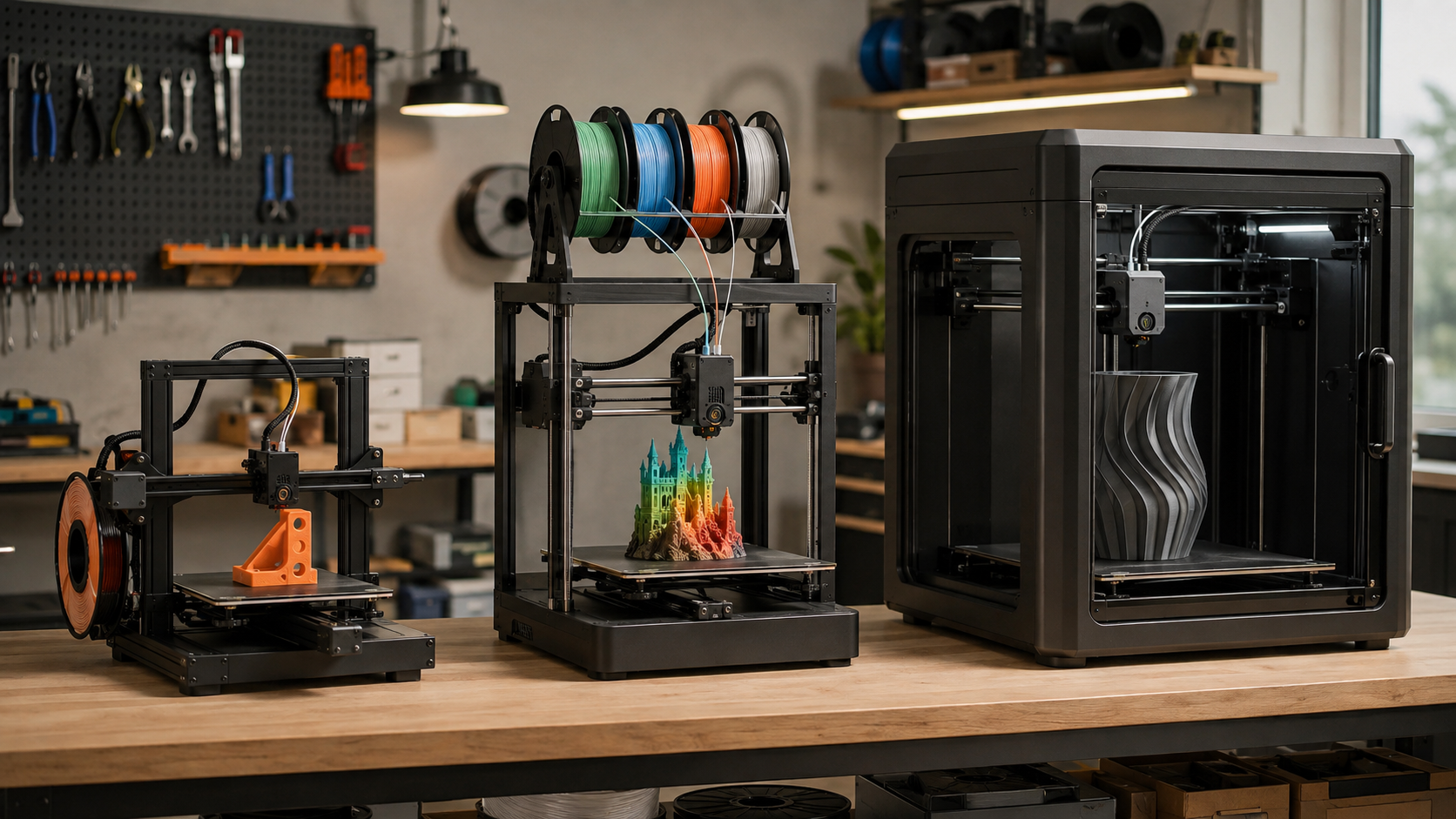
The best 3D printer is not automatically the newest, fastest, or most expensive machine. It is the one that fits your largest routine part, the materials you actually plan to use, your tolerance for maintenance, and the amount of space you can give the entire workflow.
For most first-time buyers, the Bambu Lab A1 mini remains the easiest compact starting point. The ELEGOO Centauri Carbon 2 Combo offers unusually strong enclosed, four-color value, while the Creality K2 Pro Combo is the more balanced step toward serious prototyping or small-business use. Large-format buyers should look at the Creality K2 Plus Combo, and buyers who prioritize repairability and offline control should consider the Prusa CORE One+ (Gen 2).
Quick Answer: Which 3D Printer Should You Buy?
- Total beginner with small projects: Bambu Lab A1 mini.
- Affordable multicolor with more build height: Creality Hi Combo.
- Best enclosed value for four-color printing: ELEGOO Centauri Carbon 2 Combo.
- Best balanced machine for a side hustle or small shop: Creality K2 Pro Combo.
- Best for repairability, offline use, and long ownership: Prusa CORE One+ (Gen 2).
- Best for helmets, large prototypes, and batch capacity: Creality K2 Plus Combo.
My practical rule: Buy the smallest reliable printer that can handle the largest part you expect to print regularly. Occasional oversized models can be split and assembled; paying for unused build volume affects your desk space, heat-up time, and accessory costs every day.
Disclosure and methodology: This comparison combines eight years of hands-on 3D-printing and modeling experience with manufacturer specifications checked on August 28, 2026. I have not personally tested every printer listed. Creality shopping links are affiliate links, which may earn me a commission at no additional cost to you. I am not affiliated with Bambu Lab, ELEGOO, or Prusa. Prices, bundles, firmware, and availability can change.
Best 3D Printers of 2026 at a Glance
The prices below are shopping reference points observed in late August 2026, not promises. A temporary sale should never outweigh build size, enclosure, material capability, software, replacement parts, and support.
| Printer | Best for | Build volume | Enclosure | Multicolor | 2026 shopping tier |
|---|---|---|---|---|---|
| Bambu Lab A1 mini | First printer, compact projects | 180 × 180 × 180 mm | No | Optional AMS lite | Entry budget |
| Creality Hi Combo | Affordable larger multicolor | 260 × 260 × 300 mm | No | 4 colors included; up to 16 with more CFS units | About $400–$600 when available |
| ELEGOO Centauri Carbon 2 Combo | Enclosed four-color value | 256 × 256 × 256 mm | Yes | 4-color CANVAS | About $399–$550 by bundle |
| Creality K2 Pro Combo | Small business, engineering materials | 300 × 300 × 300 mm | Heated | 4 colors included; expandable | About $799 on sale |
| Prusa CORE One+ (Gen 2) | Repairability, offline control | 250 × 220 × 270 mm | Temperature controlled | Optional MMU3 | From $1,299 assembled |
| Creality K2 Plus Combo | Large parts and batch capacity | 350 × 350 × 350 mm | Heated | 4 colors included; up to 16 with four CFS units | About $1,199 on sale |
About speed claims: Published maximum speeds are useful for comparing motion systems, but they are not guarantees for every model, material, or quality target. Acceleration, volumetric flow, cooling, layer height, and part geometry often determine the real print time.
2026 Budget-to-Workflow Map
Start Small
Choose: A1 mini
Best when you want easy PLA/PETG printing and most parts fit inside a 180 mm cube.
Add Capability
Choose: Hi Combo, Centauri Carbon 2 Combo, or K2 Pro Combo
Move up for multicolor, an enclosure, larger parts, or stronger materials—not simply because the headline speed is higher.
Buy for the Long Run
Choose: CORE One+ or K2 Plus Combo
Pay more only when repairability, controlled materials, large build volume, or production capacity has measurable value.
Best Compact 3D Printer for Beginners: Bambu Lab A1 mini
The Bambu Lab A1 mini is the strongest first choice for buyers who value a short path from unboxing to a successful print. It arrives preassembled and uses automatic calibration to reduce the setup friction that discouraged many beginners on older machines.
Its 180 × 180 × 180 mm build volume is enough for desk organizers, brackets, toys, small replacement parts, and many household projects. The optional AMS lite adds four-color printing, although the filament system requires additional desk space.
- Why it wins: simple setup, polished profiles, automatic calibration, and a manageable footprint.
- Main compromise: the compact build area limits helmets, long fixtures, and larger one-piece models.
- Material reality: the open-frame design is best suited to PLA, PETG, and similarly approachable materials.
- Skip it if: you already know you need a 250 mm-plus build plate, an enclosure, or routine ABS/ASA production.
Important correction: The A1 mini is a compact Cartesian bed-slinger, not a CoreXY printer. That does not make it a poor choice; it simply means shoppers should judge it by ease of use and output, not by the wrong motion-system label.
New to slicing, supports, and first-layer basics? Start with my plain-English 3D printing guide for absolute beginners.
Best Affordable Multicolor 3D Printer: Creality Hi Combo
The Creality Hi Combo gives budget-conscious buyers a larger 260 × 260 × 300 mm work area and a four-spool CFS in the standard Combo. Up to four CFS units can be connected for as many as 16 colors, although every added spool system increases cost, space, filament changes, and purge waste.
This is the practical step up when the A1 mini is too small and you want multicolor models, taller parts, or automatic filament backup without moving immediately into a large enclosed machine.
- Why it wins: a generous build height and four-color capability at a relatively accessible price.
- Main compromise: it is an open-frame printer, so the room environment has more influence on temperature-sensitive materials.
- Workflow warning: multicolor printing can add time and purge material; use it when color creates real value.
- Skip it if: you need a heated enclosure for dependable ABS, ASA, nylon, or fiber-filled production.
See my detailed Creality Hi Combo vs. Bambu Lab A1 comparison if these are your final two choices.
Best Enclosed Value: ELEGOO Centauri Carbon 2 Combo
The ELEGOO Centauri Carbon 2 Combo is the price-to-capability standout in this group. Its enclosed CoreXY platform combines a 256 × 256 × 256 mm build volume, full automatic calibration, four-color CANVAS system, and a 350°C hardened-steel nozzle.
That specification mix makes it attractive to an ambitious beginner who wants room to grow, a hobbyist moving beyond PLA, or a family that wants multicolor capability without placing exposed motion hardware at the center of the workspace.
- Why it wins: enclosure, CoreXY motion, four-color printing, and high-temperature nozzle at a value-focused price.
- Main compromise: a newer platform has less long-term field history than mature product families.
- Material advantage: the enclosure and hardened nozzle make advanced-material experiments more realistic.
- Skip it if: you need more than four colors, a 300 mm build cube, or years of established repair documentation.
For a large-format comparison, read Creality K2 Plus vs. ELEGOO Centauri Carbon. The right choice depends less on brand and more on whether you truly need the K2 Plus’s extra 94 mm in each build direction.
Best Small-Business Balance: Creality K2 Pro Combo
The Creality K2 Pro Combo occupies the useful middle ground between affordable hobby machines and oversized flagship systems. Its 300 × 300 × 300 mm build volume can handle substantial prototypes, jigs, fixtures, and small production batches without demanding the full footprint of the K2 Plus.
A heated chamber up to 60°C, a maximum 600 mm/s published speed, and the included CFS make it a more convincing all-around shop tool for buyers who expect to use ABS, ASA, composites, or multicolor workflows. Actual production speed still depends on the material, flow rate, cooling, and quality standard.
- Why it wins: 300 mm cube, heated enclosure, multicolor capability, and a more manageable footprint than the Plus.
- Main compromise: it costs more and brings a more complex material system than a simple single-spool workhorse.
- Business fit: useful when uptime, batch size, and material flexibility can repay the upgrade.
- Skip it if: nearly all of your work fits a smaller PLA/PETG printer or you need the largest possible build volume.
Kevin’s Business-Buyer Check
Do not justify a business printer with speed alone. Estimate the cost of one failed 20-hour job, operator cleanup, machine downtime, replacement nozzles, dry filament storage, and the jobs you may have to decline while the printer is occupied. Capacity and failure recovery matter as much as the best-case print time.
Best for Repairability and Offline Control: Prusa CORE One+ (Gen 2)
The Prusa CORE One+ (Gen 2) is not the lowest-cost way to buy a 250 × 220 × 270 mm enclosed CoreXY printer. Its value case is different: open documentation, published files, established support, repairability, offline printing, and a mature slicer ecosystem.
The chamber can maintain a controlled environment up to 55°C, and Prusa says the Gen 2 revision improves print starts, surface quality, and maintenance access. USB and local-network workflows are available without requiring the printer to connect to the internet.
- Why it wins: long-term ownership, serviceability, offline options, open-source resources, and established software.
- Main compromise: the assembled price is high relative to its build volume.
- Multicolor reality: MMU3 is an additional purchase; do not compare the base printer directly with a Combo price.
- Skip it if: maximum build volume or included multicolor hardware matters more than ownership philosophy and support.
Compare its ownership advantages with Creality’s larger platform in my Prusa CORE One vs. Creality K2 Plus Combo guide.
Best Large-Format Multicolor Printer: Creality K2 Plus Combo
The Creality K2 Plus Combo earns its place when 350 × 350 × 350 mm capacity is a genuine requirement. It can print larger helmets, housings, fixtures, prototypes, or fuller build plates with fewer seams and fewer separate runs.
Creality lists a 350°C nozzle, bed temperatures up to 120°C, a chamber up to 60°C, and a maximum motion speed of 600 mm/s. The included CFS handles four colors, and four connected units can expand the system to as many as 16.
- Why it wins: the largest build cube here, heated enclosure, advanced-material capability, and expandable multicolor.
- Main compromise: it is a physically large, heavy, power-hungry system with a higher purchase and failure cost.
- Space warning: the printer is roughly 495 × 515 × 640 mm before the CFS is placed above it; the Combo arrangement can reach about 916 mm high.
- Skip it if: your routine parts fit a 256 or 300 mm platform. Empty build volume does not improve a small print.
FDM or Resin: Make This Decision First
This buyer’s comparison focuses on FDM printers because they are the more practical first choice for brackets, organizers, fixtures, prototypes, toys, cosplay, and larger functional parts. I do not print resin, so I am not presenting a resin ranking as hands-on advice.
| Choose FDM when… | Consider resin when… |
|---|---|
| You want functional parts, larger models, lower-mess material handling, and easier everyday operation. | Your priority is extremely fine miniature, jewelry, dental, or display-model detail. |
| You have room for filament storage and routine nozzle/bed maintenance. | You can provide a controlled workspace, ventilation, gloves, washing, curing, and responsible chemical-waste handling. |
Whichever process you choose, do not treat a home office, bedroom, or classroom as automatically safe because the printer is enclosed. NIOSH recommends proper ventilation and other engineering controls to reduce potential exposure to 3D-printing emissions.
Use the P.R.I.N.T. Method™ Before You Spend
A sale price can create urgency, but a printer is a workflow purchase. Use my P.R.I.N.T. Method™ to turn a product page into a practical decision.
- P — Problem: Write down the first three useful things you plan to print. Avoid vague goals such as “make anything.”
- R — Requirements: Measure each part’s bounding box, choose likely materials, and note strength, heat, finish, and color needs.
- I — Interfaces: Decide how the printer must fit your room, network, slicer, spool storage, power, noise limits, and post-processing area.
- N — Next-Best Materials & Methods: Ask whether PLA/PETG on an open printer is enough or whether an enclosure, hardened nozzle, heated chamber, multicolor system, or even outsourcing is the better method.
- T — Test & Tune: Budget for calibration prints, spare nozzles, one known-good filament, and the learning time required to make repeatable parts.
Your Real First-Year Budget
Printer + tax/shipping + filament + dry storage + build plates/nozzles + ventilation or enclosure needs + failed-print allowance = realistic cost.
For a simple PLA printer, leaving an extra $100–$200 for materials and basic spares is more useful than spending every dollar on the machine. Multicolor and engineering-material workflows may need considerably more for extra filament, drying, hardened wear parts, purge waste, and ventilation.
The 60-Second 3D Printer Buying Planner
- Every regular part fits inside 180 mm: start with the A1 mini.
- You want affordable multicolor and taller open-frame capacity: shortlist the Hi Combo.
- You want an enclosure and four colors near the value end: shortlist the Centauri Carbon 2 Combo.
- You need a heated chamber and 300 mm business capacity: shortlist the K2 Pro Combo.
- You prioritize repairability, documentation, and offline control: shortlist the CORE One+.
- You routinely need more than 300 mm in one direction: measure your room, then shortlist the K2 Plus Combo.
If none of those statements describes a current project, wait. A printer bought for an imagined future often becomes a more expensive learning platform than you need.
Schools and libraries should also work through these seven questions before buying a classroom 3D printer, including supervision, placement, ventilation, and who will own maintenance.
Common Buying Mistakes That Cost More Later
- Buying maximum speed instead of repeatable quality: a fast failed print is still a failed print.
- Ignoring the full footprint: allow room for the moving bed, doors, spool systems, cable bends, ventilation, and maintenance access.
- Assuming an enclosure solves air quality: containment and effective source control are not the same thing.
- Paying for multicolor without a use case: color swaps can increase print time and material waste.
- Choosing build volume from one dream project: split an occasional large model instead of oversizing every daily print.
- Forgetting dry filament storage: material condition can undermine even an excellent printer.
- Comparing a base printer with a Combo: verify exactly which spool system, camera, plate, accessories, and warranty are included.
Knowledge Check: Can You Match the Printer to the Job?
Choose your answer, then open the answer panel. The answers stay hidden until you select them.
1. Which printer is the strongest fit for a total beginner whose parts fit inside 180 mm?
Answer: Bambu Lab A1 mini. Its compact size, automatic calibration, and polished starter workflow reduce setup friction.
2. Which feature matters most for routine ABS or ASA printing?
Answer: A controlled enclosure or heated chamber. Temperature stability matters more than a printer’s headline maximum speed.
3. Which model is the best fit when a 320 mm helmet must print in one piece?
Answer: Creality K2 Plus Combo. Its 350 mm cube is the only build volume in this comparison that clearly covers that requirement.
4. When should you skip a multicolor Combo?
Answer: When color does not add value to your projects. A simpler single-spool workflow can cost less, occupy less space, and produce less purge waste.
Frequently Asked Questions
What is the best 3D printer for a complete beginner in 2026?
The Bambu Lab A1 mini is the best compact starting point for most complete beginners because it arrives largely assembled, automates calibration, and has strong ready-to-use profiles. Choose a larger printer now only if your planned parts will not fit its 180 mm build volume.
How much should I spend on my first 3D printer?
Spend enough to get automatic calibration, dependable profiles, available replacement parts, and the build volume your first projects require. Keep money in reserve for filament, dry storage, spare nozzles, a second build plate, and workspace safety instead of spending the entire budget on the printer.
Is an enclosed 3D printer safer?
An enclosure can reduce access to hot and moving components and help contain heat and some emissions, but it is not automatically a complete air-quality control. Consider material choice, placement, ventilation, filtration, and how air leaves the enclosure.
Do beginners need multicolor 3D printing?
No. Multicolor is useful for signs, educational models, toys, display pieces, and labeled parts, but it adds hardware, filament changes, purge waste, and print time. A single-color printer can make the same functional geometry.
Is a larger build volume always better?
No. Larger printers require more room and can raise purchase, heating, and failure costs. Buy large format when routine parts or batch layouts need it; split occasional oversized models when practical.
Which 3D printer is best for a small business?
The Creality K2 Pro Combo is the most balanced small-business choice in this guide because its 300 mm cube, heated enclosure, and material flexibility cover many prototypes and production aids without the K2 Plus footprint. A business that prioritizes serviceability and offline control may prefer the Prusa CORE One+.
Final Verdict
For the least intimidating start, buy the Bambu Lab A1 mini. For low-cost multicolor with more height, choose the Creality Hi Combo. For the strongest enclosed value, the ELEGOO Centauri Carbon 2 Combo is the standout. The Creality K2 Pro Combo is the best all-around step into small-business work, while the Prusa CORE One+ (Gen 2) makes sense when repairability and control justify the premium. Choose the Creality K2 Plus Combo only when its 350 mm cube solves a real, recurring need.
What are the first three projects you want to print, and what is your maximum all-in budget? Leave both in the comments. Those two details are far more useful than asking for the “best printer” without a job in mind.
