
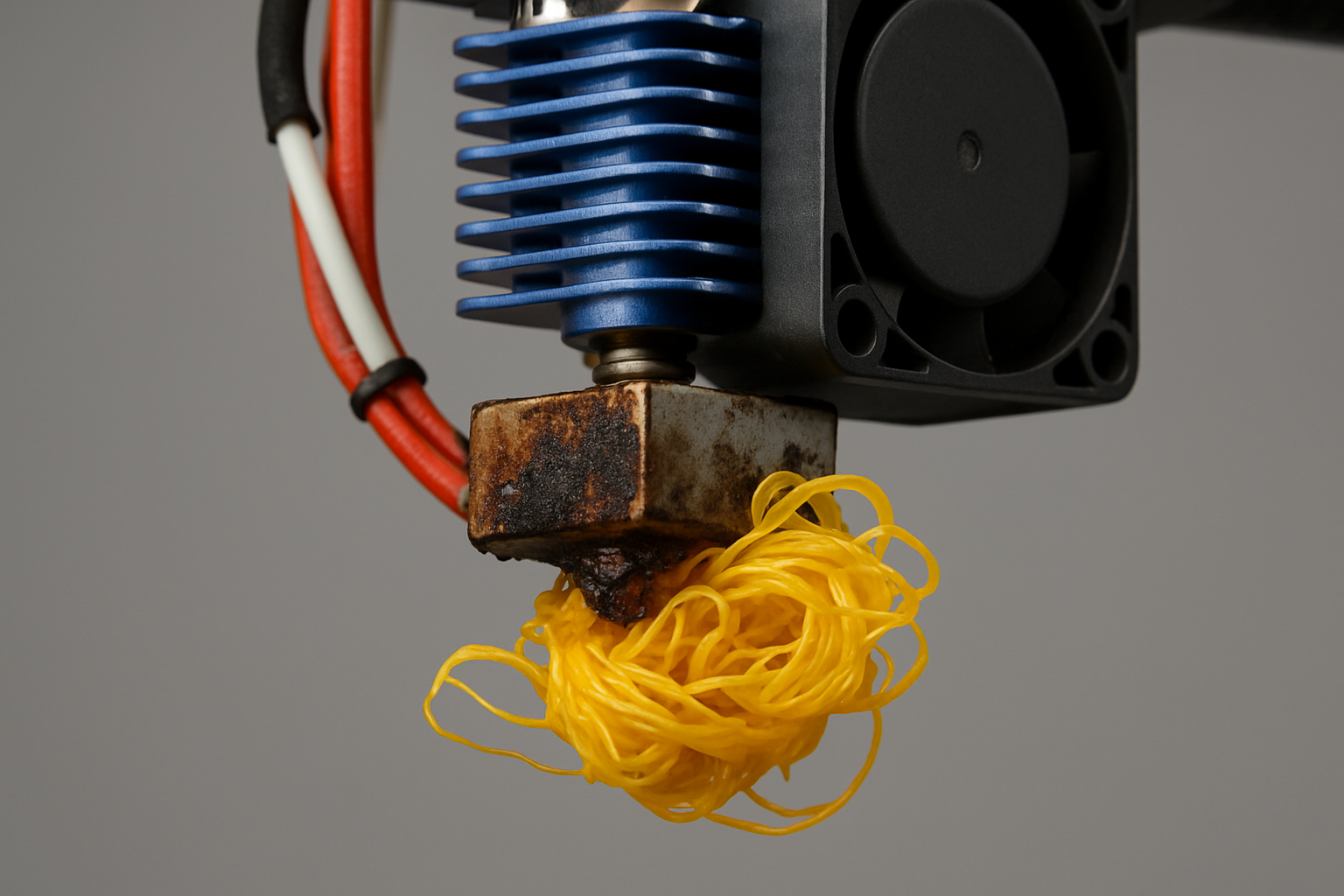
PLA feels like the friendly neighborhood filament… until it starts acting weird.
You load a spool that “worked fine last month,” hit print, and suddenly you’re chasing stringing, rough top layers, weak parts, and that infamous snap-crackle-pop sound at the nozzle. Most people blame slicer settings. Sometimes it’s not your settings at all.
It’s moisture. PLA is hygroscopic, which is a fancy way of saying it drinks humidity out of the air. And once it does, you can waste a shocking amount of filament trying to “tune” problems that are really just wet plastic.
In this guide, I’ll show you a practical storage system that works whether you have one spool or a growing filament library. We’ll keep it simple, fact-safe, and focused on what reduces waste the fastest.
Why PLA Storage Matters (Even If You “Only Print PLA”)
Moisture in PLA doesn’t just cause cosmetic issues. It can create a whole chain reaction that ends in failed prints and wasted time:
Common signs your PLA has absorbed moisture: stringing that won’t go away, fuzzy surfaces, rough or pitted top layers, inconsistent extrusion, brittle filament that snaps easily, and popping/hissing at the nozzle as water flashes into steam.
That last one is the giveaway. If your printer sounds like it’s cooking breakfast, your filament is likely wet.
If you’re newer to printing and want the bigger picture of why materials behave the way they do, start here: 3D Printing for Absolute Beginners.
The Real Enemy: Humidity Swings (Not “Bad Filament”)
Many spools aren’t “bad.” They’re just exposed.
Humidity swings hit hardest when filament lives in open air: on a printer-mounted spool holder, on a shelf near a window, or in a garage/basement that changes temperature overnight. Even in a normal home, seasonal humidity shifts can quietly degrade PLA over weeks.
And if you’re calibrating your printer while your filament is absorbing moisture, you’re basically trying to hit a moving target. For a quick calibration approach that makes your printer behave more consistently, this is worth keeping bookmarked: The Calibration Trick That Makes Any 3D Printer Perform Better.
The 3 Storage Levels That Actually Work
Here’s the simplest way to think about PLA storage: you don’t need “the perfect setup.” You need a setup that matches how often you print and how humid your space is.
Level 1: The Budget “Dry Bin” (Best ROI for Most People)
If you want the best cost-to-results ratio, start with an airtight plastic tote or gasketed food container big enough for a few spools.
Add desiccant (silica gel is the common choice) and a small hygrometer so you can see what’s happening inside the bin. The hygrometer is what turns this from guesswork into a system.
Target: keep the bin consistently low-humidity. You don’t need a magical number tattooed on your arm—just keep it stable and dry compared to your room air.
Level 2: A “Print-From” Dry Box (When You Print Often)
If you print regularly, a print-from dry box is the next step up. You store the spool and feed filament directly to the printer without exposing it every day.
This helps because the daily routine—loading, unloading, leaving filament out overnight—often causes more moisture problems than the “big storage” itself.
Bonus: a print-from setup also makes troubleshooting easier because you remove a major variable (filament condition) from the equation.
Level 3: A Filament Dryer (For Recovery + High-Humidity Homes)
A dryer is most valuable when you’re trying to rescue a spool that’s already absorbed moisture or you live in a consistently humid environment.
Think of it like this: storage prevents moisture, drying removes moisture. They solve different problems. The best workflow is usually dry to recover, then store to maintain.
If you’re dealing with other print artifacts at the same time, use this as your quick diagnostic hub: How to Fix Common 3D Printing Problems Quickly.
PLA Storage Options Compared (Quick Decision Table)
| Storage Method | Best For | Pros | Watch-Out |
|---|---|---|---|
| Airtight bin + desiccant + hygrometer | Most PLA users | Cheap, scalable, low effort | Needs occasional desiccant recharge |
| Print-from dry box | Frequent printing | Stops daily re-wetting, consistent results | Still needs dry storage for other spools |
| Filament dryer | Recovering wet spools | Can restore print quality fast | Not a substitute for good storage |
The “No-Waste” Routine (What to Do Every Time You Finish a Print)
This is the habit that saves the most filament:
1) Bag it or bin it immediately. Don’t leave PLA on the printer “until tomorrow.” Tomorrow turns into a week with alarming speed.
2) Track humidity in storage. A hygrometer inside the bin keeps you honest. If humidity climbs, your desiccant is saturated or your container isn’t sealing.
3) Don’t chase settings while filament is questionable. If your prints suddenly degrade, check filament condition before you touch retraction, temperature, or flow.
If you want a surprisingly effective strategy for stabilizing print quality (especially when you’re diagnosing artifacts), this is a strong companion read: What Happens When You Slow Your Printer Down? The Results Surprise Most Makers.
How to Tell If PLA Needs Drying (Before You Waste Half a Spool)
Run this quick checklist before you burn time on test towers:
• It pops or hisses at the nozzle. Moisture is flashing into steam.
• Surface looks rough or “foamy.” Steam can create tiny voids and texture.
• Stringing appears out of nowhere. Wet filament can behave unpredictably, especially on travel moves.
• Filament snaps easily. Moisture plus time can make PLA more brittle.
Drying can help recover a spool, but prevention is cheaper than rescue.
The Often-Ignored Piece: What You Store PLA With
Here’s a small but real detail: PLA storage is more consistent when the spools are clean and your tools don’t introduce chaos.
A simple pair of calipers and a basic hygrometer can prevent “mystery problems” before they become long troubleshooting sessions. If you want one inexpensive tool that pulls its weight across calibration, storage, and print quality, this is a good place to start: The $15 Tool Every 3D Printer Owner Should Have.
Does PLA Storage Help With Warping?
Warping is usually more about bed adhesion, temperature gradients, drafts, and first-layer setup than moisture alone. But moisture can still make extrusion inconsistent, which can weaken the first layer and make warping more likely.
For a dedicated, practical approach to warping (PLA, PETG, ABS), use this guide: The Easiest Way to Stop 3D Print Warping (PLA, PETG, ABS).
Want more consistent PLA? Start with better filament.
Storage solves moisture, but quality filament reduces headaches across the board—cleaner extrusion, fewer random flaws, and more predictable tuning.
COEX Filament: Use coupon code 3DPRINTINGBYKEVIN for 15% off.
Upgrading your setup?
If you’re ready to level up reliability (and reduce failed prints), a more consistent printer platform can make storage + tuning feel dramatically easier.
Scanning parts for better fits (and fewer reprints)
One underrated way to reduce waste is getting the model right the first time. Scanning can help when you’re matching real-world objects, replacement parts, or enclosures.
A Quick Note for Designers: Storage Prevents “False Feedback”
If you design your own models, wet filament can trick you into thinking your tolerances are wrong, your walls are too thin, or your supports are failing because of geometry.
Keeping filament dry gives you cleaner feedback during prototyping, which means fewer redesign loops and fewer tossed prints. If you’re building your modeling skills, this fits perfectly with the workflow: Acquiring the Skills to Design 3D Objects Using Software.
Final Take: The Best PLA Storage Is the One You’ll Actually Use
PLA storage doesn’t need to be fancy. It needs to be consistent.
If you do one thing today, do this: put your PLA in an airtight bin with desiccant and a hygrometer, and stop leaving spools out overnight. That single habit prevents a ridiculous amount of waste.
And when print quality gets weird, remember the prime directive of sane 3D printing:
Blame the filament last… but check it first.
FAQ: Storing PLA Filament Correctly
How long can PLA filament sit out before it absorbs moisture?
It depends on your environment. In higher humidity, PLA can begin absorbing moisture quickly and show print-quality changes over time. If you want consistent results, store it sealed when not in use rather than relying on a “safe number of days.”
Do I need a filament dryer for PLA?
Not always. A sealed container with desiccant prevents most problems. A dryer is most helpful for recovering spools that are already moisture-affected or for consistently humid spaces.
Is silica gel enough to keep PLA dry?
Silica gel can work very well when paired with an airtight container. The key is container seal quality and periodically recharging or replacing desiccant when it becomes saturated.
What’s the easiest beginner setup for PLA storage?
An airtight plastic bin (or gasketed container), a reusable desiccant pack, and a small hygrometer inside the container. It’s cheap, scalable, and easy to maintain.
Can wet PLA cause stringing and rough surfaces?
Yes. Moisture can create inconsistent extrusion and surface texture issues, and you may hear popping/hissing at the nozzle as moisture turns to steam.

