
Updated August 28, 2026: This guide replaces four aging recommendations with current machines and corrects outdated material claims. Prices and stock change quickly, so treat every price below as a snapshot and verify the final package before ordering.
Disclosure: This article contains a Creality affiliate link. If you make a qualifying purchase through that link, I may earn a commission at no added cost to you. I do not receive a commission for the Bambu Lab, Elegoo, or Prusa recommendations.
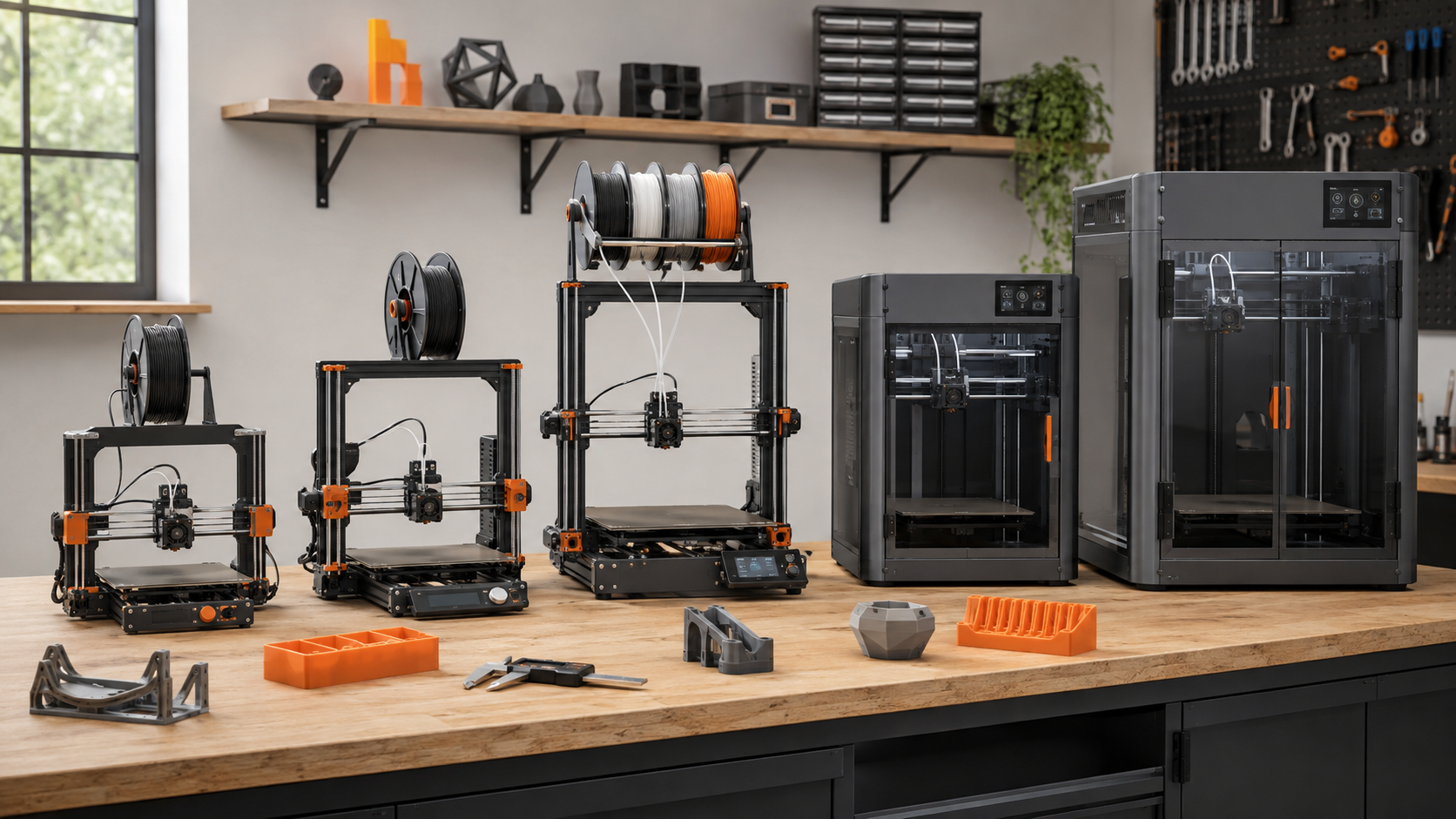
Quick Answer: Which 3D Printer Should You Buy?
For most first-time buyers, the Bambu Lab A1 mini is the easiest low-risk starting point. Choose the Creality Hi Combo if affordable multicolor and a taller build area matter more than an enclosure. Step up to the Elegoo Centauri Carbon 2 Combo when you want four-color printing, an enclosed CoreXY platform, and broader material capability at a value-focused price.
For professional use, choose the Prusa CORE One+ (Gen 2) for long-term repairability, documentation, and a controlled chamber. Choose the Creality K2 Plus Combo when 350 mm-cube capacity, multicolor capability, and engineering-material support justify its larger footprint and price.
- Best compact beginner printer: Bambu Lab A1 mini
- Best affordable multicolor starter: Creality Hi Combo
- Best enclosed value: Elegoo Centauri Carbon 2 Combo
- Best long-term professional platform: Prusa CORE One+ (Gen 2)
- Best large-format professional option: Creality K2 Plus Combo
Why This List Changed for 2026
The original list included the Ender-3 V3 SE, Anycubic Kobra 2 Neo, Prusa MK4, and Raise3D Pro3. Those machines did not suddenly become useless, but a current buying guide should account for what newer printers now offer: fuller calibration, better monitoring, enclosed CoreXY choices at lower prices, and more practical multicolor systems.
I have spent eight years working with FDM printers and 3D modeling, including real production decisions where failed prints cost time and material. I have not personally run every machine in this roundup. The recommendations combine that hands-on workflow perspective with current manufacturer specifications, documented limitations, pricing, support, repairability, and the job each printer is realistically suited to do.
If you are still deciding what category of printer fits your work, start with my beginner-to-pro 3D printer buying guide.
Top 5 3D Printers for Beginners and Pros Compared
| Printer | Best fit | Build volume | Enclosure | Multicolor | Price snapshot* |
|---|---|---|---|---|---|
| Bambu Lab A1 mini | First printer, small projects | 180 × 180 × 180 mm | No | Up to 4 with AMS lite | About $249 printer-only |
| Creality Hi Combo | Affordable, taller multicolor prints | 260 × 260 × 300 mm | No | 4 included; up to 16 with 4 CFS units | About $399; stock varies |
| Elegoo Centauri Carbon 2 Combo | Enclosed value, color, broader materials | 256 × 256 × 256 mm | Yes | 4 with CANVAS | About $399 |
| Prusa CORE One+ (Gen 2) | Repairable professional workflow | 250 × 220 × 270 mm | Yes; chamber to 55°C | Optional upgrades | About $925 kit / $1,299 assembled |
| Creality K2 Plus Combo | Large parts and advanced materials | 350 × 350 × 350 mm | Yes; chamber to 60°C | 4 included; up to 16 with 4 CFS units | About $1,199 |
*U.S. manufacturer-store prices observed August 28, 2026. Promotions, packages, taxes, shipping, stock, and regional pricing can change. Advertised maximum speed is not the same as the best speed for every part or material.
One-Minute 3D Printer Decision Map
- Small PLA and PETG projects with the easiest start? Choose the A1 mini.
- Affordable multicolor plus more height? Choose the Hi Combo—after confirming stock.
- Enclosure, four colors, and broader materials near $400? Choose the Centauri Carbon 2 Combo.
- Repairability, documentation, and long ownership? Choose the CORE One+.
- Large functional parts or 350 mm capacity? Choose the K2 Plus Combo.
If two answers fit: buy for the parts you will print most often, not the one oversized project you might print someday.
1. Bambu Lab A1 Mini: Best Compact 3D Printer for Beginners
The Bambu Lab A1 mini remains the safest recommendation for a first-time user who wants to spend more time printing than adjusting hardware. It arrives largely assembled and automates bed leveling, Z offset, vibration compensation, and flow calibration.
Its 180 × 180 × 180 mm build volume is enough for brackets, organizers, toys, classroom models, and many household repairs. Add the AMS lite if four-color printing matters, but remember that every color change can add time and purge waste.
Best materials: PLA, PETG, TPU, and supported PVA workflows. Bambu Lab specifically lists ABS, ASA, PC, PA, PET, and fiber-reinforced polymers as not recommended for the A1 mini. Its open frame and 80°C maximum bed are the real limits—not the 300°C hotend number by itself.
- Buy it if: you want a compact, quiet, low-friction entry into FDM printing.
- Skip it if: you already know you need large parts, a controlled chamber, or engineering filaments.
- Kevin’s verdict: the best first printer here, but not the most expandable workshop machine.
For a deeper beginner-focused explanation, see why I recommend the A1 mini to many first-time users.
2. Creality Hi Combo: Best Affordable Multicolor Starter
The Creality Hi Combo offers a 260 × 260 × 300 mm build volume, automatic leveling, a direct-drive extruder, a monitoring camera, and one four-spool Creality Filament System. Creality says the machine is 95% preassembled and lists a 300 mm/s typical speed, with 500 mm/s as the advertised maximum.
That extra Z height is useful for helmets, vases, props, and tall functional parts. One CFS handles four filaments; reaching the advertised 16-color maximum requires four CFS units, not the single unit included with the Combo.
The main tradeoff is its open frame. Creality lists ABS among the supported filaments, but an open machine is not my first choice for large ABS or ASA parts because drafts and uneven cooling increase warping risk. Treat this primarily as a PLA and PETG multicolor machine unless you add a suitable enclosure and ventilation plan.
- Buy it if: you want a larger multicolor canvas than the A1 mini without moving into four-figure pricing.
- Skip it if: enclosed engineering-material work is your main goal.
- Kevin’s verdict: a strong creative-value choice, but check inventory before building your plan around it. Creality’s U.S. store showed the Combo out of stock when I checked on August 28, 2026.
Compare its workflow more closely in Creality Hi Combo vs. Bambu Lab A1. You can also check Creality’s current pricing and printer availability.
3. Elegoo Centauri Carbon 2 Combo: Best Enclosed Value
The Elegoo Centauri Carbon 2 Combo is the most compelling bridge between beginner convenience and more demanding work. For about $399 at the time of this update, it combines a 256 mm cube, enclosed CoreXY motion, four-color CANVAS feeding, full-auto calibration, a 350°C hardened-steel nozzle, and monitoring sensors.
The enclosure and hardened nozzle give it a broader practical material range than the two open printers. Elegoo specifically highlights PC, PET, and fiber-reinforced filaments. That does not mean every advanced filament will work perfectly with a generic preset; dry material, correct bed adhesion, chamber conditions, and a tuned profile still matter.
TPU also needs a workflow change on the Combo. Elegoo instructs users to install its flexible-filament adapter and disconnect the CANVAS cable rather than feeding flexible filament through the normal multicolor path.
- Buy it if: you want an enclosed, four-color printer without professional-platform pricing.
- Skip it if: your priority is the longest-established ecosystem, the deepest parts catalog, or 300 mm-plus capacity.
- Kevin’s verdict: the value standout in this group and the best step-up choice for an ambitious beginner.
See how the earlier Centauri Carbon platform compares with Creality’s large-format option in Creality K2 Plus vs. Elegoo Centauri Carbon.
4. Prusa CORE One+ (Gen 2): Best for Long-Term Professional Ownership
The Prusa CORE One+ (Gen 2) is not the cheapest route to an enclosed CoreXY printer. Its value is a different kind of promise: strong documentation, modular construction, a mature slicer, readily available parts, and a machine intended to be maintained rather than discarded.
Its 250 × 220 × 270 mm build volume is smaller than the K2 Plus, but the chamber can reach 55°C and automatically manages ventilation for lower-temperature materials. Prusa lists more than 200 ready-to-use material profiles. The Gen 2 update adds faster print preparation, a nozzle wiper, revised belts, and easier maintenance access.
The kit makes sense for someone who wants to understand the machine and reduce the entry price. A business that needs to start producing immediately may prefer the assembled version. Optional filtration and multi-tool upgrades raise the total cost, so compare complete configurations rather than headline base prices.
- Buy it if: serviceability, documentation, workflow stability, and long ownership matter more than maximum volume per dollar.
- Skip it if: your budget is tight or your normal parts exceed its 250 × 220 mm bed.
- Kevin’s verdict: the strongest ownership-focused professional pick—not the specification-sheet bargain.
5. Creality K2 Plus Combo: Best Large-Format Choice for Pros
The Creality K2 Plus Combo moves into a different class with its 350 × 350 × 350 mm build volume. It combines an enclosed CoreXY layout, a 350°C nozzle, a bed rated to 120°C, a chamber rated to 60°C, and one four-spool CFS. Creality lists PLA, PETG, PET, ABS, ASA, PLA-CF, PA-CF, and PPA-CF among its compatible materials.
That capacity helps with full-size fixtures, helmets, housings, production aids, and batches of smaller parts. It also creates a hidden cost: a large machine occupies more space, uses more power, and can lose more time and filament when a long job fails. Buy it because your parts need the envelope—not because 350 mm sounds reassuring.
As with the Hi Combo, one CFS provides four-filament operation. The “up to 16 colors” claim requires four CFS units. Also remember that a single-nozzle color system changes filament sequentially; it is not the same as simultaneous independent-tool printing.
- Buy it if: large parts, heated-chamber materials, or batch capacity can repay the larger investment.
- Skip it if: most of your work fits on a 250 mm bed or you cannot dedicate enough bench and clearance space.
- Kevin’s verdict: the capacity winner, provided your real jobs—not wish-list jobs—justify it.
For a closer matchup, read Prusa CORE One vs. Creality K2 Plus Combo, or review the broader Creality K2 Series guide.
Use the P.R.I.N.T. Method Before You Buy
A good printer is the one that removes the bottleneck in your work. My P.R.I.N.T. Method turns a crowded specification sheet into a practical buying decision.
What parts will you actually make: small PLA organizers, multicolor models, functional prototypes, or large fixtures?
Measure the largest normal part. List required materials, tolerances, surface quality, throughput, and deadline needs.
Check slicer support, file transfer, replacement parts, camera access, networking, power, and physical clearance.
Decide whether PLA or PETG solves the job before paying for chamber heat, composites, or elaborate color changes.
Budget for dry filament, spare nozzles, build plates, test coupons, calibration parts, and the first controlled production run.
If you want the complete planning framework, explore P.R.I.N.T. It Practical: 3D Printing for Beginners.
Costs the Printer Price Does Not Show
- Multicolor waste: single-nozzle systems purge material during color changes. A small colorful model can use far more filament than its finished weight suggests.
- Drying and storage: PETG, TPU, nylon, PVA, and many composites are sensitive to moisture. Budget for sealed storage and, when needed, active drying.
- Wear parts: nozzles, cutters, PTFE tubes, wipers, build plates, and feeder parts eventually need attention. Abrasive filaments speed up wear.
- Space and power: measure the printer with its door, lid, spool system, bed movement, and service access—not just the chassis dimensions.
- Failure risk: more speed, more colors, and longer prints create more opportunities for a small problem to waste hours of machine time.
A Printer Enclosure Is Not a Complete Air-Safety Plan
An enclosure helps control temperature and can help contain emissions, but it does not automatically remove ultrafine particles or chemical vapors. The NIOSH guide to safer 3D printing recommends lower-emission materials and appropriate engineering controls, including ventilation. This matters especially in homes, schools, and small shops.
Quick Knowledge Check
Choose your answer, then open the explanation. The answers remain closed until you select them.
1. Which printer is the best starting point for compact PLA and PETG projects?
Answer: Bambu Lab A1 mini. Its automation and tuned workflow reduce setup friction, while its smaller build volume keeps the entry cost and footprint manageable.
2. Does a 300°C hotend make an open printer ideal for ABS?
Answer: No. Hotend temperature is only one requirement. Large ABS and ASA parts also benefit from stable chamber conditions to reduce warping and layer separation.
3. How many CFS units are needed for Creality’s advertised 16-color maximum?
Answer: Four CFS units. The Hi Combo and K2 Plus Combo packages discussed here include one four-spool CFS.
4. Why should you avoid buying a 350 mm printer for one hypothetical future project?
Answer: Because capacity has ongoing costs. A larger printer needs more space and power and can increase the cost of long failed prints. Buy for your normal workload.
Frequently Asked Questions
What is the best 3D printer for a complete beginner in 2026?
For most beginners printing PLA and PETG, the Bambu Lab A1 mini is the simplest starting point in this group. Choose the Elegoo Centauri Carbon 2 Combo instead if you already know you need an enclosure, a larger build volume, or broader material capability.
Is an enclosed 3D printer always better?
No. An enclosure helps stabilize temperatures for ABS, ASA, nylon, PC, and other warp-prone materials, but PLA can suffer from excessive chamber heat. An open printer is often simpler and less expensive for everyday PLA and PETG work.
Is multicolor printing worth the added cost?
It is worth considering for signs, educational models, branded objects, figurines, and soluble or breakaway support workflows. It is less valuable when you mostly make single-color functional parts, because color changes add time, purge waste, and extra feeder components.
Should a small business buy a professional printer first?
Only if paid work requires its capacity, chamber control, material range, uptime, or support. A smaller reliable machine can validate demand before you commit more cash and floor space. Production businesses should also consider two smaller printers when redundancy matters more than one large build area.
Which specification matters most when choosing a 3D printer?
No single number decides it. Start with the largest normal part, required material, enclosure needs, acceptable maintenance, slicer workflow, parts availability, and total cost. Advertised maximum speed should come after those requirements.
Final Verdict: Buy for the Work, Not the Spec Sheet
The Bambu Lab A1 mini is the easiest recommendation for a typical beginner. The Creality Hi Combo expands the multicolor workspace, while the Elegoo Centauri Carbon 2 Combo adds an enclosure and more material headroom at an aggressive price.
Professionals should look past speed claims. The Prusa CORE One+ earns its place through serviceability and a controlled workflow; the Creality K2 Plus Combo earns it through capacity. The best machine is the one whose size, materials, maintenance, and operating cost match the parts you will produce repeatedly.
What do you plan to print, and which two machines are you comparing? Leave a comment with your material, largest part size, and budget. I will help you narrow the choice without paying for features you will not use.
