
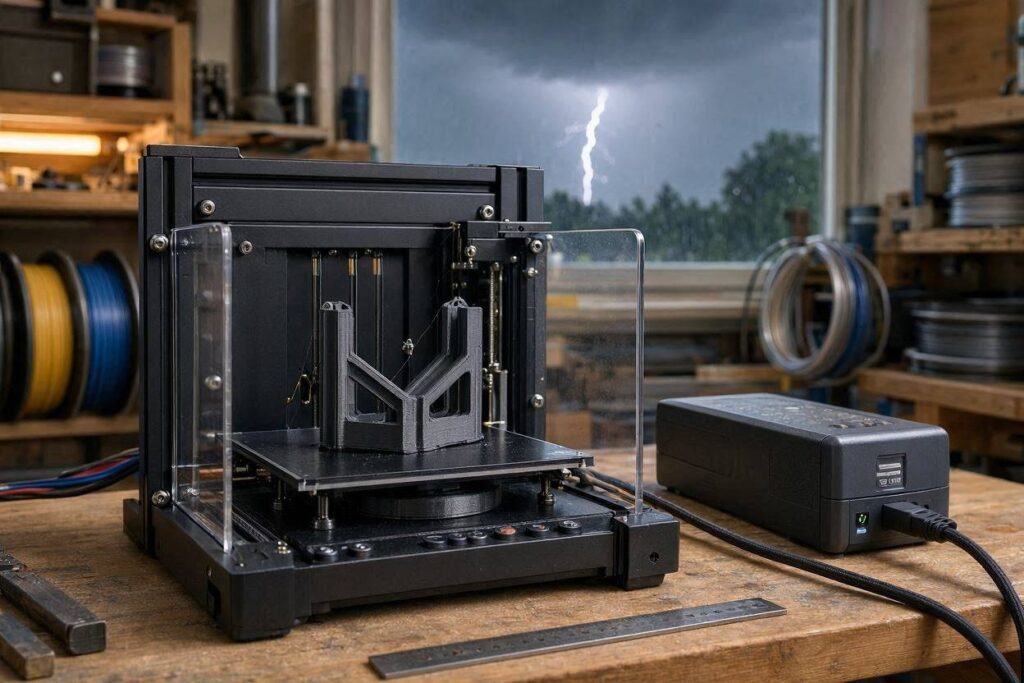
Power-loss recovery sounds reassuring, but it is not a guarantee that every interrupted print will remain attached, aligned, strong, or worth finishing. Before the next long print, understand what resume printing saves, what a UPS can protect, and when restarting from layer one is the better decision.
Can a 3D print survive a power outage?
Sometimes. A printer with power-loss recovery may remember the last position and attempt to continue after electricity returns. A short interruption is more likely to succeed when the part remains firmly attached and the machine restores temperatures and positioning correctly. A longer outage can cool the bed, loosen the part, create a visible seam, misalign the next layer, or weaken the bond. A UPS can bridge brief flickers and short outages, but it is not automatically sized to finish a long print.
Resume printing saves a position—not necessarily the part
Power-loss recovery usually records enough print information for the machine to restart near the interrupted layer. That is valuable, but several physical conditions may change while the printer is off.
The bed may cool. The part may release or shift. The nozzle can leave a blob at the stopping point. Material inside the hot end may ooze or harden. Homing or restart movement may touch the print. Even when the machine continues successfully, the interruption can leave a weak horizontal boundary.
3D Printing by Kevin principle: A resumed print should be judged by its intended job—not by whether the printer reached 100%.
Use the P.R.I.N.T. Method™ after a power interruption
The P.R.I.N.T. Method helps decide whether to resume, monitor, test, or restart the part.
Problem
Identify how long power was lost and what changed on the printer.
Requirements
Consider load, fit, appearance, deadline, safety, and expected lifespan.
Interfaces
Inspect the bed contact, interrupted layer, nozzle position, and mating features.
Next-Best
Choose resume, restart, redesign, split the part, or use a different workflow.
Test & Tune
Monitor the restart and test the finished part before relying on it.
Resume feature vs. surge protector vs. UPS
| Protection | What it does | What it does not guarantee | Best use |
|---|---|---|---|
| Power-loss recovery | Saves print progress so the printer can attempt to continue | Bed adhesion, alignment, seam strength, or successful reheating | Recovering from short interruptions when the part has not moved |
| Surge protector | Provides limited protection against certain voltage spikes | Battery power during an outage or brownout | Basic electrical protection when matched to the printer and manufacturer guidance |
| UPS battery backup | Supplies temporary power during a flicker or outage | Enough runtime to complete every print | Bridging short interruptions or allowing a controlled stop |
| Whole-workflow planning | Schedules prints, reduces duration, splits parts, and checks weather risks | Eliminating every unexpected failure | Reducing how much work is exposed to one power event |
When a resumed print may be worth continuing
The interruption was brief
The bed remained warm, the part stayed firmly attached, and the printer recovered without an obvious position change.
The part is low-risk
A decorative object, organizer, visual prototype, or non-critical cover may tolerate a visible restart seam.
The restart layer looks clean
The nozzle resumes at the correct height without dragging, depositing a large blob, or creating a shifted wall.
When restarting is the better decision
The part moved on the bed
Even a small shift can change dimensions, wall alignment, hole position, and layer bonding above the interruption.
The part will carry load
Brackets, clips, mounts, handles, jigs, and replacement parts deserve extra caution when a weak layer could cause failure.
The restart created a defect
A deep seam, missing perimeter, nozzle collision, layer shift, or under-extruded restart is evidence—not merely a cosmetic inconvenience.
Practical boundary: Do not trust a resumed part for safety-critical, structural, heat-sensitive, pressure, electrical, medical, or human-support applications merely because it appears complete.
How to inspect a recovered print
- Mark the exact height where the interruption occurred.
- Inspect all walls around the restart layer under good lighting.
- Look for a horizontal crack, gap, bulge, shift, or missing perimeter.
- Measure important holes, slots, and mating surfaces above and below the seam.
- Check whether the base lifted or warped while the bed cooled.
- Apply only a controlled, appropriate test away from people and valuable equipment.
- Compare the part with an uninterrupted version when function matters.
- Restart the print when the consequences of failure exceed the saved time or filament.
The thirty-second resume decision
Before pressing Continue, choose the description that best matches the situation.
A monitored restart may be reasonable for a low-risk part.
Restarting is usually more reliable than trying to recover the geometry.
Choose a clean uninterrupted print and verify the finished part.
Should you buy a UPS for a 3D printer?
A UPS can be useful when your location experiences brief outages, brownouts, or rapid flickers that frequently interrupt otherwise successful jobs. Its value depends on the printer’s actual power draw, the UPS output, battery condition, desired runtime, and the type of electrical waveform the printer requires.
Do not size a UPS from the printer’s nameplate alone and assume it will finish a twelve-hour print. Heated beds and hot ends can create substantial demand, especially during warm-up. Check the printer manufacturer’s guidance and the UPS manufacturer’s load and runtime information.
Better expectation: Think of a typical UPS as short-term protection that may bridge a flicker, preserve a brief outage, or give you time to stop safely—not as an automatic all-night power source.
For additional guidance, review Prusa’s UPS backup guidance .
Reduce the risk before the storm arrives
- Confirm whether your exact printer supports power-loss recovery.
- Learn how that feature behaves before depending on it.
- Keep the build plate clean and the first layer reliable.
- Avoid starting a long print when severe weather is approaching.
- Split large parts when the design allows reliable assembly.
- Save the project file, slicer profile, and final G-code safely.
- Use verified electrical equipment rated for the printer’s load.
- Never bypass grounding, thermal protection, or manufacturer safety features.
Helpful resources for the next step
First-layer problems?
Read The Simple Bed-Leveling Method That Solves 80% of Print Issues before trusting a long job.
New to the workflow?
Start with
3D Printing for Absolute Beginners
for safe setup, slicing, first-layer checks, and controlled troubleshooting.
Want a repeatable planning system?
Continue with
P.R.I.N.T. It: Practical 3D Printing for Beginners
for project planning, materials, testing, and useful-print decisions.
For more perspective on deciding when a print is worth the effort, read Functional 3D Prints That Save Real Money .
Quick knowledge check
Open each question to test the recovery decision.
1. What does power-loss recovery usually save?
It usually saves enough print-progress information for the printer to attempt a restart. It does not guarantee that the part stayed attached, aligned, or structurally sound.
2. Why can a long outage ruin a resumable print?
The bed can cool, the part can release or shift, the nozzle can ooze, and the next layer may not bond cleanly to the cooled surface.
3. What is a realistic job for a UPS?
A properly selected UPS can bridge brief interruptions or provide time for a controlled response. It should not be assumed to complete every long print.
4. When should a resumed print be discarded?
Restart when the part moved, the resumed layer is defective, dimensions changed, or failure of the finished part could cause injury, damage, or an unreliable repair.
Frequently asked questions
Will a 3D printer automatically resume after power returns?
Only printers with a supported and enabled power-loss recovery feature can attempt this. Behavior varies by model, firmware, storage method, and the type of interruption.
Can a surge protector keep a print running?
No. A surge protector does not normally provide battery power. It may offer limited protection from certain voltage spikes, but it cannot bridge an outage like a UPS.
How large a UPS does a 3D printer need?
Size depends on measured printer load, warm-up demand, desired runtime, UPS output capacity, battery health, and compatibility. Use current manufacturer specifications rather than a generic wattage guess.
Can I trust a visible restart seam?
Treat it as a possible weak boundary. Cosmetic parts may remain usable, but functional parts should be inspected, measured, and tested according to their real requirements.
Should I leave a printer running during a thunderstorm?
Avoid beginning long unattended jobs when severe weather or unstable power is expected. Follow the printer manufacturer’s safety guidance and your local electrical-safety recommendations.
Can a failed print be restarted from a selected layer manually?
Advanced recovery methods exist, but they require accurate measurement, careful G-code handling, secure bed adhesion, and risk judgment. For many functional parts, a clean restart is more dependable.
Need a functional part without gambling another long print?
Send the model, photographs, measurements, material requirements, and intended use. The project review can focus on orientation, print time, failure risk, material, and whether a different production plan would be more reliable.
Power-loss behavior varies by printer, firmware, build surface, material, UPS design, electrical load, and outage duration. Follow the printer and electrical-equipment manufacturers’ instructions. Do not open, modify, bypass, or improvise mains-voltage equipment or printer safety systems.
