
Stop throwing away broken items. Learn how to use 3D printing to manufacture strong, affordable replacement parts at home. Save money and reduce waste today.
It happens in a split second. A plastic clip on the dishwasher rack snaps. A specialized knob on a vintage stereo cracks. A custom bracket for your shelving unit shears off. Usually, this means scouring the internet for a replacement part that costs $20 and takes two weeks to ship—if the manufacturer even still makes it.
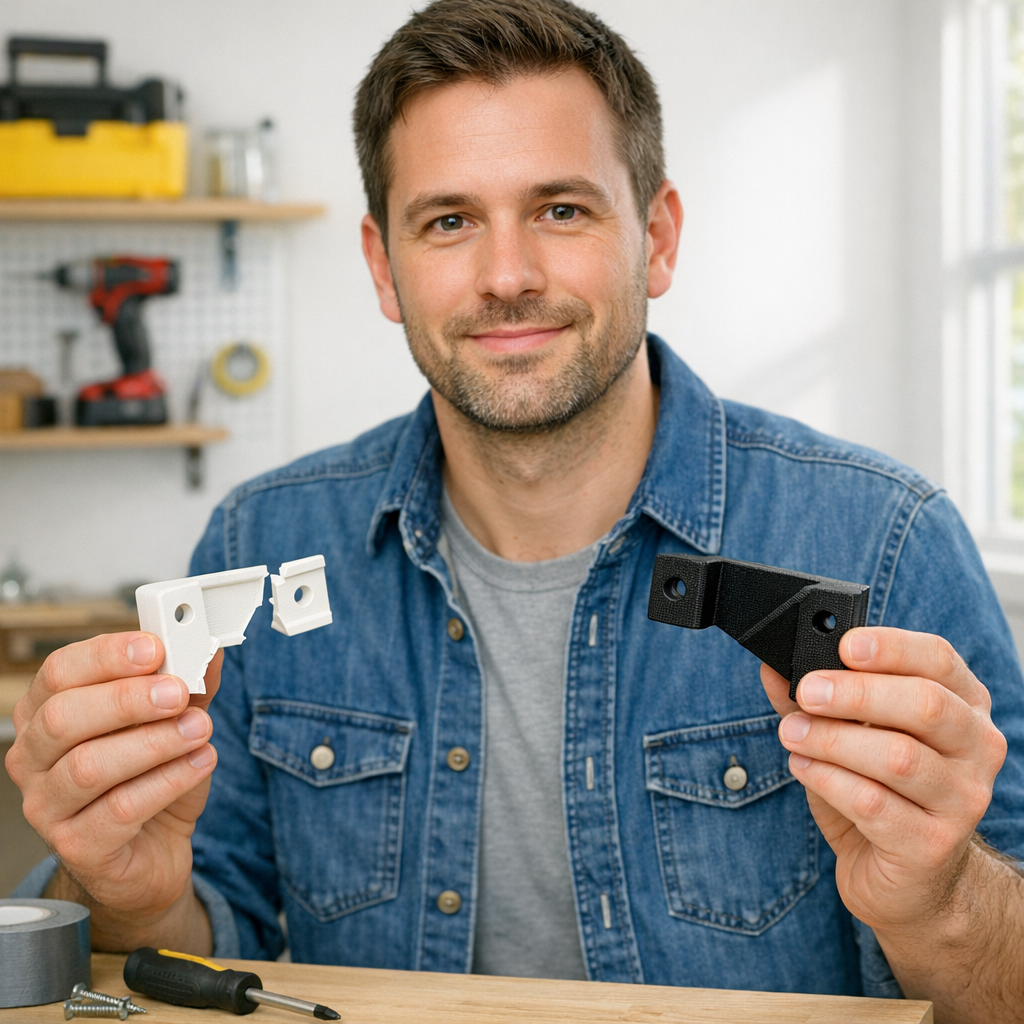
But you have a superpower sitting on your desk. Instead of contributing to the landfill, you can manufacture a custom, high-strength replacement in your own home for mere pennies. 3D printing is no longer just for desk toys and articulated dragons; it is the ultimate tool for home maintenance and repair.
Disclosure: This post contains affiliate links. If you make a purchase through these links, I may earn a commission at no additional cost to you. I only recommend tools and materials I trust.
Why 3D Printing is the Ultimate Repair Tool
The economics of 3D printing are staggering. A standard 1kg spool of filament costs around $20 to $25 and can produce dozens of small functional parts. When you break down the cost, that “unobtainable” plastic bracket usually costs less than $0.50 in material to replicate.
If you are just starting out, understanding the fundamentals is key. Our guide on 3d printing for absolute beginners covers the basics of getting your first machine up and running.
Strength Matters: Picking the Right Material
For a replacement part to be useful, it must survive the stress of its environment.
- PLA: Great for rigid, low-stress parts. However, it can be brittle and warps in high heat (like a hot car).
- PETG: The “Goldilocks” of functional printing. It offers excellent chemical resistance and enough flex to prevent snapping.
- ABS/ASA: Highly durable and heat resistant, though trickier to print. If you struggle with these, check out our tips on how to stop 3d print warping.
| Material | Best Use Case | Strength Level |
|---|---|---|
| PLA | Indoor knobs, decorative covers | Moderate / Brittle |
| PETG | Kitchen tools, brackets, clips | High / Flexible |
| ABS | Automotive parts, outdoor gear | High / Heat Resistant |
Step 1: Replicating the Geometry
You can’t print what you haven’t designed. If the part is simple, you can use a pair of digital calipers to measure and recreate it in CAD software. This is a vital skill for any maker. You can start acquiring the skills to design 3d objects using software today with free tools like Tinkercad or Fusion 360.
For complex, organic shapes, manual measuring is a nightmare. This is where 3D scanning becomes a game-changer. Using a professional-grade scanner like those from 3DMakerpro (Global) allows you to create a perfect digital twin of your broken part in minutes.
Step 2: Preparing for a Successful Print
A functional part is only as good as its slicer settings. For structural components, you want to increase your wall count rather than just your infill percentage. More “perimeters” provide significantly more torsional strength than a dense honeycomb center.
Calibration is non-negotiable here. If your tolerances are off, your replacement part won’t fit. I highly recommend using the calibration trick that makes any 3d printer perform better to ensure your dimensions are accurate to the millimeter.
Sometimes, the secret to a stronger part is patience. We have found that slowing your 3d printer down results in better layer adhesion, which is the primary failure point for functional prints.
Pro-Maker Tool Spotlight
To print professional-grade replacements, you need a reliable machine. The line of printers from Creality offers the perfect balance of affordability and precision.Step 3: Post-Processing for Longevity
Once the print is finished, you may need to clear out support material or drill out holes for a perfect fit. Every maker should have a dedicated toolkit for these tasks. Check out my list of the 15 tool every 3d printer owner should have to make sure you are prepared for the post-print cleanup.
If you run into issues like stringing or under-extrusion during your repair project, don’t panic. You can learn how to fix common 3d printing problems quickly with our troubleshooting guide.
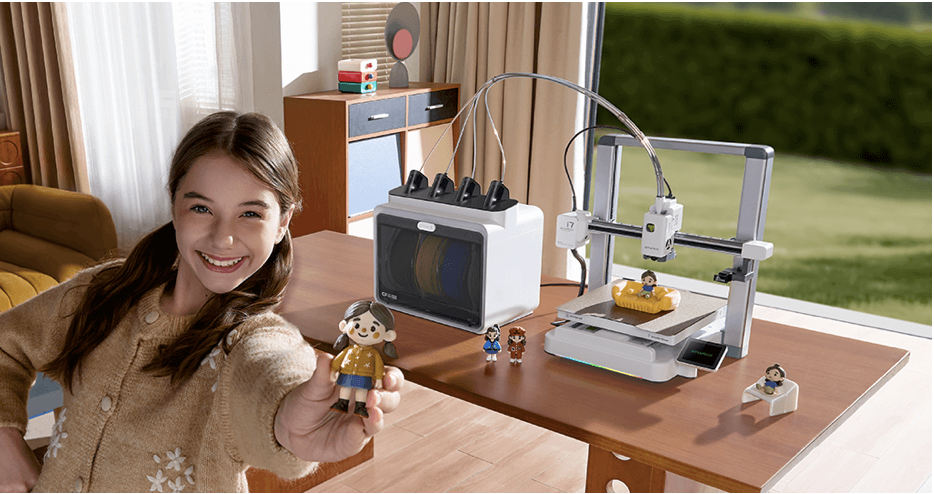
Creality SPARKX i7: AI-Powered Multi-Color Printing for Everyday Creators The SPARKX i7 is Creality’s most advanced consumer 3D printer to date, blending intelligent design with vibrant multi-color capabilities. With AI-assisted model generation, smart support placement, and a redesigned 4-color system that minimizes waste, it’s built for creators who want professional results without the complexity. Add in real-time mobile control and a sleek, modern aesthetic, and the SPARKX i7 becomes a standout choice for makers, educators, and small businesses alike.
Where to Source High-Quality Materials
For parts that need to last, material quality is paramount. Recycled or low-grade filaments can have inconsistent diameters that lead to weak spots in your print.
I personally use and recommend COEX Filament for my functional repairs. They are made in the USA and offer incredible consistency. Use the coupon code 3DPRINTINGBYKEVIN at checkout to save 15% on your order.
Frequently Asked Questions
Is a 3D printed part as strong as the original? It depends on the material and orientation. By using high-quality PETG and optimizing layer orientation, you can often create a part that is actually stronger than the mass-produced injection-molded original.
Can I 3D print parts for a dishwasher or oven? For a dishwasher, PETG or ASA are suitable. For an oven, standard filaments will melt. High-temperature specialized filaments exist, but they require advanced printers.
How much does it cost to print a replacement part? Most small household parts weigh less than 50 grams, meaning they cost less than $1.00 in filament to produce.

