
Tired of failed prints? Discover the simple cold pull method to fix 3D printer clogs instantly. Learn pro maintenance tips and hardware upgrades for flawless results.
Affiliate Disclosure
This post contains affiliate links. If you purchase through these links, I may earn a commission at no additional cost to you. This helps support the site and allows me to continue providing high-quality 3D printing guides.
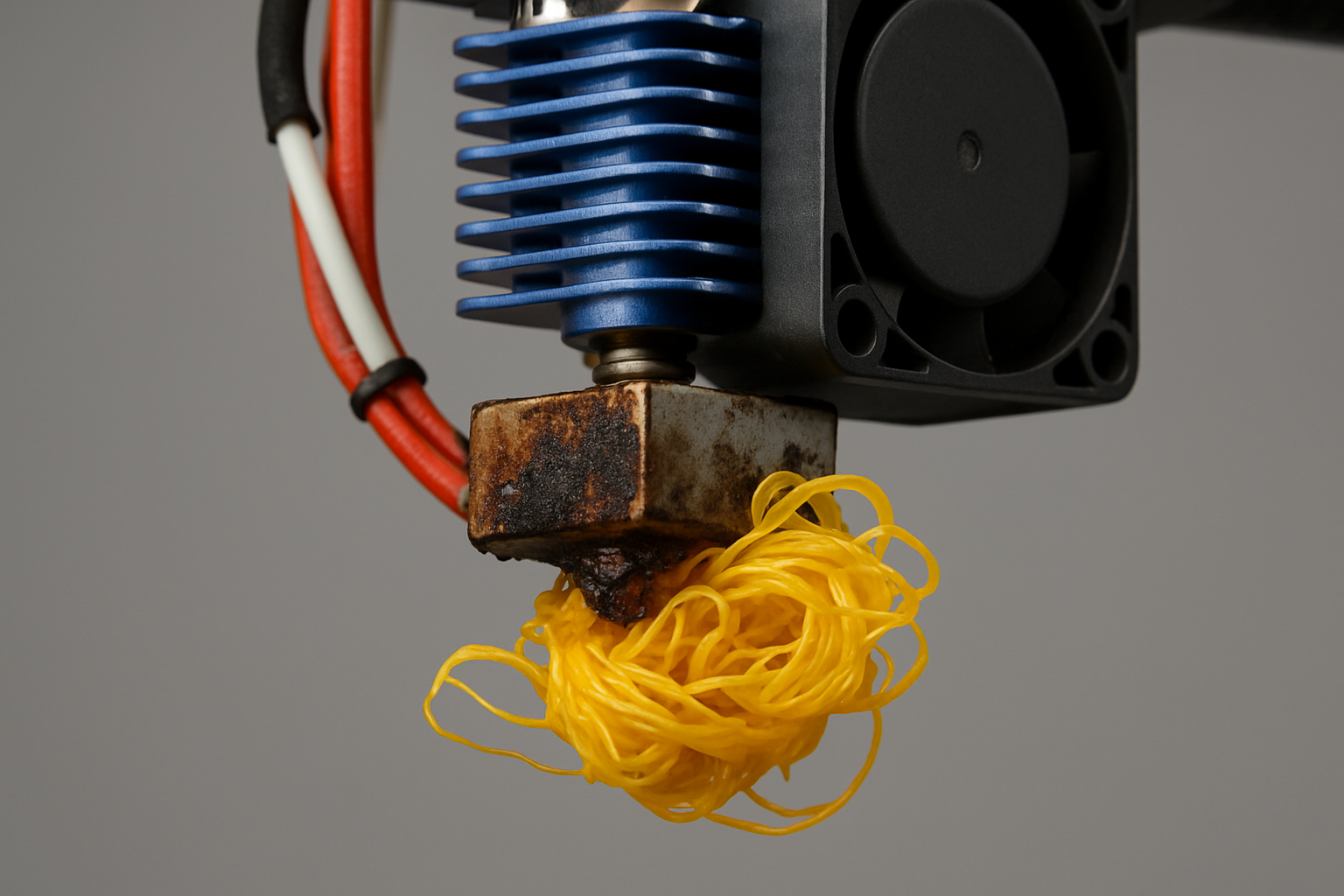
The Midnight Clog: A Maker’s Rite of Passage
You have spent three hours fine-tuning your latest design. You have leveled the bed, checked the first layer, and finally hit print before heading to bed. But when you walk into your workshop the next morning, you find a “spaghetti monster” or, worse, a printer head moving through thin air, extruding nothing but frustration.
The dreaded nozzle clog is the ultimate momentum killer. Whether you are using a hobbyist machine or a professional setup, heat creep and debris are inevitable. However, before you reach for the wrenches to disassemble your entire hotend, there is a legendary technique that solves nearly 90 percent of extrusion issues.
Understanding the Anatomy of a Jam
Before we dive into the fix, it is essential to understand why this happens. Most clogs occur due to a buildup of carbonized filament or dust that enters the nozzle. If you have been acquiring the skills to design 3D objects using software, the last thing you want is a hardware failure preventing your vision from becoming a reality.
Common culprits include:
- Switching between high-temp and low-temp materials (e.g., PETG to PLA).
- Poor quality filament with inconsistent diameters.
- Heat creep caused by a failing cooling fan.
The Simple Fix: The Cold Pull (Atomic Method)
The “Cold Pull” is the gold standard for cleaning a nozzle without taking it apart. This method uses the filament itself as a cleaning tool to grab debris from the inner walls of the nozzle.
Step 1: Heat and Load
Heat your nozzle to the printing temperature of the filament currently loaded. If you are using PLA, set it to 200C. If you are a 3D printing absolute beginner, ensure your workspace is clear and your hands are away from the hotend.
Step 2: Push and Cool
Manually push the filament through the nozzle until a small amount extrudes. Immediately turn off the heater. As the nozzle cools, keep applying slight pressure on the filament.
Step 3: The Critical Pull
Wait for the temperature to drop to roughly 90C for PLA (or 140C for PETG/ABS). This is the “sweet spot” where the plastic is solid enough to hold together but soft enough to peel away from the metal walls. Firmly and quickly pull the filament out of the extruder.
Step 4: Inspect the Tip
If done correctly, the tip of the filament will be shaped exactly like the inside of your nozzle. You will often see black specks or burnt residue trapped in the plastic. Repeat this process until the filament tip comes out perfectly clean.
Pro Tip: Prevention Through Quality Hardware
While the cold pull is a lifesaver, consistent extrusion starts with the machine. If you find yourself performing cold pulls every week, it might be time to look at your hardware.
For those looking for reliability out of the box, My Creality favorites offer some of the most robust hotend designs for the price. If you are moving toward high-detail scanning and professional modeling, 3DMakerpro (Global) provides the precision tools needed to ensure your models are “print-ready” from the start.
The Secret to Long-Term Success
A clean nozzle is only one half of the equation. To truly how to 3d print like a pro from model to masterpiece, you must look at your slicer settings.
Sometimes, what looks like a clog is actually a result of printing too fast or at the wrong temperature. Interestingly, what happens when you slow your 3d printer down can often reveal that your “clog” was simply the extruder skipping because it could not melt plastic fast enough.
Furthermore, apply the calibration trick that makes any 3D printer perform better to ensure your E-steps are correct. If your printer thinks it is pushing more plastic than it actually is, pressure builds up, leading to premature jams.
The Role of Premium Filament
You wouldn’t put low-grade fuel in a race car. The same applies to your printer. Using high-quality, American-made filament can drastically reduce the frequency of clogs.
I highly recommend checking out COEX Filament. Their tolerances are world-class, and the material purity is exceptional. Exclusive Offer: Use coupon code 3DPRINTINGBYKEVIN at checkout to save 15% on your order.
Essential Tools for Every Workbench
Beyond the cold pull, every maker should have a dedicated kit for hotend maintenance. You do not need an industrial workshop; in fact, the $15 tool every 3D printer owner should have can often be the difference between a successful fix and a broken heater cartridge.
Summary Checklist for a Clog-Free Life
- Perform a cold pull whenever switching from high-temp to low-temp filament.
- Check your fans. A dusty hotend fan is the leading cause of heat creep.
- Calibrate your retraction. Excessive retraction distances pull molten plastic into the cold zone, causing immediate jams.
- Use quality material. Invest in COEX to ensure debris-free printing.
FAQ: Frequently Asked Questions
How do I know if my nozzle is partially clogged?
If your layers look thin, “under-extruded,” or if you hear a clicking sound from the extruder motor, you likely have a partial clog.
Can I use a needle to clean the nozzle?
Yes, but be careful. Acupuncture needles can clear a blockage, but they do not remove the debris—they only move it around. The cold pull is superior because it removes the contaminant entirely.
When should I just replace the nozzle?
Nozzles are consumable parts. If the cold pull does not work after three attempts, or if the tip of the nozzle is worn down and flat, it is time for a replacement.

