
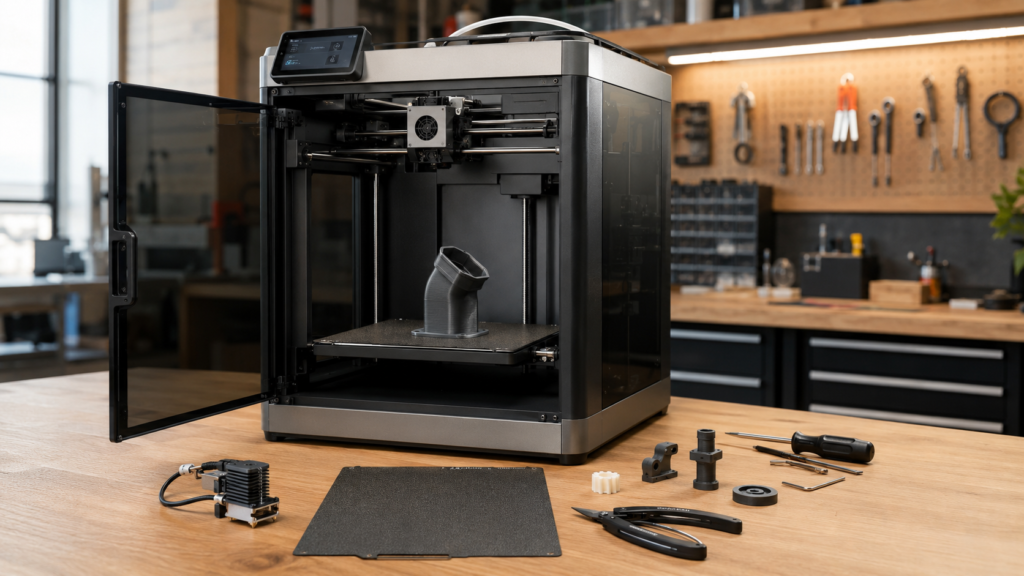
Bambu Lab has officially stopped manufacturing the X1, X1 Carbon, and X1E. That announcement matters, but it does not automatically make a working X1C outdated, unsupported, or ready for replacement. The practical decision depends on print reliability, operating hours, maintenance needs, spare-parts access, and whether a newer printer solves a problem you actually have.
Should X1 Carbon owners replace their printer now?
Probably not if the printer remains dependable and still meets the work. Bambu Lab says spare parts and service for the X1 series will continue until March 31, 2031. General software feature updates and bug fixes are scheduled through May 31, 2027, with security patches continuing through May 31, 2029. Owners should focus on maintenance, important wear parts, clean project backups, and a planned upgrade decision rather than replacing a productive printer out of fear.
What “end-of-life” actually means for the X1 Carbon
Bambu Lab stopped manufacturing and actively selling the X1 series on March 31, 2026. Selected authorized sellers may still have new inventory, but the platform has moved from active production into a defined support period.
That is different from immediate abandonment. Existing printers do not stop working, and the announcement does not erase the X1C’s enclosed CoreXY design, automatic calibration, capable motion system, AMS compatibility, or established print profiles.
Dates owners should record: Feature updates and ordinary bug fixes are scheduled through May 31, 2027; security patches through May 31, 2029; and spare-parts supply and support through March 31, 2031.
Read the official Bambu Lab X1-series end-of-life announcement for the manufacturer’s complete timeline.
Run the upgrade decision through the P.R.I.N.T. Method™
A new model announcement should not replace a practical review of what your current machine does well.
Problem
Identify the limitation actually interfering with your work.
Requirements
List build size, materials, speed, quality, automation, and uptime needs.
Interfaces
Consider AMS units, plates, spare parts, profiles, files, and workflow compatibility.
Next-Best
Compare maintenance, repair, a second printer, or full replacement.
Test & Tune
Measure the result before retiring a proven machine.
Keep it, add a printer, or replace it?
| Decision | Best when | Primary advantage | Main caution |
|---|---|---|---|
| Keep the X1C | It remains reliable and meets your size, material, and quality needs | No new learning curve or major equipment expense | Plan around the published support timeline |
| Maintain and stock selected spares | The printer supports important personal or business work | Reduces downtime from common wear items | Avoid buying parts you may never use |
| Add a second printer | You need more capacity, a larger build area, or a separate material workflow | The X1C remains productive while the new machine adds capability | More maintenance, space, and workflow management |
| Replace the X1C | Reliability is declining or a newer platform solves a costly limitation | Consolidates work onto a supported current platform | A newer specification does not guarantee better real-world output |
Five reasons a working X1 Carbon may still deserve its place
You already know the machine
Proven profiles, familiar maintenance, known materials, and predictable behavior have real value.
Its build volume fits your work
A larger or newer machine adds little value when most parts already fit comfortably.
Print quality remains consistent
Repeatable first layers and usable functional parts matter more than headline speed.
Replacement support continues
The published service window gives owners time to maintain the printer and plan carefully.
It can become a dedicated machine
An older printer can handle repeat materials, prototypes, fixtures, or overflow work after a second printer is added.
The upgrade money has a better use
Filament, design tools, measurement equipment, spare parts, or business development may improve results more than a new printer.
Signs that replacement deserves a serious look
Downtime is increasing
Recurring faults, unavailable parts, or repeated service interruptions may cost more than the printer is saving.
The build area limits paid work
If splitting and assembling large parts repeatedly wastes labor, a larger platform may solve a real problem.
Your material needs changed
A different chamber, temperature range, nozzle system, or material-handling workflow may justify another machine.
Do not upgrade from anxiety alone. Replace the X1C when the next printer solves a measured limitation, reduces costly downtime, or creates useful capacity—not merely because the current model is no longer being manufactured.
Which spare parts are worth considering?
Spare-parts planning should match usage. A heavily used production printer deserves a different inventory than a machine that runs twice a month.
- Keep at least one suitable spare hotend or nozzle assembly.
- Maintain replacement filament cutters and wipers.
- Inspect build plates and keep a dependable backup surface.
- Monitor PTFE tubes and filament-path wear.
- Keep manufacturer-recommended lubricants and cleaning supplies.
- Inspect fans when noise, heat, or airflow changes.
- Review AMS wear parts when multi-material printing is important.
- Buy model-specific electronic parts only when risk and usage justify them.
Use The Pro-Level 3D Printer Maintenance Checklist to build a routine around actual use rather than waiting for a failure.
The two-minute X1 Carbon decision
Choose the situation that best matches your printer today.
Keep using it, maintain it, and plan selected spares without rushing into replacement.
Consider adding a complementary printer while retaining the X1C for proven work.
Document the cost and compare current printers against that specific problem.
Prepare the printer for the next five years
- Record the printer’s current operating hours and recurring issues.
- Export or document important slicer profiles and material settings.
- Save original project files separately from final sliced files.
- Perform overdue cleaning, inspection, and lubrication.
- Check belts, rods, fans, tubes, cutters, wipers, and build surfaces.
- Review official firmware notes before applying major changes.
- Keep a simple maintenance and parts-replacement log.
- Revisit the keep-or-replace decision annually instead of reacting to every launch.
Continue with these practical resources
Compare the X1C with a larger CoreXY printer
Read Creality K1 Max vs. Bambu Lab X1 Carbon before assuming that a larger machine is automatically a better replacement.
Deciding what to buy next?
Use the Guide to Choosing the Right 3D Printer to compare machines against real project requirements.
Want a repeatable planning system?
Continue with P.R.I.N.T. It: Practical 3D Printing for Beginners for project planning, materials, testing, and troubleshooting.
Owners looking for projects that make practical use of the printer can also explore 10 Useful Things You Can Print This Week .
Quick knowledge check
Open each question to test the ownership decision.
1. Does end-of-life mean the X1 Carbon is immediately unsupported?
No. Bambu Lab has published separate timelines for software updates, security patches, spare parts, service, and technical support.
2. When does Bambu Lab say X1-series spare-parts support ends?
The published end date for spare-parts supply and support is March 31, 2031.
3. What is the strongest reason to replace a working X1C?
Replace it when a newer machine solves a measured limitation, reduces costly downtime, adds needed capacity, or supports materials and dimensions the X1C cannot handle effectively.
4. Why can adding a printer be better than replacing the X1C?
A second machine can add capacity or capability while the proven X1C continues handling established materials and repeat jobs.
Frequently asked questions
Is the Bambu Lab X1 Carbon discontinued?
Yes. Bambu Lab ended manufacturing and active sales of the X1 series on March 31, 2026. Some authorized sellers may still have remaining inventory.
Will the X1 Carbon continue receiving firmware updates?
Bambu Lab’s published timeline lists ordinary feature updates and bug fixes through May 31, 2027, followed by security patches through May 31, 2029.
Should I buy an X1 Carbon that is still in stock?
Consider the price, warranty, remaining support period, parts availability, seller authorization, and whether a newer model offers a more useful long-term fit. A steep discount may be attractive, but it should be compared with current alternatives.
Should I stock every possible replacement part?
No. Prioritize wear items and components that could create meaningful downtime. Expensive electronic assemblies may become obsolete on the shelf before they are ever needed.
Can an X1 Carbon still be used for business work?
Yes, when it remains reliable and meets the project requirements. Businesses should also consider backup capacity, maintenance records, spare-parts access, cybersecurity, and the cost of unexpected downtime.
What should I do before installing future firmware?
Review the official release notes, confirm compatibility with your workflow, preserve important project information, and avoid updating immediately before time-sensitive production work.
Your X1 Carbon does not need to be the newest printer to remain useful.
Keep it when it continues to solve the problem. Maintain it before reliability slips. Add another machine when capacity demands it. Replace it only when the next printer delivers a measurable advantage for the work you actually perform.
Manufacturer support dates, firmware plans, spare-parts availability, authorized inventory, warranties, and service policies may change. Confirm current information with Bambu Lab or an authorized seller before purchasing equipment or long-term replacement inventory. Disconnect power and follow manufacturer instructions before performing printer maintenance.
